Are you tired of dead zones and slow internet in certain corners of your home? Your WiFi coverage can make or break your online experience.
With a WiFi 6 router, you expect faster speeds and better performance, but how far does that signal really reach? Understanding the coverage range of your WiFi 6 router is key to getting the most out of your connection. You’ll discover what affects your router’s range and how to maximize it, so you can enjoy seamless internet wherever you are in your space.
Keep reading to unlock the secrets to stronger, wider WiFi coverage.

Credit: www.amazon.ca
Wifi 6 Technology Basics
Wifi 6is the latest standard in wireless technology. It offers faster speeds and better performance than older versions. The technology uses new methods to handle many devices at once without slowing down. This makes it perfect for busy homes and offices.
Key featuresinclude:
- OFDMA: Lets multiple devices share a channel efficiently.
- MU-MIMO: Sends data to many devices at the same time.
- 1024-QAM: Packs more data into each signal.
- Target Wake Time: Saves battery on connected devices.
Benefits over previous Wifi standardsare clear:
- Better coverage inside homes and buildings.
- Higher data speeds for streaming and gaming.
- Supports more devices without lag.
- Improved battery life for phones and laptops.
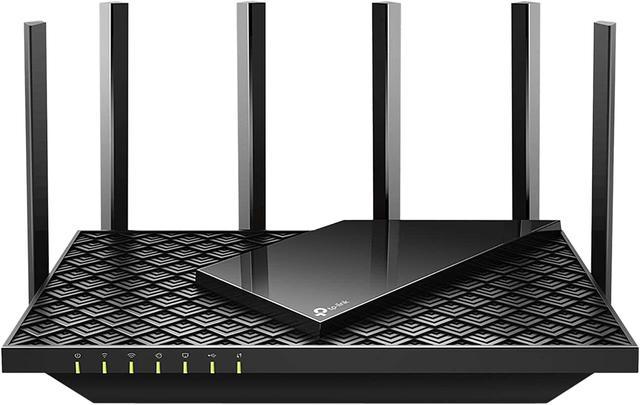
Credit: www.newegg.ca
Factors Affecting Router Coverage
Walls, furniture, and floorscan block WiFi signals. Thick walls, especially made of concrete or metal, reduce coverage. Devices like microwaves and cordless phones cause interference. This weakens the signal and lowers speed. Placing the router in an open area helps signals travel far.
Keep the router away from large metal objects and electronics. Higher spots, like shelves, let the signal spread better. Avoid placing routers near windows or floors to prevent signal loss.
- Check if your device supports WiFi 6for best results.
- Older devices may work slower even with a WiFi 6 router.
- Updating device software can improve connection quality.
Maximizing Wifi 6 Range
Placing your Wifi 6 routerin a central, open spot improves coverage. Avoid walls and metal objects that block signals. Higher spots like shelves help the signal spread wide. Keep the router away from microwaves and cordless phones that cause interference.
Wifi extenders and mesh systemsboost your Wifi 6 range. Extenders catch and resend the signal, covering dead zones. Mesh systems use multiple nodes working together for seamless connection. They are good for large homes or offices with many rooms.
| Firmware Updates | Router Settings |
|---|---|
| Keep your router’s software up to date for best performance. | Adjust settings like channel and bandwidth for less interference. |
| Updates fix bugs and add new features. | Use 5 GHz band for faster speeds but shorter range. |
| Check updates regularly from the router’s app or website. | Try different channels to avoid crowded frequencies. |
Comparing Wifi 6 Router Models
Different WiFi 6 router modelsoffer varied coverage ranges. The range depends on the router’s antenna designand power output. Some models cover small apartments, while others reach large homes.
Real-world performance often differs from specs. Walls, furniture, and interference can lower signal strength. Open spaces allow better signal reach. Routers with multiple antennas tend to keep a stronger connection over longer distances.
| Router Model | Max Coverage (feet) | Number of Antennas | Typical Use |
|---|---|---|---|
| Model A | 1500 | 4 | Medium-sized homes |
| Model B | 2500 | 6 | Large homes, offices |
| Model C | 1000 | 2 | Small apartments |
Troubleshooting Coverage Issues
Dead zonesare areas in your home where WiFi signal is weak or missing. These spots often appear behind thick walls, floors, or metal objects. To find dead zones, walk around with a device and check signal strength. Look for areas with slow speeds or no connection at all.
Changing WiFi channelsand frequenciescan reduce interference and improve coverage. WiFi 6 routers use 2.4 GHz and 5 GHz bands. The 2.4 GHz band covers longer distances but is slower. The 5 GHz band is faster but covers less area.
| Frequency Band | Range | Speed | Best Use |
|---|---|---|---|
| 2.4 GHz | Long | Moderate | Walls, larger homes |
| 5 GHz | Short | High | Open spaces, fast devices |
- Try different channels to avoid overlap with neighbors.
- Use the router’s app to scan for the best channel.
- Place the router in a central, open spot for better coverage.

Credit: www.amazon.ca
Frequently Asked Questions
What Is The Typical Coverage Range Of A Wifi 6 Router?
A WiFi 6 router generally covers up to 150 feet indoors and 300 feet outdoors. Range varies by walls, interference, and router power.
How Does Wifi 6 Improve Router Coverage?
WiFi 6 uses advanced technologies like OFDMA and MU-MIMO to boost efficiency. This enhances signal reach and supports more devices simultaneously.
Can Wifi 6 Routers Cover Large Homes Effectively?
Yes, WiFi 6 routers can cover large homes better than previous models. However, adding mesh systems or extenders may be needed for full coverage.
Does Wifi 6 Range Depend On Frequency Bands?
Yes, 2. 4 GHz offers longer range but slower speeds. 5 GHz provides faster speeds but shorter coverage. WiFi 6 optimizes both bands.
Conclusion
Wifi 6 routers offer better coverage than older models. They reach farther and handle more devices well. Walls and furniture can still block signals. Placing your router in a central spot helps. Using extra access points can boost coverage too.
Choosing the right router fits your home size and needs. Good coverage means faster internet and fewer drops. Understanding these basics helps you get the best Wifi 6 experience. Simple steps make a strong, reliable connection possible.