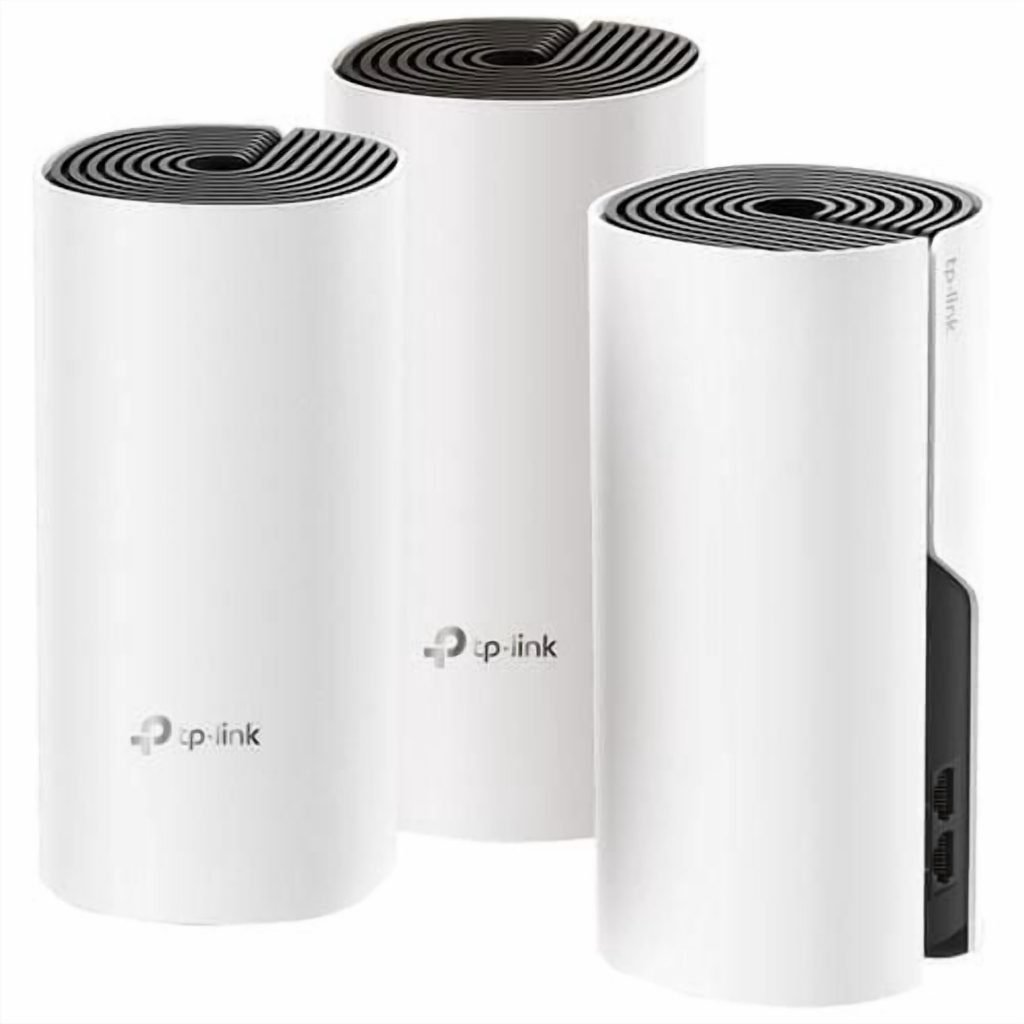
Are you tired of dead zones and slow internet in your home? A WiFi 5 Mesh System might be exactly what you need.
It’s designed to give you fast, reliable WiFi in every corner of your space. Imagine streaming your favorite shows, working from any room, or playing online games without interruptions. You’ll discover what a WiFi 5 Mesh System is, how it works, and why it could change the way you connect to the internet forever.
Keep reading to unlock a better WiFi experience.

Credit: www.pcmag.com
Wifi 5 Mesh Basics
A Wifi 5 mesh system helps spread internet across your home. It uses multiple devices to cover large spaces.
This system improves connection strength and reduces dead spots. It works better than a single router.
What Is Wifi 5
Wifi 5 is a wireless standard also called 802.11ac. It gives faster internet speeds than older Wifi versions.
It works on the 5 GHz frequency band. This reduces interference and improves performance in busy areas.
How Mesh Networks Work
A mesh network uses several devices called nodes. These nodes connect to each other and spread WiFi signals.
Each node acts like a mini router. They share the internet load and cover areas a single router cannot.
- Nodes communicate to create a strong network
- Devices switch between nodes automatically
- Easy to add more nodes for bigger coverage
Benefits Over Traditional Routers
Mesh systems give better coverage than one router. They help avoid weak signals in large or multi-floor homes.
They also make it simple to connect many devices. The network stays fast and stable with many users.
- Eliminates WiFi dead zones
- Easy to expand network size
- Seamless device connection
- Better speed and reliability
Key Features Of Wifi 5 Mesh
Wifi 5 Mesh systems help improve wireless internet in homes and offices. They use multiple devices to spread the signal evenly.
This system is great for large spaces or places with many walls that block signals. It makes your internet faster and more reliable.
Dual-band Connectivity
Wifi 5 Mesh uses two frequency bands: 2.4 GHz and 5 GHz. This helps devices connect better based on their needs.
The 2.4 GHz band covers longer distances but is slower. The 5 GHz band is faster but covers less area. The mesh system switches between them for best results.
- 2.4 GHz band: good for long range and obstacles
- 5 GHz band: faster speeds for close devices
- Automatic switching for smooth connections
Seamless Roaming
Seamless roaming means your device stays connected as you move around. The mesh system changes connections without dropping the signal.
This is useful in homes with many rooms or offices with different floors. You can use the internet without interruptions.
- Automatic switch between mesh nodes
- No need to reconnect manually
- Strong signal everywhere in the covered area
Improved Coverage
Wifi 5 Mesh extends the wireless signal farther than a single router. It uses multiple devices placed around the area.
This reduces dead zones where the signal is weak or missing. It works well in large homes, offices, or places with thick walls.
- Multiple nodes spread the signal widely
- Reduces areas with poor or no wifi
- Better connection in all rooms
Setting Up A Wifi 5 Mesh System
A Wifi 5 mesh system helps spread internet signals evenly in your home. It uses multiple devices to cover large areas with strong Wi-Fi.
Setting up a mesh system is simple and improves your connection. Follow these steps to get started.
Choosing The Right Devices
Select devices that support Wifi 5 (802.11ac) for good speed and range. Check how many units you need based on your home size.
Make sure the devices work well together and match your internet plan speed.
- Look for Wifi 5 compatible routers and nodes
- Choose enough units to cover your whole home
- Check device compatibility with your internet speed
- Consider devices with easy setup apps
Installation Steps
Start by connecting the main router to your modem. This device will send signals to other nodes.
Follow the device instructions to add mesh nodes. Usually, this involves using an app or pressing buttons on the devices.
- Connect the main router to the modem
- Power on the main router and wait for it to start
- Use the app or device buttons to add mesh nodes
- Confirm each node connects successfully
- Test the Wi-Fi signal in different rooms
Optimizing Placement
Place mesh nodes in open areas for better signal spread. Avoid walls and metal objects that block Wi-Fi.
Keep nodes close enough to connect but far enough to cover new areas. Test signal strength and adjust if needed.
- Put the main router in a central location
- Place nodes where Wi-Fi is weak
- Keep nodes visible and off the floor
- Avoid placing nodes near electronics or thick walls
- Use the app to check signal quality
Performance And Speed
Wifi 5 mesh systems improve internet speed and coverage in homes. They use several devices to create a strong wireless network.
This setup helps maintain fast connections, even in large areas with many walls or floors.
Real-world Speed Gains
Wifi 5 mesh systems provide better speed than single routers. They spread internet signals evenly across your home.
- Faster downloads and uploads
- Reduced lag when streaming videos
- Stable connections during online gaming
Handling Multiple Devices
Many devices can slow down a normal router. A Wifi 5 mesh system manages many devices smoothly.
| Device Type | Effect on Single Router | Effect on Wifi 5 Mesh |
| Smartphones | Slower speeds | Maintains speed |
| Smart TVs | Buffering | Smooth streaming |
| Laptops | Connection drops | Stable connection |
Reducing Dead Zones
Dead zones are areas with weak or no Wifi signal. Mesh systems reduce these zones by using multiple access points.
Key ways mesh systems reduce dead zones:
- Place nodes in different rooms
- Nodes communicate to cover blind spots
- Automatically switch devices to the strongest node
Comparison With Other Wifi Standards
WiFi 5 mesh systems offer a way to improve home internet coverage. They work by spreading the WiFi signal across multiple points. This helps reduce dead spots and keeps devices connected.
Let’s compare WiFi 5 mesh with other WiFi standards and options. This will help you understand their strengths and weaknesses.
Wifi 5 Vs Wifi 6 Mesh
WiFi 6 is the newer standard compared to WiFi 5. It offers faster speeds and better handling of many devices at once. WiFi 5 mesh systems are still good for most homes but lack some new features.
- Speed:WiFi 6 is faster than WiFi 5.
- Capacity:WiFi 6 supports more devices smoothly.
- Latency:WiFi 6 has lower delays for real-time use.
- Compatibility:WiFi 5 works well with older devices.
- Cost:WiFi 5 mesh systems usually cost less.
Mesh Vs Extenders
Mesh systems and extenders both improve WiFi coverage. Extenders repeat the existing signal but may reduce speed. Mesh systems create a single network with multiple nodes for better performance.
| Feature | Mesh System | Extender |
| Network Name | Single network name for all nodes | Separate network name for extender |
| Coverage | Wide and seamless coverage | Limited coverage extension |
| Speed | Maintains faster speeds | May reduce speed |
| Setup | Usually simple, app-based | Can be complex to set up |
Pros And Cons
- Pros of WiFi 5 Mesh:Easy to install, good coverage, lower price.
- Cons of WiFi 5 Mesh:Slower than WiFi 6, less efficient for many devices.
- Pros of WiFi 6 Mesh:Faster speeds, handles many devices well, better battery use for devices.
- Cons of WiFi 6 Mesh:Higher cost, newer technology may not suit all devices.
- Pros of Extenders:Cheap option, simple for small areas.
- Cons of Extenders:Separate network names, slower speeds, patchy coverage.
Troubleshooting Common Issues
Wifi 5 Mesh Systems improve home internet coverage. They can have problems, like any technology. Let’s explore common issues and how to fix them.
Understanding these problems can help you maintain a stable network. Read on for solutions to typical Wifi 5 Mesh System troubles.
Connectivity Drops
Connectivity drops can be frustrating. They often occur when devices move between nodes. Ensure your nodes are placed correctly.
Try restarting the system. This can fix temporary issues. If problems persist, check for physical obstructions or interference.
- Place nodes in open areas
- Avoid metal objects and thick walls
- Restart the system regularly
Slow Speeds
Slow speeds can affect internet activities. Check if too many devices are connected. Overloading can reduce speed.
Make sure your internet plan supports the needed speed. Adjust settings in the router dashboard for better performance.
- Limit connected devices
- Upgrade to a higher speed plan if needed
- Adjust Quality of Service (QoS) settings
Firmware Updates
Firmware updates ensure system security and efficiency. They can fix bugs and improve performance. Check for updates regularly.
Access your router’s dashboard to update firmware. Follow instructions carefully to avoid installation issues.
- Check for updates monthly
- Backup settings before updating
- Follow update instructions precisely
Future Of Home Wifi
The WiFi 5 Mesh System is changing the way we connect at home. It offers a better way to ensure strong signals in every room.
This system is more than just fast internet. It is about creating a seamless experience for every user in the home.
Upcoming Technologies
New technologies are making WiFi faster and more reliable. These advancements will help meet the growing demands of home networks.
- WiFi 6 is on the horizon, promising faster speeds.
- Advanced mesh systems can cover larger areas.
- Better security features are being developed.
Integration With Smart Homes
Smart homes need strong WiFi for all devices to work well. The WiFi 5 Mesh System helps with this integration.
Imagine controlling lights, locks, and cameras all through one app. A reliable WiFi connection makes this possible.
Evolving User Needs
As families grow, so do their internet needs. Streaming, gaming, and working from home require robust connections.
| Activity | Data Demand |
| Streaming Movies | High |
| Online Gaming | Very High |
| Remote Work | Moderate |

Credit: www.amazon.ca

Credit: www.pcmag.com
Frequently Asked Questions
What Is A Wifi 5 Mesh System?
A Wifi 5 Mesh System uses multiple routers to extend Wifi coverage. It improves speed and reduces dead zones in your home or office.
How Does Wifi 5 Mesh Differ From Traditional Routers?
Unlike single routers, Wifi 5 Mesh uses nodes for wider coverage. It offers seamless connectivity and better signal strength throughout your space.
Is Wifi 5 Mesh Suitable For Large Homes?
Yes, Wifi 5 Mesh is ideal for large homes. It provides consistent high-speed internet by covering multiple rooms and floors efficiently.
Can Wifi 5 Mesh Improve Streaming And Gaming?
Absolutely, Wifi 5 Mesh reduces buffering and lag. It delivers stable and fast connections, enhancing your streaming and gaming experience.
Conclusion
Wifi 5 mesh systems help spread strong internet all over your home. They use many devices to cover large areas with one signal. This means fewer dead zones and better connections. Setting up a mesh system is simple and keeps your devices online smoothly.
For homes with many users or big spaces, it works well. Choosing a Wifi 5 mesh system improves your daily internet experience. It makes browsing, streaming, and gaming easier and faster. A smart choice for steady, reliable Wi-Fi everywhere.


