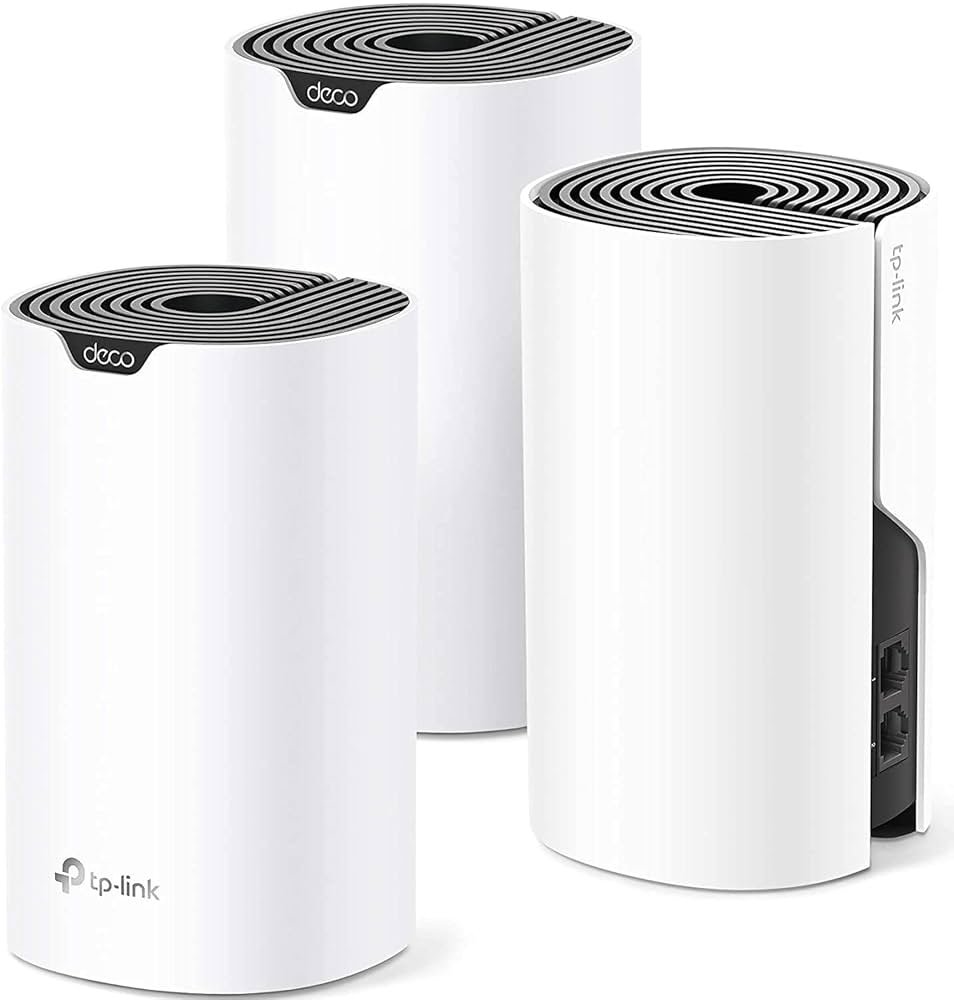
Are you tired of slow internet and dead zones in your home? Your WiFi should work everywhere, without interruptions.
That’s where Tp-Link Deco Mesh WiFi comes in. Imagine seamless, fast internet that follows you from room to room, no matter how big your space is. You’ll discover the top features of Tp-Link Deco Mesh WiFi that can transform your online experience.
Ready to unlock powerful, reliable WiFi that keeps up with your needs? Keep reading to find out how Deco can change the way you connect.
Tp-link Deco Mesh Wifi Overview
Tp-Link Deco Mesh Wifi helps improve internet coverage at home. It uses many units to spread wifi signals evenly.
This system works well in large spaces or homes with many walls. It aims to give fast and stable wifi everywhere.
Setting up Tp-Link Deco Mesh Wifi is simple and fast. Users can control the network with the Deco app on their phones.
- Step-by-step app guidance for installation
- Manage connected devices easily
- Set parental controls and guest networks
Strong And Stable Connection
Deco Mesh Wifi uses multiple units to avoid dead zones. Each device connects to the best unit automatically.
| Feature | Description |
| Seamless Roaming | Switch devices without wifi drops |
| Self-Healing Network | System fixes connection issues itself |
| Dual-Band Wi-Fi | Supports 2.4 GHz and 5 GHz bands |
Wide Device Compatibility
Tp-Link Deco works with many devices. It supports smartphones, laptops, smart TVs, and other smart home gadgets.
The system fits well in homes with many connected devices. It balances speed and connection quality for all users.

Credit: www.amazon.ca
High-speed Performance
The Tp-Link Deco Mesh Wifi system offers fast and steady internet speeds. It keeps your devices connected with little delay.
This system is built to handle many devices at once. It is perfect for streaming, video calls, and online games.
Tri-band Technology
Tri-band technology uses three wireless bands to spread out your internet traffic. This reduces congestion and speeds up connections.
- One band is dedicated to connecting the Deco units.
- The other two bands serve your devices.
- This setup helps keep your wifi strong and fast.
Gigabit Ethernet Ports
Each Deco unit comes with gigabit Ethernet ports for wired connections. Wired devices get faster and more stable internet.
| Port Type | Speed | Use |
| Gigabit Ethernet | Up to 1 Gbps | Connect computers and smart TVs |
| Wireless | Up to 867 Mbps | Connect smartphones and tablets |
Adaptive Routing
Adaptive routing finds the best path for your data. It avoids slow spots and keeps your connection smooth.
Benefits of Adaptive Routing:
- Automatically chooses the fastest route
- Adjusts to network changes in real time
- Improves overall network efficiency
Seamless Coverage
Tp-Link Deco Mesh Wifi offers smooth and steady internet across your home. It stops you from losing connection when moving around.
This system creates one network that covers every room. This way, your devices stay connected without interruptions.
Whole-home Coverage
Deco Mesh Wifi covers every corner of your house. It uses multiple devices to spread the signal far and wide.
Each unit works together to make sure no area has weak or no signal. This helps in large homes or places with many walls.
- Strong signal in every room
- Works in big houses
- Connects outdoor spaces too
Mesh Networking Benefits
Mesh networking links several Deco units to form one network. This network shares information to keep your internet fast.
The system picks the best path for your data to travel. This makes your connection smooth and reduces delays or drops.
- Single network name for all units
- Automatic connection to strongest signal
- Easy to add more units if needed
Eliminating Dead Zones
Dead zones are areas with no wifi signal. Deco Mesh Wifi removes these spots by spreading the signal evenly.
This means no more places in your home where your device loses connection. You get internet everywhere you need it.
- Stops wifi black spots
- Improves signal in tough areas
- Supports many devices without slowdowns
Easy Setup And Management
The Tp-Link Deco Mesh WiFi system offers a simple way to set up and manage your home network. It is designed for users who want fast and reliable WiFi without technical hassle.
With clear controls and helpful features, managing your WiFi is straightforward and convenient.
User-friendly App
The Deco app guides you through the entire setup process step-by-step. You can see all connected devices and monitor your network’s status in one place.
- Easy installation with clear instructions
- Real-time network monitoring
- Simple device management
- Quick firmware updates
Voice Control Integration
Deco Mesh WiFi supports voice commands through popular assistants. You can control your network hands-free using simple voice instructions.
| Voice Assistant | Supported Commands |
| Amazon Alexa | Pause WiFi, Check network status |
| Google Assistant | Enable guest network, Speed test |
Parental Controls
Parental controls help manage when and how children use the internet. You can set limits and filter content easily.
- Set internet schedules for each device
- Pause internet access with one tap
- Block harmful or inappropriate websites
- View usage reports for better monitoring
Advanced Security Features
TP-Link Deco Mesh WiFi systems are known for their security. They protect your network from online threats.
These systems provide several features to keep your data safe. Let’s explore these security features in detail.
Built-in Antivirus
The built-in antivirus in Deco Mesh WiFi blocks harmful content. It scans your network to prevent viruses and malware.
It ensures that devices on your network are protected. This antivirus feature is always on to keep your data safe.
Automatic Firmware Updates
Deco Mesh WiFi updates its firmware automatically. This means you always have the latest security patches.
Automatic updates fix any security flaws. This keeps your network secure without any manual effort.
Guest Network Access
Guest Network Access allows visitors to use your WiFi safely. They can connect without accessing your main network.
This feature provides a separate network for guests. It ensures that your personal data remains private and secure.
- Guests have internet access only
- Protects personal devices and data
- Easy to set up and manage
Device Compatibility
The Tp-Link Deco Mesh Wifi system works with many devices. It helps connect your gadgets smoothly. This makes your home network simple and reliable.
Understanding how it fits with your devices is key. This ensures you get strong signals and easy control. Let’s look at two important areas: smart home integration and multi-device support.
Smart Home Integration
The Deco system connects well with smart home devices. It supports popular platforms like Alexa and Google Assistant. This lets you control your network with voice commands.
- Works with smart lights
- Supports security cameras
- Integrates with smart plugs
- Compatible with voice assistants
Multi-device Support
Deco handles many devices at once. This is good for busy homes with phones, laptops, and tablets. It keeps internet speed fast even when many devices connect.
| Device Type | Max Supported Devices | Performance Impact |
| Smartphones | 100+ | Minimal |
| Laptops & PCs | 50+ | Low |
| Smart Home Gadgets | 75+ | Minimal |
| Streaming Devices | 30+ | Moderate |
Performance In Different Environments
The TP-Link Deco Mesh WiFi system offers reliable connectivity in various settings. Its performance adapts to different environments, providing strong signals everywhere.
From large homes to outdoor spaces, Deco Mesh ensures seamless internet access. Let’s explore its top features tailored for different spaces.
Large Homes
In large homes, WiFi coverage can be a challenge. Deco Mesh solves this with multiple units working together.
- Eliminates dead zones in big areas
- Supports multiple devices at once
- Easy setup with app guidance
Apartments And Small Spaces
For apartments and small spaces, Deco Mesh provides compact yet powerful solutions. It ensures efficient use of limited space.
| Feature | Benefit |
| Compact Design | Fits well in tight spaces |
| High Speed | Fast internet for streaming |
| Simple Setup | Quick installation process |
Outdoor Coverage
Outdoor areas also benefit from Deco Mesh. It extends WiFi beyond indoor walls, perfect for gardens or patios.

Credit: www.pcmag.com
Comparing Tp-link Deco Models
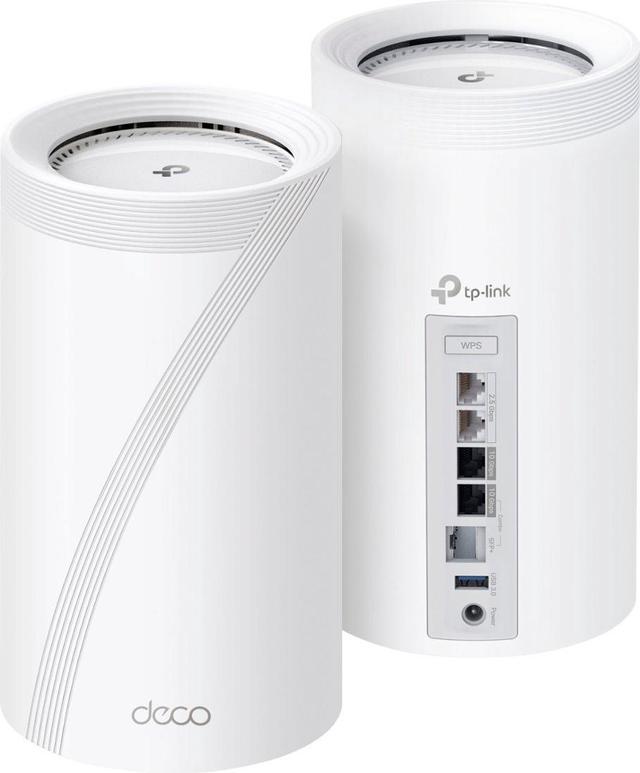
Tp-Link Deco mesh WiFi systems help cover your whole home with strong internet. Different models fit different needs. This guide compares popular Deco models to help you choose.
We look at Deco M5, M9 Plus, X20, and X60. Learn their features and how they differ. Pick the right model for your home and internet use.
Deco M5 Vs M9 Plus
Deco M5 is a basic mesh system. It covers medium homes and supports speeds up to 1,300 Mbps. It has good security and easy setup.
Deco M9 Plus adds smart home control and faster speeds. It supports tri-band WiFi, which reduces traffic and boosts performance. It covers larger homes better.
- Deco M5:Dual-band, up to 1,300 Mbps, covers up to 5,500 sq ft
- Deco M9 Plus:Tri-band, up to 2,100 Mbps, covers up to 6,500 sq ft
- M9 Plus supports smart home devices with built-in hub
- M5 is simpler and less expensive
Deco X20 Vs X60
Both Deco X20 and X60 support WiFi 6 for faster speeds and more devices. X20 suits small to medium homes. X60 is made for larger homes and heavier use.
X60 has higher speed capacity and better coverage. It uses more advanced technology for stable connections with many devices.
| Feature | Deco X20 | Deco X60 |
|---|---|---|
| WiFi Standard | WiFi 6 | WiFi 6 |
| Speed | Up to 1,800 Mbps | Up to 3,000 Mbps |
| Coverage | Up to 3,800 sq ft | Up to 7,000 sq ft |
| Bands | Dual-band | Dual-band |
| Best for | Small to medium homes | Large homes with many devices |
Choosing The Right Model
Pick a Deco model based on your home size and internet speed. Also, think about how many devices you use at once.
- Choose Deco M5 for small homes and basic internet needs.
- Choose Deco M9 Plus for larger homes and smart home control.
- Choose Deco X20 for fast WiFi 6 in smaller homes.
- Choose Deco X60 for large homes and many devices with fast speeds.
Credit: www.newegg.ca
Frequently Asked Questions
What Are The Key Features Of Tp-link Deco Mesh Wifi?
Tp-Link Deco Mesh Wifi offers whole-home coverage, seamless roaming, and easy setup. It supports multiple devices and provides strong, stable connections with advanced security features to protect your network.
How Does Tp-link Deco Improve Home Wifi Coverage?
Tp-Link Deco uses multiple nodes to create a mesh network. This eliminates dead zones and extends strong wifi signals across your entire home efficiently.
Can Tp-link Deco Handle Many Connected Devices?
Yes, Tp-Link Deco supports numerous devices simultaneously. Its advanced technology manages bandwidth smartly, ensuring stable and fast connections for all your gadgets.
Is Tp-link Deco Easy To Set Up And Manage?
Absolutely. Tp-Link Deco features a user-friendly app for quick setup and easy network management, including parental controls and device prioritization.
Conclusion
Tp-Link Deco Mesh Wifi offers strong, reliable coverage throughout your home. It helps reduce dead zones and keeps your devices connected. Easy setup makes it simple for anyone to use. The system supports many devices without slowing down. Parental controls and security features keep your network safe.
Overall, Deco provides steady wifi with user-friendly tools. A smart choice for better internet at home.


