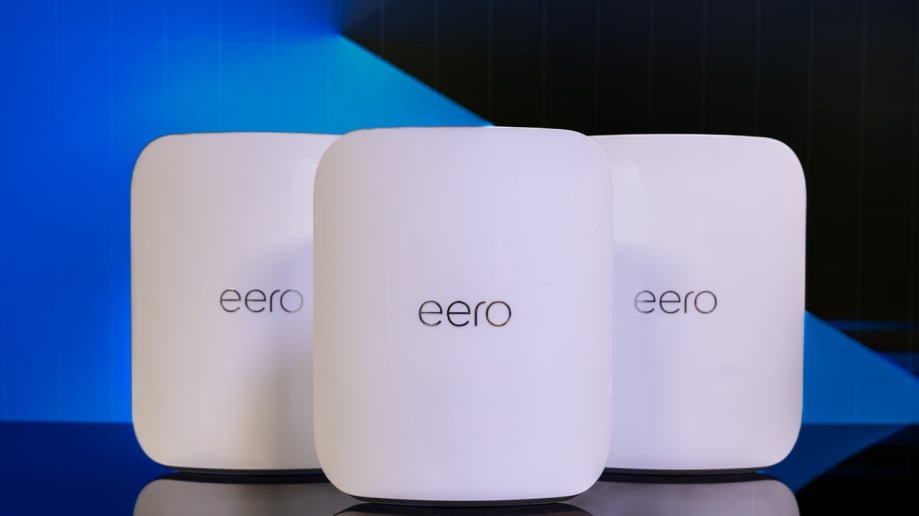
Are you tired of slow, spotty WiFi that interrupts your smart home devices? Your home automation deserves a strong, reliable connection that covers every corner without breaking the bank.
Finding the best affordable mesh WiFi system can transform your smart home experience, making everything run smoother and faster. You’ll discover top budget-friendly options that keep your devices connected effortlessly. Ready to upgrade your WiFi and take control of your smart home?
Keep reading to find the perfect mesh system for you.
Why Mesh Wifi Matters For Smart Homes
Smart homes use many connected devices. These devices need strong wifi to work well.
Mesh wifi helps cover your whole home with a strong signal. This is key for smart home systems.
Common Wifi Issues In Home Automation
Smart devices often lose connection or work slowly. This can cause problems in your home.
- Weak wifi signals in some rooms
- Many devices overloading the network
- Interference from walls or other electronics
- Slow or unstable internet speeds
- Frequent disconnections of devices
Benefits Of Mesh Networks
Mesh networks use multiple devices to spread wifi evenly. This solves many common issues.
| Benefit | Description |
| Better Coverage | Wifi reaches every corner of your home. |
| Stronger Signal | Devices stay connected without drops. |
| Easy Expansion | Add more nodes to cover bigger areas. |
| Smooth Device Handling | Supports many smart devices at once. |
| Simple Setup | Easy to install and manage. |

Credit: www.amazon.ca
Key Features To Look For In Mesh Wifi
Choosing the right mesh wifi is important for a smooth home automation experience. It can improve your network’s reach and speed.
Look for features that fit your home size and smart device needs. The right mesh wifi keeps all devices connected well.
Coverage And Scalability
Good coverage means wifi reaches every corner of your home. Scalability lets you add more nodes to expand the network easily.
- Check the range of each mesh unit.
- Look for systems that support extra nodes.
- Choose a setup that fits your home size.
Speed And Performance
Speed affects how fast your devices connect and react. Performance depends on the wifi standard and hardware quality.
| Feature | What to Look For |
| Wifi Standard | At least Wi-Fi 5 (802.11ac), Wi-Fi 6 is better |
| Band Support | Dual-band or tri-band for less interference |
| Processor | Fast processor for smooth data handling |
Security Features
Strong security protects your network from threats. Look for features that keep your data safe and control access.
- WPA3 encryption support
- Regular firmware updates
- Guest network options
- Parental controls
Compatibility With Smart Devices
Your mesh wifi should work well with smart home devices. Check for support with common platforms and easy setup options.
Important compatibility factors:
- Works with Alexa, Google Assistant, or Apple HomeKit
- Supports many device types like cameras, lights, and locks
- Offers app control for easy management
Top Affordable Mesh Wifi Systems
Mesh wifi systems help cover your home with strong internet. They work well with smart home devices.
Finding an affordable mesh wifi can improve your home automation without high costs. Here are top choices for different needs.
Best Overall Value
The best overall value mesh wifi gives good speed and coverage. It fits most homes and supports many smart devices.
This system is easy to set up and offers stable connections for a fair price. It balances performance and cost well.
Best For Large Homes
Large homes need mesh wifi with wide coverage and strong signals. Some systems use multiple units to cover big areas.
- Supports many devices at once
- Strong signals through walls and floors
- Easy to expand with extra nodes
- Good for smart home hubs and cameras
Best For Small Spaces
Small spaces need compact mesh wifi that saves room. The system should still deliver fast internet for smart gadgets.
| Feature | Reason |
| Small size | Fits tight spaces |
| Low power use | Saves energy |
| Quick setup | Easy for beginners |
| Strong local signal | Good for nearby devices |
Best Budget Option
Budget mesh wifi offers basic coverage for less money. It works well with a few smart devices and small homes.
Key budget features:
- Affordable price
- Simple installation
- Reliable for everyday use
- Compatible with common smart home products
Setting Up Mesh Wifi For Smart Homes
Mesh wifi systems help cover your whole home with strong internet. They work well with smart devices in your home.
Setting up mesh wifi correctly makes your smart home run smoothly. It keeps all devices connected without interruptions.
Placement Tips For Optimal Coverage
Place mesh wifi units in open areas, not behind furniture or walls. This lets the signal move freely.
Try to put nodes near smart devices for the best connection. Avoid spots near microwaves or cordless phones.
- Place the main router near your modem
- Space nodes evenly across your home
- Keep nodes away from thick walls and metal objects
- Elevate nodes to avoid floor interference
Configuring Network Settings
Set a clear network name (SSID) that all devices can find easily. Use a strong password to keep your network safe.
Enable automatic updates on your mesh system. This keeps your network secure and running well.
- Choose WPA3 or WPA2 security
- Turn off guest network if not needed
- Assign fixed IPs for important smart devices
- Use Quality of Service (QoS) to prioritize smart devices
Integrating With Home Automation Systems
Connect your mesh wifi to your smart home hub or app. This helps devices communicate without delays.
Check if your mesh system supports popular smart home protocols. This makes setup easier and faster.
- Use mesh wifi with good compatibility for Zigbee or Z-Wave
- Link smart devices through the home automation app
- Keep mesh firmware updated for new device support
- Test device connections after setup to ensure stability
Troubleshooting Common Mesh Wifi Issues
Mesh Wifi systems help in creating a seamless internet experience at home. They are ideal for home automation setups. Yet, issues can arise that need troubleshooting.
Understanding these common issues will help you maintain a strong and secure network. Let’s explore solutions for dead zones, network stability, and security practices.
Dealing With Dead Zones
Dead zones occur when Wifi signals cannot reach certain areas in your home. Positioning nodes correctly can solve this.
- Place nodes in central locations
- Avoid placing nodes near walls or metal objects
- Use additional nodes for larger areas
Improving Network Stability
Stable networks ensure your devices stay connected without interruptions. Adjusting settings can enhance stability.
| Action | Effect |
| Update firmware | Fixes bugs and improves performance |
| Limit bandwidth-heavy apps | Reduces network congestion |
| Use wired connections | Increases speed and reliability |
Security Best Practices
Securing your mesh Wifi protects your data and privacy. Implement these practices to keep your network safe.
- Change default passwords regularly
- Enable WPA3 security protocol
- Disable remote management when not needed

Credit: www.pcmag.com
Future Trends In Mesh Wifi And Smart Homes
Mesh wifi systems are becoming key for smart homes. They provide strong, steady internet in every room.
New technology will make mesh wifi faster and smarter. This helps home devices work better together.
Advancements In Wifi Technology
Wifi technology is improving quickly. Mesh wifi now uses new standards like Wi-Fi 6 and Wi-Fi 6E.
- Faster speeds let you stream and play without lag.
- Better coverage means no dead spots in your home.
- More devices can connect without slowing down the network.
- Lower energy use helps save power.
Growing Role Of Ai In Network Management
Artificial intelligence helps mesh wifi systems run smarter. AI can learn how you use the network.
| AI Feature | Benefit |
| Traffic Prioritization | Faster response for important devices |
| Self-Healing | Fixes connection problems automatically |
| Security Alerts | Warns about threats and blocks attacks |
| Device Management | Easier control of all smart devices |

Credit: www.amazon.ca
Frequently Asked Questions
What Is The Best Affordable Mesh Wifi For Home Automation?
The best affordable mesh WiFi offers strong coverage, easy setup, and smart device support. Look for brands like TP-Link Deco, Google Nest Wifi, and Eero for budget-friendly, reliable options.
How Does Mesh Wifi Improve Home Automation Performance?
Mesh WiFi creates a seamless network by using multiple nodes. This reduces dead zones and ensures smart devices stay connected and responsive throughout your home.
Can Mesh Wifi Handle Multiple Smart Devices Simultaneously?
Yes, mesh WiFi supports many smart devices at once. It balances network traffic efficiently, preventing slowdowns and maintaining stable connections for home automation systems.
Is Mesh Wifi Easy To Set Up For Beginners?
Most mesh WiFi systems offer user-friendly apps and simple step-by-step instructions. This makes setup quick and accessible, even for users with little technical experience.
Conclusion
Affordable mesh WiFi helps connect your smart home devices smoothly. It offers strong signals in every corner of your house. You can control lights, cameras, and more without interruptions. Easy setup saves time and avoids frustration. Choosing the right system keeps your home safe and fast.
A reliable network makes daily tasks simpler and stress-free. Smart living doesn’t need to cost a lot. Good mesh WiFi brings comfort and convenience to your home life.


