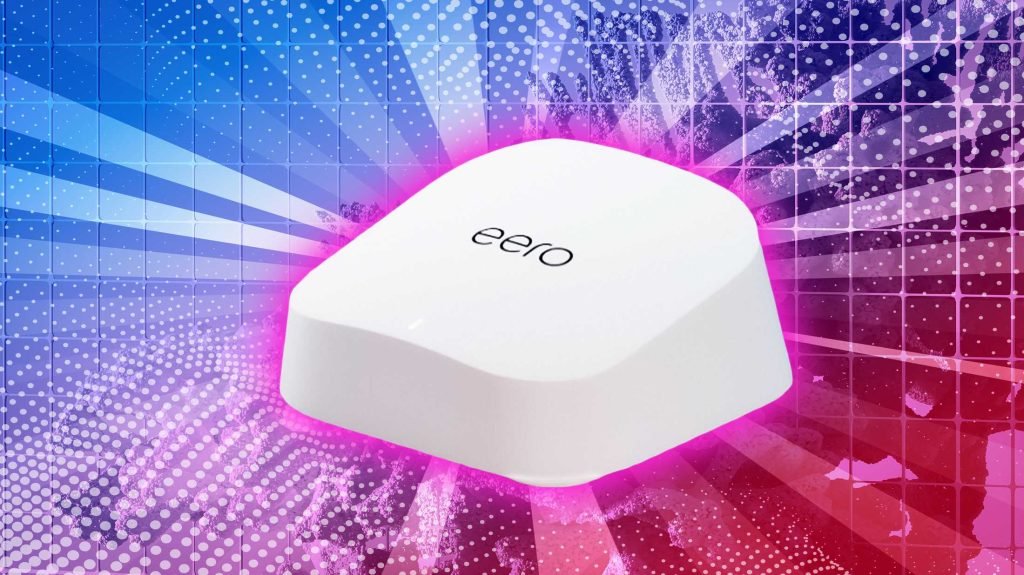
Are you wondering if it’s time to upgrade your home network from Wifi 5 mesh to Wifi 6? You’re not alone.
With faster speeds, better coverage, and improved reliability promised by Wifi 6, it’s easy to feel like you might be missing out. But is the upgrade really worth it for your everyday use? Before you spend money on new equipment, let’s explore what Wifi 6 can do for you—and whether it will make a noticeable difference in your home.
Keep reading to find out if this upgrade is the right move for your wifi experience.
Wifi 5 Vs Wifi 6
Wifi 5 and Wifi 6 are two common wireless standards. Many people wonder if they should upgrade their mesh system.
This guide compares Wifi 5 and Wifi 6 to help you decide. We look at speed, range, compatibility, and security.
Speed And Performance
Wifi 6 offers faster speeds than Wifi 5. It can handle more devices at once without slowing down.
Wifi 5 works well for everyday tasks. Wifi 6 is better for busy homes with many gadgets.
- Wifi 5 max speed: 3.5 Gbps
- Wifi 6 max speed: 9.6 Gbps
- Wifi 6 has improved data handling
- Better performance in crowded networks
Range And Coverage
Wifi 6 provides better coverage than Wifi 5. It uses technology to reduce dead spots in your home.
Wifi 5 covers large areas well but may slow at the edges. Wifi 6 keeps strong signals farther away.
- Wifi 6 uses OFDMA for efficient signals
- Improved range means fewer weak spots
- Wifi 5 is good for average home size
- Wifi 6 suits larger or multi-story homes
Device Compatibility
Many new devices support Wifi 6. Older devices mainly use Wifi 5 or older standards.
Wifi 6 routers work with Wifi 5 devices but do not improve their speed. Check your devices before upgrading.
- New phones and laptops often support Wifi 6
- Older devices may not see speed gains
- Wifi 6 is backward compatible with Wifi 5
- Upgrading benefits homes with many new devices
Security Enhancements
Wifi 6 supports the latest security protocol, WPA3. It offers stronger protection than Wifi 5’s WPA2.
Using Wifi 6 can help keep your network safer from hackers. Older Wifi 5 routers may not support these features.
- Wifi 6 uses WPA3 for better security
- WPA3 protects against password guessing
- Wifi 5 mainly uses WPA2
- Upgrading improves your network safety

Credit: www.digitaltrends.com
Benefits Of Wifi 6 Mesh
Wifi 6 Mesh offers many improvements over Wifi 5 Mesh. It helps your home network run smoother and faster. Many devices can connect without slowing down the speed.
Upgrading to Wifi 6 Mesh can improve your internet experience. It works better in crowded places and supports more devices at once.
Improved Network Efficiency
Wifi 6 Mesh uses new technology to send data more efficiently. It reduces interference and shares bandwidth better. This means less waiting and faster speeds for each device.
Better Performance In Crowded Areas
Wifi 6 Mesh works well where many devices connect. It uses a feature called OFDMA to split channels. This helps many users get data at the same time without delays.
- More devices connect smoothly
- Less signal drop in busy areas
- Stronger and steadier connections
Lower Latency For Gaming And Streaming
Wifi 6 Mesh reduces lag in online games and videos. It sends data faster and in smaller packets. This lowers the time it takes for data to travel.
| Activity | Latency Improvement |
| Online Gaming | Up to 30% lower delay |
| Video Streaming | Smoother playback |
| Video Calls | Clearer and less lag |
Enhanced Battery Life For Devices
Wifi 6 Mesh helps devices save power. It uses a feature called Target Wake Time (TWT). This lets devices sleep more and wake up only to send or receive data.
Benefits of TWT for device battery life:
- Less power used for wifi connections
- Longer battery life for phones and laptops
- Better performance for smart home devices
When To Consider Upgrading
Upgrading from WiFi 5 mesh to WiFi 6 can improve your home or office network. It can offer faster speeds and better coverage.
Knowing when to upgrade helps you get the best value. Look at your network needs and devices before deciding.
Current Network Issues
If your WiFi feels slow or drops often, it might be time to upgrade. WiFi 5 may struggle with many devices connected at once.
WiFi 6 handles more devices better. It reduces delays and keeps your network stable.
- Frequent connection drops
- Slow internet speeds despite a good plan
- Buffering during video calls or streaming
- Weak signal in some areas of your home
New Device Requirements
Newer phones, laptops, and smart home gadgets support WiFi 6. These devices can use faster speeds and better security.
Using WiFi 6 devices with a WiFi 5 system limits their performance. Upgrading helps your new devices work at full speed.
- Latest smartphones and tablets
- Smart TVs and streaming devices
- Gaming consoles and VR headsets
- Smart home devices like security cameras
Future-proofing Your Network
WiFi 6 is designed to last longer. It supports more devices and faster internet plans for years.
Upgrading now means you won’t need to replace your network soon. It saves money and hassle later.
- Supports more devices at once
- Handles higher internet speeds
- Improves battery life on some devices
- Offers better security features

Credit: www.pcmag.com
Cost Vs Value
Upgrading your WiFi system is a common question for many homeowners. Deciding between WiFi 5 mesh and WiFi 6 depends on several factors. Understanding cost versus value helps make a smart choice.
This article looks at three key areas: price comparison, long-term savings, and impact on home automation.
Price Comparison
WiFi 6 devices usually cost more than WiFi 5 mesh systems. The price difference can vary by brand and features. It is important to compare prices before deciding.
| System Type | Average Price |
| WiFi 5 Mesh | $150 – $300 |
| WiFi 6 Mesh | $250 – $500 |
Long-term Savings
WiFi 6 offers better speed and efficiency. This can reduce the need for upgrades in the near future. It can also lower energy use due to improved technology.
- Faster data transfer saves time
- Better device management reduces slowdowns
- Lower power consumption can cut energy bills
Impact On Home Automation
WiFi 6 supports more devices at once. This is useful for homes with many smart gadgets. It helps keep your home automation running smoothly.
| Feature | WiFi 5 Mesh | WiFi 6 Mesh |
|---|---|---|
| Connected Devices | Up to 20 | Up to 50+ |
| Latency | Higher | Lower |
| Smart Home Support | Basic | Advanced |
Setting Up Wifi 6 Mesh
Wifi 6 Mesh offers faster speeds and better connectivity. Upgrading from Wifi 5 to Wifi 6 can improve your home network performance.
This guide will help you set up your new Wifi 6 Mesh network. Learn about compatibility, installation tips, and optimizing your network.
Compatibility With Existing Devices
Most modern devices are compatible with Wifi 6. Older devices will still connect, but they may not get all the benefits.
Check your device specifications to see if they support Wifi 6. If not, they will still connect using previous standards.
- Smartphones: Most recent models support Wifi 6
- Laptops: Many new laptops are Wifi 6 compatible
- Smart home devices: Check each device for compatibility
Installation Tips
Setting up a Wifi 6 Mesh system is usually straightforward. Follow the manufacturer’s instructions for the best results.
Place your mesh nodes in central locations. Avoid placing them near large metal objects or thick walls.
- Read the setup guide carefully
- Use the app provided for easy installation
- Test the signal strength in different rooms
Optimizing Network Performance
Wifi 6 offers improved speed and efficiency. To get the best performance, optimize your network settings.
Use the quality of service (QoS) settings to prioritize important devices. Regularly update your firmware for security and performance enhancements.
- Enable QoS for smoother streaming and gaming
- Update firmware regularly for new features
- Position mesh nodes for maximum coverage

Credit: www.pcmag.com
Common Upgrade Challenges
Upgrading from Wifi 5 Mesh to Wifi 6 can be exciting. But there are challenges you might face during the process.
Understanding these challenges helps you prepare better. It ensures a smoother upgrade experience.
Potential Connectivity Issues
Switching to Wifi 6 might cause connectivity problems. Devices may not connect to the new network easily.
Some devices might not support Wifi 6. This can lead to slower connections or frequent disconnections.
- Check if your device supports Wifi 6
- Update device drivers for better compatibility
- Test the connection in different home areas
Troubleshooting Tips
Having trouble with your new Wifi 6 network? Try some basic troubleshooting steps to resolve issues.
Restart your router and devices. This often fixes temporary problems. Ensure all cables are properly connected.
- Reboot the router to clear temporary glitches
- Check for loose or damaged cables
- Move closer to the router for better signal
Firmware And Software Updates
Firmware updates are crucial when upgrading to Wifi 6. They ensure your devices work well with the new network.
Check for updates regularly. Keeping your software up to date improves performance and security.
- Visit the manufacturer’s website for updates
- Enable automatic updates for convenience
- Schedule updates during low-usage times
User Experiences And Reviews
Many users wonder if upgrading from Wifi 5 mesh systems to Wifi 6 is worth it. Reviews from real people help understand what to expect. This guide shares user experiences and expert views.
We look at real-world performance, early adopter comparisons, and opinions from professionals. This helps you make a clear choice based on facts.
Real-world Performance
Users often see faster speeds with Wifi 6, especially in busy homes. Many report better coverage and fewer dropouts. Wifi 6 handles many devices better than Wifi 5.
Some users notice improvements in video calls and streaming quality. Others say the upgrade helps with smart home devices running smoothly.
- Speed increase up to 40% in crowded networks
- Stronger signal through walls and floors
- Better support for multiple devices
- Improved battery life for connected gadgets
Comparisons From Early Adopters
Early adopters share detailed comparisons between Wifi 5 and Wifi 6 mesh systems. Many report smoother internet during peak hours. Some say setup was simple with little difference in effort.
Few users mention the cost as a factor. They feel the benefits justify upgrading if their devices support Wifi 6.
| Aspect | Wifi 5 Mesh | Wifi 6 Mesh |
|---|---|---|
| Speed | Good, but slows with many devices | Faster and stable with many devices |
| Range | Decent coverage | Better coverage through walls |
| Device Support | Handles fewer devices well | Handles many devices smoothly |
| Setup | Easy | Easy, similar process |
| Price | Lower | Higher |
Expert Opinions
Experts agree Wifi 6 offers technical improvements over Wifi 5. They note better speeds and efficiency in busy networks. Experts also highlight longer device battery life with Wifi 6.
They advise upgrading if your home has many connected devices. Experts say older devices may not benefit much from Wifi 6. They recommend checking device compatibility first.
- Wifi 6 uses new technology for faster data transfer
- Better for homes with many internet users
- Improves performance in crowded Wi-Fi areas
- Not all devices can use Wifi 6 features yet
Frequently Asked Questions
What Are The Main Benefits Of Upgrading To Wifi 6?
Wifi 6 offers faster speeds, improved capacity, and better performance in crowded areas. It supports more devices simultaneously. This upgrade enhances overall network efficiency and reduces latency, making it ideal for smart homes and streaming.
Is Wifi 6 Compatible With Wifi 5 Devices?
Yes, Wifi 6 routers are backward compatible with Wifi 5 devices. Your current devices will still work, but they won’t gain Wifi 6 benefits. Upgrading helps future-proof your network for newer devices.
How Does Wifi 6 Improve Mesh Network Performance?
Wifi 6 mesh networks provide stronger coverage and higher data rates. They handle multiple devices better and reduce interference. This results in a more stable, faster, and seamless internet experience across your home.
Will Upgrading To Wifi 6 Improve Gaming And Streaming?
Yes, Wifi 6 reduces latency and increases speed, improving gaming and streaming quality. It supports more devices without slowing down. This ensures smoother gameplay and buffer-free video streaming.
Conclusion
Upgrading from WiFi 5 mesh to WiFi 6 can improve speed and connection. WiFi 6 handles more devices at once, reducing slowdowns. It also uses energy more efficiently, helping your gadgets last longer. Consider your internet needs and devices before deciding.
Older devices might not show big benefits with WiFi 6. Yet, if you want a stronger, faster home network, WiFi 6 is worth it. Think about your budget and future needs too. Better WiFi can make everyday internet use smoother and more reliable.


