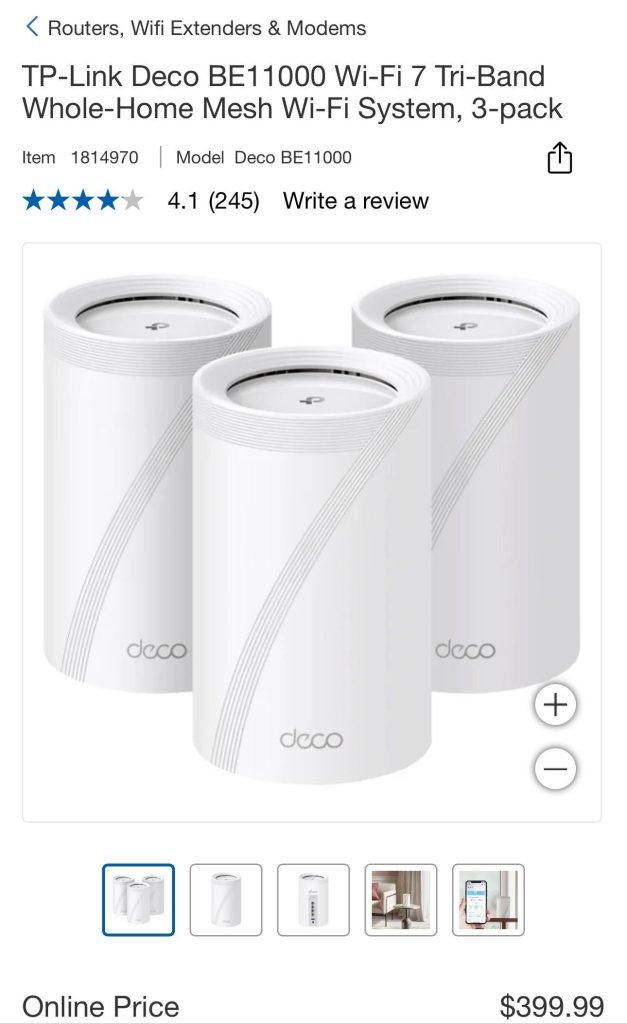
Are you tired of slow WiFi and dead zones in your townhouse? Finding the right mesh WiFi system can change everything.
Imagine seamless internet in every room, whether you’re streaming, working, or gaming. But with so many options, how do you pick the best one for your space? This guide will help you discover the perfect mesh WiFi setup tailored just for your townhouse.
Keep reading to unlock faster, stronger WiFi that keeps you connected without frustration.

Credit: dongknows.com
Why Mesh Wifi Suits Townhouses
Townhouses often have multiple floors and thick walls. This can make it hard for a single wifi router to cover the whole home.
Mesh wifi uses several devices working together. This helps spread wifi signals evenly throughout the house.
Challenges Of Townhouse Wifi
Townhouses have narrow and tall layouts. Walls and floors can block wifi signals easily. This causes weak or spotty internet in some rooms.
Other challenges include many devices trying to connect at once. This can slow down the wifi speed and cause delays.
- Multiple floors block wifi signals
- Thick walls reduce signal strength
- Many devices cause congestion
- Limited space for a single router
Benefits Of Mesh Systems
Mesh wifi systems use several units called nodes. These nodes work together to cover all areas of a townhouse with strong wifi.
Mesh systems also let devices move smoothly between nodes. This keeps the internet connection stable and fast everywhere in the home.
- Wide coverage across multiple floors
- Stronger signals through walls
- Supports many devices at once
- Easy to add more nodes if needed
Key Features To Look For
Choosing the right mesh WiFi system for a townhouse can improve your internet experience. The right system covers every corner and supports many devices.
Look at key features that fit your space and internet needs. This guide helps you find what matters most.
Coverage Range And Scalability
Townhouses often have multiple floors and walls that block signals. A good mesh WiFi system covers all areas without dead zones.
Choose a system that lets you add more units easily. This helps you expand coverage as needed.
Speed And Bandwidth
Fast internet is important for streaming, gaming, and working from home. Look for mesh WiFi systems with high speed and strong bandwidth.
| Feature | Why It Matters |
| Dual-Band or Tri-Band | Reduces traffic and keeps speed high |
| WiFi 6 Support | Handles more devices and faster connections |
| Backhaul Options | Improves speed between mesh units |
Ease Of Setup And Management
Simple setup saves time and stress. Look for systems with clear instructions and easy app controls.
- Step-by-step setup guides
- Mobile apps for managing devices
- Automatic updates for security and performance
Security Features
Protect your network and devices from threats. Good mesh WiFi systems have strong security features.
- Built-in firewalls
- Automatic security updates
- Guest network access
- Parental controls
Top Mesh Wifi Systems For Townhouses
Mesh wifi systems help cover large areas with strong internet signals. Townhouses often have multiple floors and walls that block wifi. Choosing the right mesh system improves your home network.
This guide shows some of the best mesh wifi systems for townhouses. You will find budget-friendly, high-performance, and user-friendly options to fit your needs.
Budget-friendly Options
Good mesh wifi does not have to cost a lot. Some systems offer great coverage and speed without a high price. These are perfect for small to medium townhouses.
Look for systems with easy setup and decent speed. They should cover at least two floors and support many devices.
- TP-Link Deco M4: Affordable and reliable coverage
- Google Nest Wifi: Simple design with good range
- Netgear Orbi RBK13: Basic model with steady performance
High-performance Models
High-performance mesh systems offer faster speeds and wider coverage. These are best for large townhouses or homes with many devices.
They use advanced technology to reduce dead spots and keep your internet stable during heavy use.
- Netgear Orbi RBK852: Fast wifi 6 support and wide coverage
- Asus ZenWiFi AX (XT8): Strong signal and security features
- Linksys Velop MX10: Great for busy households and streaming
User-friendly Choices
Some mesh systems focus on easy installation and simple controls. These are good for users who want hassle-free wifi.
They include apps that help you set up and manage the network without technical skills.
- Google Nest Wifi: Intuitive app and quick setup
- Eero 6: Easy to use with automatic updates
- TP-Link Deco S4: Simple interface and parental controls

Credit: www.amazon.ca
Tips For Optimizing Mesh Wifi
Mesh Wifi systems can improve internet in townhouses. They use several devices to cover large areas well.
To get the best performance, you need to set up and manage your mesh network correctly. Here are some tips.
Ideal Router Placement
Place your main router in a central spot in your townhouse. This helps signals reach all rooms evenly.
Avoid hiding routers in cabinets or behind large objects. Keep them away from metal and thick walls.
- Place routers on high shelves or tables
- Keep routers open and visible
- Space mesh nodes evenly apart
- Avoid placing nodes near microwaves or cordless phones
Device Management
Use the mesh system’s app to manage connected devices. You can see who is online and control device access.
Limit bandwidth for certain devices if needed. This keeps internet fast for all users in the townhouse.
- Check device list regularly
- Set time limits for kids’ devices
- Pause internet for devices when needed
- Prioritize devices for better performance
Firmware Updates
Keep your mesh system’s firmware up to date. Updates fix bugs and improve security and speed.
Turn on automatic updates if your mesh system supports it. Check for updates in the app often.
- Check update notifications regularly
- Install updates during low internet use times
- Restart mesh nodes after updates if needed
- Contact support if updates cause issues
Common Issues And Fixes
Mesh WiFi systems work well in townhouses but can face some problems. These issues affect your internet speed and connection quality.
Below are common problems with mesh WiFi and simple ways to fix them.
Signal Interference
Signal interference happens when other devices block or weaken your WiFi signal. Common sources include microwaves, cordless phones, and walls.
Interference causes slow or spotty WiFi in parts of your townhouse.
- Place mesh nodes away from thick walls and metal objects.
- Keep nodes clear of kitchen appliances and cordless phones.
- Use the 5 GHz band for less interference but shorter range.
- Change WiFi channels in your router settings to avoid crowded frequencies.
Slow Speeds
Slow WiFi speeds make streaming and browsing frustrating. Many factors can cause slow speeds on mesh WiFi.
These include poor node placement, network congestion, and outdated hardware.
- Place mesh nodes in open areas and closer to where you use WiFi.
- Limit the number of devices connected at the same time.
- Check for firmware updates on your mesh system and install them.
- Restart your mesh router and nodes regularly to clear memory.
Connectivity Drops
Connectivity drops mean your device loses WiFi signal or disconnects often. This disrupts work and entertainment.
Drops happen due to weak signals, interference, or software glitches.
- Check that mesh nodes have good signal overlap for smooth handoff.
- Place nodes so devices can connect to the strongest signal nearby.
- Restart devices and mesh nodes to fix temporary software issues.
- Reset network settings on devices if drops continue.

Credit: dongknows.com
Frequently Asked Questions
What Mesh Wifi Is Ideal For Townhouse Coverage?
The best mesh WiFi for townhouses offers strong, consistent signals through walls. Look for models with multiple nodes and good range.
How Many Mesh Nodes Do Townhouses Typically Need?
Townhouses usually require 2 to 3 mesh nodes for full coverage. This ensures reliable WiFi in every room and floor.
Can Mesh Wifi Improve Slow Townhouse Internet?
Yes, mesh WiFi enhances slow internet by reducing dead zones and boosting signal strength throughout your townhouse.
Are Mesh Wifi Systems Easy To Install In Townhouses?
Most mesh WiFi systems are user-friendly and quick to set up. They typically use apps for simple installation and management.
Conclusion
Choosing the right mesh WiFi makes a big difference in townhouses. It helps cover all rooms with strong signals. Good mesh systems reduce dead zones and slow connections. They fit well with townhouse layouts and walls. Easy setup and reliable speed keep everyone happy online.
Think about your size, budget, and internet needs before buying. A solid mesh WiFi system keeps your home connected smoothly. Enjoy better streaming, gaming, and browsing without interruptions. Your townhouse deserves a strong, steady WiFi network.


