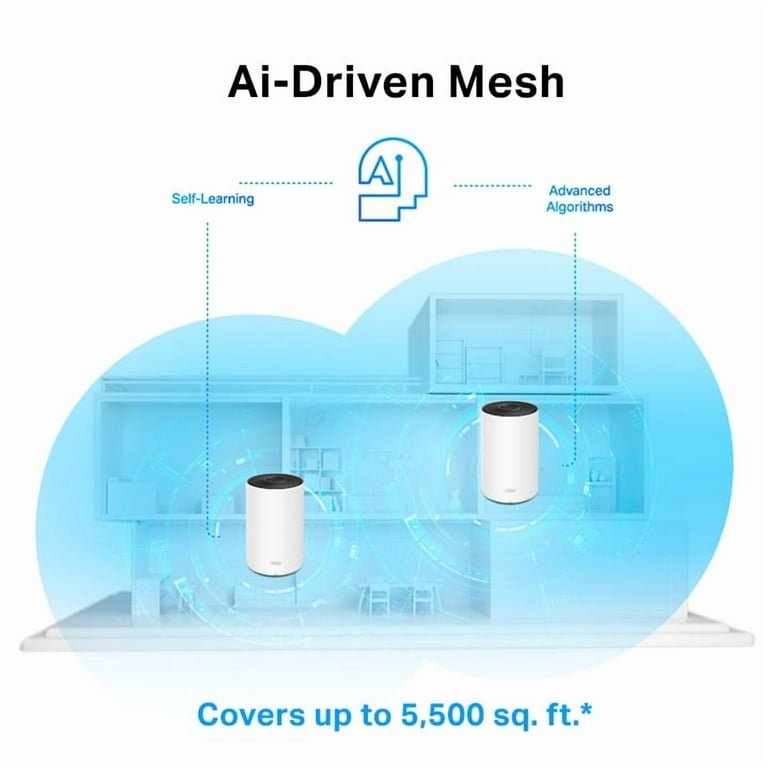
Are you tired of slow internet and dead zones in your home? You’ve probably heard about Wifi 6 mesh systems, but do you really know how they work to boost your connection?
Understanding how Wifi 6 mesh works can help you get faster speeds, better coverage, and a more reliable network. This article will break it down for you in simple terms, so you can make the most of your internet without the frustration.
Keep reading to discover how this technology can transform your online experience.
Credit: blog.eero.com
Wifi 6 Mesh Basics
Wifi 6 Mesh is a wireless system that uses multiple devices. It creates a strong internet network at home or office. The system covers large areas without losing speed.
This technology combines Wifi 6 and mesh networks. It improves speed, capacity, and coverage. Users get better internet with fewer interruptions.
Key Features Of Wifi 6
Wifi 6 offers many improvements over older Wifi versions. It helps devices connect faster and handle more data.
- Higher data rates for faster downloads
- Improved battery life for connected devices
- Better performance in crowded areas
- Supports more devices at once
- Reduced latency for smoother streaming
How Mesh Networks Operate
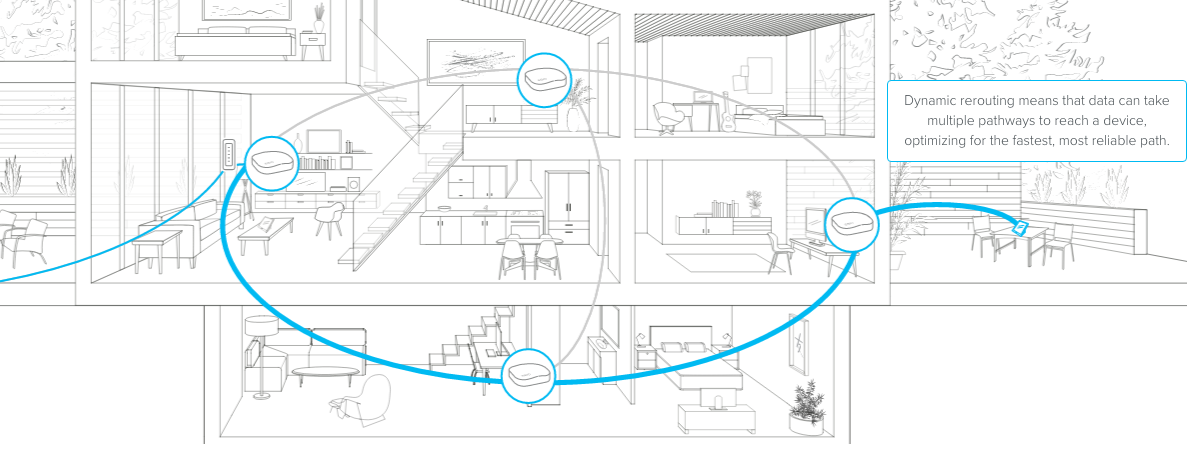
Mesh networks use several nodes to spread the signal. Each node talks to others to share internet data. This method avoids dead zones and weak signals.
| Mesh Network Component | Function |
|---|---|
| Main Router | Connects to the internet and controls the mesh |
| Satellite Nodes | Extend the network by relaying signals |
| Backhaul Link | Connects nodes for faster data transfer |

Credit: www.amazon.com
Advantages Of Wifi 6 Mesh
Wifi 6 mesh networks bring new benefits to home and office wireless systems. They improve how devices connect to the internet.
These networks combine Wifi 6 technology with mesh setups. This creates stronger, faster, and more reliable connections.
Enhanced Speed And Capacity
Wifi 6 mesh supports higher data rates. It can handle many devices at once without slowing down the network.
- Faster downloads and uploads
- Better streaming quality
- Less lag in online activities
- Supports more devices without loss of speed
Improved Coverage And Reliability
Mesh networks use multiple access points to spread signals evenly. This helps avoid dead zones in large or complex spaces.
| Feature | Benefit |
| Multiple nodes | Wider coverage area |
| Automatic routing | Stable connections |
| Signal handoff | Smooth device movement |
Better Device Handling
Wifi 6 mesh manages devices more efficiently. It assigns bandwidth and connects devices to the best node.
- Reduces network congestion
- Improves battery life for connected devices
- Supports smart home gadgets with ease
Core Technologies Behind Wifi 6 Mesh
Wifi 6 Mesh uses new technology to improve wireless connections. It makes internet faster and more stable across many devices.
This system relies on special methods to send and receive data efficiently. These methods work together to create a better network experience.
Ofdma And Mu-mimo
OFDMA divides channels into smaller parts. This lets many devices send data at the same time. MU-MIMO allows the router to talk to multiple devices at once.
- OFDMA splits bandwidth to serve many devices simultaneously
- MU-MIMO lets multiple devices receive data at the same time
- Both reduce wait time and improve network speed
Beamforming And Target Wake Time
Beamforming focuses WiFi signals directly to devices. This strengthens connection and extends range. Target Wake Time saves battery by scheduling when devices wake up to send or receive data.
| Technology | Purpose |
| Beamforming | Directs signals to devices for better strength |
| Target Wake Time | Manages device wake-up times to save battery |
Seamless Roaming
Seamless roaming lets devices switch between mesh nodes without dropping connection. This keeps the internet steady as you move around your home.
- Devices connect to the strongest WiFi node automatically
- Network keeps working without interruption
- Improves user experience with smooth transitions
Setting Up A Wifi 6 Mesh Network
Wifi 6 mesh networks provide fast and reliable internet across your home. Setting up these networks needs the right devices and careful placement. This guide helps you start your Wifi 6 mesh system easily.
Each part of the setup affects the overall performance. You will learn how to choose devices, place nodes, and manage your network well.
Choosing Compatible Devices
Pick devices that support Wifi 6 to get the best speed and coverage. Make sure the main router and all nodes use the same technology. This avoids connection problems.
- Check for Wifi 6 (802.11ax) support on all devices
- Use nodes from the same brand for better compatibility
- Consider devices with multiple antennas for stronger signals
- Look for mesh systems with easy setup apps
Placement Tips For Nodes
Place nodes where the signal is weak but still reachable from the main router. Avoid walls and metal objects that block signals. Good placement helps cover your whole home.
| Placement Area | Advice |
| Near router | Keep one node close for strong backhaul |
| Far rooms | Place nodes to cover dead zones |
| Open spaces | Best for signal spread |
| High locations | Reduce interference from furniture |
Configuration And Management
Use the router’s app or web interface to set up your mesh network. Name your network and create a strong password. Regularly update firmware to keep devices secure.
- Connect the main router to your modem
- Add mesh nodes through the app one by one
- Test signal strength at different locations
- Adjust node placement if needed
- Set up guest network and parental controls if desired
Troubleshooting And Optimization
Wifi 6 mesh networks offer better coverage and faster speeds. Troubleshooting and optimization help keep the network stable.
Fixing common issues and optimizing settings improve your Wifi 6 mesh experience at home or office.
Common Issues And Fixes
Wifi 6 mesh can face problems like slow speeds, dropped connections, or weak signals. These issues often have simple fixes.
- Restart your mesh router and nodes to clear minor errors.
- Check device placement to avoid walls or metal objects blocking signals.
- Reduce interference by moving devices away from microwaves or cordless phones.
- Ensure all mesh nodes are connected and showing online in the app.
- Reset network settings if devices keep disconnecting.
Optimizing Network Performance
Good network performance depends on proper setup and settings. Adjust these to get the best Wifi 6 mesh results.
- Place mesh nodes evenly to cover all rooms without overlap.
- Use 5 GHz band for faster speeds and less interference.
- Limit connected devices to avoid network congestion.
- Set Quality of Service (QoS) to prioritize important devices or apps.
- Use the mesh app to monitor network speed and device status.
Firmware Updates And Security
Firmware updates improve mesh system stability and add security fixes. Keep your system updated regularly.
Update your mesh router and nodes through the official app or web interface. Enable automatic updates if possible.
- Check for updates monthly to protect against new threats.
- Use strong passwords for your Wifi and mesh admin settings.
- Turn on network encryption like WPA3 for better security.
- Disable remote access if you do not need it.
- Regularly review connected devices to spot unknown users.

Credit: forum.quartertothree.com
Future Of Wifi Mesh Technology
Wifi 6 mesh networks are shaping the future of home internet. They offer faster speeds and better connectivity for all devices.
As technology grows, Wifi 6 mesh systems will bring even more improvements. They aim to make internet access seamless and efficient.
Upcoming Innovations
New advances will enhance Wifi 6 mesh capabilities. Expect improved speed and reduced latency.
Developers are also working on better security features. These will protect networks from cyber threats.
- Faster data transfer
- Enhanced security measures
- Lower energy consumption
Integration With Smart Homes
Wifi 6 mesh networks will integrate smoothly with smart home devices. They will support a wide range of gadgets without issues.
This integration will make smart homes more efficient. Devices will communicate faster and with greater reliability.
| Smart Light Bulbs | Efficient energy use |
| Smart Thermostats | Better temperature control |
| Smart Speakers | Improved voice commands |
Expanding Network Scalability
Wifi 6 mesh systems will scale easily to meet growing demands. They will support more devices and larger areas without losing performance.
This scalability will be crucial for busy households. It ensures all devices get the bandwidth they need.
- Supports more than 100 devices
- Covers larger areas with ease
- Maintains high-speed connections
Frequently Asked Questions
What Is Wifi 6 Mesh Technology?
Wifi 6 Mesh combines Wifi 6 speed with mesh networking. It creates a seamless, fast, and reliable wireless network across large areas. Multiple nodes communicate to extend coverage and reduce dead zones efficiently.
How Does Wifi 6 Mesh Improve Network Speed?
Wifi 6 Mesh uses OFDMA and MU-MIMO technologies. These allow multiple devices to connect simultaneously without slowing down. It optimizes bandwidth, reducing congestion and boosting overall network speed.
Can Wifi 6 Mesh Handle Multiple Devices?
Yes, Wifi 6 Mesh supports many devices at once. It efficiently manages traffic and minimizes interference. This makes it ideal for smart homes and offices with numerous connected gadgets.
Does Wifi 6 Mesh Increase Home Network Coverage?
Absolutely. Wifi 6 Mesh uses several nodes to spread the signal. This eliminates weak spots and offers consistent coverage throughout your home or office.
Conclusion
Wifi 6 mesh helps connect your devices with faster, stronger signals. It spreads wifi evenly across your home or office. This means fewer dead spots and better internet everywhere. The technology works by linking multiple devices, creating one big network.
This setup lets many users enjoy smooth streaming and gaming. Wifi 6 mesh also manages traffic well, avoiding slowdowns. Choosing this system can improve your online experience simply and easily. It fits homes of any size and adapts as you add devices.
A smart way to keep all your gadgets connected.


