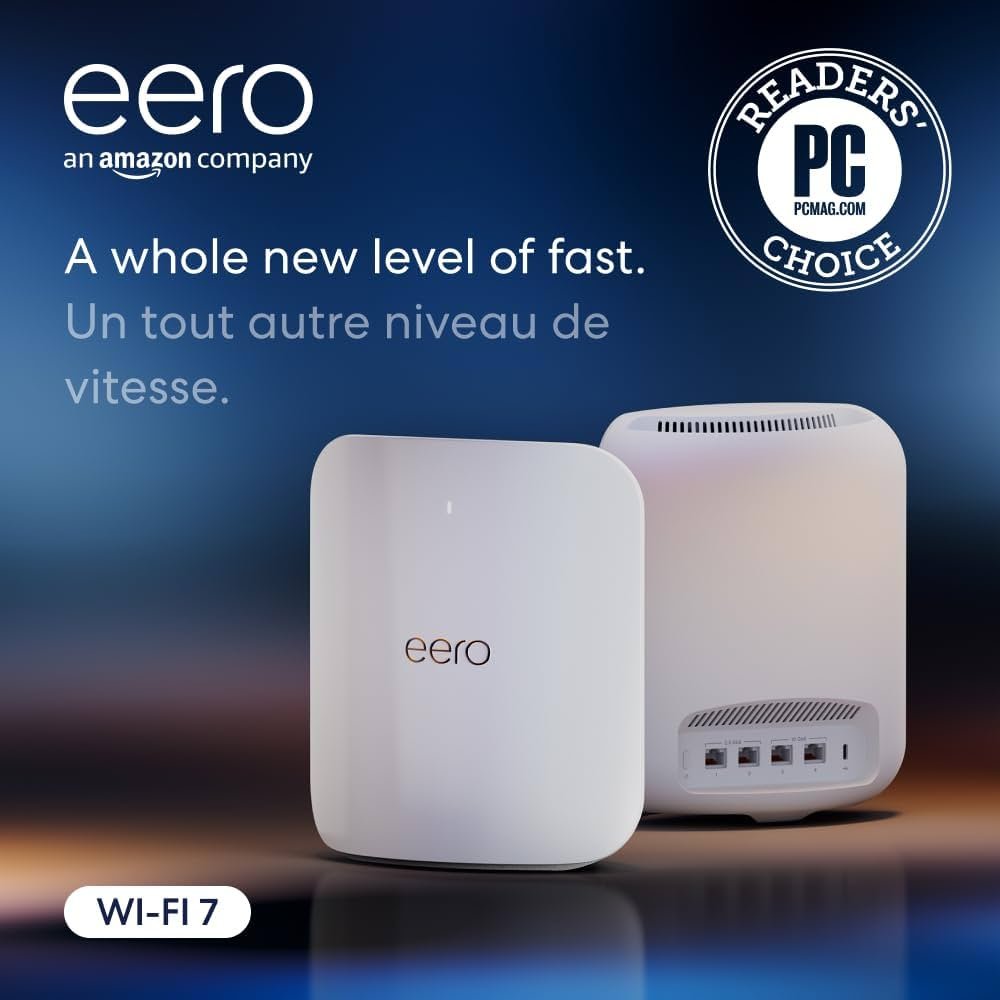
Struggling with weak WiFi signals in different rooms of your multi-story home? You’re not alone.
When your internet drops just as you’re about to join a video call or stream your favorite show upstairs, it’s frustrating. That’s where Eero Mesh WiFi steps in to change the game. Imagine seamless internet coverage on every floor, no dead zones, and faster speeds that keep up with your busy household.
Ready to discover how Eero can transform your home’s WiFi experience? Keep reading to find out.
Credit: blog.eero.com
Benefits Of Mesh Wifi In Multi Story Homes
Multi story homes often face wifi problems. Walls and floors block signals. This makes it hard to get good internet everywhere.
Mesh wifi systems like Eero help fix these issues. They spread wifi across all floors to keep you connected.
Seamless Coverage Across Floors
Mesh wifi uses many units placed on different floors. This creates one large network that covers the whole house. You don’t lose connection when you move between floors.
- Wifi signal reaches every room
- No need to switch networks
- Easy to add more units if needed
Eliminating Dead Zones
Dead zones are spots with no wifi signal. They happen in big or multi floor homes. Mesh wifi fills these gaps by sending signals from multiple points.
| Problem | How Mesh Wifi Helps |
| Walls block signals | Units placed on each floor |
| Far rooms have weak signal | Multiple access points boost strength |
| Old routers don’t cover well | Mesh system creates wide coverage |
Improved Network Reliability
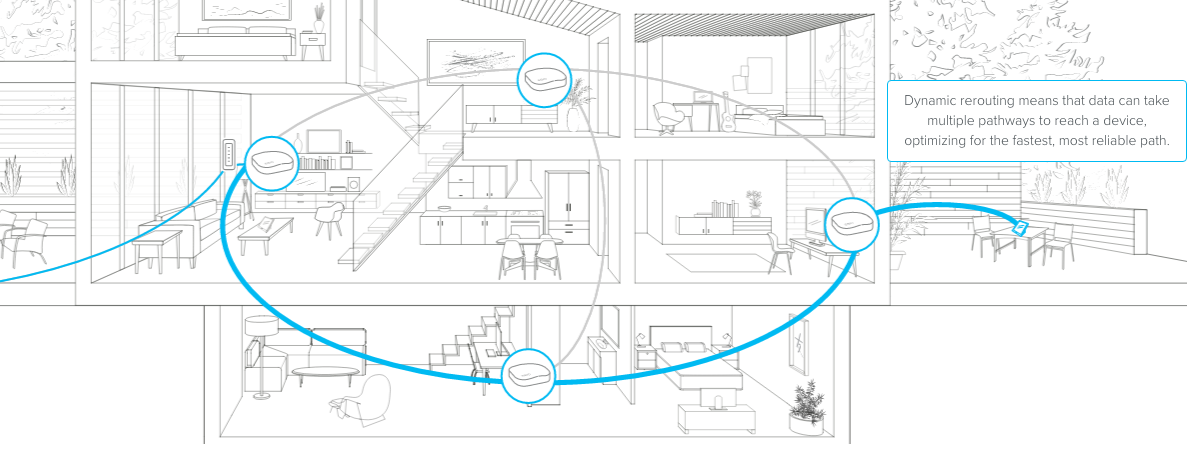
Mesh wifi keeps your internet stable. If one unit has trouble, others take over. This stops your connection from dropping.
Advantages of improved reliability:
- Consistent speed for streaming and calls
- Less interruption during work or gaming
- Automatic reroute of data if one unit fails

Credit: www.pcmag.com
Key Features Of Eero Mesh Wifi
Eero Mesh Wifi is designed for multi-story homes. It helps spread wifi signals evenly across all floors.
This system improves connection speed and reduces dead zones in large houses. It is easy to use and manage.
Tri-band Technology
Eero uses tri-band technology to give fast and reliable wifi. It has one 2.4 GHz band and two 5 GHz bands.
This setup allows devices to connect without slowing down the network. It keeps all devices running smoothly.
- One band for device connections
- Two bands for backhaul communication
- Reduces wifi congestion
- Improves overall network speed
Easy Setup And Management
Setting up Eero Mesh Wifi is simple. You can do it with the Eero app on your smartphone.
The app guides you step-by-step. It also helps you control your network and check device status anytime.
- Quick installation process
- User-friendly app interface
- Manage wifi settings easily
- Monitor connected devices
Automatic Updates And Security
Eero updates its software automatically. This keeps the system secure without user effort.
These updates protect your home network from new threats. They also improve system performance regularly.
- Automatic security patches
- Improved network stability
- Protection from cyber threats
- No need for manual updates
Optimizing Eero Placement For Best Coverage
Using Eero mesh WiFi in a multi-story home helps cover all rooms with strong internet. Placement of each Eero node matters to get the best signal.
Good placement reduces dead zones and keeps your devices connected with fast speeds on every floor.
Ideal Node Locations
Place Eero nodes in open, central spots on each floor. Avoid corners and walls that block signals.
Keep nodes where you use the internet most, like living rooms and offices. High shelves or tables work well.
- Center of the floor for even coverage
- Avoid placing nodes inside cabinets
- Use one node per floor for multi-story homes
- Place nodes away from large metal objects
Avoiding Interference
WiFi signals can weaken from interference. Keep Eero nodes away from devices like microwaves and cordless phones.
Also avoid thick walls and large metal surfaces. These block or reflect WiFi signals, causing slow speeds.
- Keep nodes away from kitchen appliances
- Avoid placing near Bluetooth devices
- Do not put nodes close to large metal objects
- Minimize walls between nodes when possible
Balancing Coverage And Speed
Nodes should be close enough to connect but not too close. Too far lowers signal strength; too near causes slow speeds.
Try to keep nodes within 30 feet of each other. This balance helps keep fast internet on all floors.
- Place nodes 15 to 30 feet apart
- Test speeds after placement and adjust if needed
- Consider adding extra nodes for larger homes
- Use the Eero app to check signal strength

Credit: www.amazon.ca
Speed Performance In Multi Story Environments
Using Eero Mesh Wifi in a multi story home helps spread Wi-Fi across floors. This keeps your internet fast on every level. Speed can change based on building layout and materials.
Understanding how Eero works in a multi story home helps you get better Wi-Fi. We will look at walls, floors, bandwidth, and speed tests.
Impact Of Walls And Floors
Walls and floors block Wi-Fi signals. Thick walls or floors with metal or concrete reduce speed. Signals lose strength as they pass through these barriers.
Placing Eero devices near open spaces improves signal flow. Avoid putting units behind thick walls or metal objects. This placement helps keep speed stable across floors.
- Concrete walls lower Wi-Fi strength
- Metal floors can block signals
- Open areas allow better signal spread
- Strategic placement reduces dead zones
Bandwidth Allocation
Eero Mesh shares bandwidth among devices in your home. It balances speed so no device gets too slow. This helps when many devices connect at once.
In multi story homes, Eero manages bandwidth across floors. This keeps fast connections for video calls, streaming, and gaming on all levels.
- Bandwidth divides between connected devices
- Mesh system reduces slow spots
- Multiple units handle many users well
- Helps keep stable speed across floors
Real-world Speed Tests
Tests show Eero Mesh keeps good speed in multi story homes. Speed drops slightly on higher floors but stays usable. Devices closer to the Eero units get the best speed.
Speed can be affected by home size and obstacles. Adding more Eero units improves coverage and speed on all floors.
| Floor Level | Average Speed (Mbps) |
|---|---|
| Ground Floor | 250 |
| First Floor | 220 |
| Second Floor | 190 |
Comparing Eero With Other Mesh Systems
Mesh wifi systems help improve internet coverage in large homes. Eero is a popular choice for multi story houses. It competes with other mesh brands in coverage, speed, and price.
This comparison looks at how Eero matches up against other mesh wifi options. It focuses on key features to help you decide the best fit for your home.
Coverage Range
Eero provides good coverage for multi story homes. Each Eero unit covers around 1,500 square feet. You can add more units to cover larger areas.
Other mesh systems like Google Nest Wifi and Netgear Orbi offer similar or larger coverage per unit. Some Orbi models cover up to 2,500 square feet per unit.
- Eero: About 1,500 sq ft per unit
- Google Nest Wifi: Around 2,200 sq ft per unit
- Netgear Orbi: Up to 2,500 sq ft per unit
Speed And Throughput
Eero supports dual-band and tri-band models. Tri-band units help keep fast speeds by adding a dedicated channel. This improves performance in busy homes.
Netgear Orbi usually leads in top speeds due to its powerful hardware. Google Nest Wifi is good for everyday use but may slow down under heavy traffic.
- Eero tri-band max speed: Up to 900 Mbps
- Netgear Orbi max speed: Up to 3 Gbps
- Google Nest Wifi max speed: Up to 2.2 Gbps
Pricing And Value
Eero offers different models at mid-range prices. The starter kits are affordable for small to medium homes. Adding more units increases the total cost.
Netgear Orbi tends to be more expensive but includes high-end features. Google Nest Wifi is priced similarly to Eero but offers easy setup and good integration with smart home devices.
| Mesh System | Starting Price | Best For |
|---|---|---|
| Eero | $199 | Mid-size homes, simple setup |
| Netgear Orbi | $299 | Large homes, high speed |
| Google Nest Wifi | $269 | Smart home users, easy control |
Tips For Maintaining Optimal Wifi Performance
Keeping your Eero Mesh Wifi in top shape is essential for a smooth internet experience. Here are some easy tips to help you maintain optimal performance in your multi-story home.
These tips will guide you through regular updates, security practices, and troubleshooting steps.
Regular Firmware Updates
Firmware updates improve your wifi’s performance and security. Updating regularly helps fix bugs and enhance features.
- Check for updates weekly in the Eero app.
- Enable auto-updates for convenience.
- Restart your router after updates for smooth operation.
Network Security Practices
Securing your network is crucial to protect your data. Follow these practices to keep your wifi safe.
- Use strong, unique passwords for your network.
- Enable WPA3 encryption if supported.
- Regularly check connected devices for any unknown entries.
Monitoring And Troubleshooting
Monitoring your network helps identify issues early. Troubleshooting ensures your wifi runs smoothly.
| Issue | Solution |
| Slow speeds | Reposition the router for better coverage |
| Device not connecting | Restart both device and router |
| Intermittent connection | Check for interference from other devices |
Frequently Asked Questions
How Does Eero Mesh Wifi Improve Coverage In Multi-story Homes?
Eero Mesh Wifi uses multiple units to create a seamless network. It eliminates dead zones and provides consistent coverage across floors. This ensures fast and reliable internet everywhere in your multi-story home.
Is Eero Mesh Wifi Easy To Set Up In Large Houses?
Yes, Eero Mesh Wifi offers a simple app-guided setup. You can place additional nodes on different floors to extend coverage. The system automatically optimizes the connection for smooth performance.
Can Eero Mesh Wifi Handle Multiple Devices Simultaneously?
Eero Mesh Wifi supports many devices without slowing down. It uses advanced technology to manage traffic efficiently. This makes it ideal for busy households with many connected gadgets.
What Are The Benefits Of Eero Mesh Wifi Over Traditional Routers?
Eero Mesh Wifi provides wider coverage and fewer dead zones. It is scalable, allowing easy addition of nodes for larger homes. The system also offers better security and automatic updates.
Conclusion
Eero Mesh Wifi works well in multi-story homes. It spreads Wi-Fi evenly to all floors. No more weak signals or dead zones. Setup is simple and fast. It keeps your devices connected without drops. You can move around freely without losing internet.
Eero helps your whole family stay online easily. A reliable Wi-Fi system matters for home comfort. Choose Eero for steady internet on every level. Enjoy smooth streaming, gaming, and browsing anywhere inside.


