Are you wondering if your mesh WiFi system can handle 100 devices in your large home? With so many gadgets, smart devices, and streaming needs, it’s natural to worry about slow connections and dropped signals.
Imagine every corner of your house having strong, reliable internet without any frustrating buffering or lag. You’ll discover whether mesh WiFi can truly support your busy household and what you need to know to keep everyone connected smoothly. Keep reading to find out how to make your home network work perfectly for you.

Credit: dongknows.com
Mesh Wifi Basics
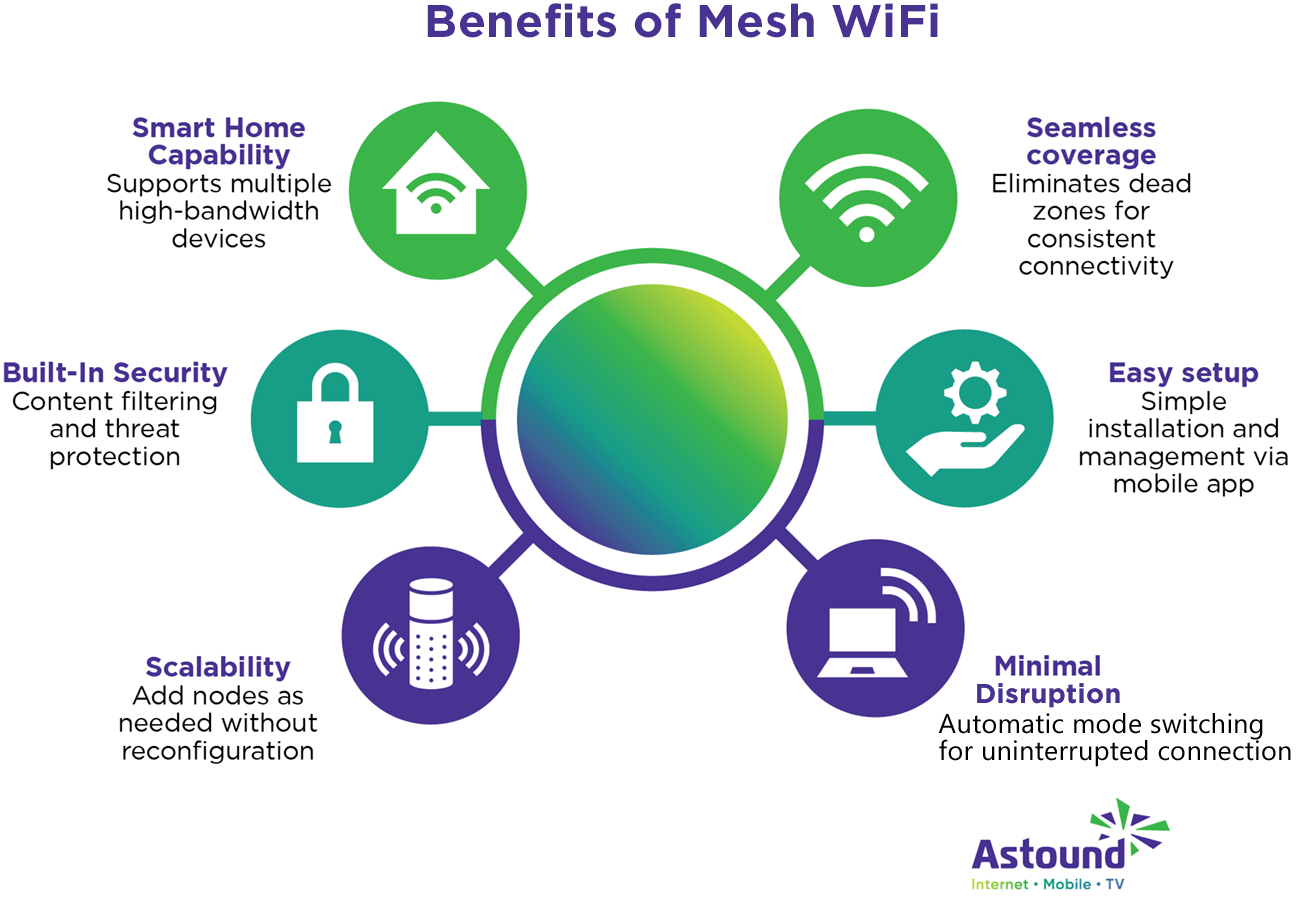
Mesh wifi uses multiple devices to spread internet in a home. It creates one large network for better coverage.
This system helps avoid dead zones and keeps your connection strong everywhere.
How Mesh Wifi Works
Mesh wifi has several nodes or points. Each node talks to the others to share internet. This way, the signal reaches every corner of a large home.
- Main node connects to your modem.
- Other nodes spread the signal around your home.
- Devices connect to the closest node for best speed.
- Nodes work together to keep a strong and steady connection.
Benefits Over Traditional Routers
| Feature | Mesh Wifi | Traditional Router |
|---|---|---|
| Coverage Area | Large, covers whole home | Limited, one device coverage |
| Device Support | Supports many devices smoothly | May slow down with many devices |
| Signal Strength | Consistent across all rooms | Weak in far rooms |
| Setup | Simple, nodes auto-connect | One router setup |

Credit: www.reddit.com
Device Capacity Factors
Mesh WiFi systems are popular for covering large homes with many devices. Understanding what affects their capacity helps manage expectations.
Several factors influence how well a mesh network handles 100 devices in one home. These include bandwidth, traffic, and interference.
Bandwidth Limitations
Bandwidth is the amount of data the network can send and receive at once. More devices mean more data use.
When many devices connect, bandwidth can get crowded. This slows down the network for all users.
- Each device uses some bandwidth
- High-data activities need more bandwidth
- Mesh nodes share total bandwidth
Network Traffic Management
Traffic management controls how data moves through the network. Good management keeps the network running smoothly.
Mesh WiFi systems use smart routing to balance traffic. This helps prevent one device from slowing others down.
- Traffic is split across mesh nodes
- Prioritizing some data improves performance
- Too many active devices can cause delays
Signal Interference
Signal interference happens when other devices or walls block WiFi signals. This weakens the connection strength.
Interference reduces the number of devices that can connect well. Placing nodes properly helps lower interference.
- Microwaves and cordless phones cause interference
- Thick walls reduce signal quality
- Distance between nodes affects coverage
Performance With 100 Devices
Mesh WiFi systems can support many devices in a large home. But 100 devices can test the network’s limits. Understanding how mesh WiFi performs is key.
Each device adds traffic and can slow the network. The performance depends on the mesh system’s quality and setup.
Real-world Usage Scenarios
In a large home, many devices use WiFi for different tasks. These include streaming, gaming, and smart home devices.
Not all devices use the same amount of data. Some only check updates, while others stream video or make video calls.
- Smartphones and tablets for browsing and apps
- Smart TVs and streaming devices for video
- Smart home devices like cameras and lights
- Laptops for work and video meetings
- Gaming consoles for online games
Common Bottlenecks
With 100 devices, traffic congestion can happen. The mesh router’s processor and memory affect how well it handles many connections.
Interference from walls, floors, and other electronics can reduce signals. Some devices may connect to a weaker node, causing slow speeds.
- Processor limits on mesh nodes
- Signal interference from physical barriers
- Bandwidth sharing among many devices
- Distance between mesh nodes and devices
- Older devices with slower WiFi standards
Speed And Latency Expectations
Speed drops as more devices connect. Latency may increase, affecting video calls and gaming.
Good mesh systems keep speed steady by balancing traffic. But heavy use on many devices can cause delays and slow downloads.
- Expect slower speeds during peak device use
- Latency may rise with many active connections
- Strong nodes reduce speed loss and delay
- Wired backhaul can improve performance
- Regular firmware updates help maintain speed
Optimizing Mesh Networks
Mesh WiFi systems can cover large homes by using many nodes. They help connect many devices with good speed.
Optimizing your mesh network is key to supporting 100 devices smoothly. Let’s look at how to place nodes, update software, and balance loads.
Placement Of Nodes
Correct node placement makes your mesh network strong. Place nodes where signals can reach all parts of the home.
- Put nodes in open spaces, not inside cabinets.
- Keep nodes away from thick walls and metal objects.
- Space nodes evenly to avoid overlap and dead spots.
- Place nodes near areas with many devices.
Firmware And Software Updates
Keep your mesh system up to date. Updates fix bugs and improve speed and security.
| Update Type | Benefits |
|---|---|
| Firmware | Improves hardware performance and security |
| App Software | Enhances user controls and new features |
| Security Patches | Protects network from new threats |
Load Balancing Techniques
Load balancing spreads device traffic across nodes. This prevents any node from getting too busy.
- Use automatic load balancing features in your mesh system.
- Assign high-demand devices to nodes with stronger signals.
- Separate devices on different frequency bands (2.4 GHz vs 5 GHz).
- Limit guest network devices to avoid overload.
Choosing The Right Mesh System
Mesh WiFi systems help cover large homes with strong internet. They use multiple devices called nodes. These nodes work together to create one network.
Not all mesh systems can support 100 devices well. Choosing the right one is important for speed and coverage.
Top Models For Large Homes
Some mesh systems are better for many devices and big spaces. Look for models with fast speeds and many nodes included.
- System A: Offers high speed and up to 6 nodes
- System B: Designed for heavy device use and wide coverage
- System C: Affordable with good range and device support
Key Features To Look For
Choose a mesh system with these features to handle many devices:
- High device capacity, supporting 100 or more devices
- Strong WiFi standards like WiFi 6 or WiFi 6E
- Multiple nodes for full home coverage
- Easy setup and management apps
- Good security features
Budget Considerations
Mesh systems vary in price. Think about your budget and needs before buying.
| Price Range | Features Included | Best For |
| Low ($100-$200) | Basic coverage, fewer nodes | Small to medium homes |
| Mid ($200-$400) | More nodes, better speed | Large homes, many devices |
| High ($400+) | Top speed, many nodes, extra features | Very large homes, heavy use |
Additional Tips For Large Homes
In a large home, maintaining strong and reliable WiFi can be a challenge. Mesh WiFi systems are designed to support multiple devices across large areas.
These systems ensure that all devices stay connected, but there are ways to optimize their performance even further. Consider the following tips.
Wired Backhaul Benefits
Using a wired backhaul connection can enhance the performance of your mesh WiFi system. This method connects nodes directly to each other using Ethernet cables.
- Improves speed and stability
- Reduces wireless interference
- Frees up wireless bandwidth for devices
Security Best Practices
Securing your mesh WiFi network is essential to protect your data. Always ensure that your network is safe from unauthorized access.
- Use a strong, unique password
- Enable network encryption
- Regularly update firmware
- Disable remote management features
Expanding Coverage Beyond Wifi
In some cases, you might need to expand coverage beyond what your WiFi can offer. Consider additional solutions to ensure complete coverage throughout your home.
Powerline adapters use your home’s electrical wiring to transmit data, providing a stable connection even in hard-to-reach areas.
| Solution | Use Case |
| Powerline Adapter | Stable connection over long distances |
| WiFi Extender | Boosts signal in specific rooms |
| Ethernet Cables | Direct connection for devices needing high speed |
Credit: www.astound.com
Frequently Asked Questions
Can Mesh Wifi Handle 100 Devices In A Large Home?
Yes, many mesh WiFi systems support 100+ devices by distributing connections across nodes. Performance depends on router quality and network traffic.
What Factors Affect Mesh Wifi Performance With Many Devices?
Device type, bandwidth demand, node placement, and internet speed impact mesh WiFi performance when supporting numerous devices simultaneously.
How To Optimize Mesh Wifi For 100+ Device Connections?
Place nodes strategically, update firmware regularly, use wired backhaul if possible, and limit heavy bandwidth usage during peak times.
Is Mesh Wifi Better Than A Single Router For Large Homes?
Yes, mesh WiFi provides wider coverage, reduces dead zones, and manages multiple devices better than a single router.
Conclusion
Mesh WiFi can handle many devices if set up right. Place nodes well to cover the whole house. Choose a system designed for many connections. Keep firmware updated for best performance. Remember, device type affects speed and reliability. Simple steps help your network run smoothly.
A strong mesh network supports large homes easily.


