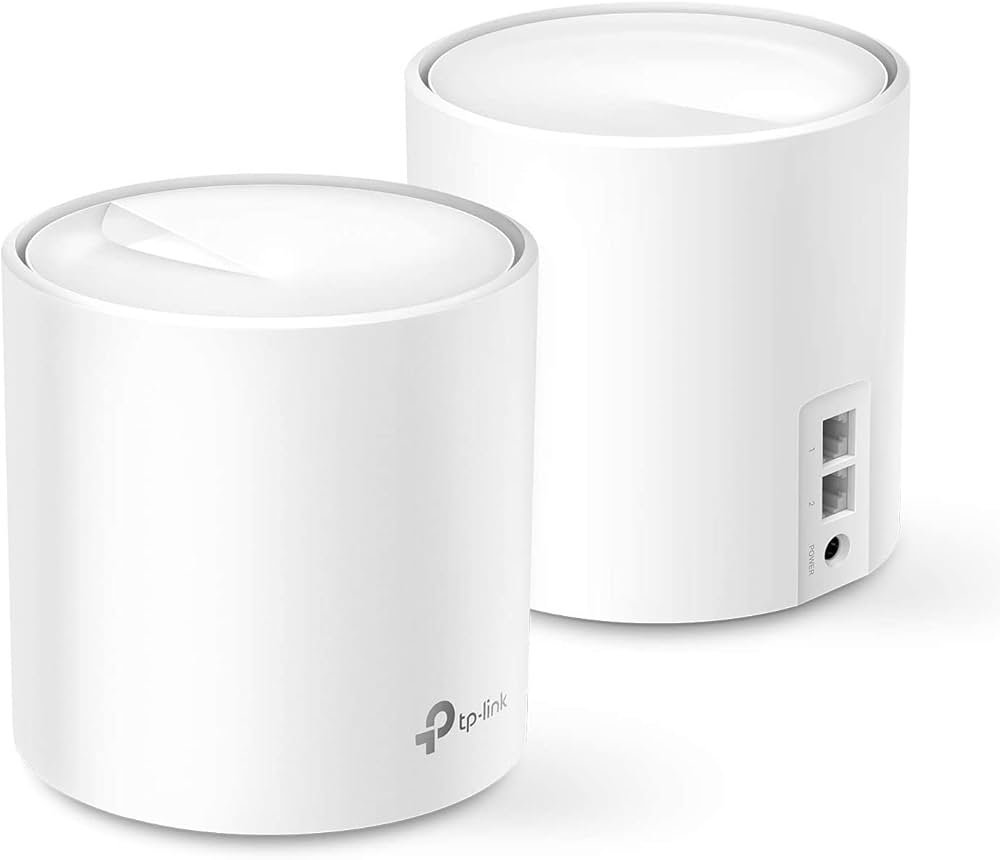
Are you tired of slow internet and dead zones in your home? A Wifi 6 Mesh Router might be the solution you’ve been looking for.
This technology can boost your connection speed and cover every corner of your space with strong, reliable WiFi. But what exactly is a Wifi 6 Mesh Router, and how can it improve your daily online experience? Keep reading to discover how this smart device can change the way you connect, making buffering and dropouts a thing of the past.

Credit: www.walmart.ca
Wifi 6 Mesh Router Basics
A Wifi 6 mesh router is a device that provides wireless internet using the latest Wifi 6 technology. It uses multiple units to create a large, seamless network in your home or office.
This system helps deliver strong and fast internet to all corners of your space, reducing dead zones and improving connection quality.
Key Features Of Wifi 6
Wifi 6 offers faster speeds and better performance than older Wifi versions. It supports more devices at once without slowing down the network.
It also improves battery life for connected devices and increases network efficiency.
- Higher data rates for faster internet
- Improved capacity to connect many devices
- Better performance in crowded areas
- Lower latency for real-time activities
- Energy-saving features for devices
How Mesh Networks Work
A mesh network uses multiple router units placed around a building. These units work together to spread Wifi signals evenly.
Each unit connects to others, forming a web of coverage. Devices connect to the nearest unit for the best signal.
- Multiple nodes create wide coverage
- Nodes communicate to avoid signal loss
- Devices switch automatically to strongest node
- Easy to add more nodes to expand coverage
Benefits Over Traditional Routers
Mesh routers cover larger areas than traditional single routers. They reduce weak signal spots and improve overall connection stability.
Mesh systems also make it easy to manage your network through apps, and they handle multiple devices better.
- Stronger coverage in bigger spaces
- Seamless connection without manual switching
- Better support for many devices at once
- Simple setup and network management
Speed And Performance
A WiFi 6 Mesh Router improves internet speed and connection quality across your home.
It supports multiple devices and reduces delays for a smoother online experience.
Faster Data Transfer Rates
WiFi 6 uses new technology to send data faster than previous WiFi versions.
This means downloads and uploads happen quickly, even with many devices connected.
Improved Capacity For Devices
WiFi 6 Mesh Routers handle many devices at once without slowing down the network.
- Supports more devices at the same time
- Reduces network congestion
- Keeps connections stable for all users
Reduced Latency And Buffering
Lower latency means less delay in sending and receiving data.
| Feature | Benefit |
| Lower Latency | Smoother video calls and gaming |
| Mesh Network | Better coverage with fewer dead zones |
| Buffering Reduction | Faster loading of videos and websites |
Coverage And Reliability
A WiFi 6 mesh router improves internet coverage and reliability in your home or office. It uses multiple devices to spread a strong signal everywhere.
This system helps reduce weak spots and keeps your connection steady as you move around.
Seamless Roaming
Seamless roaming means your device switches between mesh nodes without losing connection. This way, you stay online during calls or streaming.
- Your phone or laptop connects to the closest router node automatically.
- There is no need to reconnect or enter passwords again.
- Streaming and downloads continue smoothly without interruption.
Eliminating Dead Zones
Dead zones are areas with little or no WiFi signal. WiFi 6 mesh routers use multiple devices to cover these spots.
| Location | Without Mesh | With WiFi 6 Mesh |
| Basement | No Signal | Strong Signal |
| Backyard | Weak Signal | Good Signal |
| Upstairs | Unstable | Stable Connection |
Consistent Signal Strength
WiFi 6 mesh routers keep signal strength steady across your space. This reduces slow speeds and dropped connections.
Consistent signal helps in:
- Better video calls without freezing
- Fast downloads everywhere in your home
- Reliable smart home device connections
Security Enhancements
Wifi 6 mesh routers offer better security for home networks. They protect your data and keep your connection safe.
These routers use new technology to stop hackers and protect your privacy. They make your internet safer to use.
Advanced Encryption Standards
Wifi 6 mesh routers use strong encryption to keep your data private. This makes it hard for others to access your information.
They support WPA3, the latest encryption standard. WPA3 protects your network from common attacks and improves password security.
- Stronger data protection
- Better password safety
- Improved defense against hacking
Automatic Updates
Wifi 6 mesh routers get automatic software updates. These updates fix security problems and add new protections.
Automatic updates help keep your network safe without you doing extra work. The router updates itself regularly.
- Fixes security bugs quickly
- Adds new safety features
- Keeps your router up to date
Network Privacy Features
Wifi 6 mesh routers have built-in privacy tools. They stop outsiders from tracking your online activity.
These routers can hide your device details and encrypt your traffic. This helps keep your browsing private.
- Hides device information
- Blocks unauthorized access
- Encrypts internet traffic
Setup And Management
Wifi 6 mesh routers offer strong and reliable internet connections. They cover large areas without losing speed. Setup and management of these routers are simple.
With user-friendly features, anyone can install and manage their network. Let’s explore some key features.
User-friendly Installation
Setting up a Wifi 6 mesh router is easy. You do not need technical skills. Follow the instructions that come with the device.
These routers often come with quick setup guides. They guide you through each step with clear pictures.
- Plug in the router and connect it to your modem.
- Use the app or web portal to finish the setup.
- Place additional nodes around your home for full coverage.
App-based Controls
Modern mesh routers have apps for easy control. You can manage your network from your phone.
The app helps you customize settings. You can change passwords, prioritize devices, and more.
- Check connected devices at any time.
- Pause internet for specific devices.
- Set parental controls to limit access.
Network Monitoring Tools
Wifi 6 mesh routers include network monitoring tools. These tools help you keep an eye on network performance.
You can view network speed, data usage, and more. This helps in identifying issues quickly.
- Monitor internet speed in real-time.
- Track data usage by device.
- Receive alerts for suspicious activity.

Credit: www.amazon.ca
Choosing The Right Router
A Wifi 6 mesh router can improve your home internet. It spreads WiFi signals evenly in large spaces.
Picking the right one depends on your needs and home layout. This guide helps you choose well.
Factors To Consider
Check your home size and number of devices. More devices need stronger routers with better coverage.
Look at the router’s speed and range. Also, consider ease of setup and extra features like security.
- Home size and layout
- Number of connected devices
- Speed and coverage area
- Security features
- Ease of use and setup
Top Wifi 6 Mesh Router Models
Some popular Wifi 6 mesh routers offer good coverage and speed. They suit different home sizes.
- Model A: Covers large homes, strong signal
- Model B: Easy setup, good for medium homes
- Model C: Budget-friendly with decent speed
- Model D: Advanced security features included
Budget Vs. Performance
Higher price usually means better performance. But some mid-range routers work well for most homes.
Decide what matters more: speed or price. Balance your budget with your internet needs.
| Price Range | Performance | Best For |
|---|---|---|
| High | Fast speed, wide coverage | Large homes, many devices |
| Mid | Good speed, decent coverage | Medium homes, regular use |
| Low | Basic speed, limited range | Small homes, few devices |
Troubleshooting Tips
WiFi 6 mesh routers offer better connectivity and speed. Yet, users can face issues sometimes. Here are tips to solve common problems.
Understanding these tips will help improve your WiFi experience. Keep your network running smoothly with these easy steps.
Common Connectivity Issues
Sometimes, your devices may not connect properly. This can be due to various reasons, like interference or incorrect settings.
- Restart your router to reset connections.
- Check if your devices are within range.
- Ensure no large objects block the signal.
Optimizing Router Placement
Router placement affects signal strength. Placing it in the right spot can improve connectivity and speed.
Avoid placing the router in corners or near metal objects. High and central positions are best for coverage.
- Place the router on a high shelf.
- Avoid placing it near walls.
- Keep it away from electronic devices.
Firmware Updates
Firmware updates keep your router running smoothly. They fix bugs and improve performance.
Check for updates regularly. Many routers allow automatic updates, which makes it easier.
- Access your router’s settings via a web browser.
- Navigate to the update section.
- Enable automatic updates if available.

Credit: www.amazon.ca
Frequently Asked Questions
What Is A Wifi 6 Mesh Router?
A Wifi 6 Mesh Router combines Wifi 6 technology with mesh networking. It delivers faster speeds, wider coverage, and better device handling in large spaces. This router type eliminates dead zones by connecting multiple units for seamless internet throughout your home or office.
How Does Wifi 6 Improve Mesh Networks?
Wifi 6 enhances mesh networks with higher data rates and increased capacity. It supports more devices simultaneously without slowing down. This technology reduces latency and improves battery life for connected gadgets, making mesh systems more efficient and reliable.
Why Choose A Wifi 6 Mesh Router Over Traditional Routers?
Wifi 6 Mesh Routers offer superior coverage and faster speeds compared to traditional routers. They handle multiple devices better and reduce network congestion. Their seamless roaming feature ensures uninterrupted connectivity as you move around your home or workplace.
Can Wifi 6 Mesh Routers Support Smart Home Devices?
Yes, Wifi 6 Mesh Routers are ideal for smart home devices. They provide stable connections and manage many devices efficiently. This ensures your smart lights, cameras, and assistants work smoothly without network interruptions.
Conclusion
Wifi 6 mesh routers help spread strong internet everywhere in your home. They work well with many devices at the same time. This means faster speeds and less waiting for loading. Setup is easy and helps remove WiFi dead zones.
These routers suit families, gamers, and anyone needing reliable WiFi. Choosing one can improve your daily internet experience. A good mesh router keeps you connected without interruptions. Simple, strong, and smart WiFi is now within reach.


