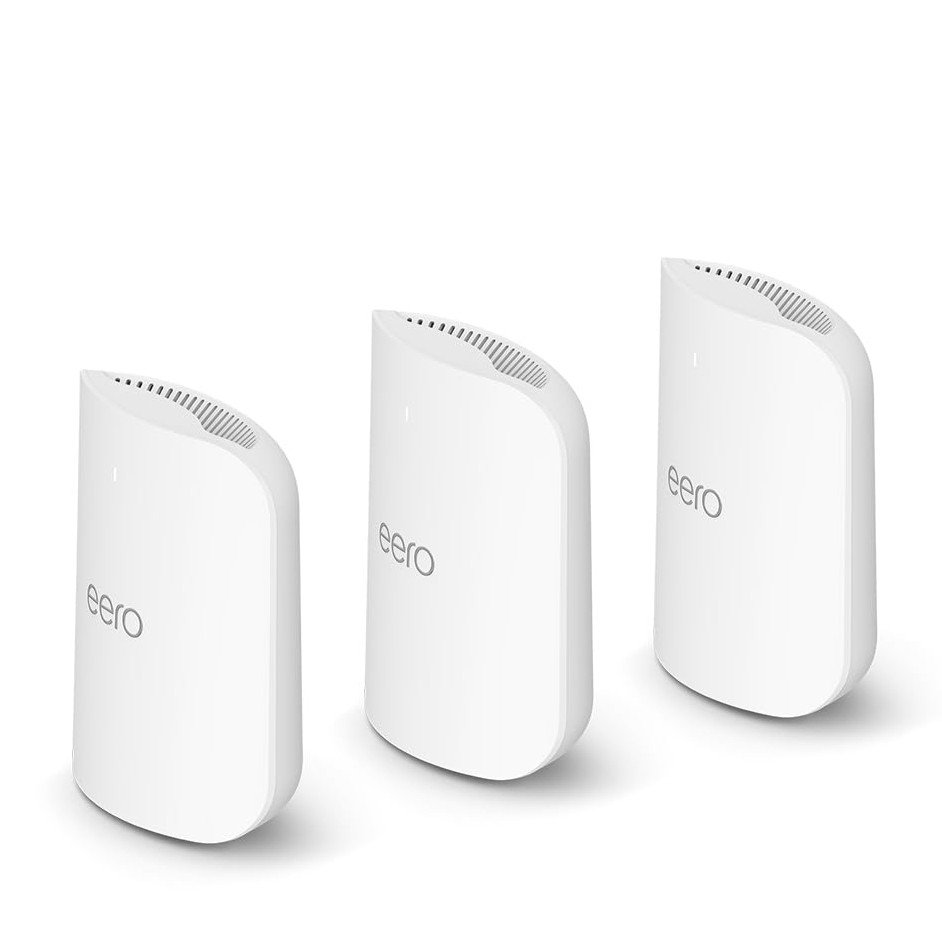
Are you tired of slow internet and dead zones in your home? Finding a reliable mesh WiFi system under $200 can feel like a challenge, but it doesn’t have to be.
Imagine streaming, gaming, and working without interruptions or weak signals. This guide will help you get the best speed and coverage without breaking the bank. Keep reading to discover simple tips that will transform your WiFi experience and make every corner of your home connected.
Choosing Budget Mesh Wifi
Mesh wifi systems help cover large areas with strong internet. Budget options under $200 offer good value for most homes.
It is important to pick the right mesh wifi for speed and coverage. This guide helps you choose the best system without spending too much.
Key Features To Look For
Look for mesh wifi with easy setup and good coverage. Check if the system supports your internet speed.
Important features include number of nodes, wireless standards, and security options.
- Dual-band or tri-band wifi for better speed
- At least two nodes for wider coverage
- Support for WPA3 security
- Easy app control and setup
- Compatibility with your internet plan
Top Models Under $200
Many mesh wifi kits are available under $200. Some models balance price and performance well.
- TP-Link Deco S4 – Good coverage and simple setup
- Google Nest Wifi (single router with point) – Easy to use
- Netgear Orbi RBK13 – Basic tri-band mesh system
- Linksys Velop AC1200 – Compact and reliable
Pros And Cons Of Budget Options
Budget mesh wifi systems offer good coverage for less money. They may lack advanced features of expensive models.
Understand the strengths and limits before buying to get the best fit for your home.
- Pros:Affordable, easy setup, decent coverage
- Cons:Lower max speed, fewer features, smaller coverage area
- Pros:Good for small to medium homes
- Cons:May not support many devices at once

Credit: www.reddit.com
Maximizing Speed
Mesh WiFi systems under $200 can deliver strong speed and coverage. Proper setup helps you get the most from your network.
This guide covers simple tips to improve your mesh WiFi speed and signal strength around your home.
Optimal Router Placement
Place your main router in a central spot to cover the entire area evenly. Avoid corners and basements.
- Keep the router elevated on a shelf or table.
- Clear the area around the router from large objects.
- Place satellite nodes where the signal is still strong but covers dead zones.
- Keep at least one wall between nodes to reduce overlap but maintain connection.
Reducing Interference
Wireless devices and obstacles can slow your WiFi. Reduce interference for better speed.
| Source of Interference | How to Reduce |
| Microwaves | Keep router away from kitchen appliances |
| Bluetooth devices | Limit active Bluetooth near router |
| Thick walls | Use mesh nodes to bypass barriers |
| Other WiFi networks | Change router channel to a less crowded one |
Firmware And Software Updates
Keep your mesh WiFi devices up to date. Updates fix bugs and improve performance.
- Check for updates regularly in the router’s app or dashboard.
- Set automatic updates if available.
- Restart your router after updates to apply changes.
Enhancing Coverage
Mesh WiFi systems help cover large homes with strong internet signals. Good setup improves speed and range.
Use smart tips to place nodes and connect devices for better coverage in every room.
Ideal Node Placement
Place mesh nodes where signals travel freely without walls or furniture blocking them. Avoid corners and basements for better reach.
- Position nodes in open spaces, like hallways or living rooms.
- Keep nodes away from metal objects and microwaves.
- Place nodes about two rooms apart for steady coverage.
- Elevate nodes off the floor for better signal spread.
Using Wired Backhaul
Wired backhaul connects mesh nodes with cables, reducing wireless traffic and improving speed.
| Benefit | Details |
| Faster Speeds | Wired links avoid wireless interference. |
| Stable Connection | Less signal drop between nodes. |
| Better Range | Nodes communicate more efficiently. |
Extending Coverage With Additional Nodes
Add more nodes to reach dead zones and expand WiFi coverage across your home.
Tips for adding nodes:
- Place new nodes close to existing ones for strong connection.
- Use the same brand and model for best compatibility.
- Check for firmware updates to keep all nodes synced.
Setup And Configuration Tips
Setting up mesh WiFi under $200 can improve your home internet. Proper setup helps you get good speed and coverage.
Follow these tips to install and configure your mesh WiFi system easily and safely.
Step-by-step Installation
Start by placing your main mesh unit near your modem. Connect it with an Ethernet cable. Plug it in and power it on.
Place other mesh nodes around your home. Put them where the signal is weak but still within range of the main unit.
- Connect main unit to modem
- Place nodes in open areas
- Avoid placing nodes near thick walls
- Power on all units
- Use the app to finish setup
Best Settings For Performance
Choose the right channel to reduce interference. Let your mesh use the 5 GHz band for faster speeds close to nodes.
Enable band steering if your system supports it. This moves devices to the best frequency automatically.
- Pick less crowded WiFi channels
- Use 5 GHz band for speed
- Enable band steering
- Update firmware regularly
- Place nodes for balanced coverage
Security Settings To Consider
Use a strong WiFi password with WPA3 or WPA2 encryption. This helps protect your network from outsiders.
Turn on automatic firmware updates. This keeps your system safe from new threats. Disable WPS to avoid easy hacks.
- Use WPA3 or WPA2 security
- Create a strong, unique password
- Enable automatic updates
- Turn off WPS feature
- Set up a guest network for visitors
Troubleshooting Common Issues
Mesh WiFi systems under $200 are great for improving home connectivity. Sometimes, you might face issues that need fixing.
Understanding common problems can help you keep your network running smoothly. Here are some tips to solve frequent issues.
Dealing With Dead Zones
Dead zones can occur if your mesh WiFi nodes are too far apart. Make sure to check the placement of each node.
- Place nodes in open spaces, away from walls
- Avoid metal objects and electronic devices
- Use additional nodes for large areas
Fixing Slow Speeds
Slow speeds can be frustrating. Check your network settings and make sure your firmware is up to date.
| Cause | Solution |
| Too many devices | Limit connected devices |
| Outdated firmware | Update regularly |
| Distance from node | Move closer to a node |
Reset And Reboot Strategies
Resetting or rebooting can fix many issues. Follow these steps to reset your mesh system correctly.
- Locate the reset button on your device.
- Press and hold it for 10 seconds.
- Wait for the lights to stabilize.

Credit: www.cnet.com
Comparing Mesh Wifi To Traditional Routers
Mesh wifi and traditional routers both provide internet access in homes. They work differently to deliver speed and coverage.
Choosing the right system helps get the best wifi experience under $200. Let’s compare their speed, coverage, and cost.
Speed Differences
Traditional routers send wifi signals from one central point. This can slow down speed if many devices connect far away.
Mesh wifi uses several nodes to share the internet. This keeps speed stable even in bigger homes.
- Traditional routers may lose speed at long distances
- Mesh wifi keeps speed consistent across all rooms
- Mesh systems reduce dead zones by spreading signals
Coverage Benefits
Traditional routers cover a limited area. Walls and floors can block signals easily.
Mesh wifi covers larger areas. Nodes communicate to fill in weak signal spots.
- Traditional routers may cause wifi dead zones
- Mesh wifi creates a blanket of coverage
- Adding nodes improves coverage without rewiring
Cost Efficiency
Traditional routers are usually cheaper upfront. But they may need extra equipment to boost signals.
Mesh wifi systems cost more but replace the need for extenders. You get better coverage in one package.
- Traditional routers cost less initially
- Buying extenders adds to total cost
- Mesh wifi offers all-in-one coverage for under $200

Credit: www.amazon.ca
Frequently Asked Questions
What Is The Best Mesh Wifi Under $200 For Speed?
The best mesh WiFi under $200 balances speed and coverage. Look for dual-band systems with at least AC1200 or AX1500 ratings. Brands like TP-Link and Google Nest offer reliable options that ensure fast internet across multiple devices in medium-sized homes.
How To Improve Mesh Wifi Coverage Effectively?
Place mesh nodes evenly in open spaces, avoiding walls and metal objects. Elevate nodes for better signal strength. Use the app tools to identify weak spots. This setup maximizes coverage and reduces dead zones, ensuring consistent WiFi throughout your home.
Does Mesh Wifi Under $200 Support Multiple Devices?
Yes, most mesh WiFi systems under $200 support multiple devices simultaneously. They use smart routing to manage bandwidth and reduce congestion. This ensures smooth streaming, gaming, and browsing for all connected devices without speed drops.
Can Mesh Wifi Under $200 Match Traditional Routers?
Mesh WiFi under $200 often outperforms traditional routers in coverage. They create a seamless network with multiple nodes, reducing dead zones. While top-tier routers may offer higher speeds, budget mesh systems provide better overall home coverage and ease of use.
Conclusion
Choosing the right mesh WiFi under $200 can boost your internet experience. Focus on speed and coverage for the best results. Place the units in open areas to avoid signal loss. Keep devices updated and avoid physical obstructions. Regularly test your network to find weak spots.
Small changes can improve your WiFi without extra cost. Stay patient and adjust settings to fit your home. A strong, fast WiFi makes work and fun easier. Simple steps lead to better connections every day.


