Are you tired of your game freezing or your connection dropping at the worst moments? Lag can turn an exciting gaming session into a frustrating experience.
You might have heard that gaming routers can fix this problem, but do they really reduce lag? You’ll discover how these specialized devices work, whether they’re worth the investment, and how they can improve your gaming performance. Keep reading to find out if a gaming router is the secret weapon your setup needs.
How Lag Affects Gaming
Lagmakes games slow and unresponsive. It hurts your play and fun. Lag causes delays between your actions and the game’s response. It can make you lose matches or miss chances.
Types of laginclude:
- Latency lag:Delay in data travel between your device and game server.
- Packet loss:Data gets lost on the way, causing stutters.
- Jitter:Variations in delay time that make gameplay uneven.
- Rendering lag:Slow graphics processing by your device.
Sources of lagin online games:
- Slow internet connection or low bandwidth
- Distance from game servers
- Network traffic and congestion
- Old or weak hardware
- Wi-Fi interference or weak signals
Features Of Gaming Routers
Quality of Service (QoS)helps games get priority on your network. It limits other devices from using too much internet. This keeps your game fast and stable.
Dual-Band and Tri-Band Supportmeans the router can send signals on more than one frequency. This reduces crowding and interference. Your devices get a clearer, faster connection.
Advanced Antenna Technologyimproves signal strength and range. More or better antennas mean fewer dead zones. You stay connected even far from the router.
Firmware and Software Optimizationkeeps the router’s system updated. It fixes bugs and improves performance. This helps maintain smooth gameplay and less lag.
Gaming Routers Vs Standard Routers
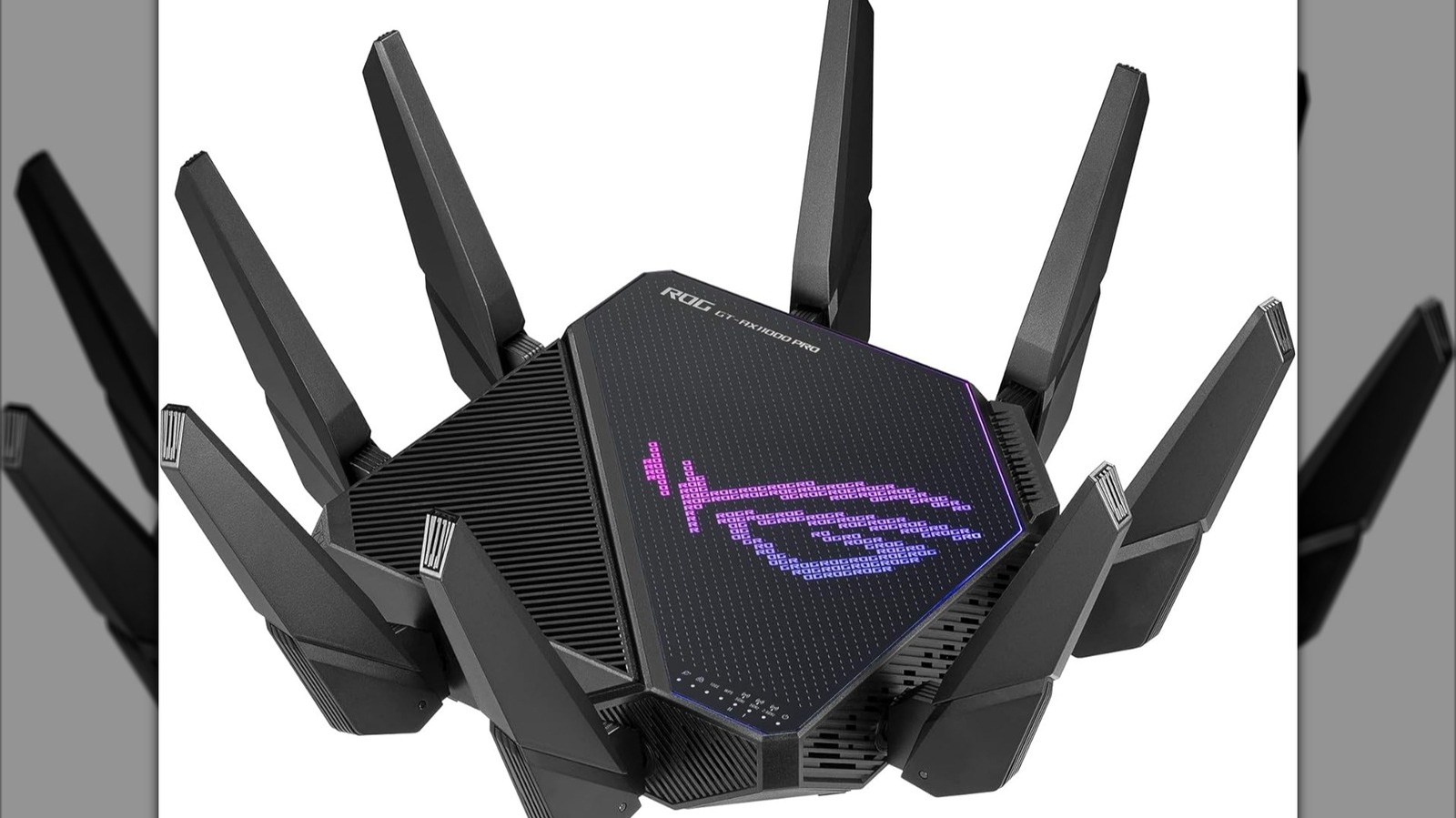
Gaming routersoffer features that help improve internet speed and reduce lag. They often have better processorsand advanced softwareto manage multiple devices. Standard routers work fine for basic tasks but may struggle with gaming demands.
| Feature | Gaming Router | Standard Router |
|---|---|---|
| Processor Speed | Higher, handles more data | Lower, basic tasks only |
| QoS (Quality of Service) | Yes, prioritizes gaming traffic | Limited or none |
| Range and Antennas | Stronger, better coverage | Standard coverage |
| Price | Higher | Lower |
Gaming routers help reduce latencyby prioritizing game data packets. This means less delay in gameplay. Standard routers do not focus on this, so lag may be higher.
- Gaming routers cost more but offer better performance.
- Standard routers are cheaper but may cause more lag.
- Choosing depends on how much you value smoother gaming.
Credit: www.slashgear.com
How Gaming Routers Reduce Lag
Gaming routershelp reduce lag by giving priorityto gaming traffic. They recognize game data and send it faster than other types of information. This reduces delays during online play.
They also help by reducing network congestion. Gaming routers manage how data moves through your network, making sure games get enough bandwidth. This stops other devices from slowing down your connection.
Improving signal stabilityis another way these routers help. They use better antennas and technology to keep a strong, steady Wi-Fi signal. This means fewer drops and smoother gameplay.
Choosing The Right Gaming Router
Choosing the right gaming routerinvolves several important factors. Look for low latencyand high-speed connectionsto reduce lag. The router should support Quality of Service (QoS), which gives priority to gaming traffic. A strong Wi-Fi signaland good rangehelp maintain stable connections. Dual-band or tri-band routers can manage multiple devices better. Also, check if the router supports the latest Wi-Fi standardslike Wi-Fi 6 for faster speeds and more reliable connections.
| Budget | Recommended Model | Key Features |
|---|---|---|
| Low | TP-Link Archer A7 | Dual-band, decent speed, affordable |
| Mid | Netgear Nighthawk AC2300 | Good QoS, strong signal, easy setup |
| High | Asus ROG Rapture GT-AX11000 | Tri-band, Wi-Fi 6, advanced QoS |
Credit: helpdeskgeek.com
Optimizing Your Network Setup
Routers work best in open spaces. Walls and furniture block signals. Place the router in the center of your home. This helps signals reach every room. Keep it away from metal and electronics. These items cause interference. High places like shelves are ideal. They help spread signals better.
Wired connections are often faster. They reduce lag and are more stable. Use Ethernet cables for gaming devices. Wireless connections offer freedom of movement. But, they might be slower. Choose the best option for your needs. A mix of both can work well.
Regular updates keep your router running smoothly. Check for firmware updates often. They fix bugs and improve performance. Adjust settings for better speed. Use quality of service (QoS) settings. They help prioritize gaming traffic. This reduces lag during games.
Alternative Ways To Reduce Lag
Gaming routers can help reduce lag by prioritizing game traffic and managing bandwidth efficiently. Using wired connections and closing background apps also improves connection stability and speed. Adjusting router settings can further lower delays during gameplay.
Internet Service Upgrades
Faster internet means less lag. Check your internet speed. Ask your provider for an upgrade. A higher speed plan can help. This reduces game lag a lot. It’s like a highway for your data. More speed, less wait.
Using Wired Connections
Wireless connections can be slow. Use cables for gaming. Wired connections are faster. They are also more stable. Plug your device into the router. This reduces lag during games. Cables help data travel quickly.
Game Server Selection
Choose the closest game server. This can reduce lag. Servers far away take longer. Find a server near your location. It’s like talking to a friend next door. The closer the server, the better the connection.
Credit: medium.com
Frequently Asked Questions
Do Gaming Routers Improve Internet Speed For Games?
Gaming routers optimize traffic prioritization for gaming, but they don’t increase your base internet speed. They reduce lag by managing data flow more efficiently, ensuring smoother gameplay with less delay.
Can Gaming Routers Reduce Ping In Online Games?
Yes, gaming routers can lower ping by prioritizing gaming packets and reducing network congestion. This leads to faster response times and a more stable connection during online matches.
Are Gaming Routers Better Than Regular Routers For Lag?
Gaming routers have specialized features like QoS and low-latency modes. These help reduce lag compared to regular routers by prioritizing game data over other traffic on your network.
Do Gaming Routers Work With Any Internet Provider?
Yes, gaming routers are compatible with most internet providers. They function by managing your network traffic rather than changing your internet service quality.
Conclusion
Gaming routers can help lower lag by managing traffic better. They give priority to gaming data, which keeps connections steady. Still, a good internet plan and proper setup matter a lot. Lag also depends on distance to servers and network traffic.
A gaming router is one part of the solution. Choose one that fits your needs and budget. Test your network often to spot problems early. Play smart, and enjoy smoother gaming sessions with less lag.