Imagine controlling every device in your home with ease—lights, security cameras, thermostats—all working seamlessly together. But for this to happen, your WiFi needs to be fast, reliable, and cover every corner of your space.
That’s where mesh WiFi comes in. If you’ve struggled with spotty connections or smart devices that drop offline, you’re not alone. This article will show you how mesh WiFi can transform your home automation experience, making your smart home smarter and your life simpler.
Keep reading to discover the key benefits and how to choose the right system for your needs.

Credit: www.amazon.ca
Benefits Of Mesh Wifi
Mesh wifi helps improve internet coverage in your home. It uses multiple devices to spread wifi signals evenly.
This makes it a great choice for home automation systems that need a strong and steady connection.
Eliminating Dead Zones
Mesh wifi covers every corner of your house. It removes weak signal spots where devices usually lose connection.
- Each mesh unit sends strong wifi signals to all areas.
- Devices switch smoothly between units without losing connection.
- Works well in large or multi-story homes.
Improved Network Stability
Mesh systems keep your network stable even when many devices connect at once. This is important for smart home devices.
| Feature | Benefit |
| Multiple Access Points | Less chance of signal drops |
| Self-Healing Network | Automatically reroutes if one unit fails |
| Consistent Speeds | Reliable performance for all devices |
Easy Expansion Options
Adding more coverage is simple with mesh wifi. You just add more units where needed without complicated setup.
- Buy extra mesh nodes to cover new rooms.
- No need to change settings on existing units.
- Works with most home automation devices right away.
Key Features To Look For
Mesh WiFi systems help connect all your smart devices at home. They create a strong and steady internet connection everywhere.
Choosing the right mesh WiFi is important for smooth home automation. Look for features that match your needs.
Coverage Area
Check how much space the mesh WiFi can cover. Larger homes need bigger coverage to avoid dead zones.
Good mesh systems use multiple nodes to spread WiFi evenly in every room.
- Measure your home size in square feet or meters
- Choose a system that covers your whole home
- Look for extra nodes for large or multi-story houses
Device Capacity
Mesh WiFi should support many devices at once. Smart homes have many gadgets connected all day.
Systems with higher device capacity keep speed stable when many devices are online.
- Check the maximum number of devices supported
- Choose systems that handle 50 or more devices
- Good for homes with many smart lights, cameras, and speakers
Security Protocols
Strong security keeps your smart devices safe from hackers. Look for modern encryption standards.
Regular firmware updates also protect your network from new threats.
- Look for WPA3 encryption support
- Automatic security updates are important
- Guest network option helps protect your main network
Compatibility With Smart Devices
Your mesh WiFi should work well with all smart home devices. Check if it supports popular brands and standards.
Compatibility ensures easy setup and reliable connections for your devices.
- Supports devices using WiFi 5 or WiFi 6
- Works with smart assistants like Alexa or Google Home
- Compatible with Zigbee or Z-Wave hubs if needed
Setting Up Mesh Wifi For Smart Homes
Mesh wifi helps smart homes stay connected all over the house. It spreads wifi signals evenly to avoid dead zones.
This guide shows how to set up mesh wifi for your home automation devices.
Choosing The Right Placement
Place mesh nodes where wifi signals can travel easily. Avoid walls and metal objects that block signals.
Keep nodes near your smart devices for the best connection.
- Put the main router in a central spot
- Space nodes evenly around the house
- Avoid placing nodes near microwaves or thick walls
- Keep nodes off the floor and away from large furniture
Step-by-step Installation
Start by connecting the main router to your internet modem. Follow the mesh system’s app instructions.
Next, add each mesh node one by one. The app will guide you through the setup.
- Plug in the main router and connect to the modem
- Download the mesh wifi app on your phone
- Follow app steps to create your network
- Place and power on each node, then add it via the app
- Test each node to ensure a strong connection
Optimizing Network Performance
Check the signal strength of each mesh node using the app. Move nodes if signals are weak.
Limit devices connected to the same node to keep speeds fast.
- Keep nodes away from interference sources
- Update mesh system firmware regularly
- Use the app to monitor device connections
- Restart the system if you notice slow speeds

Credit: www.pcmag.com
Troubleshooting Common Issues
Mesh WiFi helps connect many smart devices at home. Sometimes, problems can stop your devices from working well.
Knowing how to fix common problems keeps your home automation running smoothly. This guide covers easy solutions.
Connection Drops
Connection drops happen when your device loses WiFi signal. This can stop smart devices from working.
Check if your mesh nodes are too far apart. Walls and metal objects can block signals.
- Move mesh nodes closer together
- Remove or avoid thick walls and metal near nodes
- Restart your mesh router and nodes
- Update the firmware of your mesh system
Slow Speeds
Slow WiFi speeds make smart devices respond late. Many devices using WiFi at once can slow speeds.
Try to limit the number of devices connected at the same time. Also, check your internet plan speed.
- Place mesh nodes in open areas
- Use 5 GHz band for faster devices
- Disconnect unused devices from WiFi
- Check your internet speed with a speed test
- Restart your mesh system regularly
Device Compatibility Problems
Some smart home devices may not work well with your mesh WiFi. Older devices might use old WiFi standards.
Check if your mesh supports the WiFi type your device needs. Updating device software can help.
- Verify device WiFi standards (e.g., 802.11n, 802.11ac)
- Update firmware on both mesh nodes and devices
- Use a wired connection if possible for some devices
- Reset devices and reconnect to the mesh network
Popular Mesh Wifi Systems
Mesh wifi systems help improve internet coverage in your home. They use multiple devices to spread the signal evenly.
These systems work well with home automation setups. They keep smart devices connected without interruptions.
Top Brands And Models
Several brands offer mesh wifi systems with good performance. They differ in range, speed, and ease of use.
- Google Nest Wifi – Easy setup and strong coverage
- Netgear Orbi – High speed and large home support
- TP-Link Deco – Affordable and reliable
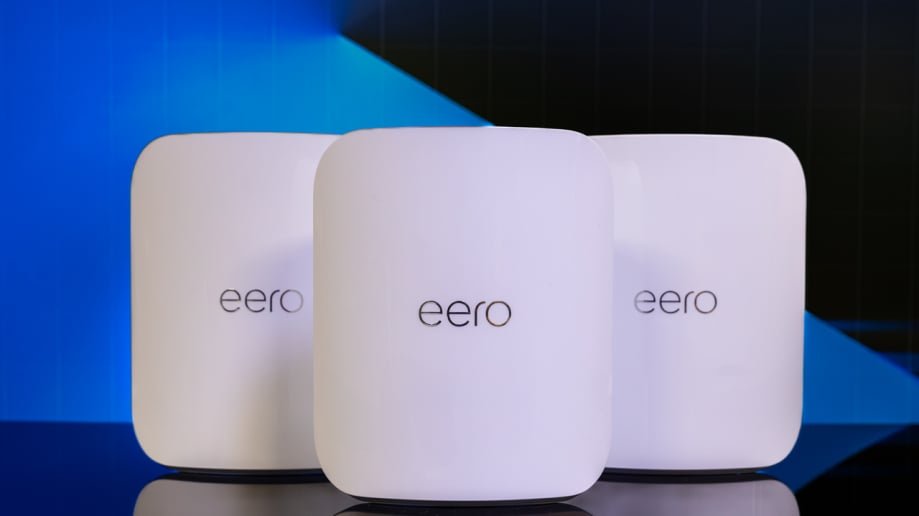
- Amazon Eero – Simple design and app control
- Linksys Velop – Flexible and fast connections
Pricing And Features Comparison
Mesh wifi prices vary based on features and coverage. Some offer parental controls and smart home integration.
| Model | Price Range | Coverage Area | Key Features |
|---|---|---|---|
| Google Nest Wifi | $150 – $300 | Up to 4400 sq ft | Easy setup, smart speaker built-in |
| Netgear Orbi | $200 – $400 | Up to 5000 sq ft | Fast speeds, supports many devices |
| TP-Link Deco | $120 – $250 | Up to 5500 sq ft | Budget-friendly, good security |
| Amazon Eero | $140 – $350 | Up to 5000 sq ft | Simple app, automatic updates |
| Linksys Velop | $180 – $350 | Up to 6000 sq ft | Modular setup, fast connections |
Future Trends In Home Automation Connectivity
Home automation is changing fast with new technologies. Mesh wifi helps connect all devices easily.
Understanding future trends in connectivity is important. This helps in setting up smarter homes.
Integration With Iot Devices
IoT devices are becoming more common in homes. They connect with mesh wifi for better performance.
- Smart lights and thermostats improve energy efficiency.
- Security cameras provide better home safety.
- Voice assistants simplify daily tasks.
Advancements In Wifi Technology
Wifi technology is advancing rapidly. New features make home networks faster and more reliable.
| Feature | Benefit |
| Wifi 6 | Faster speeds and more devices |
| Mesh Systems | Better coverage in large homes |
| Dual-Band | Less interference from other networks |

Credit: www.amazon.ca
Frequently Asked Questions
What Is Mesh Wifi And How Does It Work?
Mesh WiFi uses multiple devices to create a single, strong wireless network. It covers your entire home evenly, eliminating dead zones. This system ensures stable connections for all your smart home devices, enhancing your home automation experience.
Why Choose Mesh Wifi For Home Automation?
Mesh WiFi provides reliable, seamless connectivity throughout your home. It supports multiple smart devices without losing speed or coverage. This makes controlling lights, cameras, and appliances easier and more efficient.
Can Mesh Wifi Improve Smart Device Performance?
Yes, mesh WiFi reduces signal drops and lag. It offers faster speeds and better coverage than traditional routers. This leads to smoother automation and quicker responses from your smart devices.
How Easy Is Mesh Wifi To Set Up?
Mesh WiFi systems are designed for simple installation. Most come with user-friendly apps guiding you step-by-step. You can expand coverage easily by adding more nodes as needed.
Conclusion
Mesh WiFi helps keep your smart home devices connected. It covers every corner of your house with strong signals. This means fewer connection drops and smoother automation. You can control lights, cameras, and thermostats easily. Mesh WiFi works well with many home automation systems.
It makes your smart home more reliable and simple. Choose mesh WiFi to enjoy a hassle-free smart home experience. A stable network supports your daily comfort and security. Easy setup and good coverage make it a smart choice.


