Are you struggling with slow Wi-Fi in your large house? You might be wondering if a four node mesh system is the solution you need.
When your internet drops in some rooms or the connection feels weak, it’s frustrating. But is adding more nodes really necessary, or could a smaller setup work just as well? You’ll discover how a four node mesh system can impact your home’s Wi-Fi, helping you decide if it’s the right choice for your space and needs.
Keep reading to find out how to get strong, reliable internet in every corner of your home.
Why Mesh Systems Matter
Internet connection in large houses can be tricky. Some rooms may have weak or no signal.
Mesh systems help spread Wi-Fi evenly. They make internet faster and more reliable everywhere.
Limitations Of Traditional Routers
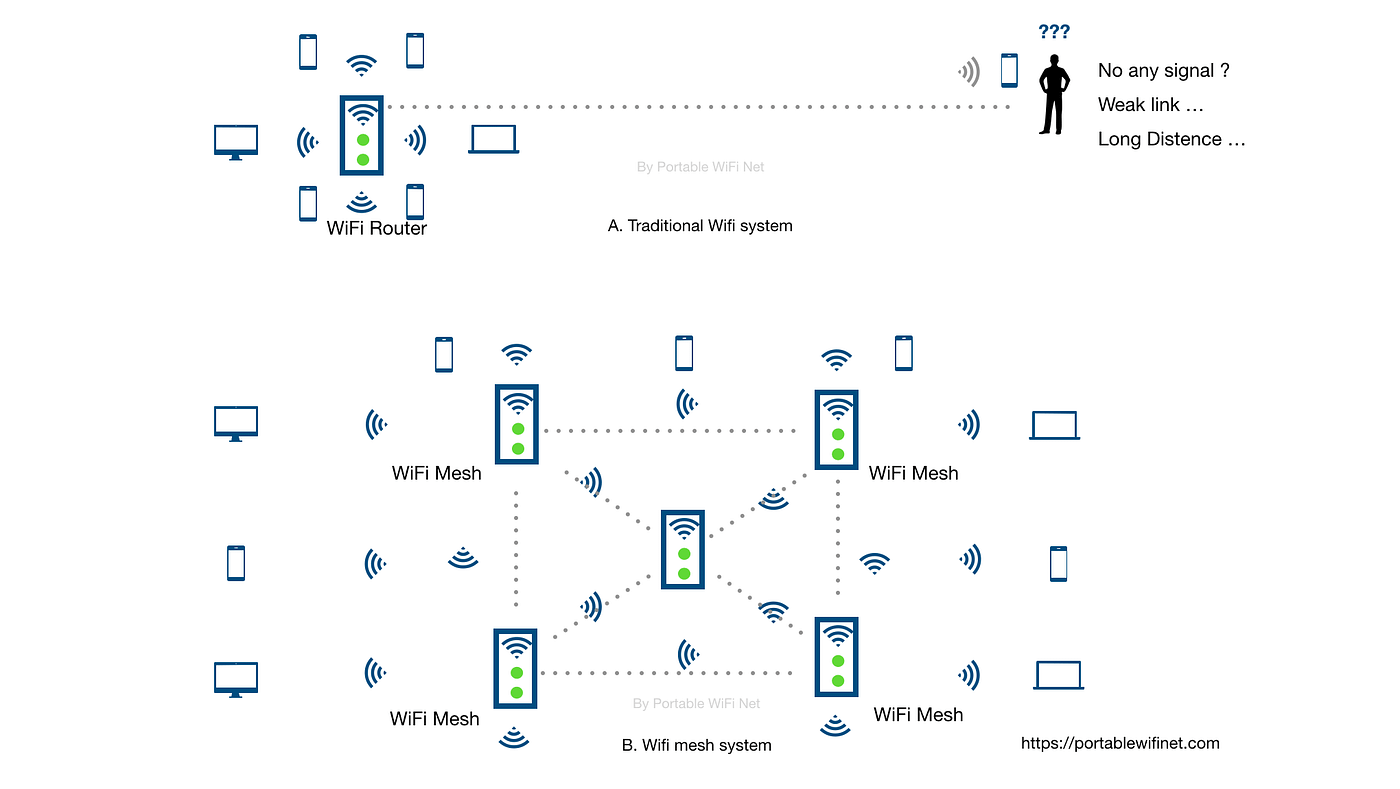
Traditional routers send signals from one point. The signal gets weaker as it moves away.
Walls and floors block the signal. This causes slow speeds and dropped connections in big homes.
- Signal weakens over distance
- Obstacles like walls reduce coverage
- One router may not cover all rooms
- Dead zones can appear in large houses
Benefits Of Mesh Networks
Mesh networks use many nodes to cover large areas. Each node shares the internet signal.
This creates a strong and steady Wi-Fi connection everywhere. It removes dead zones in big homes.
- Better Wi-Fi coverage in all rooms
- Stronger signal through walls and floors
- Easy to add more nodes if needed
- Seamless connection when moving around

Credit: www.pcmag.com
Factors Influencing Mesh Node Count
Choosing the right number of mesh nodes is important for good Wi-Fi coverage. Large houses often need more nodes to cover all areas. Several factors decide how many nodes a mesh system requires.
This guide looks at house size, building materials, and the number of devices. Understanding these can help you pick the best mesh system setup.
House Size And Layout
The size of your house is the main factor in node count. Larger homes need more nodes to avoid dead zones. The layout also matters. Open floor plans spread signals better than many small rooms.
- Large square footage requires more nodes.
- Multiple floors may need nodes on each level.
- Long hallways can weaken Wi-Fi signals.
- Open spaces allow fewer nodes.
Building Materials And Obstacles
Walls and obstacles block Wi-Fi signals. Some materials reduce signal strength more than others. Knowing what your house is made of helps choose the number of nodes.
| Material | Effect on Signal |
|---|---|
| Drywall | Low impact |
| Brick | Moderate impact |
| Concrete | High impact |
| Metal | Very high impact |
| Glass | Low to moderate impact |
Number Of Devices Connected
More devices on the network need better coverage and capacity. If many devices connect at once, more nodes help distribute the load. This keeps the internet fast for all users.
- Smartphones and tablets
- Smart TVs and streaming devices
- Computers and laptops
- Smart home gadgets like cameras and lights
- Gaming consoles
When To Choose Four Nodes
Large houses often need strong and wide Wi-Fi coverage. A four node mesh system can help cover big spaces well. It connects several devices smoothly.
Choosing four nodes depends on your home’s size and layout. You should think about where you need Wi-Fi the most.
Coverage Needs For Large Homes
Big homes need more Wi-Fi points to cover every corner. Walls and rooms can block signals. Four nodes spread the network evenly.
- Homes over 3,000 square feet usually need four nodes.
- Wide gardens or outdoor spaces benefit from extra nodes.
- Long hallways and big living rooms need better coverage.
- Rooms with thick walls or metal structures require more nodes.
Handling Multiple Floors
Wi-Fi signals weaken across floors. Four nodes help send signals up and down easily. Place nodes on each floor to keep fast speeds.
| Floor | Recommended Nodes |
| Basement | 1 |
| Main Floor | 1-2 |
| Upper Floor | 1 |
High Device Density Areas
Places with many devices need strong Wi-Fi. Four nodes reduce traffic and improve speed. Each node supports many devices at once.
- Smartphones and tablets
- Smart TVs and gaming consoles
- Smart home devices like cameras and speakers
- Laptops used by multiple people
Credit: medium.com
Alternatives To Four Node Systems
Large houses need strong Wi-Fi coverage. A four node mesh system is one option. There are other choices to cover big homes well.
These alternatives can save money or fit better in some homes. They can also be easier to set up and maintain.
Two Or Three Node Setups
You do not always need four nodes for large houses. Two or three nodes can cover many rooms. It depends on the house size and wall materials.
Using fewer nodes lowers cost and setup time. You can place nodes in key spots to get good coverage. This setup works well in open floor plans.
Wi-fi Extenders And Repeaters
Wi-Fi extenders boost your current router’s signal. They are easy to install and cheaper than mesh systems. They help reach far rooms or floors.
Repeaters catch the signal and send it again. The speed may drop with extenders or repeaters. Use them near the edge of your Wi-Fi range for best results.
- Easy to add to existing networks
- Good for small coverage gaps
- May reduce internet speed
- Works best in smaller areas
Wired Access Points
Wired access points connect to your router with cables. They create strong Wi-Fi spots in large homes. This setup gives fast and stable internet.
You can place access points in different rooms or floors. Running cables may take time and effort. But wired access points avoid signal loss and interference.
- Stable and fast Wi-Fi connection
- Less interference than wireless nodes
- Needs Ethernet cables or powerline adapters
- Good for multi-floor homes
Performance And Speed Considerations
Large houses need strong Wi-Fi for all rooms. Four node mesh systems help cover wide spaces.
Speed and performance depend on how the mesh system works. Good setup keeps fast internet everywhere.
Backhaul Options
Backhaul links connect nodes in a mesh system. They carry data between nodes and the main router.
- Wireless backhaul uses Wi-Fi signals between nodes.
- Wired backhaul connects nodes with Ethernet cables.
- Dedicated backhaul bands improve speed and reduce traffic.
Interference And Signal Strength
Wi-Fi signals can face interference from walls and devices. This lowers speed and range.
| Source | Effect |
| Microwaves | Interrupt 2.4 GHz signals |
| Bluetooth Devices | Cause signal noise |
| Thick Walls | Reduce signal strength |
| Other Wi-Fi Networks | Create channel overlap |
Optimizing Node Placement
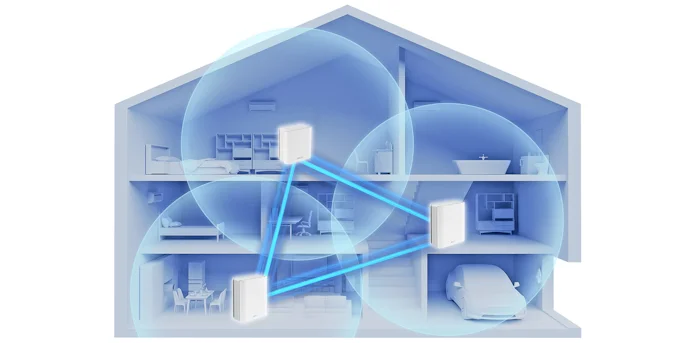
Place nodes in open areas to avoid signal blocks. Avoid placing near metal or mirrors.
- Put nodes where you get a strong signal from the main router.
- Keep nodes visible to each other for better connection.
- Spread nodes evenly to cover all rooms and floors.
- Test signal speed after placement and adjust if needed.
Credit: edgeup.asus.com
Cost And Installation Factors
Setting up a mesh system in a large house can be expensive. Factors like the number of nodes and installation method affect the cost. Understanding these can help in making informed decisions.
A mesh system with four nodes is often needed for large homes. This ensures strong and consistent Wi-Fi coverage throughout the property.
Budgeting For Mesh Systems
Budgeting for a mesh system involves considering the price of each node. Prices vary based on brand and features. It is important to compare options.
Some mesh systems are more affordable but may lack advanced features. Higher-end systems offer better performance and support more devices.
- Basic systems can cost less but may cover smaller areas.
- Advanced systems cover larger areas and support more devices.
- Consider the number of floors and total square footage when budgeting.
Diy Vs Professional Setup
Installing a mesh system can be done by yourself or by hiring a professional. DIY installation is cheaper but requires some technical knowledge.
Professional setup ensures optimal placement of nodes and proper configuration. This service adds to the overall cost but can save time and hassle.
- DIY setup may require watching tutorials or reading manuals.
- Professional installation guarantees optimal performance.
- Consider your comfort with technology when choosing the setup method.
Future Scalability
Scalability is a key factor when choosing a mesh system. A scalable system can grow with your needs, adding more nodes if necessary.
Consider systems that allow easy addition of nodes. This is important if you plan to expand your home or add new devices.
- Choose systems that support easy node additions.
- Look for compatibility with future technology updates.
- Ensure the system can handle increased data traffic over time.
Popular Four Node Mesh Systems
In large houses, Wi-Fi coverage can be a challenge. A four node mesh system can provide seamless connectivity across all rooms.
These systems are designed to eliminate dead zones and improve internet speed. Let’s explore some popular options and see how they stack up.
Top Brands And Models
Several brands offer reliable four node mesh systems. They differ in features, design, and price. Here are a few top picks:
- Netgear Orbi
- Google Nest WiFi
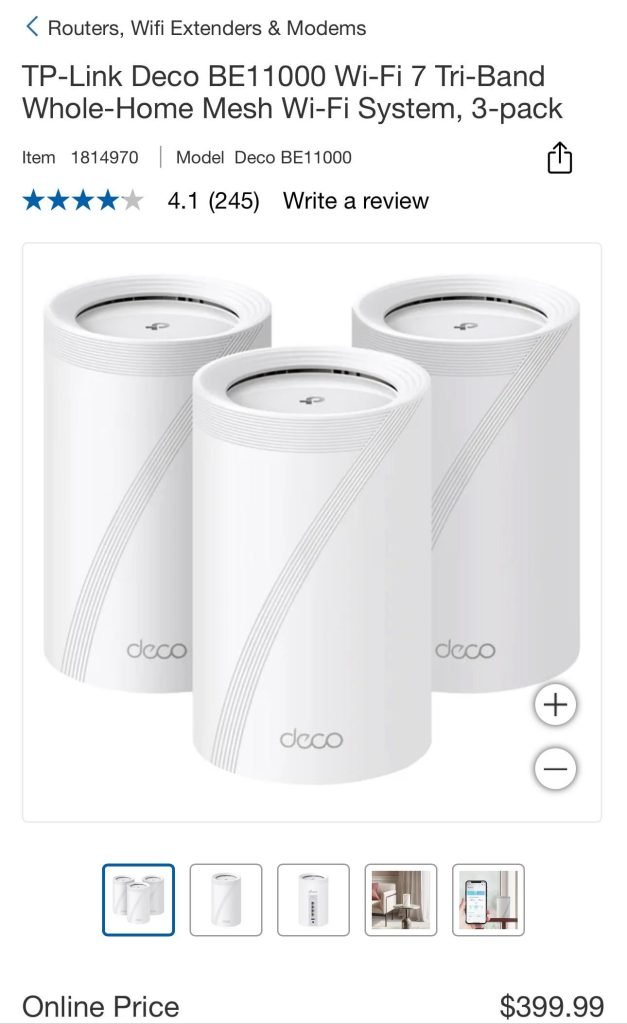
- TP-Link Deco
- Amazon Eero
Feature Comparisons
Each mesh system has unique features. Comparing them helps you find the best fit for your home.
| Model | Speed | Coverage | Price |
| Netgear Orbi | 3 Gbps | 7,500 sq ft | High |
| Google Nest WiFi | 2.2 Gbps | 5,400 sq ft | Medium |
| TP-Link Deco | 1.8 Gbps | 5,500 sq ft | Low |
| Amazon Eero | 2 Gbps | 6,000 sq ft | Medium |
User Reviews And Feedback
Users have shared their experiences with these mesh systems. Their feedback highlights the strengths and weaknesses of each model.
- Netgear Orbi: Excellent speed but costly.
- Google Nest WiFi: Easy setup, suitable for Google smart homes.
- TP-Link Deco: Affordable, reliable but limited features.
- Amazon Eero: Good value for money with decent coverage.
Frequently Asked Questions
What Is A Four Node Mesh System?
A four node mesh system uses four interconnected devices. It provides strong Wi-Fi coverage across large homes. This setup helps eliminate dead zones and improves internet speed everywhere.
Do Large Houses Need Four Mesh Nodes?
Large houses often benefit from four nodes. More nodes ensure wider coverage and better signal strength. It reduces buffering and maintains stable connections in all rooms.
How Does Four Node Mesh Improve Wi-fi Coverage?
Four nodes create multiple access points. They extend Wi-Fi signals further without losing strength. This setup ensures seamless roaming and consistent internet performance throughout your home.
Is A Four Node Mesh System Expensive?
Four node mesh systems cost more than smaller kits. However, the investment provides better coverage and reliability. It saves money long-term by reducing network issues and upgrades.
Conclusion
A four node mesh system can cover a large house well. It helps avoid dead zones and keeps signals strong everywhere. This setup suits homes with many rooms or thick walls. It also supports many devices without slowing down. Choosing the right system depends on your home’s size and internet needs.
A simple mesh might work for smaller spaces. Think about your budget and future internet use too. A four node mesh brings steady Wi-Fi to big homes. Worth considering for smooth, reliable internet all around.


