Is your smart home struggling with weak WiFi signals in certain rooms? You’re not alone.
Even the best devices can’t perform well without strong, consistent internet coverage. That’s where a mesh WiFi coverage map becomes a game-changer for you. Imagine seeing exactly how your signal spreads across your home, so you can fix dead zones and enjoy seamless connectivity everywhere.
You’ll discover how a mesh WiFi coverage map can transform your smart home experience, making your devices work smarter and your life easier. Keep reading—you’re about to unlock the secret to flawless home WiFi.
Mesh Wifi Basics
Mesh wifi is a modern way to cover your home with internet. It uses multiple devices to spread the signal evenly. This helps avoid dead spots and slow connections.
In this guide, we explain how mesh wifi works and why it is better than traditional wifi systems.
What Is Mesh Wifi
Mesh wifi is a system made of several small routers called nodes. These nodes work together to create one big wifi network. You place nodes in different rooms to get strong signals everywhere.
How Mesh Networks Work
Each node in a mesh network sends and receives data. They talk to each other to find the best path for your devices. This keeps your internet fast and stable as you move around your home.
- Nodes connect wirelessly or with cables
- Data hops between nodes to reach the internet
- The network adjusts if one node has a problem
- Devices connect to the closest node automatically
Benefits Over Traditional Wifi
Mesh wifi offers several advantages compared to regular routers. It covers larger areas and handles many devices better.
| Feature | Mesh Wifi | Traditional Wifi |
|---|---|---|
| Coverage | Wide and even | Limited to one point |
| Signal Strength | Strong in all rooms | Weak far from router |
| Device Handling | Many devices at once | Slows down with many devices |
| Setup | Simple with apps | Can be complex |
Creating A Coverage Map
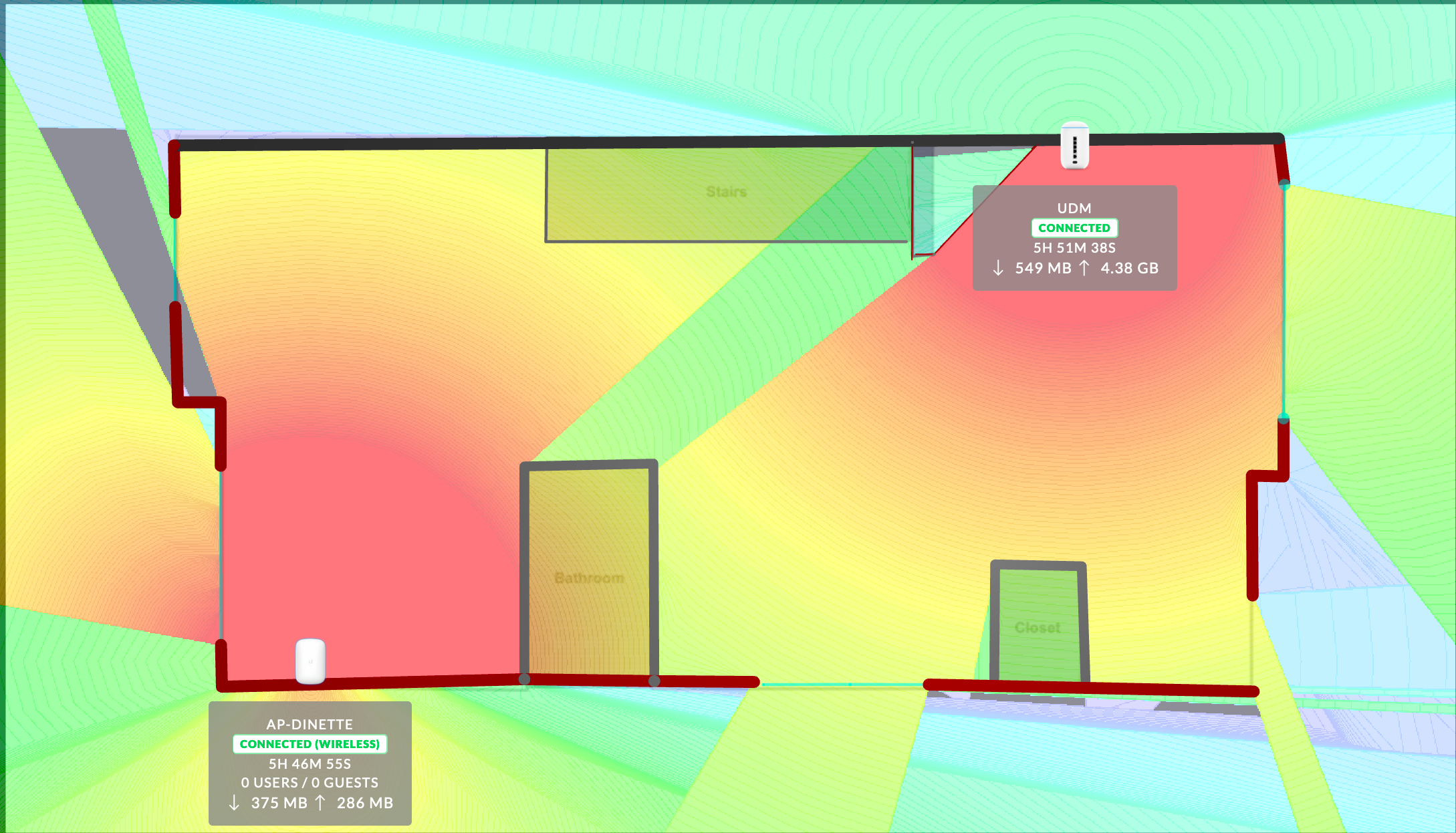
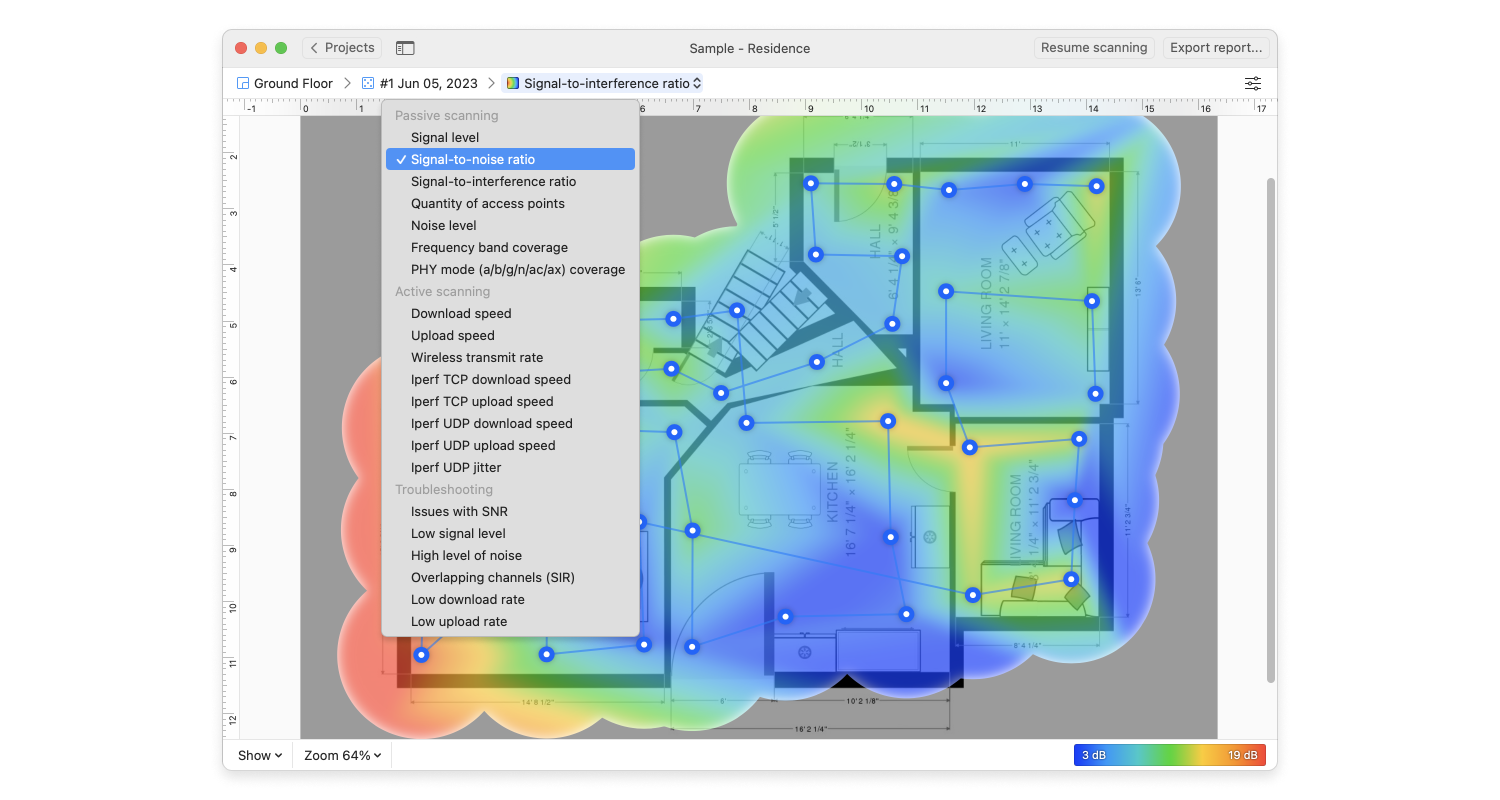
A mesh WiFi coverage map helps you see how strong your signal is throughout your smart home. It shows areas with good connection and spots where the signal is weak.
Mapping your WiFi coverage lets you place devices better. It also helps fix slow internet spots and improve your smart home experience.
Tools For Mapping Wifi Signals
You need some tools to create a WiFi coverage map. These tools measure signal strength and show results on a map or graph.
- WiFi analyzer apps for smartphones
- Laptop software that scans networks
- Heat map tools that display signal strength
- Floor plan images of your home
Steps To Build Your Map
Follow these steps to build your WiFi coverage map. This will help you understand your network better.
- Download a WiFi analyzer app or software.
- Upload or draw your home’s floor plan.
- Walk through each room with your device.
- Record signal strength at multiple points.
- Mark these points on the floor plan.
- Use heat map tools to connect the points.
- Look for areas with weak or no signal.
Interpreting Signal Strength
Signal strength tells how well your WiFi works in each area. It is usually measured in decibels (dBm).
| Signal Level (dBm) | Quality | Meaning |
| -30 to -50 | Excellent | Strong signal, good connection |
| -51 to -60 | Good | Reliable for most tasks |
| -61 to -70 | Fair | May slow down some devices |
| -71 to -90 | Poor | Weak signal, possible dropouts |
Optimizing Placement
Good placement of mesh WiFi nodes improves coverage in smart homes. It helps devices connect faster and stay reliable.
Choosing the right spots reduces dead zones and keeps your home network strong. Let’s explore key tips for placing nodes well.
Ideal Node Locations
Place nodes near the center of your home for even signal spread. Avoid corners or basements where signals weaken.
- Keep nodes in open areas, away from thick walls
- Place nodes on shelves or high surfaces
- Use one node per floor for multi-story homes
- Ensure nodes are within 30 feet of each other
Avoiding Interference
Interference can block WiFi signals and slow down your network. Common sources include electronics and metal objects.
| Interference Source | Effect on WiFi |
| Microwaves | Signal disruption |
| Bluetooth devices | Channel overlap |
| Thick walls | Signal weakening |
| Metal appliances | Signal reflection |
Place nodes away from these items to keep your WiFi fast and stable.
Using Smart Home Layouts
Your home’s design affects WiFi coverage. Use your layout to plan node placement smartly.
Here is a simple guide for node placement based on common home layouts:
- Open floor plan:Place nodes evenly across the main area.
- Multiple rooms:Place nodes near doorways to cover hallways.
- Basements or attics:Add extra nodes to reach these areas.
Credit: www.astound.com
Troubleshooting Coverage Gaps
Mesh WiFi systems help cover your entire home with internet. Sometimes, coverage gaps appear. These gaps cause slow or no connection in some rooms.
Fixing these gaps keeps your smart home devices working well. Learn how to find and fix weak spots in your network.
Identifying Dead Zones
Dead zones are areas with little or no WiFi signal. Use a coverage map app or tool to spot these zones in your home. Check rooms far from your main router or nodes.
- Walk around with a WiFi analyzer app.
- Look for places with low signal strength.
- Note any areas where devices lose connection.
- Test at different times for consistency.
Boosting Weak Signals
Weak signals cause slow speeds and dropped connections. Try moving nodes closer to weak areas. Avoid walls and metal objects that block signals.
| Cause | Solution |
| Thick walls | Place nodes near doorways or open spaces |
| Metal appliances | Keep nodes away from refrigerators or microwaves |
| Distance | Add nodes between far points |
Adding Extra Nodes
If dead zones persist, add more nodes to your mesh system. Extra nodes extend coverage and improve signal strength.
- Place nodes halfway between the main router and dead zones.
- Keep nodes in open areas, not inside cabinets.
- Use the same model or brand for best compatibility.
- Check the mesh system app for node placement suggestions.
Advanced Tips
Improving your mesh WiFi coverage map helps your smart home work better.
Use these advanced tips to get the best signal and device connections.
Firmware Updates And Settings
Keep your mesh WiFi system updated with the latest firmware. Updates fix bugs and improve performance.
- Check for updates regularly in the router app or website
- Apply updates during low-usage times to avoid interruptions
- Reset settings to default if problems occur after an update
Channel Selection Strategies
Choosing the right channel can reduce interference and increase WiFi speed.
| Channel Type | Best Use | Notes |
| Auto | General use | Router picks least crowded channel |
| 2.4 GHz Channels 1, 6, 11 | Most common for range | Non-overlapping channels |
| 5 GHz Channels | Less crowded, faster speeds | Shorter range than 2.4 GHz |
Integrating With Smart Devices
Connect smart devices to the mesh network for stable control and automation.
- Assign static IP addresses to critical devices for reliability
- Use separate SSIDs for guest and smart devices
- Check device firmware for compatibility with your mesh system
- Place smart hubs near mesh nodes for strong signals
Credit: medium.com
Credit: www.netspotapp.com
Frequently Asked Questions
What Is A Mesh Wifi Coverage Map?
A mesh WiFi coverage map shows the signal strength across your home. It helps identify weak spots for better device placement. This map improves your smart home’s connectivity by optimizing router and node locations.
How Does Mesh Wifi Improve Smart Home Coverage?
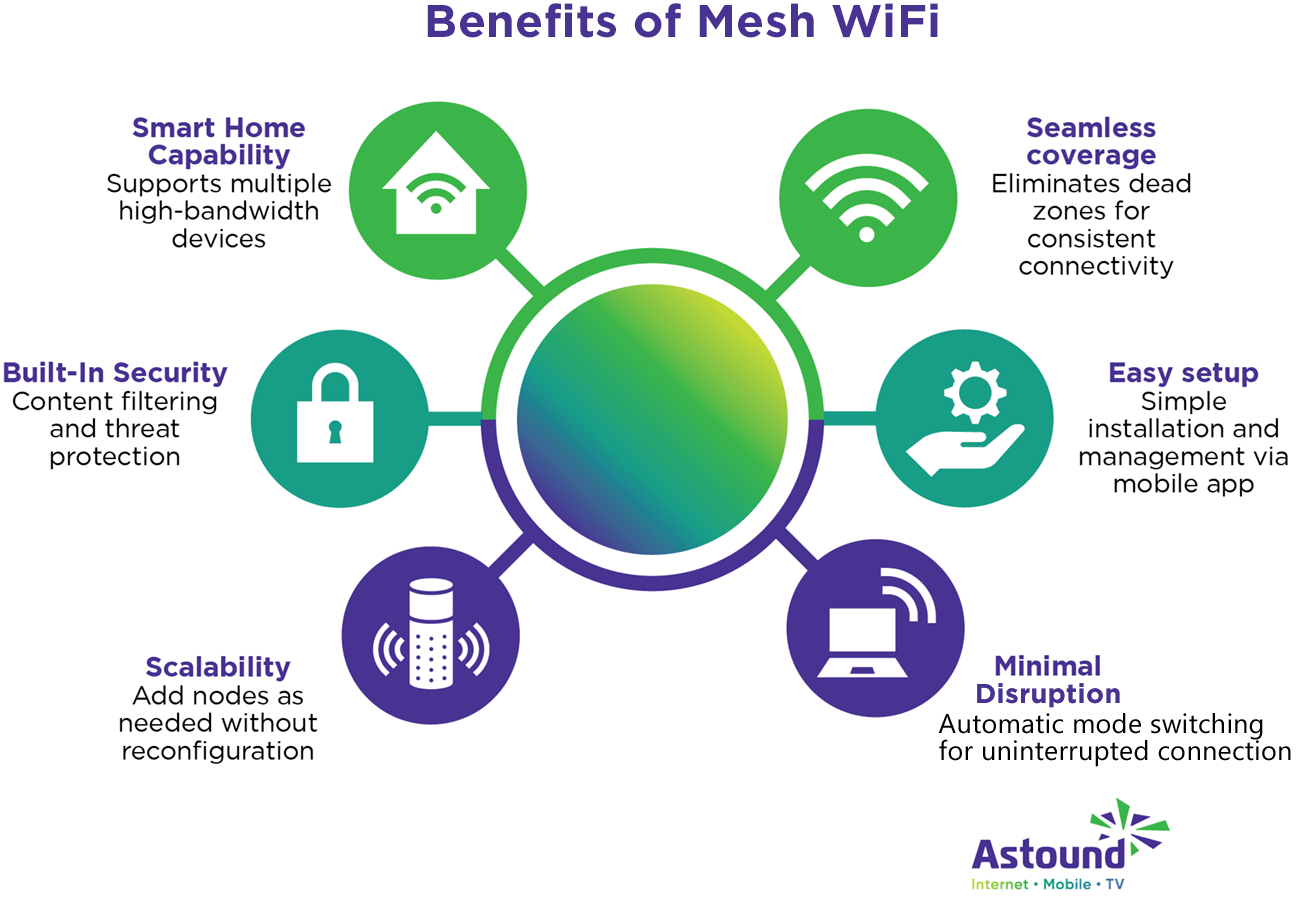
Mesh WiFi uses multiple nodes to create seamless coverage. It eliminates dead zones by spreading the signal evenly. This ensures all smart devices stay connected with strong, reliable internet throughout your home.
Can I Create My Own Mesh Wifi Coverage Map?
Yes, many mesh WiFi systems offer apps to create coverage maps. These apps analyze signal strength and suggest optimal node placement. This helps you customize your smart home network for maximum performance.
Why Is Mesh Wifi Better Than A Single Router?
Mesh WiFi covers larger areas with consistent speed. Unlike single routers, mesh networks reduce dead zones and improve reliability. This makes them ideal for smart homes with multiple connected devices.
Conclusion
A mesh WiFi coverage map helps you see where your signal reaches. It shows weak spots in your smart home network clearly. You can place devices for the best coverage and speed. A good map makes your internet more reliable and faster.
Enjoy smoother streaming, gaming, and smart device control. Keep your home connected, no matter the size or layout. Simple steps lead to better WiFi for everyone in your house. Use a coverage map to improve your smart home experience today.