Are you tired of slow internet and weak Wi-Fi spots in your large home? Finding the best router setup can make all the difference.
Imagine seamless streaming, fast downloads, and strong connections in every room—no more frustrating dead zones. You’ll discover simple and effective ways to boost your home network. By the end, you’ll know exactly how to get the most reliable internet experience for your whole house.
Keep reading to unlock the secret to better Wi-Fi!
Choosing The Right Router
Choosing the right router is key for a large home. The router must support fast Wi-Fi speedsand cover wide areas. Most homes benefit from routers with the latest Wi-Fi 6 standard. It offers better speed and handles many devices well. Older standards like Wi-Fi 5 may not keep up with multiple users.
Router types vary. A mesh router systemis ideal for large homes. It uses several units to spread Wi-Fi evenly. Traditional single routers may not cover large spaces well. Another option is a dual-band or tri-band router. These can reduce interference and improve speed.
| Wi-Fi Standard | Speed (Max) | Best For |
|---|---|---|
| Wi-Fi 4 (802.11n) | 600 Mbps | Basic use, small homes |
| Wi-Fi 5 (802.11ac) | 3.5 Gbps | Most homes, streaming |
| Wi-Fi 6 (802.11ax) | 9.6 Gbps | Large homes, many devices |

Credit: dongknows.com
Optimizing Router Placement
Place the routerin the center of your home for even coverage. Avoid corners or basements as they block signals. Open spaces work best for strong Wi-Fi.
Keep the router away from thick walls and metal objects. These cause interferenceand slow down the connection. Also, avoid placing it near microwaves or cordless phones.
- Set the router at a high position, like on a shelf.
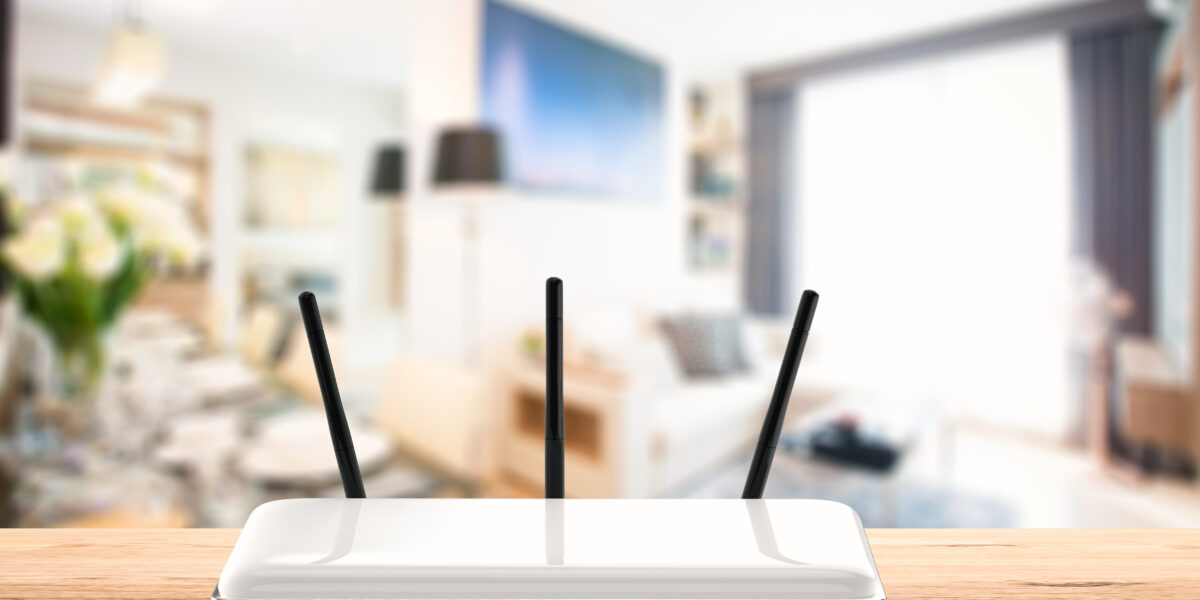
- Point antennas verticallyfor better reach.
- Make sure it is not hidden behind furniture.
Extending Network Coverage
Mesh Wi-Fi systemsuse multiple devices to cover large homes. These devices connect to each other to share the internet signal. This setup offers strong and stable Wi-Fieverywhere. It is easy to add more devices if needed.
Wi-Fi extendersand repeatersboost the Wi-Fi signal. Extenders create a new network, while repeaters copy the existing one. Both help reach far rooms but may reduce speed a bit.
Powerline adaptersuse a home’s electrical wiring to send internet signals. They work well if Wi-Fi signals are weak or blocked. Just plug one adapter near the router and another in the room where you want better internet.
| Device | How It Works | Best For |
|---|---|---|
| Mesh Wi-Fi System | Multiple units create one big network | Whole large home coverage |
| Wi-Fi Extender | Creates a new Wi-Fi network | Extending range with some speed loss |
| Wi-Fi Repeater | Copies existing Wi-Fi signal | Boosting Wi-Fi in dead zones |
| Powerline Adapter | Uses electrical wiring for internet | Rooms with weak or no Wi-Fi |
Credit: www.allwest.com
Configuring Network Settings
Choosing the best Wi-Fi channelhelps avoid interference. Use channels 1, 6, or 11 for 2.4 GHz networks. For 5 GHz, pick less crowded channels for better speed.
Setting up guest networkskeeps your main network safe. Guests get internet access but not your private files. This is good for visitors and smart devices.
Security settingsprotect your home network from hackers. Use WPA3 or WPA2encryption for strong security. Choose a strong passwordwith letters, numbers, and symbols. Change it regularly.
Managing Multiple Devices
Quality of Service (QoS)helps manage internet traffic by setting priorities. It makes sure important devices get the best connection. This is very helpful in large homes with many gadgets.
Device Prioritizationlets you choose which devices get faster speeds. For example, you can give priority to work computers or smart TVs. This way, these devices do not slow down during busy times.
Bandwidth Allocationdivides the internet speed among devices. You can set limits for less important devices. This keeps the network fair and prevents one device from using all the speed.
- Prioritize devices used for work or study
- Limit bandwidth for gaming or streaming devices
- Use QoS settings in your router to manage traffic
- Check device use often to adjust priorities
Wired Connections For Stability
Using an Ethernet backhaulmakes your internet stable. It helps data move fast. This setup reduces lagand makes video calls clear. No more buffering during movies or games. It’s a reliable choice for big homes.
Running cables can be tricky but useful. Find easy paths for cables. Use walls or ceilings to hide them. This keeps your home neat and safe. Careful planning helps make the setup simple.
Network switchesand hubs connect devices. They share the internet with many rooms. This allows everyone to connect without issues. Choose the right hub size for your needs. This keeps the network strong and fast.
Troubleshooting Common Issues
Common router problems include slow speeds and weak signals in large homes. Adjusting router placement and using range extenders often helps. Checking settings and updating firmware can fix many connectivity issues quickly.
Slow Speeds And Latency
Slow speedscan be a real headache. Check your router’s distance from devices. Walls and furniture can block signals. Try placing the router in a central location. Adjust the antennas for better direction. Too many devices can also slow things down. Disconnect unused devices to free up bandwidth. Check your internet plan and ensure it meets your needs.
Connection Drops
Connection dropsare frustrating for everyone. Check for any loose cables. Ensure the router is securely plugged in. Avoid placing it near microwaves or cordless phones. These can interfere with signals. Restarting the router can also help. Just unplug it, wait a minute, and plug back in.
Firmware Updates
Keeping your router’s firmware updatedis crucial. Firmware is like the router’s brain. It needs updates to fix bugs and improve performance. Check the router’s settings page for updates. Download and install them as needed. This can solve many common issues.

Credit: www.tomsguide.com
Frequently Asked Questions
What Router Type Is Best For A Large Home?
A mesh Wi-Fi system is ideal for large homes. It uses multiple nodes to provide seamless coverage. This setup eliminates dead zones and improves connection speed throughout the house.
How Can I Improve Wi-fi Signal In A Large House?
Place your router centrally and away from obstructions. Use mesh networks or Wi-Fi extenders to boost signal reach. Also, update firmware regularly to maintain optimal performance.
Should I Use Dual-band Or Tri-band Routers?
Tri-band routers are better for large homes with many devices. They provide an extra 5GHz band, reducing congestion and improving speed. Dual-band routers work well for fewer devices and smaller spaces.
Is Wired Connection Better Than Wireless In Large Homes?
Wired connections provide more stable and faster internet. Use Ethernet cables for devices requiring high bandwidth. However, wireless is more flexible and convenient for mobile devices.
Conclusion
Choosing the best router setup for a large home improves your internet speed. Spread your Wi-Fi signal evenly with multiple access points or mesh systems. Place routers where walls or furniture block signals the least. Use wired connections for devices that need fast, stable internet.
Keep your router’s software updated to avoid problems. Good setup means fewer dead zones and better coverage. Enjoy smooth streaming, gaming, and browsing throughout your home. Simple steps can make a big difference in your network. Your home deserves reliable internet in every corner.