Struggling with weak WiFi signals in some parts of your home? You’re not alone.
Getting reliable mesh WiFi coverage doesn’t have to drain your wallet. Imagine seamless internet in every corner without overspending. You’ll discover simple, budget-friendly tips to boost your mesh WiFi setup. Stick with me, and you’ll soon enjoy faster, more stable connections that keep up with your daily needs.
Ready to transform your WiFi experience without breaking the bank? Let’s dive in.
Choosing Affordable Mesh Systems
Mesh wifi systems help cover your home with strong internet signals. Choosing a budget mesh system can save money without losing quality.
Look for systems that offer good coverage and speed at a low price. This guide helps you find affordable options.
Top Budget-friendly Mesh Brands
Many brands make mesh wifi systems that are both cheap and reliable. These brands focus on simple setup and steady performance.
- TP-Link: Known for affordable and easy-to-use systems
- Netgear: Offers budget options with solid coverage
- Google Nest Wifi: User-friendly and cost-effective
- Tenda: Provides low-cost options with basic features
- Amazon eero: Simple mesh systems at fair prices
Key Features To Prioritize
Focus on features that matter most for good wifi coverage. These features help you get the best value for your money.
- Coverage area: Make sure it covers your whole home
- Speed support: Check if it supports your internet plan
- Number of units: More units cover bigger spaces better
- Easy setup: Look for systems with simple apps or guides
- Security: Basic protection keeps your network safe
Comparing Price And Performance
Compare prices with what each system offers in speed and coverage. Low cost is good, but weak performance wastes money.
| Brand | Price Range | Max Coverage | Max Speed | Units in Pack |
|---|---|---|---|---|
| TP-Link | $80 – $150 | 2000 sq ft | AC1200 | 2-3 |
| Netgear | $100 – $180 | 2500 sq ft | AC1750 | 2 |
| Google Nest Wifi | $150 – $200 | 2200 sq ft | AC2200 | 2 |
| Tenda | $70 – $130 | 1800 sq ft | AC1200 | 2-3 |
| Amazon eero | $130 – $190 | 2300 sq ft | AC1750 | 2-3 |

Credit: www.pcmag.com
Optimal Router Placement
Good router placement helps your mesh WiFi cover your home better. It stops weak signals and slow internet.
Small changes in where you put your router can improve WiFi reach a lot. Let’s see some tips for this.
Central Locations For Best Coverage
Put your router in the middle of your home. This helps the signal reach all rooms well.
A spot near walls or corners weakens the signal. Open spaces in the center work best.
- Choose a central room or hallway
- Avoid placing it in basements or attics
- Keep it away from thick walls
Avoiding Signal Interference
Many devices cause WiFi signals to weaken or drop. Keep your router away from them.
Some common sources of interference are microwaves, cordless phones, and baby monitors.
- Keep the router 3 feet away from other electronics
- Do not place it near large metal objects
- Limit walls and furniture between router and devices
Height And Orientation Tips
Put your router higher up for better signal spread. Avoid placing it on the floor.
Face the router antennas vertically for wider coverage. Adjust them if your model allows.
- Place router on a shelf or table
- Keep antennas standing straight up
- Avoid hiding the router in cabinets
Extending Coverage With Nodes
Mesh WiFi systems use multiple nodes to cover large areas. Nodes work together to spread the signal evenly.
Adding nodes is a budget-friendly way to improve WiFi coverage in your home or office.
Strategic Node Placement
Place nodes where the WiFi signal is weak but still reachable from the main router. Avoid walls or metal objects that block signals.
Good spots include hallways or open areas between rooms. This helps nodes connect well and share strong signals.
- Keep nodes visible, not hidden inside cabinets
- Place nodes at a medium height, like on shelves
- Space nodes evenly for better coverage
Balancing Node Quantity And Cost
More nodes mean better coverage but higher cost. Use only as many nodes as needed to cover your space.
Start with two or three nodes and check the signal in different rooms. Add more nodes only if needed.
- Too few nodes cause dead zones
- Too many nodes increase expense without big gains
- Check signal strength before buying extra nodes
Using Wired Backhaul For Stability
Wired backhaul connects nodes with Ethernet cables. This gives a faster and more stable link between nodes.
Using wires reduces interference and improves overall WiFi speed. It is a smart choice for budget mesh systems.
- Connect nodes with Ethernet cables if possible
- Wired backhaul lowers WiFi signal loss
- Helps maintain strong speed across all nodes
Improving Signal Without Extra Hardware
Good wifi signal helps your devices work faster and better. You do not always need new hardware to improve your mesh wifi coverage.
Small changes in your settings and environment can make a big difference in your signal strength and speed.
Adjusting Router Settings
Changing your router’s settings can help reduce signal problems. Try adjusting the channel to avoid interference from nearby networks.
- Switch to a less crowded wifi channel
- Use the 5 GHz band for faster speeds and less interference
- Set your router to use WPA3 for better security and performance
- Disable unused features like WPS to reduce interference
Upgrading Firmware
Firmware is the software inside your router. Updates can fix bugs and improve performance. Check your router’s admin panel to find and install updates.
| Firmware Version | Release Date | Benefits |
| 1.0.5 | 2023-10-01 | Improved signal stability |
| 1.1.0 | 2024-02-15 | Better device compatibility |
| 1.1.3 | 2024-04-10 | Security patches and faster speeds |
Minimizing Wireless Congestion
Too many devices on the same wifi can slow your network. Limit connections and reduce interference for better coverage.
Try these tips:
- Turn off wifi on devices not in use
- Move cordless phones or microwaves away from your router
- Schedule heavy downloads for nighttime
- Use Quality of Service (QoS) settings to prioritize important devices
Diy Enhancements For Mesh Wifi
Mesh WiFi systems help cover large areas with a strong signal. You can improve coverage without spending much money. Simple DIY tricks can boost your mesh WiFi performance.
These tips use easy tools and ideas. They help you get better signals from your mesh WiFi nodes. Try these at home to improve your network.
Creating Reflectors And Shields
Reflectors can focus WiFi signals in one direction. Shields block signals from going where you don’t want them. Both help send the signal better where you need it.
You can make reflectors from aluminum foil or soda cans. Place them behind your mesh node antennas. Shields work by blocking signals from walls or metal objects.
- Use aluminum foil shaped like a curved dish behind antennas
- Cut soda cans and form them to guide the signal
- Place shields on sides facing walls or metal surfaces
- Test signal strength before and after adding reflectors
Custom Antenna Modifications
Changing your mesh WiFi antennas can increase signal range. You can replace antennas or adjust their angles. Small changes can improve how far the WiFi reaches.
Try different antenna types like higher gain or directional antennas. Point antennas towards areas with weak signals. Avoid obstacles near antennas to keep the signal clear.
- Replace stock antennas with stronger ones
- Adjust antenna angles for better coverage
- Keep antennas away from metal or thick walls
- Check signal strength after changes
Using Open-source Firmware
Open-source firmware can improve your mesh WiFi features. It lets you control settings not available in default software. This can help optimize signal and coverage.
Popular firmware options include OpenWrt and DD-WRT. They support many mesh routers. Installing them needs some technical steps but can boost your WiFi performance.
- Choose firmware compatible with your router
- Follow instructions carefully to install firmware
- Adjust settings like channel and power output
- Use extra features like bandwidth control or mesh routing
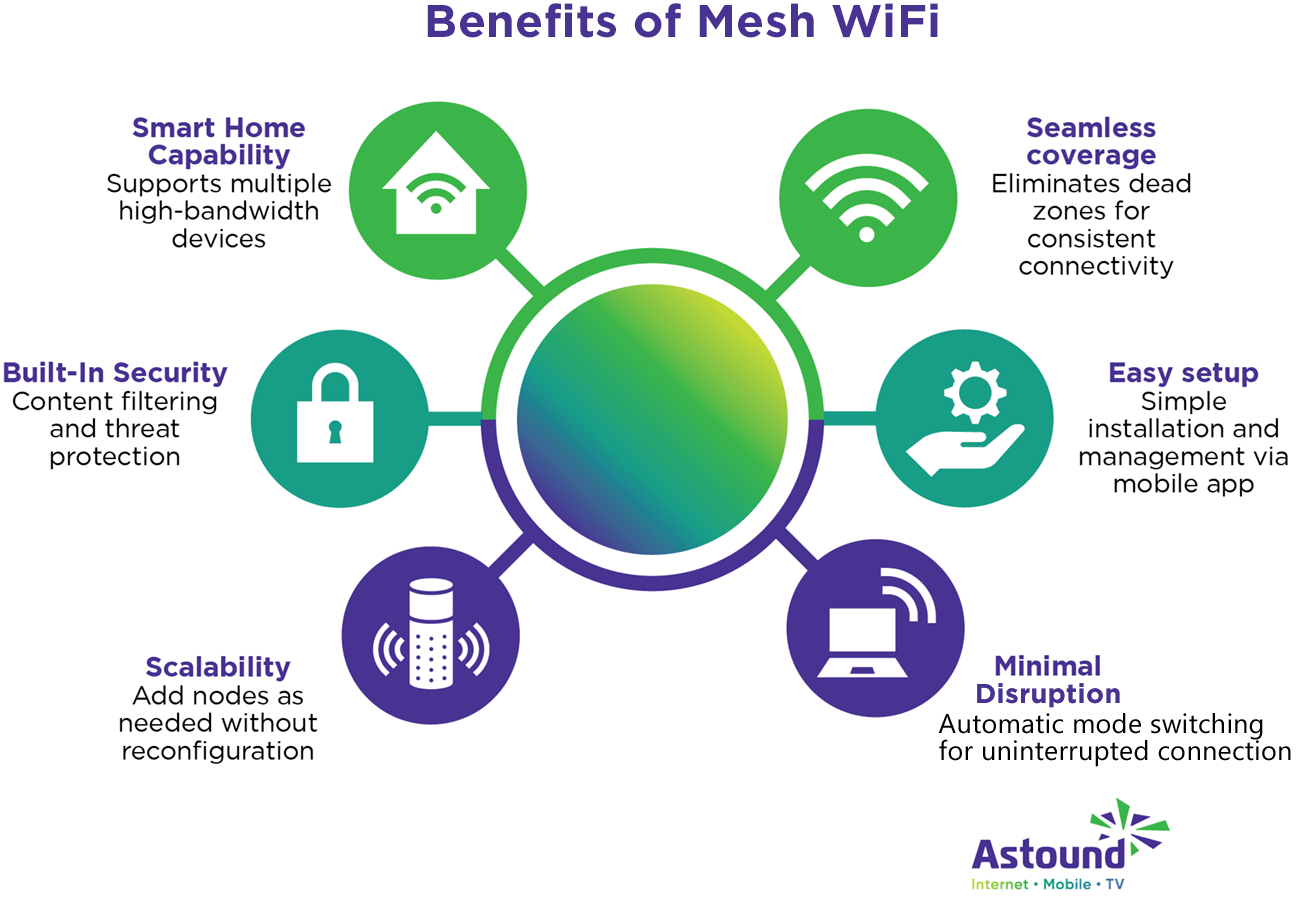
Credit: www.astound.com
Monitoring And Maintaining Your Network
Keeping your mesh wifi network in top shape is key for good coverage. Simple checks and adjustments can make a big difference.
Here are some tips to help you monitor and maintain your network effectively.
Regular Speed Tests
Running regular speed tests ensures your network is performing well. Use online tools to check upload and download speeds.
- Pick a reliable speed test website.
- Run tests at different times of the day.
- Compare results to your internet plan.
Identifying Dead Zones
Dead zones are areas with weak or no wifi signal. Identifying these zones helps in planning mesh node placement.
Routine Network Optimization
Routine optimization can enhance your network’s performance. Adjust settings for better connectivity and speed.
| Optimization Task | Frequency |
| Update firmware | Monthly |
| Reboot router | Weekly |
| Check device connections | Bi-weekly |

Credit: www.reddit.com
Frequently Asked Questions
What Is Budget Mesh Wifi And How Does It Work?
Budget mesh WiFi uses affordable devices to create a seamless network. It improves coverage by connecting multiple nodes for consistent internet access across your home or office.
How To Optimize Mesh Wifi Placement On A Budget?
Place nodes centrally and away from obstructions. Avoid walls and electronics that cause interference. Proper placement enhances signal strength and coverage without extra cost.
Can Budget Mesh Wifi Support Multiple Devices Efficiently?
Yes, budget mesh WiFi supports many devices simultaneously. It balances traffic across nodes, reducing congestion and maintaining fast, stable connections for all users.
What Are The Key Benefits Of Budget Mesh Wifi?
Affordable mesh WiFi offers wide coverage, easy setup, and reliable connections. It eliminates dead zones and provides smooth internet for streaming and gaming.
Conclusion
Good mesh WiFi coverage does not have to cost a lot. Place your devices where the signal can spread well. Avoid thick walls and large metal objects. Use simple tips to boost your WiFi range at home. Test your network often to find weak spots.
Small changes can make a big difference in speed. Enjoy steady internet without spending too much money. Follow these easy steps for better WiFi coverage today.