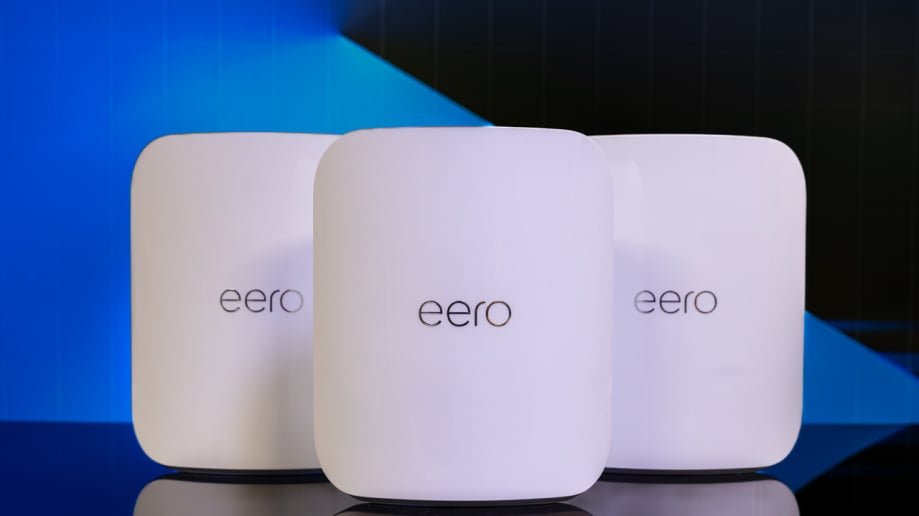
Are you tired of slow Wi-Fi that can’t keep up with all your smart home devices? Imagine a network that covers every corner of your home without breaking the bank.
Cheap mesh Wi-Fi systems are the secret to fast, reliable connections that make your smart gadgets work seamlessly. You’ll discover how to boost your home’s Wi-Fi without spending a fortune. Keep reading to find the best budget-friendly options and tips to transform your smart home experience.

Credit: www.bestbuy.com
Benefits Of Mesh Wifi
Mesh wifi systems improve internet connection in homes. They help smart home devices work better by spreading wifi evenly.
Using cheap mesh wifi can save money while giving good coverage and easy control of your network.
Seamless Coverage
Mesh wifi uses multiple devices to cover your whole home. This stops wifi dead zones where signals are weak or lost.
Each mesh point talks to others to create one big network. Your devices stay connected as you move around.
Improved Device Connectivity
Mesh wifi handles many smart home devices at once. It keeps your smart lights, cameras, and speakers online without slowdowns.
This system balances internet traffic so no device gets left behind or loses connection.
Easy Network Management
Mesh wifi systems often come with simple apps. These apps let you set up and control your network with a few taps.
You can see all connected devices, pause internet for kids, and update settings without tech skills.
Smart Home Requirements
Setting up a mesh wifi system for smart home devices needs some planning. The right system keeps your devices connected and working well.
Understanding your smart home’s needs helps you pick a mesh wifi that fits. Focus on device compatibility, network speed, and security.
Device Compatibility
Smart home devices use different wifi standards. Your mesh wifi must support these standards for smooth operation. Check if your mesh supports 2.4 GHz and 5 GHz bands.
- Smart bulbs usually need 2.4 GHz wifi
- Security cameras may require higher speeds and 5 GHz
- Voice assistants work with both bands
- Thermostats often use low-power wifi
Network Speed Needs
Fast network speed keeps your smart devices responsive. Some devices stream video or handle many commands at once. A slow network can cause delays.
| Device Type | Recommended Speed | Notes |
| Smart bulbs | 1-5 Mbps | Low bandwidth needs |
| Security cameras | 10-30 Mbps | Depends on video quality |
| Smart speakers | 5-10 Mbps | For voice commands and music |
| Smart thermostats | 1-3 Mbps | Minimal data usage |
Security Considerations
Security is important for smart homes. A mesh wifi should protect your data and devices from threats. Use strong passwords and encryption.
- Change default router passwords
- Enable WPA3 encryption if available
- Keep your mesh system firmware updated
- Set up a guest network for visitors
Top Budget Mesh Wifi Options
Mesh wifi helps smart home devices work better. It spreads wifi evenly in your home. Many budget options fit small budgets.
These affordable mesh wifi systems keep your smart devices connected. They also offer good speed and coverage.
Affordable Brands To Consider
Some brands make cheap mesh wifi that works well. These brands are known for quality and low prices. They offer easy setup and good support.
- TP-Link
- Netgear
- Google Nest Wifi
- Linksys
- Amazon eero
Comparing Features And Prices
Mesh wifi systems differ in speed, range, and price. Check these features before buying. Some have extra security or parental controls.
| Brand | Price Range | Speed | Coverage Area | Extra Features |
|---|---|---|---|---|
| TP-Link | $100 – $150 | AC1200 – AC1750 | 2500 sq ft | Parental controls |
| Netgear | $130 – $180 | AC1200 – AC2200 | 3000 sq ft | Guest network |
| Google Nest Wifi | $150 – $200 | AC2200 | 2700 sq ft | Built-in smart speaker |
| Linksys | $120 – $170 | AC1200 – AC1900 | 2600 sq ft | Easy app setup |
| Amazon eero | $140 – $190 | AC1200 – AC2200 | 3000 sq ft | Automatic updates |
User Reviews And Ratings
Users like mesh wifi that is simple to install. Many say budget brands work well with smart home devices. Some mention signal strength as a strong point.
- TP-Link: Easy setup, good value, stable connection
- Netgear: Fast speeds, some say app is tricky
- Google Nest Wifi: Reliable, extra smart features praised
- Linksys: Good range, occasional slowdowns reported
- Amazon eero: Smooth updates, good for beginners

Credit: www.pcmag.com
Setup Tips For Budget Mesh Systems
Cheap mesh WiFi systems offer good coverage for smart homes. Setting them up right helps devices stay connected.
This guide shares easy tips to place, configure, and troubleshoot budget mesh routers.
Optimal Router Placement
Place your main mesh router in a central spot. Avoid walls and metal objects that block signals.
- Keep routers off the floor and on shelves.
- Place nodes where WiFi is weak, like far rooms.
- Avoid placing routers near microwaves or cordless phones.
- Keep nodes within range of the main router for strong links.
Configuring For Smart Devices
Set your mesh system to support many smart home devices easily. Use simple settings to reduce connection issues.
| Setting | Recommended Option |
| SSID (Network Name) | Use one name for all nodes |
| Frequency Band | Enable both 2.4 GHz and 5 GHz |
| Security Type | WPA2 or WPA3 |
| Device Priority | Prioritize smart home devices if possible |
Troubleshooting Common Issues
Check these fixes if your mesh WiFi has problems connecting smart devices.
- Restart your mesh router and nodes.
- Make sure device firmware is up to date.
- Check if devices are too far from any node.
- Reset device network settings and reconnect.
- Use the mesh system’s app to run diagnostics.
Maximizing Performance On A Budget
Cheap mesh WiFi can support many smart home devices. You can improve its performance without spending much.
This guide covers firmware updates, QoS settings, and adding range extenders to get better coverage and speed.
Firmware Updates
Keep your mesh WiFi devices up to date. Firmware updates fix bugs and improve speed and security.
Check the manufacturer’s website or app regularly. Install updates as soon as they are available to keep your network stable.
Using Qos Settings
QoS (Quality of Service) lets you control bandwidth for each device. This ensures important devices get priority.
- Identify devices that need fast speeds, like smart TVs or security cameras.
- Assign higher priority to these devices in your router’s QoS settings.
- Limit bandwidth for less important devices to avoid slowdowns.
- Test your network to see if changes improve performance.
Adding Range Extenders
Range extenders increase WiFi coverage in larger homes. They help smart devices stay connected far from the router.
| Type | Best Use | Cost |
| Mesh Nodes | Whole home coverage | Moderate |
| WiFi Extenders | Single room boost | Low |
| Powerline Adapters | Through walls coverage | Moderate |
When To Upgrade Your Mesh Wifi
Mesh Wifi systems are important for smart homes. They provide seamless internet coverage. But sometimes, an upgrade is necessary. Knowing when to upgrade helps keep devices running smoothly.
Here are some signs and reasons to consider upgrading your mesh Wifi network. This will ensure your smart home devices work efficiently.
Signs Of Network Slowdown
Slow internet can be frustrating. If your video calls are choppy, it might be a sign. Buffering videos or long loading times also indicate issues.
- Web pages take long to load
- Streaming services buffer frequently
- Online games lag often
Increasing Smart Device Load
Smart homes use many devices. Each device needs strong Wifi. More devices mean more load on the network. If you add new smart gadgets, consider upgrading.
- More smart speakers
- Additional security cameras
- Extra smart lights
Advanced Features To Look For
New mesh Wifi systems have advanced features. They offer better security and control. Look for systems with easy setup and app management.
- Parental controls for safer internet
- Guest networks for visitors
- Automatic updates for security

Credit: www.amazon.com
Frequently Asked Questions
What Is The Best Cheap Mesh Wifi For Smart Homes?
The best cheap mesh WiFi offers reliable coverage and easy setup. Look for brands like TP-Link Deco and Google Nest Wifi for affordability and performance.
How Does Mesh Wifi Improve Smart Home Connectivity?
Mesh WiFi eliminates dead zones by using multiple nodes. It ensures stable, fast internet for all smart devices in every room.
Can Cheap Mesh Wifi Support Many Smart Devices?
Yes, affordable mesh WiFi systems can handle multiple devices. They provide efficient bandwidth management to keep all smart gadgets connected smoothly.
Is Mesh Wifi Better Than A Single Router For Smart Homes?
Mesh WiFi outperforms single routers by covering large areas. It offers seamless roaming and consistent speeds for smart home devices.
Conclusion
Choosing cheap mesh WiFi helps keep your smart home connected. It spreads WiFi signals evenly to every room. This means no more dead zones or slow internet. Smart devices work better with a strong signal. Budget-friendly options still provide good speed and range.
You can enjoy smooth streaming, quick downloads, and easy control of devices. Setting up mesh WiFi is simple and fast. It fits well in any home without extra costs. A reliable network makes your smart home more efficient and fun.
Consider mesh WiFi as a smart choice for your home.


