
Are you struggling with weak WiFi signals even after investing in a budget mesh WiFi system? You’re not alone.
Slow internet and dead zones can be frustrating, especially when you expect smooth connectivity throughout your home. But here’s the good news: you don’t have to spend a fortune to boost your mesh WiFi signal. You’ll discover simple, practical tips that can transform your network performance.
Keep reading, and you’ll soon enjoy faster, more reliable WiFi where you need it most.
Optimize Router Placement
Good router placement helps your budget mesh WiFi work better. Place the router in a spot that spreads the signal well.
Small changes in location can make a big difference in your WiFi speed and coverage.
Choose Central Location
Put your router near the center of your home. This lets the signal reach all rooms more evenly.
A central spot reduces dead zones where the WiFi is weak or missing.
Avoid Obstacles
Keep your router away from thick walls and large metal objects. These block WiFi signals.
Also avoid placing the router near microwaves or cordless phones. They can cause interference.
- Do not place the router inside cabinets or behind TVs
- Keep it away from water tanks or fish tanks
- Try to have a clear line of sight from the router to main devices
Elevate Your Router
Place the router higher up on a shelf or table. WiFi signals spread better from higher spots.
Avoid putting the router on the floor. Low placement can weaken the signal.
- Use a sturdy shelf or a high desk
- Keep it away from the ground and corners
- Make sure it is in an open area, not inside a box

Credit: www.reddit.com
Adjust Router Settings
Improving your budget mesh WiFi signal starts with changing router settings. Small adjustments can boost your network’s speed and range.
These settings help reduce interference and make your signal stronger. Let’s look at key router options to adjust.
Select Best Wifi Channel
Your router sends signals on channels. Picking a less crowded channel reduces interference. This helps your WiFi work better.
You can check channels nearby using free apps or router tools. Choose the channel with the least traffic for better signal.
- Login to router settings
- Find WiFi channel options
- Scan for least crowded channel
- Select and save the new channel
- Restart router if needed
Use 5ghz Band
Most routers offer 2.4GHz and 5GHz bands. The 5GHz band is faster and less crowded. This improves your mesh network speed.
Switch your devices to 5GHz if they are close to the router. This band works best at shorter distances with less interference.
- Open router settings
- Enable 5GHz WiFi band
- Connect devices to 5GHz network
- Keep 2.4GHz for far devices
Update Firmware
Firmware is the software in your router. Updating it can fix bugs and improve performance. This helps your mesh WiFi run smoothly.
Check your router’s website or app for updates. Install the latest firmware to keep your network secure and fast.
- Log into router admin panel
- Find firmware update section
- Download and install updates
- Restart router after update
Expand Coverage With Additional Nodes
Budget mesh WiFi systems can improve your home internet. You can add more nodes to cover larger areas.
Adding nodes helps reduce dead zones and keeps your signal strong everywhere.
Strategic Node Placement
Place nodes where the signal is weak but still reachable by the main unit. Avoid walls and metal objects.
Good placement helps nodes share the signal better and cover more space.
- Put nodes near open areas or hallways
- Keep nodes away from thick walls and appliances
- Place nodes at midpoints between the router and dead zones
Add More Mesh Units
Adding extra mesh units increases your network’s reach. More units mean fewer weak spots.
Buy compatible nodes to keep your system stable and easy to manage.
- Add units one at a time to test coverage
- Place new units where coverage is low
- Use units that match your mesh system brand

Credit: www.reddit.com
Minimize Interference
Interference can weaken your budget mesh WiFi signal. Reducing interference helps keep your connection strong.
Focus on stopping electronic disruptions and limiting interference from nearby WiFi networks.
Reduce Electronic Disruptions
Many household devices cause WiFi interference. Microwaves, cordless phones, and baby monitors use similar frequencies. Keep your mesh WiFi units away from these devices.
- Place routers away from microwave ovens.
- Keep mesh nodes distant from cordless phones.
- Avoid placing devices near Bluetooth gadgets.
- Turn off devices that are not in use.
Limit Neighboring Wifi Impact
Nearby WiFi networks can cause channel overlap. This overlap lowers your mesh system’s speed and range.
| Tip | How It Helps |
| Change WiFi Channel | Reduces overlap with neighbors |
| Use 5 GHz Band | Less crowded than 2.4 GHz |
| Adjust Router Placement | Limits signal clashes |
| Check WiFi Signal Strength | Identify interference sources |
Use Wired Backhaul
Using a wired backhaul can improve the signal of your budget mesh WiFi system. It connects the mesh nodes with Ethernet cables instead of relying on wireless links.
This connection method reduces interference and increases speed. It makes your WiFi network more stable and reliable.
What Is Wired Backhaul?
Wired backhaul means linking mesh nodes using Ethernet cables. Each node is connected directly to the main router or switch.
This setup lets the nodes communicate faster than wireless signals. It helps keep strong WiFi coverage in your whole home.
Benefits Of Using Wired Backhaul
Wired backhaul improves speed and reduces signal dropouts. It also lowers wireless interference from other devices.
- Faster data transfer between mesh nodes
- Stable and consistent WiFi connection
- Less wireless signal interference
- Better performance for streaming and gaming
How To Set Up Wired Backhaul
First, check if your mesh system supports wired backhaul. Most modern systems have Ethernet ports for this purpose.
Connect each mesh node to your router or network switch using Ethernet cables. Place nodes in different rooms for wider coverage.
- Use good quality Ethernet cables (Cat5e or higher)
- Connect nodes to router or network switch directly
- Place nodes where you need better WiFi coverage
- Check mesh system settings to enable wired backhaul
Tips For Best Wired Backhaul Performance
Use short and high-quality Ethernet cables to reduce signal loss. Avoid running cables near power lines or other electronics.
Ensure all mesh nodes have a proper Ethernet connection. Keep your router and switch in a central location for easy wiring.
- Choose Cat5e or Cat6 cables for better speed
- Keep cables organized and away from interference
- Test connections after setup to confirm stability
- Update mesh firmware for best wired backhaul support
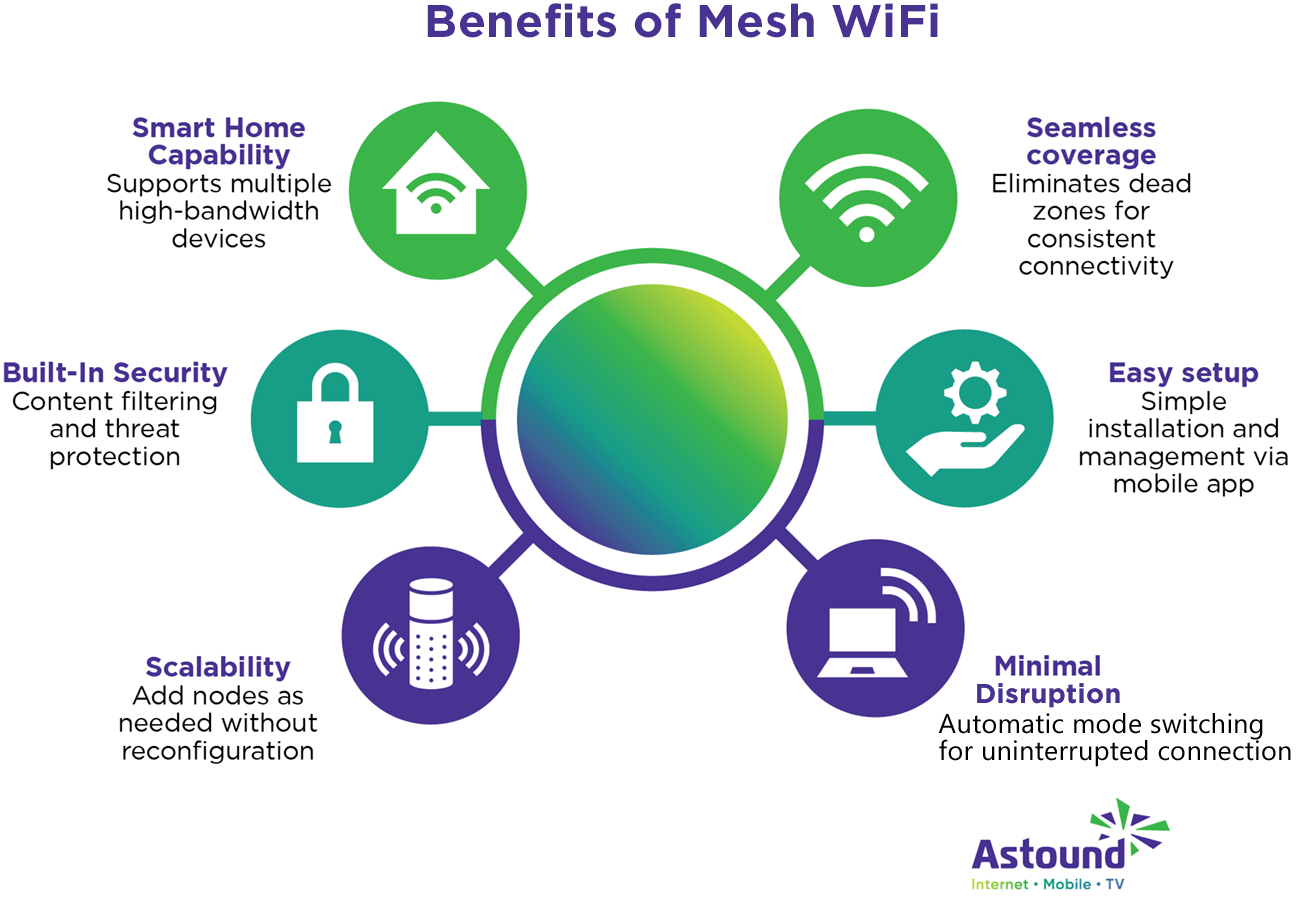
Credit: www.astound.com
Regular Maintenance And Monitoring
Maintaining a strong mesh WiFi signal is essential for seamless internet connectivity. Regular checks and updates can help improve your budget mesh WiFi performance.
In this guide, we will explore simple steps to ensure your WiFi remains reliable and efficient over time.
Restart Devices Periodically
Restarting your devices can resolve connectivity issues and refresh your network. This simple action can improve signal strength and speed.
- Turn off your router and modem.
- Wait for at least 30 seconds.
- Turn them back on in order: modem first, then router.
Monitor Signal Strength
Monitoring your WiFi signal strength helps identify weak spots in your home. You can use various tools and apps to measure signal quality.
Consider using a WiFi analyzer app on your smartphone to check signal strength in different rooms. This helps you find areas with weak signals and adjust your router placement accordingly.
| Room | Signal Strength |
| Living Room | Strong |
| Bedroom | Moderate |
| Basement | Weak |
Frequently Asked Questions
How Can I Boost My Budget Mesh Wifi Signal?
Place nodes centrally and avoid obstructions. Update firmware regularly. Use wired backhaul if possible to enhance stability and speed.
Why Is My Budget Mesh Wifi Signal Weak?
Interference from walls, appliances, and other electronics can weaken signals. Distance between nodes and outdated firmware also impact performance.
What’s The Best Placement For Budget Mesh Nodes?
Place nodes in open spaces, away from thick walls and metal objects. Position them at mid-level height for better coverage.
Can I Use Wifi Extenders With Mesh Networks?
Yes, but it’s best to use nodes from the same mesh system. Mixing devices may reduce overall network performance and reliability.
Conclusion
Improving your budget mesh WiFi signal is easier than it seems. Place your devices in open spaces for better reach. Avoid walls and metal objects that block signals. Keep your firmware updated to enhance performance. Test different spots for the best connection.
Small changes can make a big difference. Enjoy faster internet without spending much. Stay patient and try these simple tips. Your home WiFi will feel stronger and more reliable.


