
Are you ready to unlock the full power of your WiFi 7 mesh system? Choosing the right router speed can make all the difference in how fast and reliable your internet feels at home.
But with so many options out there, how do you know which speed is best for your setup? You’ll discover exactly what router speed you need to get seamless streaming, gaming, and browsing without interruptions. Keep reading to find out how to boost your WiFi 7 mesh and enjoy a stronger, faster connection every time.

Credit: www.pcmag.com
Wifi 7 Mesh Basics
Wifi 7 is the newest wireless standard. It offers faster speeds and better connections. Mesh networks use multiple devices to spread wifi evenly at home.
Choosing the right router speed helps you get the best Wifi 7 mesh experience. Let’s look at the basics.
Key Features Of Wifi 7
Wifi 7 supports very high data rates. It uses wider channels up to 320 MHz. The technology improves how devices share the network.
It also includes new ways to send data faster and more reliably. Wifi 7 works well with many devices at once.
- 320 MHz channel bandwidth for faster speed
- Multi-Link Operation (MLO) for better data flow
- 4096-QAM for increased data density
- Improved latency for smoother connections
Advantages Over Previous Wifi Versions
Wifi 7 is faster than Wifi 6 and older versions. It handles more devices without slowing down. This makes it ideal for busy homes or offices.
The newer standard also reduces delays. It provides better coverage and stronger signals. This helps with streaming, gaming, and video calls.
- Speeds up to 46 Gbps, much faster than Wifi 6
- Better performance with many devices connected
- Lower latency for real-time applications
- Enhanced signal stability and range
How Mesh Networks Work
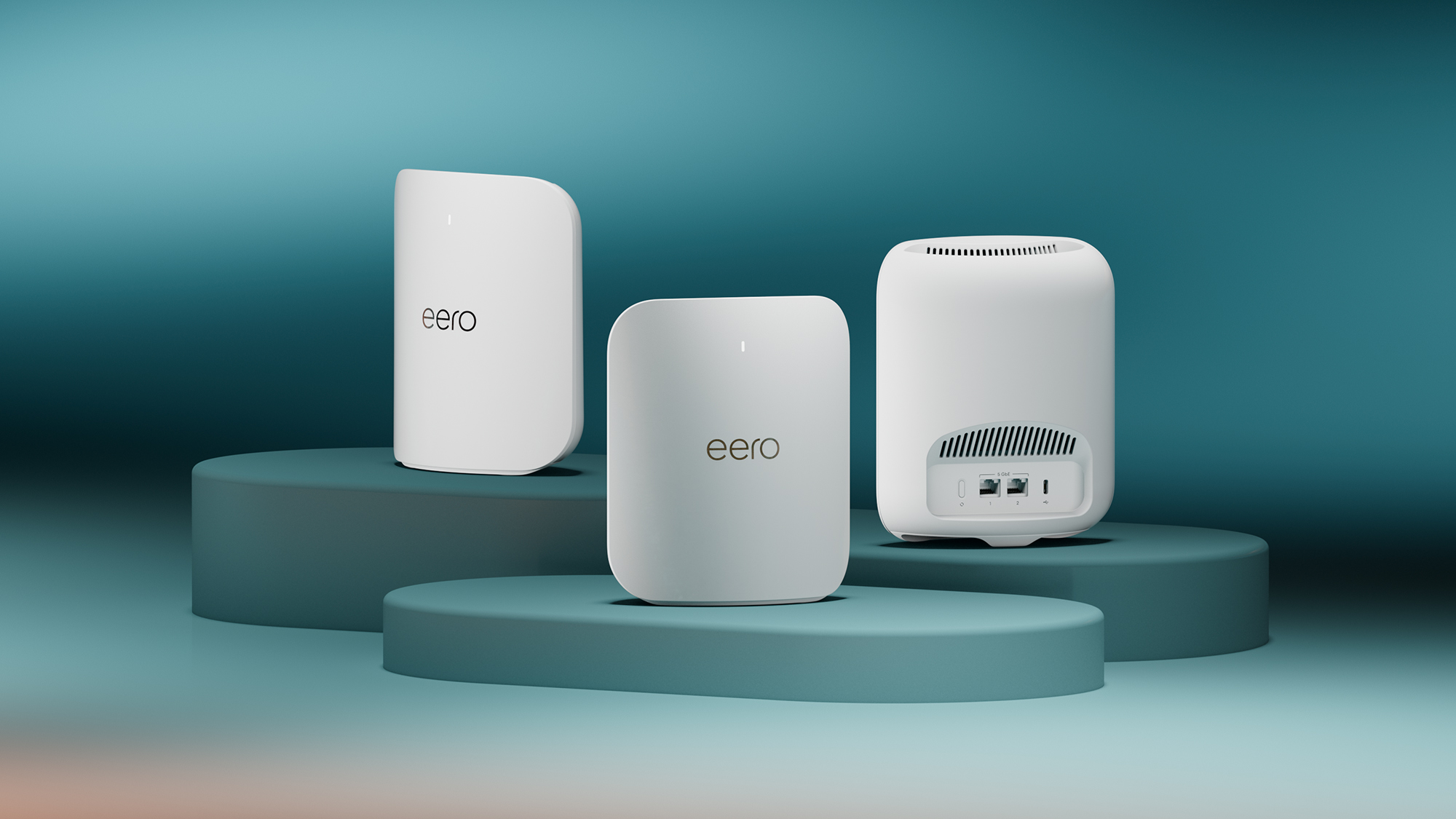
Mesh networks use several nodes to spread wifi across an area. Each node talks to others to cover dead spots. This creates a strong, wide network.
Devices connect to the closest node for the best speed. The system balances traffic to avoid slowdowns. Mesh works well with Wifi 7 to give fast, reliable internet everywhere.
- Multiple nodes share the wifi signal
- Nodes communicate to cover all areas
- Devices connect to the nearest node
- Traffic is balanced for steady speeds
Credit: www.t3.com
Router Speed Explained
Choosing the right router speed is important for Wifi 7 mesh systems. Router speed affects how fast your devices connect and share data.
This guide helps you understand router speed and what to expect from your Wifi 7 mesh network.
What Router Speed Means
Router speed shows the maximum data transfer rate the router can handle. It is usually measured in megabits per second (Mbps) or gigabits per second (Gbps).
Higher speed numbers suggest faster internet and better performance for multiple devices.
Factors Affecting Router Speed
Several things affect the actual speed you get from a router. These factors can slow down or improve your connection.
- Distance between the router and your device
- Number of devices connected at the same time
- Interference from walls and other electronics
- Router hardware and technology used
- Internet service provider speed limits
Speed Vs. Real-world Performance
Router speed shows the best-case scenario under perfect conditions. Real-world performance is often lower due to obstacles and usage.
| Speed Type | What It Means | Typical Result |
|---|---|---|
| Rated Speed | Maximum speed listed by the manufacturer | Rarely reached in home settings |
| Actual Speed | Speed you get in normal use | Usually 30-70% of rated speed |
| Internet Speed | Speed from your internet provider | Limits the router’s maximum speed |
Ideal Router Speeds For Wifi 7 Mesh
Wifi 7 Mesh systems bring faster internet and better coverage. Choosing the right router speed is key for good performance.
This guide explains the ideal router speeds for different needs with Wifi 7 Mesh.
Minimum Speed Requirements
To use Wifi 7 Mesh, your router should meet certain speed minimums. This ensures basic connectivity and smooth browsing.
- At least 1 Gbps for stable internet access
- Support for multi-gigabit speeds for future-proofing
- Low latency for quick response times
Optimal Speed For Streaming And Gaming
Streaming high-quality videos and gaming need faster speeds. Wifi 7 Mesh can handle these well with the right router.
| Activity | Recommended Speed |
| 4K Video Streaming | 25-50 Mbps |
| 8K Video Streaming | 50-100 Mbps |
| Online Gaming | 50-100 Mbps |
| VR Streaming | 100+ Mbps |
Speed Needs For Multiple Devices
Many devices on one Wifi 7 Mesh need higher speeds to avoid slowdowns. The router must support fast data sharing.
- Up to 10 devices: 500 Mbps minimum
- 10-20 devices: 1 Gbps or more
- More than 20 devices: 2 Gbps or higher advised
Choosing The Right Wifi 7 Mesh Router
Wifi 7 mesh routers offer faster speeds and better coverage than older models. Choosing the right one helps your devices work smoothly.
You need to understand speed, coverage, and router features before buying a Wifi 7 mesh system.
Top Wifi 7 Mesh Router Models
Some Wifi 7 mesh routers stand out for their speed and coverage. Look for trusted brands that support the latest standards.
- Model A: Offers high speed and wide coverage.
- Model B: Balances speed with easy setup.
- Model C: Focuses on strong connections in large homes.
Speed Specifications To Look For
Wifi 7 supports very high speeds. Check the router’s maximum data rate and frequency bands.
Look for routers with multi-gigabit speeds and support for 2.4 GHz, 5 GHz, and 6 GHz bands.
- Maximum speed above 10 Gbps for future-proofing.
- Tri-band support to handle many devices.
- Low latency for smooth streaming and gaming.
Balancing Speed With Coverage
Speed alone is not enough. Good coverage keeps your whole home connected.
Mesh routers use multiple units to spread Wifi signals evenly. This reduces dead zones.
- Place mesh nodes in different rooms for full coverage.
- Choose routers with strong antennas for wider range.
- Check how many devices the router can support at once.
Setting Up For Maximum Speed
Wifi 7 mesh routers offer very fast speeds. To get the best speed, you need to set them up right. Proper setup helps all devices connect smoothly.
This guide covers placement tips, router settings, and firmware updates. These steps improve your mesh network speed and stability.
Placement Tips For Mesh Nodes
Place mesh nodes where the signal can reach every corner of your home. Avoid walls and metal objects that block signals. Keep nodes in open areas for best coverage.
Try to keep nodes close enough to each other. This helps them connect quickly and share data fast. Avoid putting nodes too far apart.
- Place nodes on high shelves or tables
- Keep nodes away from microwaves and cordless phones
- Space nodes evenly to cover the whole area
- Avoid thick walls and large furniture between nodes
Configuring Router Settings
Set your router to use the fastest Wifi 7 channels. Select 6 GHz bands when possible for less interference. Use the router’s app or dashboard to change settings.
Enable features like MU-MIMO and OFDMA. These help many devices connect at once without slowing down your network. Turn on Quality of Service (QoS) to prioritize important traffic.
- Choose 6 GHz frequency band for best speed
- Enable MU-MIMO and OFDMA for device efficiency
- Use QoS to prioritize video or gaming traffic
- Disable unused features to improve performance
Firmware Updates And Speed
Keep your router’s firmware up to date. Updates fix bugs and add new speed improvements. Check for updates regularly using the router’s app or website.
Automatic updates help keep your mesh system running smoothly. Always install updates as soon as they become available to avoid speed drops.
- Check for firmware updates monthly
- Enable automatic updates if available
- Restart your router after updates to apply changes
- Use official firmware only to avoid issues
Future-proofing Your Network
Choosing the right router speed is important for keeping your network ready for the future. Wifi 7 mesh systems are designed to offer fast and reliable connections.
Let’s explore how upcoming enhancements and mesh systems can help you create a smart, scalable network.
Upcoming Wifi 7 Enhancements
Wifi 7 will bring many new features to improve your internet experience. These enhancements focus on speed and efficiency.
- Faster data rates for seamless streaming
- Improved latency for better gaming
- Enhanced security protocols
- Support for more connected devices
Scalability Of Mesh Systems
Mesh systems are great for expanding your network. They allow you to add more units to cover larger areas.
| Mesh System | Coverage Area |
| Two units | 2,000 sq ft |
| Three units | 3,500 sq ft |
| Four units | 5,000 sq ft |
Integrating With Smart Home Devices
Smart home devices need a strong and stable network. Wifi 7 mesh routers support many devices without slowing down.

Credit: dongknows.com
Frequently Asked Questions
What Router Speed Is Ideal For Wifi 7 Mesh Systems?
For Wifi 7 mesh, a router speed of 10 Gbps or higher is ideal. This speed supports ultra-fast streaming and multiple device connectivity without lag.
How Does Router Speed Affect Wifi 7 Mesh Performance?
Higher router speed ensures smooth data transfer and reduces latency in Wifi 7 mesh networks. This improves overall internet experience across all connected devices.
Can Slower Routers Support Wifi 7 Mesh Effectively?
Slower routers may limit Wifi 7 mesh benefits. They can cause bottlenecks, reducing speed and coverage, which affects streaming and gaming quality.
What Speed Should I Choose For Gaming On Wifi 7 Mesh?
Choose routers offering at least 5 Gbps speed for gaming on Wifi 7 mesh. This minimizes lag and provides stable, fast connections for multiplayer games.
Conclusion
Choosing the right router speed for WiFi 7 mesh matters a lot. Fast speeds keep your devices connected without lag. A balanced speed fits your home size and internet use. Too slow means delays; too fast wastes money. Think about how many devices you have.
Also, consider future needs as technology grows. The best speed supports smooth streaming and quick downloads. Stay practical and pick what works for you. Good WiFi makes life easier, no stress.


