If you’re struggling with slow WiFi or dead zones in your home, Tp-Link Deco Mesh WiFi might be the solution you’ve been searching for. But before you invest, it’s important to know both the good and the bad.
You’ll discover the key pros and cons of Tp-Link Deco Mesh WiFi so you can decide if it’s the right fit for your home and lifestyle. Keep reading to avoid surprises and make a smart choice for your internet needs.
Tp-link Deco Mesh Wifi Features
Tp-Link Deco Mesh Wifi offers a modern way to cover your home with strong internet. It uses multiple devices to spread wifi evenly.
This system aims to reduce dead zones and keep your connection stable in every room.
Coverage And Range
Deco Mesh Wifi units work together to cover large areas. They create a single network name for easy use.
The system can cover up to 5,500 square feet with a three-pack setup. You can add more units for bigger homes.
Speed And Performance
Deco Mesh supports high speeds suitable for streaming and gaming. It uses the latest wifi standards for faster data transfer.
It balances the load between devices to keep performance steady even with many users.
Setup And Management
The setup process is simple using the Deco app. It guides you step-by-step to connect units and configure settings.
- Easy app interface for all ages
- Parental controls to manage internet use
- Guest network creation for visitors
- Automatic updates for security and features
Security Features
Deco Mesh Wifi includes built-in security to protect your network from threats. It blocks viruses and hackers automatically.
| Security Feature | Description |
| Antivirus Protection | Scans and blocks malware and viruses |
| Firewall | Prevents unauthorized access |
| Parental Controls | Limits internet access for children |
| Automatic Updates | Keeps firmware and security up to date |
Compatibility With Devices
Deco Mesh Wifi works with many devices. It supports phones, tablets, laptops, and smart home gadgets.
The system supports all major wifi standards and works with routers from other brands if needed.
Benefits Of Tp-link Deco Mesh Wifi
Tp-Link Deco Mesh Wifi offers reliable internet across your home. It helps devices stay connected without drops.
This system works well for families and small offices needing strong and steady Wi-Fi coverage.
Seamless Roaming
Deco lets your devices switch between units without losing connection. You can move freely at home and stay online.
Easy Installation
Setting up Tp-Link Deco Mesh Wifi is simple. The app guides you through each step with clear instructions.
- Plug in the Deco units
- Follow app setup prompts
- Connect your devices to the new network
Parental Controls
Parents can control internet access for children easily. You can block sites and set time limits.
| Feature | Description |
| Content Filter | Blocks harmful websites |
| Time Limits | Sets internet use schedules |
| Pause Internet | Stops internet on selected devices |
App Support And User Interface
The Deco app is easy to use. It shows network status and lets you manage settings from your phone.
Affordable Pricing
Deco offers strong mesh Wi-Fi at a lower price than many competitors. It fits well for budget-conscious buyers.
Drawbacks Of Tp-link Deco Mesh Wifi
Tp-Link Deco Mesh Wifi offers many benefits, but it also has some drawbacks. Understanding these can help you decide if it suits your needs.
This article focuses on the main downsides of the Tp-Link Deco Mesh Wifi system.
Limited Advanced Settings
The Tp-Link Deco system has fewer advanced settings than some other mesh wifi systems. This limits customization for tech-savvy users.
You cannot adjust many network parameters like port forwarding or VLAN settings in detail. This can be frustrating for users who want full control.
Potential Signal Interference
The Deco mesh may face signal interference from other wireless devices. This can lower the overall network speed and reliability.
Devices like microwaves, cordless phones, and Bluetooth gadgets can cause this problem in busy homes.
- Interference can reduce wifi range
- Speeds may drop during peak use
- Placement of Deco units affects performance
Performance In Large Homes
In very large homes, the Tp-Link Deco mesh might struggle to cover every area well. Some dead zones may still exist.
You may need to buy extra units, which can increase the cost. Even then, some corners might get weak signals.
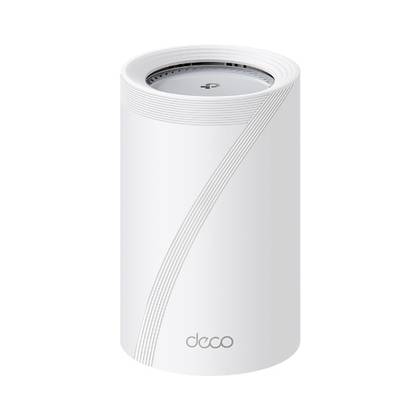
Customer Support Concerns
Some users report slow or unhelpful responses from Tp-Link customer support. This can make solving issues harder.
Limited support options and long wait times may frustrate customers who need quick help.
Credit: www.androidpolice.com
Comparing Tp-link Deco With Other Mesh Systems
Mesh WiFi systems help spread internet signals in large areas. Tp-Link Deco is a popular choice for many homes. This article compares Deco with other mesh systems.
We will look at three key points: performance, price, and features. This way, you can see how Deco stands out or fits in.
Performance Comparison
Tp-Link Deco offers stable WiFi speeds across most homes. It uses multiple units to cover wide spaces. Other systems may provide faster speeds or longer range.
- Deco supports fast connections for streaming and gaming.
- Some mesh systems use newer WiFi 6 technology for better speed.
- Deco units work well in homes with many devices.
- Other brands may have stronger signals in very large homes.
Price Differences
Tp-Link Deco tends to be more affordable than many competitors. Pricing depends on the number of units and features included.
| Mesh System | Starting Price (3-pack) |
| Tp-Link Deco | $150 |
| Netgear Orbi | $300 |
| Google Nest Wifi | $270 |
| Amazon Eero | $200 |
Feature Set Variations
Different mesh systems offer unique features. Deco includes basic parental controls and easy app setup. Other systems may add advanced options.
- Deco has antivirus protection in some models.
- Netgear Orbi offers advanced QoS settings.
- Google Nest Wifi integrates with Google Assistant.
- Amazon Eero supports Alexa voice commands.
- Most systems allow guest networks and device prioritization.
Choosing The Right Deco Model
TP-Link Deco mesh WiFi systems come in many models. Each fits different needs and home sizes.
Choosing the right Deco model depends on your internet speed, home size, and device number.
Deco M5 Vs M9 Plus
The Deco M5 is a basic model with good coverage. It supports speeds up to 1300 Mbps.
The Deco M9 Plus offers faster speeds and smart home support. It also has a built-in Zigbee hub.
- Deco M5 is cheaper and covers up to 5,500 sq ft with three units
- Deco M9 Plus covers up to 6,500 sq ft with three units and supports more devices
- M9 Plus supports faster WiFi speeds and smart home devices
Deco X20 And X60 Features
The Deco X20 and X60 models support WiFi 6 for faster speeds and better performance.
X20 is good for smaller homes. X60 is better for bigger homes with more devices.
- Deco X20 supports speeds up to 1,800 Mbps and covers up to 5,800 sq ft
- Deco X60 supports speeds up to 3,000 Mbps and covers up to 7,000 sq ft
- Both models handle many devices without slowing down
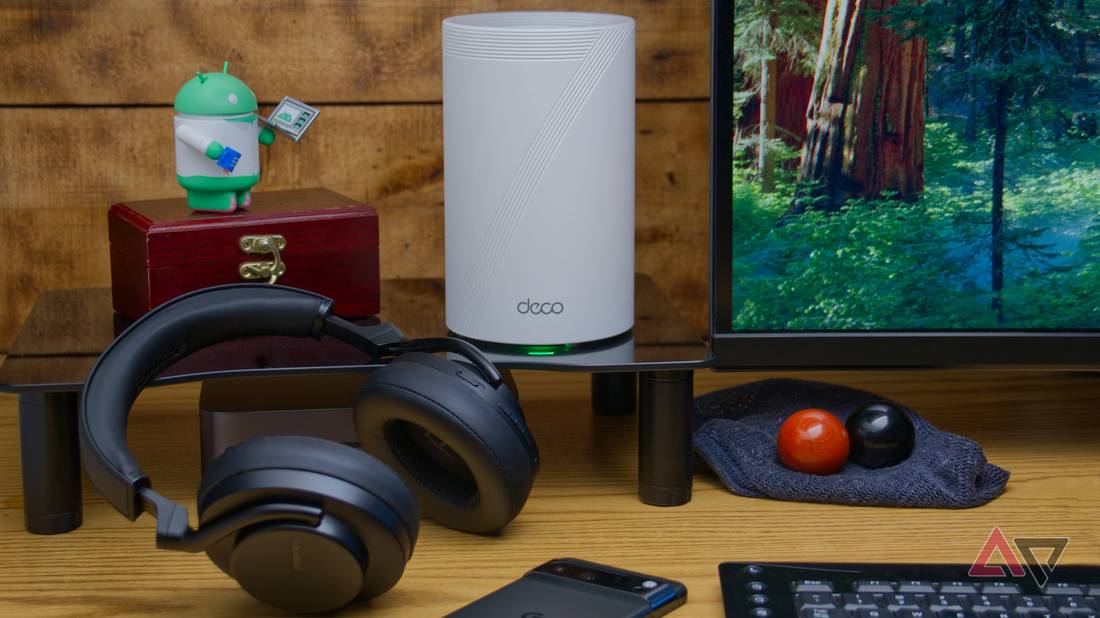
Suitability For Different Home Sizes
Small homes under 2,000 sq ft can use Deco M5 or X20 models for good coverage.
Bigger homes over 3,000 sq ft need models like M9 Plus or X60 for better speed and range.
| Home Size | Recommended Deco Model | Notes |
|---|---|---|
| Under 2,000 sq ft | Deco M5, Deco X20 | Good coverage for small homes |
| 2,000 – 3,500 sq ft | Deco M9 Plus | Better speed and smart home support |
| Over 3,500 sq ft | Deco X60 | Highest speed and large coverage |
Credit: www.androidpolice.com
Tips For Optimizing Tp-link Deco Wifi
Tp-Link Deco Mesh Wifi systems are popular for their easy setup and reliable coverage. To get the most out of your network, follow these simple tips. This guide will help you with node placement, firmware updates, and network customization.
Ideal Node Placement
Proper placement of nodes is crucial for optimal performance. It ensures strong signal throughout your home.
- Place nodes in central locations for even coverage.
- Avoid placing nodes near metal objects or thick walls.
- Keep nodes off the floor and away from electronic devices.
Firmware Updates
Keeping your firmware updated ensures your network runs smoothly. It also provides the latest security features.
- Check for updates regularly through the Deco app.
- Enable automatic updates for convenience.
- Read update notes to understand improvements.
Network Customization
Customizing your network settings can enhance performance and security. Use the Deco app to make adjustments easily.
- Set up guest networks for visitors.
- Adjust bandwidth for different devices.
- Use parental controls to manage screen time.

Credit: www.pcmag.com
Frequently Asked Questions
What Are The Main Benefits Of Tp-link Deco Mesh Wifi?
Tp-Link Deco Mesh Wifi offers wide coverage, seamless roaming, and easy setup. It improves connection speed and reduces dead zones. The system supports multiple devices simultaneously. It also includes robust parental controls and network security features for safe browsing.
How Does Tp-link Deco Improve Home Wifi Coverage?
Tp-Link Deco uses mesh technology to create a unified network. Multiple Deco units work together to extend wifi signals. This eliminates weak spots and provides consistent coverage throughout large homes. The system automatically connects devices to the strongest signal for optimal performance.
Are Tp-link Deco Mesh Wifi Systems Easy To Install?
Yes, Tp-Link Deco systems are user-friendly and quick to install. The mobile app guides you through each step with clear instructions. No technical expertise is needed. Setup usually takes under 30 minutes to get your mesh network running smoothly.
What Are The Limitations Of Tp-link Deco Mesh Wifi?
Some models have limited Ethernet ports which may affect wired connections. Advanced users might find customization options less flexible compared to other routers. The system’s performance can vary based on home layout and internet speed. Firmware updates are necessary to maintain security and features.
Conclusion
Tp-Link Deco Mesh Wifi offers solid coverage for most homes. Setup is simple and user-friendly. Some models may have limited advanced features. Speed and reliability vary by location and device. Consider your home size and internet needs carefully. Overall, it suits those wanting easy and steady wifi.
Weigh the pros and cons before deciding. Good wifi makes daily tasks smoother and faster. Choose what fits your budget and usage best.