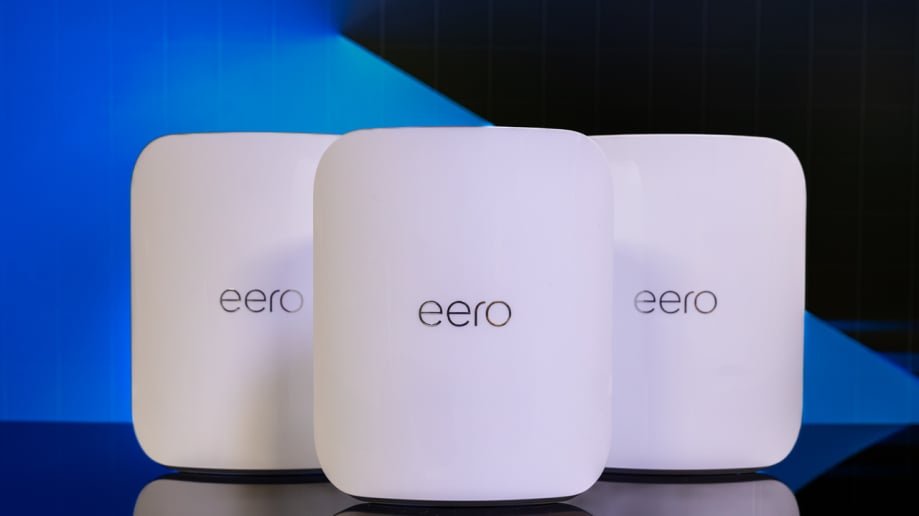
Are you tired of weak WiFi signals that interrupt your smart home devices? Imagine a home where every gadget, from your smart thermostat to security cameras, works seamlessly without buffering or dropped connections.
Choosing the best mesh WiFi for your smart home setup is the key to making that happen. You’ll discover how to boost your WiFi coverage, eliminate dead zones, and keep all your devices connected smoothly. Stick with me, and you’ll find the perfect mesh system tailored just for your smart home needs.

Credit: www.pcmag.com
Benefits Of Mesh Wifi For Smart Homes
Mesh Wifi systems improve internet connection in smart homes. They use multiple devices to spread wifi evenly.
This helps smart home gadgets work better and stay connected all the time.
Seamless Connectivity
Mesh Wifi lets your devices switch between nodes without losing signal. This keeps smart devices online without breaks.
You can move around your home and still have strong internet for your lights, cameras, and speakers.
Expanded Coverage
Mesh Wifi covers large areas better than single routers. It spreads wifi to every corner of your home.
This means smart devices in basements, garages, or far rooms get good signal too.
- Eliminates dead zones inside your home
- Supports more devices in different rooms
- Helps outdoor smart gadgets stay connected
Ease Of Management
Mesh Wifi systems often come with simple apps. These apps let you control your network easily.
You can check connected devices, set schedules, or pause internet for kids with just a few taps.
- Easy to add new nodes to grow coverage
- Manage all devices from one place
- Receive updates automatically for better security
Key Features To Look For
Choosing the right mesh wifi for your smart home setup is important. The right system helps all devices work smoothly. It also keeps your network safe and easy to use.
Look at several key features before buying. These features affect how well your mesh wifi performs in your home.
Speed And Bandwidth
Speed is how fast your wifi can send and receive data. Bandwidth is the amount of data your network can handle at one time. Both affect your smart home devices’ performance.
Choose a mesh wifi system that supports high speeds and wide bandwidth. This helps when many devices connect at once.
Device Compatibility
Smart homes have many device types. Your mesh wifi must work with all of them. This includes phones, smart speakers, cameras, and more.
- Check if the system supports common wifi standards
- Look for compatibility with your smart home hubs
- Ensure it can handle multiple device connections
- Verify support for older and newer devices
Security Options
Security keeps your smart home safe from hackers. Look for mesh wifi with strong encryption and regular updates. Some systems offer extra features like guest networks or device blocking.
| Security Feature | Description |
| WPA3 Encryption | Newest standard for secure wifi connections |
| Automatic Updates | Keeps system protected with latest patches |
| Guest Network | Separate wifi for visitors to protect main devices |
| Device Blocking | Stops unknown devices from connecting |
Setup And Usability
A simple setup saves time and effort. Many mesh wifi systems use apps to guide you. Good usability means easy control of your network and devices.
- Step-by-step app instructions
- Automatic device detection
- Easy network management tools
- Ability to add more nodes smoothly
Top Mesh Wifi Systems In 2024
Mesh wifi systems improve internet coverage in homes. They help smart devices connect without interruptions.
This guide shows the best mesh wifi systems for different needs in 2024. Choose one that fits your home size and budget.
High-end Performance Models
High-end mesh systems offer fast speeds and strong signals. They handle many devices and heavy internet use well.
These models are good for smart homes with many connected devices. They provide steady and reliable connections.
- Supports Wi-Fi 6 or Wi-Fi 6E standards
- Advanced security features
- Easy app control and setup
- Strong signal range and speed
Budget-friendly Options
Budget mesh wifi systems offer good coverage at a lower price. They suit small homes or light internet users.
These systems may have fewer features but still improve your wifi signal. They are simple to install and use.
- Basic wifi standards like Wi-Fi 5
- Easy plug-and-play setup
- Good for casual browsing and streaming
- Affordable price points
Best For Large Homes
Large homes need mesh systems with wide coverage. They use multiple nodes to cover every corner of the house.
These systems reduce dead spots and keep all smart devices connected. They work well with multiple floors or big layouts.
- Multiple units to cover large areas
- Strong signal strength and range
- Supports many connected devices
- Reliable connection across rooms
Best For Small Apartments
Small apartments do not need many nodes. A compact mesh system can provide fast wifi everywhere.
These systems are easy to set up and take little space. They offer good speed and steady connection for smart home devices.
- Compact design with one or two units
- Good coverage for small spaces
- Fast and stable wifi connection
- Simple installation and control
Optimizing Mesh Wifi For Smart Devices
Mesh wifi systems help connect many smart devices in your home. They spread wifi signals evenly for better coverage.
Setting up mesh wifi properly improves device performance and reduces interruptions.
Placement Tips
Place mesh nodes in open areas away from walls and metal objects. This helps signals travel better.
- Put one node near your internet modem.
- Place other nodes where devices are used most.
- Keep nodes visible and off the floor.
- Avoid placing nodes near microwaves or cordless phones.
Firmware Updates
Keep your mesh wifi firmware updated to fix bugs and improve speed. Updates also enhance security.
| Update Method | Details |
| Automatic | Most mesh systems update firmware on their own. |
| Manual | You may check for updates in the system app or admin panel. |
| Frequency | Check for updates monthly or when devices act slow. |
Prioritizing Smart Devices
Set your mesh wifi to prioritize smart devices. This helps important devices get faster connections.
Use Quality of Service (QoS) settings to assign priority. Common devices to prioritize:
- Smart speakers and assistants
- Security cameras
- Smart thermostats
- Home automation hubs
Troubleshooting Common Issues
Mesh WiFi systems help smart homes stay connected. Sometimes, problems like drops or slow speeds occur. Knowing how to fix these helps keep devices working well.
This guide covers common issues with mesh WiFi and easy ways to solve them. Follow simple tips to improve your smart home setup.
Connectivity Drops
Connectivity drops happen when your devices lose connection to the WiFi. This can stop smart devices from working properly.
Check if your mesh nodes are too far apart. Walls and floors can block signals. Restarting your router and nodes often helps too.
- Place mesh nodes closer together
- Restart router and mesh nodes regularly
- Check for firmware updates for your mesh system
- Remove any physical obstacles near nodes
Slow Speeds
Slow speeds make it hard to stream or control smart devices. Many factors cause slow WiFi, like many devices or bandwidth limits.
Limit the number of devices using WiFi at the same time. Use the mesh app to see which devices use the most data.
- Restart your mesh system to clear temporary issues
- Move nodes to open areas for better signal
- Check if your internet plan matches your speed needs
- Use 5GHz band for faster connections when possible
Interference Problems
Interference happens when other electronics or networks block your WiFi signals. This causes weak or lost connections.
Keep mesh nodes away from microwaves, cordless phones, and thick walls. Change the WiFi channel in settings to a less crowded one.
- Place nodes away from other electronic devices
- Switch WiFi channels to avoid nearby networks
- Use the mesh app to find the best node placement
- Try using wired backhaul if possible to reduce wireless interference

Credit: dongknows.com
Future Trends In Mesh Wifi Technology
Mesh Wifi technology is changing how we connect at home. It offers seamless coverage across all rooms. Future trends are making it even smarter.
Explore the latest advancements that are shaping the future of mesh networks. These include new Wi-Fi standards, smart home integration, and AI management.
Wi-fi 6e And Beyond
Wi-Fi 6E is the latest standard, offering faster speeds and lower latency. It operates in the 6 GHz band, reducing congestion.
- Greater bandwidth for more devices
- Enhanced performance in crowded areas
- Improved battery life for connected devices
Integration With Iot
Smart homes rely on the Internet of Things (IoT). Mesh Wifi networks support many IoT devices, ensuring they work together seamlessly.
Smart features include:
- Automatic device detection
- Prioritization of critical devices
- Secure connections for every gadget
Ai-driven Network Management
Artificial Intelligence is transforming network management. AI optimizes signal strength and predicts network issues before they happen.
| Feature | Benefit |
| Auto-optimization | Ensures consistent speed |
| Predictive maintenance | Reduces downtime |
| Smart alerts | Notifies of potential issues |

Credit: dongknows.com
Frequently Asked Questions
What Is The Best Mesh Wifi For Smart Homes?
The best mesh WiFi offers strong coverage, fast speeds, and easy device management. It supports multiple smart home devices without lag or interference, ensuring seamless connectivity throughout your home.
How Does Mesh Wifi Improve Smart Home Setups?
Mesh WiFi uses multiple nodes to spread signals evenly. It eliminates dead zones and maintains stable connections for all smart devices in your home, enhancing automation and control.
Can Mesh Wifi Support Multiple Smart Devices?
Yes, mesh WiFi systems are designed to handle many devices simultaneously. They balance network traffic efficiently, preventing slowdowns even with numerous smart home gadgets connected.
Is Mesh Wifi Better Than A Single Router For Smart Homes?
Mesh WiFi provides wider coverage and more reliable connections than a single router. It’s ideal for larger homes with many smart devices spread across different rooms.
Conclusion
Choosing the best mesh WiFi helps your smart home run smoothly. It spreads WiFi evenly across all rooms. Devices stay connected without drops or slowdowns. Easy setup saves time and stress. Good mesh WiFi supports many gadgets at once. It keeps your home network strong and reliable.
Invest in a system that fits your needs and budget. Enjoy fast, steady internet for streaming, work, and smart devices. A solid mesh WiFi creates a better smart home experience for all.


