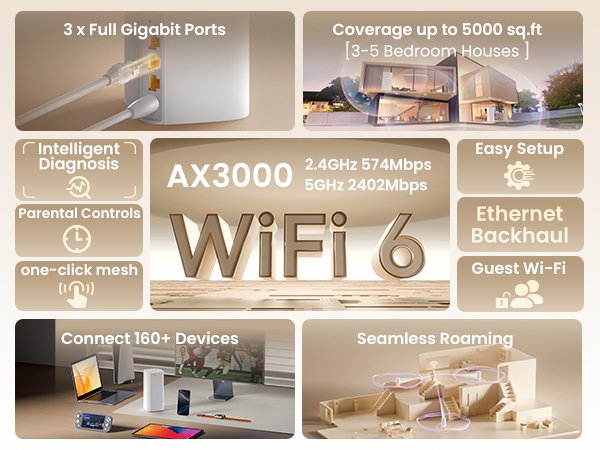
Are you struggling with slow WiFi or dead zones in your large home? If you live in a 5000 sq ft house, a regular router might not cut it.
You need a mesh WiFi system that can cover every corner with strong, reliable internet. But how fast should your mesh WiFi be to keep up with your streaming, gaming, and smart devices? You’ll discover exactly what speed mesh WiFi you need to enjoy seamless connectivity throughout your entire home.
Keep reading to find the perfect solution tailored just for you.
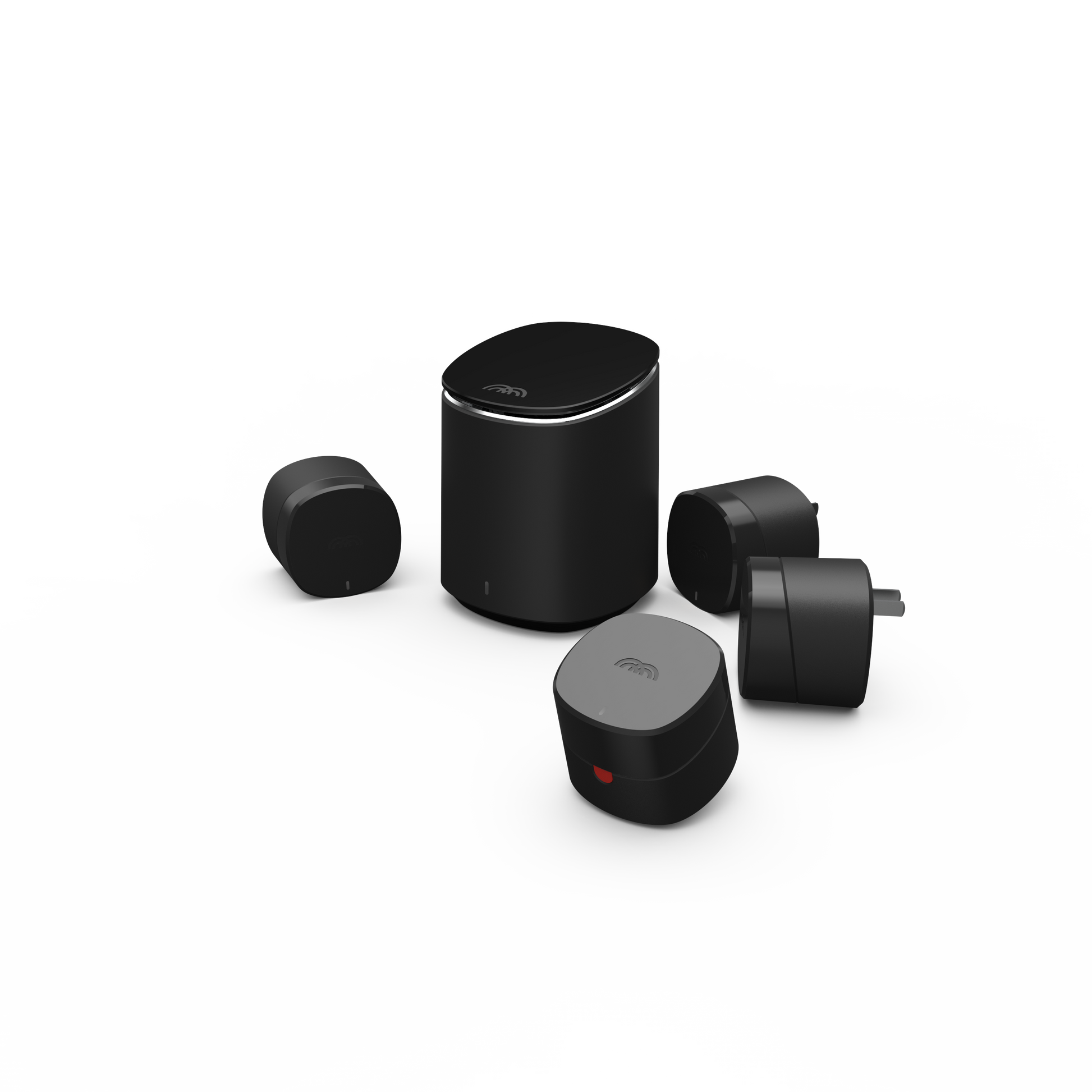
Credit: shop-ca.mercku.com
Factors Affecting Wifi Speed
Choosing the right speed mesh wifi for a 5000 sq ft house depends on many things. These factors affect how fast your internet will feel in every room.
Understanding these factors helps you pick a wifi system that works well for your home size and needs.
Number Of Devices
The number of devices using wifi at the same time changes the speed. More devices mean more data is shared.
Each device takes some bandwidth. If many devices connect, your internet may slow down.
- Smartphones, tablets, and laptops use bandwidth
- Smart home devices like cameras and speakers connect too
- More devices need higher wifi speed to stay fast
Type Of Online Activities
Different online activities need different internet speeds. Some use more data and need faster wifi.
Streaming videos or video calls need more speed than just browsing websites or checking emails.
- Streaming HD or 4K videos requires high speed
- Online gaming needs fast and stable wifi
- Simple browsing or email uses low speed
- Video calls need good speed for clear sound and picture
Interference And Obstacles
Walls, furniture, and other objects can block wifi signals. This makes the speed slower in some rooms.
Other electronic devices like microwaves or cordless phones can also cause interference with wifi signals.
- Thick walls reduce wifi speed
- Metal objects block signals
- Microwaves and phones create signal interference
- Open spaces help wifi signals travel better
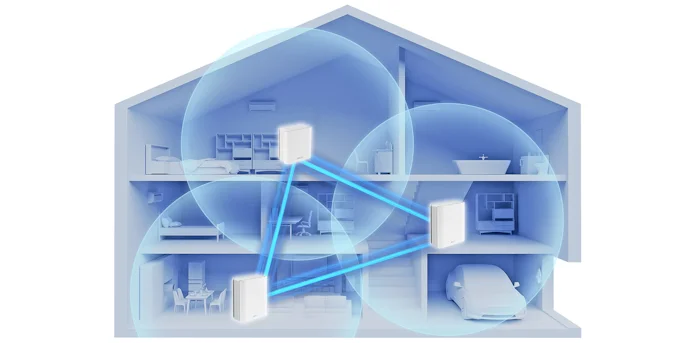
Credit: edgeup.asus.com
Speed Requirements For Large Homes
Choosing the right mesh WiFi speed is essential for a 5000 sq ft house. Large homes need strong signals and fast internet to cover every room. Slow speeds can cause dead zones and poor connections.
This guide explains the bandwidth needs for big houses. It covers how much speed you need for streaming, gaming, and working from home.
Minimum Bandwidth Needs
For a large home, the minimum internet speed should support multiple devices at once. A basic speed of 200 Mbps can work for light browsing and emails. But for better performance, 500 Mbps or more is recommended.
| House Size | Recommended Minimum Speed |
| Up to 3000 sq ft | 100-300 Mbps |
| 3000 to 5000 sq ft | 300-500 Mbps |
| Over 5000 sq ft | 500+ Mbps |
Streaming And Gaming Demands
Streaming HD videos and online gaming use a lot of bandwidth. Multiple users streaming 4K or playing games at the same time need fast and stable WiFi.
- 4K video streaming needs about 25 Mbps per device
- Online gaming requires at least 50 Mbps for smooth play
- Multiple devices increase total bandwidth demands
- Low latency is important for gaming performance
Work From Home Considerations
Working from home requires reliable internet for video calls and file sharing. A slow connection can cause interruptions and lost work time.
Key internet features for home offices include:
- Upload speeds of at least 50 Mbps
- Stable connection with low jitter
- Ability to handle multiple video calls
- Secure network for sensitive data
Choosing The Right Mesh Wifi System
Choosing a mesh WiFi system for a large 5000 sq ft house needs care. The system must cover the whole space with strong signals.
Good speed and reliable connection help all devices work smoothly. This guide helps you pick the right mesh WiFi system.
Coverage Area And Range
A 5000 sq ft house needs mesh nodes that cover a wide area. Each node covers a certain range, so you need enough to cover the whole house.
Look for systems that offer at least 1500 to 2000 sq ft coverage per node. This way, three or four nodes should cover your house well.
- Check the coverage area of each mesh node
- Place nodes to avoid dead spots
- Use extra nodes for large yards or multiple floors
Node Placement Strategies
Place mesh nodes in open spaces to avoid walls and objects that block signals. Avoid corners or basements where signals weaken.
Nodes should be within range of each other. This keeps a strong connection between nodes and fast internet speeds.
- Place main node near the internet source
- Space secondary nodes evenly throughout the house
- Keep nodes away from thick walls and metal objects
- Use central locations for best signal spread
Device Compatibility
Ensure your mesh WiFi supports all devices in your home. This includes phones, laptops, smart TVs, and smart home gadgets.
Look for systems with support for WiFi 5 or WiFi 6 standards. These work well with most modern devices and offer better speed.
- Check if the mesh supports WiFi 5 (802.11ac) or WiFi 6 (802.11ax)
- Confirm compatibility with your device types
- Consider systems that allow many devices to connect at once

Credit: www.amazon.ca
Recommended Mesh Wifi Speeds For 5000 Sq Ft
Choosing the right mesh wifi speed is key for a large 5000 sq ft house. The size demands strong coverage and fast connections.
This guide covers entry-level, mid-range, and high-performance mesh wifi speeds to fit your home needs.
Entry-level Options
Entry-level mesh wifi systems usually offer speeds up to 300 Mbps. They are good for basic internet use like browsing and streaming in some rooms.
- Suitable for light internet tasks
- May struggle with multiple devices
- Covers basic areas but may leave weak spots
Mid-range Solutions
Mid-range mesh wifi systems provide speeds from 300 Mbps to 900 Mbps. These work well for families with multiple users and smart devices.
| Speed Range | Best For | Coverage |
|---|---|---|
| 300 – 500 Mbps | Streaming HD video, online gaming | Good for most of the house |
| 500 – 900 Mbps | 4K streaming, video calls, multiple devices | Strong coverage throughout |
High-performance Systems
High-performance mesh wifi offers speeds above 900 Mbps. It suits heavy internet users with many devices at once.
- Supports 4K and 8K streaming on many devices
- Ideal for smart homes and work from home setups
- Delivers fast speeds in every corner of the house
Installation Tips For Optimal Performance
Choosing the right speed mesh WiFi is important for a 5000 sq ft house. Proper setup helps cover the whole space with strong signals.
Good installation improves speed and reduces connection issues. Follow these tips to get the best WiFi performance.
Avoiding Signal Dead Zones
Dead zones happen when WiFi signals do not reach certain areas in your house. Place mesh nodes in open spaces for better coverage.
Avoid placing nodes near thick walls, metal objects, or appliances. These block signals and create dead spots.
- Place nodes evenly throughout the house
- Keep nodes away from large metal surfaces
- Use higher locations like shelves for nodes
- Test signal strength in different rooms
Firmware Updates And Maintenance
Regular firmware updates keep your mesh WiFi running smoothly. Updates fix bugs and improve speed and security.
Check for updates in the mesh system app or website. Schedule updates during low-usage times to avoid interruptions.
- Check for firmware updates monthly
- Restart mesh devices after updates
- Clean dust off mesh units regularly
- Monitor network performance and adjust settings
Security Settings
Secure your mesh WiFi to protect your devices and data. Use strong passwords and encryption options available in the system.
Disable guest access if not needed. Keep your network safe from unauthorized users by updating passwords regularly.
- Use WPA3 or WPA2 encryption
- Create a strong, unique password
- Turn off guest networks when not needed
- Enable automatic security updates
Testing And Monitoring Your Network
In a 5000 sq ft house, a fast and stable mesh WiFi is essential. Testing and monitoring your network ensures it meets your needs. Here’s how to keep your network in top shape.
Speed Test Tools
Speed test tools help you check your internet speed. Use them to find out if your WiFi is fast enough.
These tools show download and upload speeds. They help you understand if your network can handle your tasks.
- Ookla Speedtest: Easy to use and accurate
- Fast.com: Simple, quick results
- Google Speed Test: Reliable and fast
Analyzing Network Traffic
Analyzing network traffic helps you see what devices use the most data. This can help you manage your bandwidth better.
Look for patterns in usage. This shows if certain times of day need more bandwidth.
- Use your router’s admin panel for insights
- Check which devices are connected
- See which apps use the most data
Adjusting Settings Based On Usage
Adjust settings to optimize your network. This keeps your WiFi running smoothly.
If video calls lag, consider prioritizing video traffic. For gaming, reduce interference by changing WiFi channels.
| Action | Result |
| Prioritize Devices | Better performance for important tasks |
| Change Channels | Reduced interference |
| Update Firmware | Improved security and features |
Frequently Asked Questions
What Mesh Wifi Speed Suits A 5000 Sq Ft House?
A mesh WiFi with at least 1 Gbps speed is ideal for a 5000 sq ft house. It ensures fast, reliable coverage throughout large areas and supports multiple devices simultaneously without lag.
How Many Mesh Wifi Nodes Cover 5000 Sq Ft?
Typically, 3 to 5 mesh WiFi nodes are needed for 5000 sq ft. Proper placement ensures seamless coverage, eliminating dead zones and maintaining strong signals in every room.
Is A Dual-band Or Tri-band Mesh Wifi Better?
Tri-band mesh WiFi is better for large homes like 5000 sq ft. It offers dedicated backhaul, reducing interference and improving overall network speed and stability.
Can Mesh Wifi Support Multiple Smart Devices?
Yes, mesh WiFi supports many smart devices efficiently. It handles high data traffic, ensuring smooth streaming, gaming, and smart home device connectivity without slowdowns.
Conclusion
Choosing the right mesh WiFi speed helps cover a large 5000 sq ft home well. Fast and stable connections keep all devices working smoothly. Multiple mesh units spread signals evenly across rooms and floors. This reduces dead zones and boosts internet quality everywhere.
Think about your internet needs and home layout first. Good planning makes a big difference in WiFi performance. A strong mesh system keeps your family connected without interruptions. Simple and steady WiFi makes daily tasks easier and more fun.


