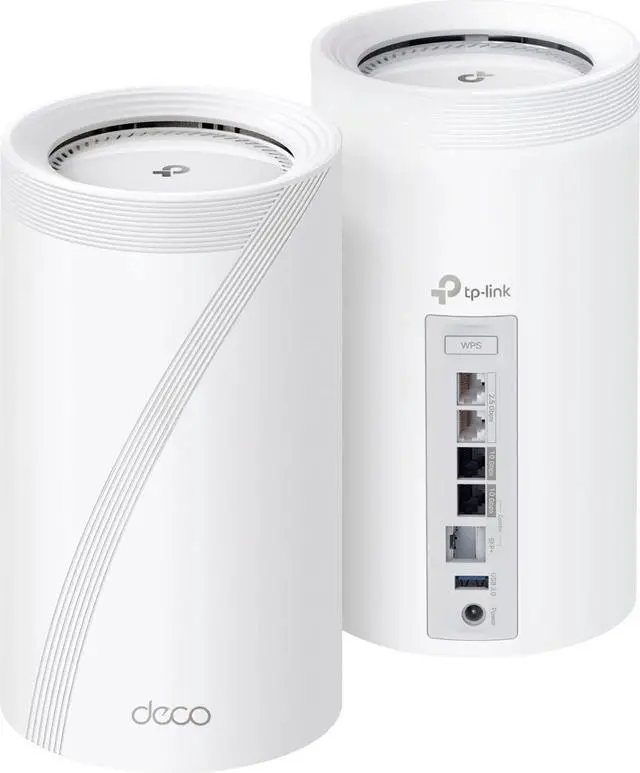
Are you tired of your smart home devices losing connection or working slowly? Your mesh WiFi could be the solution you need.
When you rely on multiple IoT devices, a strong and reliable network is crucial. Imagine every gadget in your home—from smart lights to security cameras—working seamlessly without interruptions. You’ll discover how mesh WiFi can transform your home network, making your devices smarter and your life easier.
Keep reading to find out how to boost your home’s connectivity and enjoy smooth, hassle-free control of all your IoT devices.
Why Mesh Wifi Matters For Iot
IoT devices need strong and steady internet to work well. Many homes have many smart devices that connect to the internet.
Mesh wifi helps these devices stay connected without losing signal or speed.
Limitations Of Traditional Routers
Traditional routers send wifi from one point. This can cause weak signals in big or multi-story homes.
They can only support a few devices well. Too many devices slow down the network and cause drops.
- Limited coverage in large homes
- Signal drops through walls and floors
- Slower speeds with many devices
- Hard to extend without extra equipment
Benefits Of Mesh Networks For Smart Homes
Mesh wifi uses multiple nodes to spread the signal evenly. This creates strong coverage everywhere in the home.
It handles many IoT devices at once without slowing down. The network adapts if one node has a problem.
- Better wifi coverage in all rooms
- Stable connection for many devices
- Easy to add nodes for larger areas
- Automatic rerouting if one node fails

Credit: www.amazon.ca
Key Features Of Mesh Wifi Systems
Mesh wifi systems are designed to improve your home network. They help connect many devices easily and cover large areas without weak spots.
These systems are perfect for homes with many IoT devices. They keep your devices connected and your network strong.
Seamless Coverage
Mesh wifi systems use multiple nodes to spread wifi signals evenly. This stops dead zones in your home.
- Nodes work together as one network
- Move freely without losing connection
- Cover large homes or multi-floor buildings
- Signal automatically switches to the closest node
Easy Device Management
These systems let you manage all your devices from one app. You can add or remove devices fast and see who is connected.
| Feature | Benefit |
| Central App Control | Manage all devices in one place |
| Guest Network Setup | Give visitors safe access |
| Device Prioritization | Speed up important devices |
| Parental Controls | Limit internet time for kids |
Self-healing Networks
Mesh networks fix themselves if a node stops working. They find new paths to keep your devices online.
Benefits of self-healing networks:
- Automatic rerouting around problems
- Less downtime for smart devices
- Stable connection during outages
- Easy to expand without manual setup
Choosing The Right Mesh Wifi For Your Home
Mesh Wifi can improve your home internet coverage. It helps connect many devices easily.
Picking the right mesh system is important for smart home devices. It keeps your network fast and safe.
Compatibility With Iot Devices
Check if the mesh system supports your home IoT devices. Some devices need specific Wifi standards like Wi-Fi 5 or Wi-Fi 6.
- Look for broad device support to avoid connection issues.
- Make sure the system works with smart lights, cameras, and sensors.
- Confirm compatibility with voice assistants if you use them.
- Check if the mesh system updates firmware automatically for new devices.
Speed And Bandwidth Considerations
Speed and bandwidth affect how well your devices perform. Choose a mesh system that matches your internet plan.
| Internet Speed | Recommended Mesh Wifi Band | Notes |
|---|---|---|
| Up to 100 Mbps | Dual-band (2.4 GHz and 5 GHz) | Good for small to medium homes |
| 100–500 Mbps | Tri-band (adds a second 5 GHz band) | Better for multiple devices and heavy use |
| Above 500 Mbps | Tri-band or Wi-Fi 6 systems | Best for many devices and fast connections |
Security Features To Look For
Security is key to protect your smart home devices. Choose mesh Wifi with strong safety features.
- Look for WPA3 encryption for better protection.
- Check if the system offers automatic security updates.
- Consider parental controls if you want to manage internet access.
- Guest network support helps keep visitors separate from your devices.
- Some systems include built-in malware protection.

Credit: www.amazon.ca
Setting Up Mesh Wifi For Iot Devices
Mesh Wifi helps improve connectivity for all your IoT devices. It provides better coverage and reduces dead zones in your home.
Setting up a mesh network is easy and can be done with a few simple steps. Let’s explore the key areas to focus on for optimal performance.
Optimal Node Placement
Placing your mesh nodes correctly is important for seamless connectivity. Nodes should cover all areas where you use IoT devices.
- Place nodes in central locations
- Avoid placing nodes near obstacles
- Ensure nodes are at a similar height
Configuring Network Settings
Proper network settings ensure your devices connect reliably. You should configure the network to prioritize IoT traffic when needed.
| Setting | Recommendation |
| SSID Name | Use a unique name |
| Channel | Select a less crowded channel |
| Security | Enable WPA3 for better security |
Integrating Smart Devices
Integrating smart devices with your mesh network enhances their functionality. You can control them easily through a single interface.
Troubleshooting Common Issues
Mesh WiFi systems help connect many home IoT devices. Sometimes, users face issues that affect performance.
This guide covers common problems and quick fixes for mesh WiFi in smart homes.
Connectivity Drops
Connectivity drops cause devices to lose internet access suddenly. This can disrupt smart home functions.
Common causes include router overload, firmware bugs, or power interruptions.
- Restart your mesh router and nodes to refresh connections.
- Check for firmware updates and install them.
- Reduce the number of connected devices temporarily.
- Ensure the router has a stable power supply.
- Move nodes closer if the signal is weak between devices.
Device Pairing Problems
Pairing issues happen when IoT devices fail to connect to the mesh network.
Reasons include wrong passwords, device limits, or interference during setup.
| Problem | Fix |
|---|---|
| Incorrect WiFi password | Re-enter the correct password on the device. |
| Device limit reached | Remove unused devices or increase network capacity. |
| Setup interference | Move devices closer to the router during pairing. |
Interference And Signal Strength
Interference lowers WiFi signal quality. This affects device speed and reliability.
Common interference sources:
- Microwaves and cordless phones
- Thick walls and metal objects
- Other nearby WiFi networks
To improve signal:
- Place mesh nodes away from interference sources.
- Use 5 GHz band for less crowded channels.
- Adjust node positions for better coverage.

Credit: dongknows.com
Enhancing Smart Home Performance
Mesh WiFi systems improve the connection for smart home devices. They help all your IoT gadgets stay connected without interruptions.
With a strong mesh network, your smart home works faster and more smoothly. This setup covers your whole home with reliable WiFi signals.
Prioritizing Iot Traffic
Smart home devices often need fast and steady internet. Mesh WiFi can prioritize this traffic to keep devices responsive.
By setting priorities, important devices like security cameras or smart locks get bandwidth first. This reduces delays and connection drops.
- Assign higher priority to critical devices
- Reduce lag for voice assistants and cameras
- Keep less important devices on lower priority
Firmware Updates And Maintenance
Regular updates keep your mesh WiFi system secure and fast. Firmware updates fix bugs and improve device compatibility.
Many mesh systems update automatically. This helps your smart home devices run smoothly without manual work.
- Check for updates regularly
- Enable automatic firmware updates
- Restart your router if devices slow down
Expanding Your Mesh Network
You can add more nodes to your mesh network to cover larger areas. This helps smart devices work well in every room.
Adding nodes reduces dead zones and improves WiFi speed. Place nodes where the signal is weak for the best results.
- Place nodes in central spots of weak signal areas
- Use the same network name (SSID) for all nodes
- Test your network after adding each node
Frequently Asked Questions
What Is Mesh Wifi And How Does It Work?
Mesh WiFi uses multiple nodes to create a seamless wireless network. It eliminates dead zones by distributing signals evenly throughout your home, ensuring strong and reliable connections for all IoT devices.
Why Is Mesh Wifi Ideal For Home Iot Devices?
Mesh WiFi offers consistent coverage and supports many devices simultaneously. This reduces interference and latency, making it perfect for smart home gadgets that require stable, continuous connections.
Can Mesh Wifi Improve Smart Home Device Performance?
Yes, mesh WiFi enhances smart device performance by providing stable, high-speed connections. It minimizes dropouts and delays, improving responsiveness and overall user experience for IoT systems.
How Do I Set Up Mesh Wifi For Iot Devices?
Setting up mesh WiFi involves placing nodes strategically around your home. Connect the main node to your modem and use the app to configure the network and add more nodes for full coverage.
Conclusion
Mesh WiFi helps keep your smart home devices connected well. It covers every room with a strong signal. No more dead spots or slow internet. Your home gadgets work smoothly and stay online. Setting up mesh WiFi is simple and quick.
It fits any home size and device type. Trust mesh WiFi to support your smart home needs. Enjoy easy, reliable internet for all your IoT devices.


