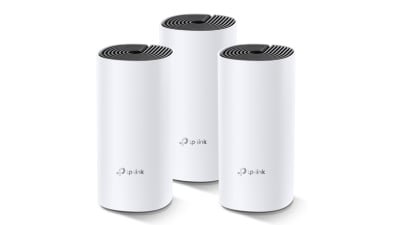
Are you tired of slow WiFi and dead zones in your home? The Tp-Link Deco Mesh WiFi system promises to fix those frustrating connection problems and give you fast, reliable internet everywhere.
But does it really deliver on that promise? In this review, you’ll discover how the Deco Mesh works, what makes it stand out, and whether it’s the right choice for your home. Keep reading to find out if this could be the solution you’ve been waiting for.
Tp-link Deco Mesh Wifi Features
The Tp-Link Deco Mesh Wifi system offers a strong and stable internet connection. It covers large areas with fast wifi signals.
This review focuses on three key areas: design and build quality, setup process, and app interface and controls.
Design And Build Quality
The Deco units have a clean, modern look with a small footprint. They fit well in most rooms without being obtrusive.
- Compact size for easy placement
- Matte white finish resists fingerprints
- LED indicator for status updates
- Durable plastic casing
- Multiple Ethernet ports for wired devices
Setup Process
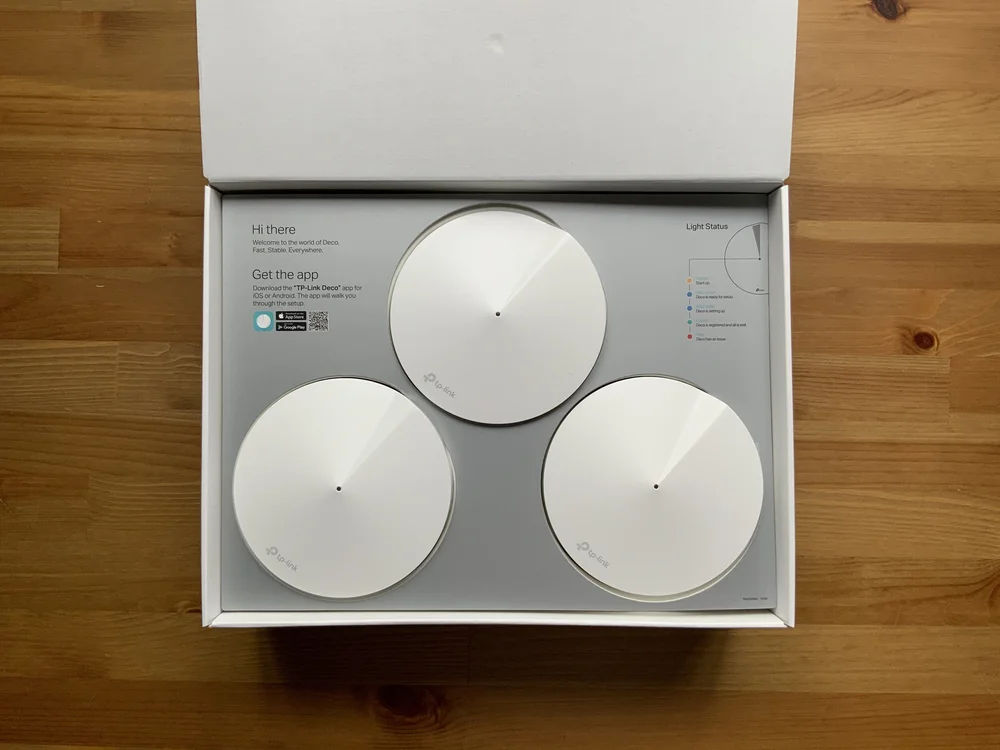
Setting up the Deco Mesh Wifi is simple and quick. The system guides users through the process step-by-step.
- Download the Deco app on your smartphone
- Create an account or log in
- Follow app instructions to connect the main Deco unit to the modem
- Place additional Deco units around your home
- Complete the setup by syncing all units through the app
App Interface And Controls
The Deco app offers easy access to network settings and controls. Users can manage devices and monitor network health.
| Feature | Description |
| Device Management | View and control all connected devices |
| Parental Controls | Set time limits and filter content |
| Network Security | Automatic threat detection and blocking |
| Speed Test | Check internet speed within the app |
| Guest Network | Create a separate network for visitors |
Coverage And Range Performance
The Tp-Link Deco Mesh Wifi system offers flexible coverage options. It uses mesh technology to spread WiFi across your space.
This review focuses on its coverage and range performance. Understanding these helps you pick the right setup.
Single Unit Coverage
A single Deco unit covers a good area for small rooms or apartments. It sends strong signals within its range.
The unit supports dual-band WiFi, which helps keep connections steady. Walls and furniture can reduce the signal a bit.
Multi-unit Mesh Network
Adding multiple Deco units creates a mesh network. The units work together to cover larger areas without dead zones.
The mesh system shares the same network name. Devices switch smoothly between units as you move around.
- Each unit extends the WiFi signal
- Automatic connection to the strongest unit
- Easy to add more units later
Performance In Large Homes
Large homes need several Deco units for full coverage. The mesh network covers multiple floors and distant rooms.
Signal strength remains stable even far from the main router. This keeps streaming and browsing smooth throughout the home.
Speed And Connectivity
The Tp-Link Deco Mesh Wifi system offers solid performance for home networks. It aims to provide fast internet speeds and reliable connections across multiple devices.
Understanding how this system handles wired and wireless connections helps to set expectations for speed and stability.
Wired Vs Wireless Speeds
Wired connections usually give faster and more stable speeds. The Deco system supports gigabit Ethernet ports for this purpose.
Wireless speeds depend on distance and interference. Deco uses Wi-Fi 5 or Wi-Fi 6 technology to improve wireless performance.
| Connection Type | Typical Speed | Notes |
| Wired Ethernet | Up to 1 Gbps | Stable and consistent |
| Wireless Wi-Fi 6 | Up to 1.2 Gbps | Best at close range |
| Wireless Wi-Fi 5 | Up to 867 Mbps | Older but still fast |
Device Handling And Bandwidth
The Deco system supports many devices without losing speed. It manages bandwidth to keep connections smooth.
- Connects up to 100 devices per unit
- Distributes bandwidth evenly
- Supports streaming, gaming, and browsing simultaneously
Latency And Stability
Latency is low on the Deco system, which helps with real-time activities like video calls and gaming.
Mesh technology boosts stability by:
- Automatically switching to the best signal
- Reducing dead zones in the home
- Keeping connections steady during movement
Credit: evanmccann.net
Security Features
The Tp-Link Deco Mesh Wifi offers solid security features to protect your home network. It focuses on keeping your devices safe from online threats.
These features give you control over who can access your network and help keep your data private.
Parental Controls
Parental controls help you manage what your children can access online. You can set limits on screen time and block inappropriate content.
- Create profiles for each child
- Pause internet access during homework or bedtime
- Filter websites by age-appropriate categories
- View activity reports to monitor online behavior
Network Protection
The Deco system uses advanced security to guard your network against attacks. It blocks malware and phishing sites automatically.
| Security Feature | Description |
|---|---|
| Malware Protection | Stops harmful software from entering your network |
| Phishing Prevention | Blocks fake sites that steal personal data |
| Firewall | Monitors and controls incoming and outgoing traffic |
| Device Isolation | Keeps guest devices separate from your main network |
Firmware Updates
Regular firmware updates keep your Deco system secure and running smoothly. These updates fix bugs and add new protections.
- Automatic updates ensure you always have the latest security fixes
- Update notifications let you know when new software is available
- Easy update process through the Deco app
Comparison With Competitors
The Tp-Link Deco Mesh Wifi system is popular for home networking. Many users want to know how it compares with other mesh systems. This review looks at its price, features, and performance against competitors.
Understanding these factors helps you pick the right mesh wifi for your needs. We focus on key points like cost, features, and real-world speed tests.
Price And Value
Tp-Link Deco offers affordable mesh wifi options. It often costs less than brands like Netgear Orbi and Google Nest Wifi. This makes it a good choice for budget buyers.
Though cheaper, the Deco system still delivers solid performance. It balances price and features well. This gives users good value for the money spent.
- Deco models start at lower prices
- Often includes multiple units per pack
- Good for medium to large homes
- Competitors may charge more for similar coverage
Feature Set Comparison
Deco systems include features like parental controls and device prioritization. These are common in other mesh systems too. Some competitors offer extra apps and advanced settings.
Deco supports easy setup and a simple app. It covers basics well but lacks some high-end features. For example, advanced security options may be less detailed than in premium models.
- Parental controls and QoS included
- Easy app for setup and management
- Supports Alexa and voice control
- Lacks some advanced security features
- Fewer customization options than some rivals
Performance Against Other Mesh Systems
In speed tests, Deco performs well for most home needs. It offers stable connections and good coverage. Some higher-priced systems have faster max speeds and better handling of many devices.
Deco works best in homes with moderate internet use. For heavy streaming or many users, premium systems may give smoother results. Still, Deco holds its own in reliability and range.
| System | Max Speed | Coverage | Device Handling |
|---|---|---|---|
| Tp-Link Deco | Up to 1.2 Gbps | Up to 5,500 sq ft | Up to 100 devices |
| Netgear Orbi | Up to 3 Gbps | Up to 6,000 sq ft | Up to 120 devices |
| Google Nest Wifi | Up to 2.2 Gbps | Up to 5,400 sq ft | Up to 100 devices |

Credit: www.pcmag.com
User Experience And Feedback
The TP-Link Deco Mesh WiFi system offers seamless internet coverage for homes. Many users find it easy to set up and use.
Feedback from users highlights both the strengths and areas for improvement. Below are insights based on customer reviews, common issues, and support and warranty experiences.
Customer Reviews
Customers appreciate the wide coverage and stable connection provided by the TP-Link Deco Mesh WiFi. It works well in large homes and multi-story buildings.
- Easy setup process with a user-friendly app
- Improved internet speed and coverage
- Stylish design that fits well in modern homes
Common Issues
Some users have reported issues with the TP-Link Deco Mesh WiFi system. These include occasional connectivity drops and difficulty connecting certain devices.
| Issue | Frequency |
| Connectivity drops | Moderate |
| Device connection issues | Low |
| App glitches | Low |
Support And Warranty
TP-Link offers customer support and a warranty for the Deco Mesh WiFi system. Users can access support through various channels.
The warranty covers defects and provides peace of mind for buyers. Most users report satisfactory assistance from the support team.
Best Use Cases
The TP-Link Deco Mesh Wi-Fi system provides reliable internet coverage. It is suitable for different environments and activities. Let’s explore where it works best.
Ideal Home Sizes
The Deco Mesh Wi-Fi system is perfect for homes of various sizes. It ensures consistent coverage throughout the house, eliminating dead zones.
- Small apartments: One or two units cover all rooms.
- Medium-sized homes: Three units provide ample coverage.
- Large homes: Additional units extend coverage to all areas.
Suitability For Streaming And Gaming
Streaming and gaming require a strong and stable internet connection. Deco Mesh Wi-Fi meets these demands efficiently, offering uninterrupted connectivity.
| Activity | Deco Mesh Benefit |
| 4K Streaming | Buffer-free experience |
| Online Gaming | Low latency and fast speeds |
| Multiple Devices | Handles many connections smoothly |
Office And Small Business Use
For offices and small businesses, reliable internet is crucial. Deco Mesh Wi-Fi supports multiple users and devices without losing speed.
Credit: www.engadget.com
Frequently Asked Questions
What Is Tp-link Deco Mesh Wifi?
Tp-Link Deco Mesh Wifi is a system that provides seamless wireless internet coverage. It uses multiple devices to eliminate dead zones and ensure strong signals throughout your home or office.
How Does Tp-link Deco Improve Wifi Coverage?
Tp-Link Deco uses mesh technology, connecting multiple units to create a unified network. This extends wifi range and maintains fast speeds in large or multi-story spaces.
Is Tp-link Deco Easy To Set Up?
Yes, Tp-Link Deco is user-friendly with a guided mobile app. The setup process is straightforward, allowing users to quickly configure and manage their network without technical skills.
Can Tp-link Deco Support Many Devices Simultaneously?
Absolutely, Tp-Link Deco supports multiple devices with stable connections. It uses smart routing to optimize bandwidth and reduce congestion, ideal for smart homes and busy networks.
Conclusion
Tp-Link Deco Mesh Wifi provides strong and steady internet at home. It covers large areas without losing speed or signal. Setup is quick and does not need tech skills. The app helps manage your network with ease. This system suits families and small offices well.
It keeps devices connected without interruptions. A good choice for better Wi-Fi everywhere. Simple, reliable, and easy to use. What more could you want?


