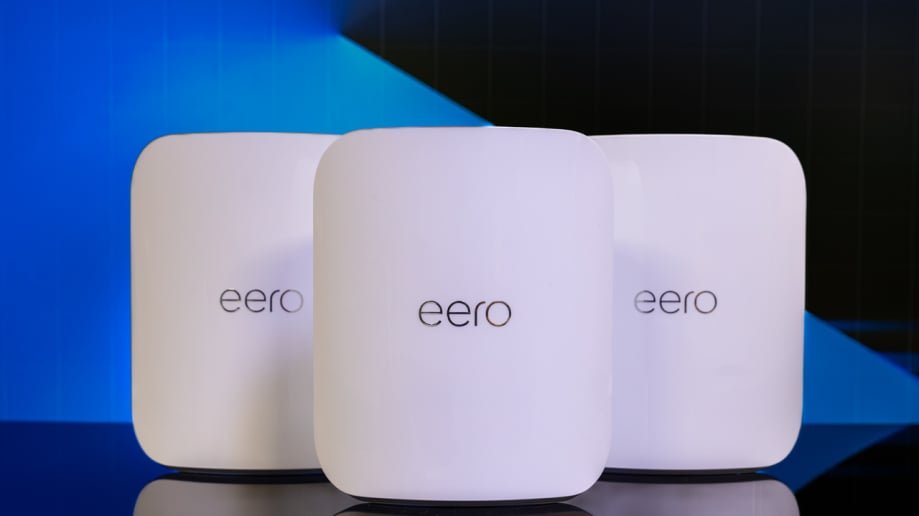
Are you tired of slow internet and dead zones in your home? Your smart devices deserve a strong, reliable connection everywhere.
Finding the best budget WiFi mesh system can seem overwhelming, but it doesn’t have to be. You’ll discover easy-to-use, affordable options that will boost your WiFi and keep all your gadgets running smoothly. Keep reading to find the perfect mesh network for your needs—without breaking the bank.

Credit: www.pcmag.com
Why Choose Mesh Wifi For Smart Devices
Mesh WiFi systems help smart devices stay connected all over your home. They use many points to spread the signal evenly.
This means less dead zones and better internet for your smart gadgets like cameras and speakers.
Benefits Over Traditional Routers
Traditional routers send WiFi from one spot. This can cause weak signals far away from the router.
Mesh WiFi uses several devices to cover your whole home better. Your smart devices get a strong signal everywhere.
- Fewer dead zones in your house
- Stronger and more stable WiFi signals
- Easy to add more devices for larger areas
Coverage And Connectivity Advantages
Mesh WiFi spreads the signal through multiple nodes. This covers large areas without losing speed.
Smart devices stay connected even if you move around your home. The system switches you to the best signal point.
- Wide WiFi coverage for big homes
- Seamless connection when moving devices
- Better speed and less buffering
Improved Device Management
Mesh WiFi systems often come with apps to control your network. You can see all your smart devices in one place.
These apps let you set limits, prioritize devices, and troubleshoot easily. This keeps your smart home running smoothly.
- View all connected smart devices
- Set internet priorities for important gadgets
- Easy troubleshooting and network control

Credit: www.tomsguide.com
Key Features Of Budget Mesh Wifi Systems
Budget mesh WiFi systems help spread WiFi signals across your home. They connect smart devices with better coverage. These systems cost less but still work well.
Choosing the right budget mesh system means looking at several important features. These include speed, setup, security, and device compatibility.
Speed And Bandwidth Considerations
Speed is how fast your internet works on smart devices. Bandwidth is how much data can move at once. Budget mesh systems offer good speed for daily tasks.
Look for systems that support the latest WiFi standards. These help keep fast connections for multiple devices. Some budget models limit bandwidth when many devices connect.
- Supports WiFi 5 (802.11ac) or WiFi 6 (802.11ax) for better speed
- Dual-band or tri-band to reduce interference
- Enough bandwidth to handle video calls and streaming
- Good speed even with several devices connected
Ease Of Setup And Use
Easy setup helps you start using the mesh system quickly. Most budget systems come with apps to guide installation. These apps also help manage your network.
Look for systems with simple app interfaces. Features like automatic updates and easy device connection make daily use better. Some models include voice assistant support.
- Step-by-step setup guides in apps
- Automatic firmware updates
- Easy device connection with QR codes or buttons
- Support for voice commands on some devices
Security Features
Security is important to protect your smart devices and personal data. Budget mesh systems usually include basic security tools. These help keep your network safe from threats.
Common security features include encryption and guest networks. Some systems offer parental controls and automatic threat detection. Check which options come with your chosen system.
- WPA3 or WPA2 encryption for secure connections
- Guest network access for visitors
- Parental controls to manage children’s internet use
- Automatic malware and threat detection
Compatibility With Smart Home Devices
Budget mesh WiFi systems should work well with many smart home devices. Compatibility means your smart lights, cameras, and speakers connect smoothly. Check if the system supports common smart home platforms.
Look for mesh systems that support standard WiFi bands. Some also support smart home protocols like Zigbee or Z-Wave. This adds ease when linking different devices on one network.
- Supports 2.4 GHz and 5 GHz WiFi bands
- Compatible with smart home brands like Alexa, Google Home
- Some include Zigbee or Z-Wave hubs built-in
- Works with smart security cameras, lights, and plugs
Top Budget Mesh Wifi Picks For 2025
Finding the right mesh WiFi system can improve your home network. Budget options offer good coverage and speed.
This guide shows the best budget mesh WiFi systems for different needs in 2025.
Best Overall Value
This mesh system balances price, speed, and coverage. It works well in most homes with many devices.
Easy setup and reliable connection make it a top choice for budget buyers.
Best For Large Homes
Large homes need mesh WiFi with wide coverage and strong signals. This system covers big areas without slowing down.
| Feature | Details |
| Coverage Area | Up to 5,000 sq ft |
| Speed | Up to 1.2 Gbps |
| Number of Units | 3-pack |
| Price Range | $150 – $200 |
Best For Small Spaces
Compact mesh WiFi systems fit small apartments or rooms. They deliver good speed without taking much space.
- Easy to install
- Good for 1-2 rooms
- Affordable price
- Stable connections
Best For Multiple Smart Devices
Smart homes need mesh WiFi that supports many devices at once. This system handles many connections smoothly.
| Device Type | Recommended Mesh Feature |
|---|---|
| Smart TVs | High bandwidth |
| Smart Lights | Low latency |
| Security Cameras | Stable connection |
| Smart Speakers | Good range |

Credit: dongknows.com
How To Choose The Right Mesh Wifi
Picking the right mesh WiFi system can improve your home internet. It helps cover all rooms with a strong signal.
Smart devices need steady WiFi to work well. Choosing the best mesh system saves money and boosts performance.
Assessing Your Home Size And Layout
Know the size of your home before buying mesh WiFi. Large homes may need more mesh nodes to cover every corner.
Think about walls and floors. Thick walls or multiple floors can block signals and reduce speed.
- Measure square footage of your home
- Count how many floors you have
- Note materials of walls and floors
- Plan node placement for better coverage
Evaluating Device Compatibility
Check if the mesh system works well with your smart devices. Some devices need certain WiFi standards.
Make sure the mesh supports your device types. This includes phones, smart TVs, and home assistants.
- Look for WiFi 5 or WiFi 6 support
- Check if it supports many devices at once
- Confirm compatibility with your gadgets
Balancing Price And Performance
Find a mesh WiFi that fits your budget but still works well. Cheap systems may not cover large areas.
More expensive models often have faster speeds and better coverage. Choose what matches your needs.
- Set a budget before shopping
- Compare speeds and coverage areas
- Read reviews on performance
- Decide if extra features are needed
Customer Support And Warranty
Good customer support helps fix problems quickly. Check if the brand offers easy access to help.
Warranty protects your purchase. Look for at least one year of coverage for peace of mind.
- Check support channels: phone, chat, email
- Look for clear warranty terms
- Read customer feedback on support quality
Tips To Optimize Mesh Wifi Performance
Mesh WiFi systems help smart devices connect smoothly across your home. To get the best speed and coverage, some simple steps can help your network work better.
These tips focus on how to place your router, keep software updated, manage traffic, and improve security. Follow them to keep your mesh WiFi running strong.
Ideal Router Placement
Put your main router in a central spot in your home. This helps the signal reach all corners evenly. Avoid placing it near walls or metal objects that block signals.
Keep mesh nodes in open areas. Place them away from thick furniture and appliances like microwaves. This reduces interference and keeps your WiFi fast.
- Place the router high, like on a shelf
- Keep nodes within range but not too close
- Avoid spots near large metal objects or mirrors
- Do not hide devices inside cabinets
Regular Firmware Updates
Check for firmware updates for your mesh system often. Updates fix bugs and improve network performance. They also add new features and security patches.
Most mesh WiFi apps alert you when updates are ready. Install them quickly to keep your devices working well and safe from threats.
- Set your mesh system to update automatically if possible
- Check the manufacturer’s website for manual updates
- Restart your router after updates for best results
Managing Network Traffic
Limit the number of devices connected at one time to reduce traffic. Too many devices can slow down your network and cause delays.
Use Quality of Service (QoS) settings to prioritize important devices or apps. This helps keep video calls and streaming smooth even with many devices online.
- Disconnect unused devices from WiFi
- Prioritize smart devices like cameras and TVs
- Limit downloads or updates during busy hours
- Use guest networks for visitors’ devices
Enhancing Security Settings
Secure your mesh WiFi with a strong password. Use WPA3 security if your router supports it. This protects your network from hackers.
Turn off features you do not use, like WPS or remote management. Keep your network hidden by disabling SSID broadcast if possible.
- Use long, unique passwords with letters and numbers
- Enable firewall settings on your router
- Change default admin usernames and passwords
- Regularly check connected devices for unknown users
Frequently Asked Questions
What Is The Best Budget Wifi Mesh For Smart Devices?
The best budget WiFi mesh offers strong coverage, easy setup, and reliable speeds. Look for brands like TP-Link Deco and Google Nest WiFi. These provide excellent smart device compatibility at affordable prices, ensuring seamless connectivity without overspending.
How Does A Wifi Mesh Improve Smart Device Performance?
WiFi mesh systems use multiple nodes to eliminate dead zones. This creates consistent, strong signals throughout your home. Smart devices stay connected smoothly, reducing lag and dropouts, which boosts overall performance and reliability.
Can Budget Wifi Mesh Support Multiple Smart Devices?
Yes, budget WiFi mesh systems can handle many smart devices simultaneously. They manage bandwidth efficiently to prevent slowdowns. This makes them ideal for smart homes with several connected gadgets like cameras, lights, and speakers.
Is Wifi Mesh Better Than A Single Router For Smart Homes?
WiFi mesh is better for large or multi-story homes. It provides wider coverage and fewer dead spots than a single router. This ensures smart devices maintain stable connections everywhere in your home.
Conclusion
Choosing the best budget WiFi mesh helps smart devices work better. It gives strong, steady internet in every room. This makes streaming and gaming smooth and easy. Many affordable options offer great speed and coverage. Think about your home size and device number before buying.
Good WiFi mesh saves time and stops frustration. Enjoy fast connections without spending too much money. A smart choice for a connected home.


