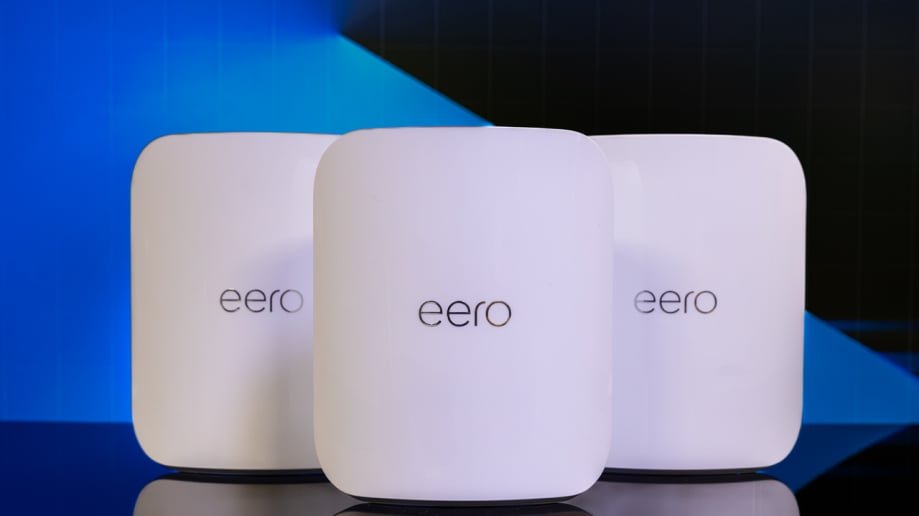
Imagine controlling your entire smart home with just your voice, without any annoying delays or dropped connections. If you’ve ever felt frustrated by slow WiFi that makes your Alexa devices lag or lose touch, you’re not alone.
The secret to a seamless smart home experience lies in strong, reliable WiFi—and that’s where mesh WiFi steps in. You’ll discover how mesh WiFi can transform your Alexa smart home, making your devices faster, smarter, and more responsive than ever before.
Ready to upgrade your home network and unlock Alexa’s full potential? Keep reading to find out how.
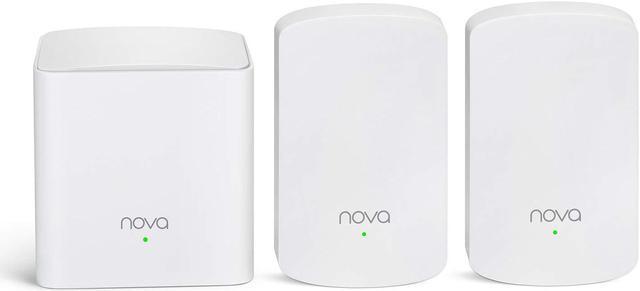
Credit: www.newegg.com
Mesh Wifi Basics
Mesh Wifi improves home internet by using many devices. It spreads signal evenly across rooms.
This system works well with Alexa smart homes. It keeps your devices connected without drops.
How Mesh Networks Work
Mesh networks use several nodes to share internet. Each node talks to others to cover your home.
- Nodes create a strong web of connections
- Devices connect to the nearest node automatically
- Network adjusts itself to avoid weak spots
- New nodes can be added easily to expand coverage
Benefits Over Traditional Wifi
| Feature | Mesh Wifi | Traditional Wifi |
| Coverage | Whole home | Limited to one router |
| Signal Strength | Consistent | Weak in far rooms |
| Device Connection | Automatic node switching | Manual reconnect needed |
| Setup | Simple with apps | Can be complex |
Alexa And Wifi Needs
Alexa devices rely on a strong wifi connection to work well. Without good wifi, Alexa may not respond or perform tasks.
Mesh wifi systems can help provide stable and wide wifi coverage for all Alexa smart home devices.
Connectivity Requirements
Alexa needs a stable internet connection to connect with your smart home devices. The wifi must be fast enough to handle multiple devices.
Mesh wifi systems spread wifi signals evenly throughout your home. This helps Alexa devices stay connected no matter where they are.
- Minimum wifi speed of 2 Mbps per Alexa device
- Supports 2.4 GHz and 5 GHz wifi bands
- Strong signal in every room with mesh points
- Low wifi interference for clear communication
Common Wifi Issues With Alexa Devices
Alexa devices may face wifi problems that cause slow responses or disconnections. These issues affect how well Alexa works in your home.
Common wifi issues include weak signals, network congestion, and interference from other electronics.
- Weak wifi signal due to distance from router
- Too many devices on the same wifi network
- Interference from microwaves or cordless phones
- Incorrect wifi password or network settings
Choosing Mesh Wifi For Alexa
Mesh wifi helps your Alexa devices work better at home. It spreads wifi evenly in all rooms.
Picking the right mesh wifi system makes Alexa respond faster and connect smoothly.
Key Features To Look For
Choose mesh wifi with good coverage to reach every corner of your house. This avoids weak signals.
Look for easy setup options that work well with Alexa. This saves time and effort.
- Strong signal range for all rooms
- Simple Alexa integration and control
- Stable connection with low latency
- Automatic updates for security
- Guest network options
Top Mesh Wifi Systems Compatible With Alexa
Some mesh wifi systems work well with Alexa devices. They let you manage wifi using voice commands.
These systems support smart home features and keep your network strong and reliable.
- Amazon Eero Mesh Wifi
- Google Nest Wifi
- TP-Link Deco Mesh
- Netgear Orbi Mesh Wifi
- Linksys Velop Mesh Wifi

Credit: www.amazon.com
Setup Tips For Mesh Wifi And Alexa
Setting up a mesh wifi system with Alexa devices can improve your smart home experience. A strong network helps Alexa respond faster and works better.
Use these tips to place your mesh wifi units and adjust network settings for the best connection with Alexa.
Placement Strategies
Place mesh wifi nodes where they can cover your home evenly. Avoid walls or metal objects that block signals.
- Put the main router near your internet entry point.
- Place nodes in open areas, not inside cabinets.
- Keep nodes away from microwaves and cordless phones.
- Space nodes evenly to avoid weak spots.
- Position nodes near Alexa devices for better response.
Optimizing Network Settings
Adjust your mesh wifi settings to reduce delays and improve Alexa’s performance. Use simple names and secure passwords.
| Setting | Recommendation |
| SSID Name | Use a simple, unique name for your network |
| Frequency Band | Enable both 2.4 GHz and 5 GHz bands |
| Channel Selection | Set to automatic or choose least crowded channel |
| Firmware Updates | Keep router software up to date |
| Device Priority | Set Alexa devices as high priority |
Troubleshooting Connectivity
Mesh WiFi helps your Alexa smart home stay connected. Sometimes, the connection can drop or slow down. Fixing these issues keeps your devices working well.
This guide shows how to fix common problems with mesh WiFi and Alexa devices. Follow these steps to improve your connection.
Fixing Dropouts And Latency
Dropouts happen when the WiFi signal weakens or stops. Latency means your commands take longer to respond. Both affect Alexa’s performance.
Check the position of your mesh WiFi units. Place them where they can cover your whole home without walls blocking signals.
- Move mesh units closer to Alexa devices
- Avoid placing units near metal or thick walls
- Reduce interference from microwaves or cordless phones
- Restart your router and mesh nodes regularly
Resetting And Reconfiguring Devices
If problems continue, reset your mesh WiFi and Alexa devices. This can clear errors and restore connections.
After resetting, set up your devices again. Follow the instructions in the app or manual to connect each device properly.
- Unplug mesh WiFi units for 30 seconds, then plug back in
- Use the mesh WiFi app to reset and add nodes
- Reset Alexa devices by holding the action button for 25 seconds
- Re-link Alexa to your WiFi network in the Alexa app

Credit: www.bestbuy.com
Enhancing Alexa Experience
Mesh Wifi systems improve connectivity across your home. This boosts how Alexa devices work together. Mesh Wifi ensures strong signals in every room.
With Mesh Wifi, Alexa smart home devices communicate better. This results in faster responses and smoother interactions. A reliable network enhances your Alexa experience.
Integrating Smart Home Devices
Smart home devices connect easily with Mesh Wifi. It provides stable connections for all devices. Alexa can control lights, thermostats, and more without lag.
Devices like smart plugs and cameras rely on good Wifi. Mesh Wifi ensures each device stays connected. This helps Alexa manage your smart home effectively.
- Improved signal reduces dropouts
- All devices stay online
- Faster device setup with Alexa
Using Alexa Skills With Mesh Wifi
Alexa skills need a strong network to perform well. Mesh Wifi supports these skills across your home. Enjoy seamless access to music, news, and weather updates.
Mesh Wifi allows Alexa to stream content without interruption. This enhances voice commands and improves user experience. Alexa becomes more helpful with a reliable network.
- Stable streaming for music and podcasts
- Quick responses to voice commands
- Enhanced performance of Alexa routines
Frequently Asked Questions
What Is Mesh Wifi For Alexa Smart Homes?
Mesh WiFi is a network system that uses multiple nodes to provide seamless internet coverage. It enhances Alexa smart homes by ensuring strong, consistent WiFi signals for all devices.
How Does Mesh Wifi Improve Alexa Device Performance?
Mesh WiFi reduces dead zones and increases connection stability. This allows Alexa devices to respond faster and work more reliably throughout the home.
Can Mesh Wifi Support Multiple Alexa Devices Simultaneously?
Yes, mesh WiFi supports many Alexa devices at once. It balances network traffic efficiently, preventing slowdowns and ensuring smooth smart home operations.
Is Mesh Wifi Easy To Set Up With Alexa?
Most mesh WiFi systems offer simple setup apps compatible with Alexa. They often support voice commands for easy network management and troubleshooting.
Conclusion
Mesh WiFi helps Alexa devices work better throughout your home. It gives strong, steady internet in every room. No more dropped connections or slow responses. Alexa hears your commands clearly, making smart home control easy. Installing mesh WiFi is simple and fits most budgets.
Enjoy smooth streaming, quick answers, and smart device control. A reliable WiFi network makes your Alexa smart home more useful. Small steps lead to big improvements in your daily life. Mesh WiFi and Alexa work well together for comfort and convenience.


