Are you tired of slow internet and dead zones in your home? Choosing the right mesh WiFi system can transform your online experience, giving you fast, reliable coverage in every corner.
But with so many options out there, how do you pick the best one for your medium-sized home? This guide will help you understand exactly what to look for, so you can enjoy seamless streaming, gaming, and browsing without interruptions.
Keep reading to discover the simple steps that make choosing the perfect mesh WiFi system easy and stress-free.

Credit: dongknows.com
Benefits Of Mesh Wifi
Choosing the right mesh wifi for a medium home can improve your internet experience. Mesh wifi systems help spread the signal evenly across your house.
They fix common issues like dead zones and slow connections. Here are some benefits of using mesh wifi.
Seamless Coverage
Mesh wifi gives your home full wifi coverage without weak spots. It uses multiple devices called nodes to cover every corner.
The nodes work together to create one strong network. You can move around your home without losing the connection.
Easy Scalability
Mesh wifi systems let you add more nodes anytime. This helps you expand coverage as your needs grow.
You do not need to replace the whole system. Just add a new node to cover new rooms or floors.
- Add nodes to cover large or unusual home layouts
- Expand wifi to outdoor areas easily
- Adjust the network size without technical help
Improved Performance
Mesh wifi improves internet speed and reduces slowdowns. It finds the best path for data to travel between devices and the router.
This means less waiting and smoother streaming, gaming, or video calls. The system adapts to avoid interference and busy wifi channels.
Assessing Your Home’s Needs
Choosing the right mesh WiFi for your home starts with understanding your needs. Different homes have different layouts, device numbers, and internet speeds.
Knowing these details helps you pick a system that covers your whole home without wasting money or leaving dead spots.
Home Size And Layout
The size of your home affects how many mesh WiFi units you need. Bigger homes need more units for full coverage.
The layout also matters. Walls, floors, and materials can block WiFi signals and reduce range.
- Open floor plans need fewer units
- Multiple floors require units on each level
- Thick walls or metal can weaken signals
Device Count
Count all devices that connect to WiFi. This includes phones, laptops, smart TVs, and smart home devices.
More devices need a stronger mesh system to handle multiple connections without slowing down.
- Small homes may have 5 to 10 devices
- Medium homes often have 15 to 30 devices
- High device counts require systems with more capacity
Internet Speed Requirements
Check your internet plan’s speed. Your mesh WiFi should support or exceed this speed for best results.
If you stream videos or work from home, faster WiFi helps avoid buffering and delays.
- Basic web browsing needs less speed
- Streaming HD video requires moderate speed
- Online gaming and 4K streaming need high speed
Key Features To Consider
Choosing the right mesh WiFi system helps improve internet coverage in a medium home. You should look at several important features before buying.
This guide explains the key features that make a mesh WiFi system effective and secure for your home.
Wifi Standards And Speeds
Look for mesh systems that support the latest WiFi standards. WiFi 6 offers faster speeds and better performance than older versions.
| Standard | Max Speed | Benefits |
| WiFi 5 (802.11ac) | Up to 3.5 Gbps | Good speed for most uses |
| WiFi 6 (802.11ax) | Up to 9.6 Gbps | Handles more devices, faster |
Number Of Nodes
The number of nodes affects coverage. More nodes mean better WiFi in all rooms of a medium home.
- Two nodes cover about 2,000 square feet
- Three nodes cover around 3,000 square feet
- Add more nodes for larger or multi-story homes
Security Options
Strong security protects your network and devices. Look for mesh systems with these features:
- WPA3 encryption for better protection
- Automatic security updates
- Guest network support to isolate visitors
- Firewall and malware protection
Parental Controls
Parental controls help manage internet use. These controls allow you to:
- Set time limits for children’s devices
- Block harmful websites
- Pause internet access during meals or homework
- View usage reports

Credit: www.pcmag.com
Placement Tips For Optimal Coverage
Choosing the right mesh WiFi system is important for good internet in a medium home. Placement of nodes affects the WiFi signal strength. Proper node placement helps cover all areas.
This guide shares tips on where to place nodes for the best coverage. Follow these tips to avoid dead zones and slow speeds.
Ideal Node Locations
Place your main node near the center of your home. This helps spread the signal evenly. Secondary nodes should be halfway between the main node and far areas.
Keep nodes out in the open. Avoid placing them inside cabinets or behind large objects. Higher spots like shelves work better than floors.
- Center the main node in your house
- Put secondary nodes halfway to far rooms
- Use high and open spaces for nodes
- Avoid hiding nodes in closed spaces
Avoiding Interference
WiFi signals can be blocked by walls and metal objects. Keep nodes away from microwaves, cordless phones, and baby monitors. These devices cause interference.
Try to keep at least 3 feet between your nodes and these devices. Avoid placing nodes near large metal appliances like refrigerators.
- Keep nodes 3 feet from electronics
- Avoid walls made of concrete or brick
- Stay away from metal objects and appliances
- Place nodes in open areas without clutter
Using Ethernet Backhaul
Ethernet backhaul connects mesh nodes with cables. This gives faster and more stable connections. It reduces wireless traffic between nodes.
If you can, run Ethernet cables between nodes. This is best for thick walls or multi-floor homes. It improves overall WiFi speed and reliability.
- Use Ethernet cables to link nodes
- Helps in homes with thick walls
- Improves speed and stability
- Reduces wireless interference between nodes
Popular Mesh Wifi Brands
Choosing the right mesh wifi system is important for good home internet. Many brands offer mesh wifi kits for medium-sized homes. These kits help cover every room with strong wifi signals.
Below are popular brands that provide reliable mesh wifi systems. They vary in price and features to fit different needs.
Top Performers
Top-performing mesh wifi brands offer fast speeds and wide coverage. These systems work well with many devices at once. They are good for medium homes with heavy internet use.
- Netgear Orbi – known for strong coverage and speed
- Google Nest Wifi – easy to set up and use
- ASUS ZenWiFi – good performance with stable connections
- Eero Pro 6 – supports the latest wifi standards
Budget-friendly Options
Budget-friendly mesh wifi brands focus on value and decent performance. They are affordable and cover medium homes well. These systems are ideal for light to moderate internet use.
- Tenda Nova – affordable with simple setup
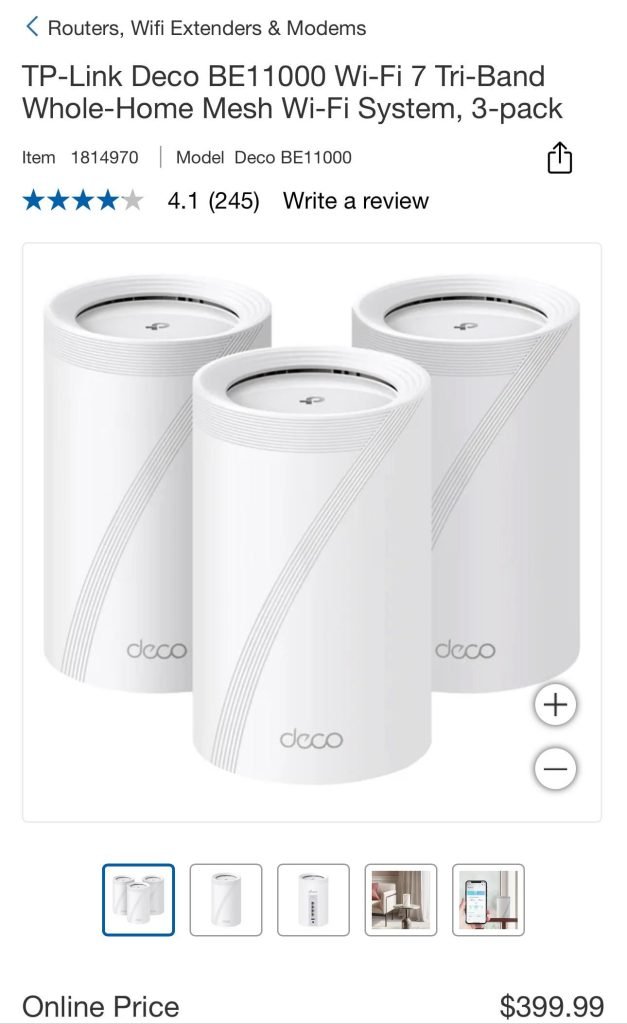
- TP-Link Deco – good coverage at a low price
- Mercusys Halo – basic features for budget buyers
- Linksys Velop – entry-level models with good range
Advanced Features
Some mesh wifi brands add advanced features for more control. These features include parental controls, security, and app management. They help customize wifi settings for your home.
- Netgear Orbi – includes advanced security and app controls
- ASUS ZenWiFi – offers strong parental controls and VPN support
- Eero Pro 6 – automatic updates and detailed device management
- Google Nest Wifi – integrates smart home controls easily
Setup And Maintenance
Choosing the right mesh WiFi for your medium home can make a big difference. Proper setup and maintenance ensure smooth and reliable internet access.
This guide will help you with easy installation steps, keeping your firmware updated, and troubleshooting common issues.
Easy Installation Steps
Installing mesh WiFi in your home is simple and quick. Follow these basic steps to get started.
- Unbox your mesh WiFi units and place them around your home.
- Connect the main unit to your modem using an Ethernet cable.
- Power on the devices and wait for the LED indicators to stabilize.
- Download the manufacturer’s app on your smartphone.
- Follow the app instructions to complete the setup process.
Firmware Updates
Regular firmware updates keep your mesh WiFi system secure and efficient. Check for updates monthly to ensure optimal performance.
- Open the WiFi app on your phone or computer.
- Navigate to the settings or administration section.
- Select “Check for Updates” and follow the prompts.
- Allow the system to reboot after the update completes.
Troubleshooting Common Issues
Sometimes, you may face connectivity issues or slow speeds. Here are some common problems and their solutions.
Problem:Devices not connecting to WiFi.
Solution:Restart your mesh devices and check the app for network status.
Problem:Slow internet speed.
Solution:Ensure devices are not too far from the nearest mesh unit.
Problem:Interference from other networks.
Solution:Change the WiFi channel in the settings menu.

Credit: www.pcmag.com
Frequently Asked Questions
What Factors Affect Mesh Wifi Performance In Medium Homes?
Mesh WiFi performance depends on home size, wall materials, and device count. Interference from other electronics also impacts speed and stability. Choose a system with enough nodes to cover your space for optimal results.
How Many Mesh Wifi Nodes Are Needed For A Medium Home?
Typically, 2 to 3 nodes cover a medium-sized home efficiently. More nodes may be required for larger areas or thick walls. Proper node placement ensures strong and consistent WiFi signals throughout the house.
Should I Choose A Dual-band Or Tri-band Mesh Wifi System?
Tri-band systems offer better performance with dedicated backhaul channels. Dual-band systems are more affordable and work well in less demanding environments. For medium homes with multiple devices, tri-band provides smoother streaming and gaming.
How Important Is Wifi Speed When Selecting Mesh Wifi?
WiFi speed affects streaming quality, gaming, and downloads. Choose a mesh system that supports your internet plan’s maximum speed. Higher speeds ensure better performance for multiple connected devices simultaneously.
Conclusion
Choosing the right mesh WiFi for a medium home makes a big difference. Think about your home size, device number, and internet speed. Check coverage and easy setup options. Look for reliable brands with good reviews. A good mesh system keeps your connection strong everywhere.
It helps you stream, work, and browse without interruptions. Take your time to compare features and prices. This way, your home stays connected and runs smoothly. A smart choice means better internet for everyone in your house.


