Are you struggling with slow internet or dead zones in your home? You might be considering upgrading to a mesh WiFi system but feel confused about the options.
Should you go for WiFi 5 mesh or WiFi 6 mesh? Understanding the difference can help you choose the right setup that fits your needs and budget. You’ll discover what sets these two technologies apart and how they impact your daily online experience.
Keep reading to find out which mesh WiFi system will bring faster, smoother, and more reliable internet to your home.

Credit: www.pcmag.com
Wifi 5 Mesh Basics
Wifi 5 Mesh networks use the 802.11ac standard to connect devices. They improve wireless coverage by linking several access points.
This system helps reduce dead spots and keeps internet strong across your home or office. It is common for homes built before Wifi 6.
Key Features
Wifi 5 Mesh supports dual-band frequencies with fast data rates. It uses multiple access points to create a single network.
- Uses 5 GHz and 2.4 GHz bands
- Supports MU-MIMO for multiple devices
- Easy to set up with apps
- Works well with older devices
Performance Specs
Wifi 5 Mesh offers good speed and reliability. It can handle streaming, gaming, and browsing with ease.
| Specification | Detail |
| Maximum Speed | Up to 3.5 Gbps |
| Frequency Bands | 2.4 GHz and 5 GHz |
| MIMO Support | Multi-User MIMO |
| Channel Width | Up to 80 MHz |
Coverage Area
Wifi 5 Mesh extends coverage by placing nodes throughout a space. It helps cover large homes and offices.
- Each node covers up to 1,500 square feet
- Nodes work together for full coverage
- Reduces dead spots in walls and corners
- Ideal for medium to large spaces
Wifi 6 Mesh Essentials
Wifi 6 Mesh is the latest wireless technology that improves internet connections at home or office. It builds on Wifi 5 Mesh but offers better performance in many ways.
This guide explains the main differences between Wifi 5 Mesh and Wifi 6 Mesh. It focuses on new technologies, speed improvements, and enhanced coverage.
New Technologies
Wifi 6 Mesh uses new features that make networks faster and more reliable. It supports OFDMA, which lets many devices share the connection efficiently. It also has Target Wake Time to save battery on connected devices.
- OFDMA (Orthogonal Frequency Division Multiple Access) for better device management
- Target Wake Time to extend battery life on gadgets
- Improved security with WPA3 encryption
- Better handling of crowded networks
Speed Improvements
Wifi 6 Mesh offers higher speeds than Wifi 5 Mesh. It uses wider channels and better modulation to send data faster. This helps with streaming, gaming, and video calls.
| Feature | Wifi 5 Mesh | Wifi 6 Mesh |
|---|---|---|
| Maximum Speed | Up to 3.5 Gbps | Up to 9.6 Gbps |
| Channel Width | 80 MHz | 160 MHz |
| Modulation | 256-QAM | 1024-QAM |
| Device Handling | Less efficient | More efficient with OFDMA |
Enhanced Coverage
Wifi 6 Mesh improves coverage by reducing interference and managing traffic well. It keeps a strong signal even in busy homes with many devices. This leads to fewer dead spots.
Key benefits of Wifi 6 Mesh coverage:
- Stronger signal through walls and floors
- Better support for many connected devices
- Lower latency in crowded areas
- More consistent internet speed across the network
Speed And Efficiency
Wifi 5 mesh and Wifi 6 mesh are two types of wireless systems. They help connect devices in your home or office. They differ in how fast and efficient they work.
This difference matters for streaming, gaming, and working online. Let’s look at speed and efficiency in three key areas.
Data Transfer Rates
Wifi 5 mesh supports speeds up to 3.5 Gbps. Wifi 6 mesh can reach speeds up to 9.6 Gbps. This means Wifi 6 is faster at moving data.
Faster data transfer means less waiting for downloads or streaming videos. Wifi 6 mesh handles more devices at high speeds.
- Wifi 5 max speed: 3.5 Gbps
- Wifi 6 max speed: 9.6 Gbps
- Wifi 6 better for many devices
Latency Reduction
Latency is the delay between sending and receiving data. Wifi 6 mesh lowers latency more than Wifi 5 mesh. This helps with real-time apps.
Lower latency means smoother video calls and faster responses in online games. Wifi 6 uses new technology to cut down delays.
- Wifi 5 has higher latency
- Wifi 6 reduces delays effectively
- Better for video calls and games
Network Congestion Handling
Network congestion happens when many devices use Wifi at once. Wifi 6 mesh handles congestion better than Wifi 5 mesh.
Wifi 6 uses a system called OFDMA to share bandwidth. This lets many devices communicate smoothly without slowing down.
- Wifi 5 struggles with many devices
- Wifi 6 uses OFDMA technology
- Smoother connections with many users

Credit: www.reddit.com
Device Compatibility
Understanding device compatibility is key when choosing between Wifi 5 mesh and Wifi 6 mesh systems. Different devices support different Wifi standards.
Knowing which devices work best with each mesh type helps you get the best network performance.
Supported Devices
Wifi 5 mesh works well with most devices made after 2013. Many smartphones, laptops, and smart home devices support Wifi 5.
Wifi 6 mesh supports newer devices made after 2019. It works best with the latest phones, tablets, and computers that have Wifi 6 chips.
- Wifi 5 mesh: Older and many current devices
- Wifi 6 mesh: Newer devices with Wifi 6 support
- Some older devices may only connect at Wifi 5 speeds
Backward Compatibility
Wifi 6 mesh routers support older devices using Wifi 5 or Wifi 4. They can connect but at slower speeds.
Wifi 5 mesh routers do not support Wifi 6 features. New devices will still connect but cannot use Wifi 6 benefits.
- Wifi 6 mesh supports Wifi 5 and Wifi 4 devices
- Wifi 5 mesh supports older Wifi standards but not Wifi 6 features
- Backward compatibility helps use old and new devices together
Future Proofing
Wifi 6 mesh offers better future proofing because more devices will support Wifi 6 soon. It handles more devices at once.
Wifi 5 mesh works fine now but may slow down as you add more new devices. It may need upgrading sooner.
- Wifi 6 mesh supports faster speeds and more devices
- Wifi 6 mesh is better for growing smart homes
- Wifi 5 mesh may become outdated faster
Security Features
Wifi 5 Mesh and Wifi 6 Mesh both offer security for your wireless network. They use different technologies to keep your data safe.
Understanding their security features helps you choose the right system for your home or office.
Encryption Standards
Wifi 5 Mesh uses WPA2 encryption to protect data. This is a strong standard but has some weaknesses.
Wifi 6 Mesh supports WPA3, which is a newer and safer encryption method. It makes hacking harder.
- Wifi 5 Mesh: WPA2 encryption
- Wifi 6 Mesh: WPA3 encryption
- WPA3 offers better protection from password guessing
Improved Safeguards
Wifi 6 Mesh adds more safeguards to stop attacks. It protects against common hacking tricks.
Wifi 5 Mesh has good safeguards but lacks some new protections that Wifi 6 provides.
- Wifi 6 Mesh has better protection against spoofing attacks
- It also defends against packet sniffing better than Wifi 5
- Wifi 5 Mesh is still secure but less advanced
User Privacy
Wifi 6 Mesh improves user privacy by limiting how much data devices share. It hides device details better.
Wifi 5 Mesh shares more information between devices, which can risk privacy.
- Wifi 6 Mesh uses enhanced privacy features
- It reduces tracking by hiding device IDs
- Wifi 5 Mesh lacks some privacy controls found in Wifi 6
Setup And Management
Understanding the setup and management of Wifi 5 Mesh and Wifi 6 Mesh systems is crucial. Both systems offer wireless coverage but have different features and ease of use.
Wifi 5 Mesh systems are older but still effective for many homes. Wifi 6 Mesh systems are newer and provide better performance and efficiency.
Installation Process
Installing a Wifi 5 Mesh system is usually straightforward. You connect the main unit to your modem and place satellite units around your home.
Wifi 6 Mesh systems may have a similar setup. They are designed to be more user-friendly and often come with guided apps.
- Place units for maximum coverage
- Use the app for step-by-step guidance
- Check signal strength after installation
App Controls
Both Wifi 5 and Wifi 6 Mesh systems come with app controls. These apps help you manage your network from your phone or tablet.
Wifi 6 Mesh apps usually offer more features. They can provide better network monitoring and parental controls.
- Check connected devices easily
- Set up guest networks quickly
- Pause internet for specific devices
Troubleshooting Tips
If you face issues with your Wifi Mesh system, there are simple steps you can take. Restarting the system often solves common problems.
Wifi 6 Mesh systems might offer better diagnostic tools. Use the app to identify and fix issues quickly.
- Restart your router and satellites
- Ensure all firmware is up to date
- Contact support if issues persist
Cost Considerations
Understanding the cost differences between Wifi 5 Mesh and Wifi 6 Mesh helps in making informed decisions. This overview will guide you through price, value, and investment aspects.
Price Comparison
Wifi 5 Mesh systems generally have a lower upfront cost compared to Wifi 6 Mesh systems. These systems are more budget-friendly for basic needs.
| Mesh Type | Average Cost |
| Wifi 5 Mesh | $100 – $200 |
| Wifi 6 Mesh | $200 – $400 |
Value For Money
Considering value for money involves looking at performance and features. Wifi 6 Mesh offers advanced technology and better efficiency.
- Faster speeds with Wifi 6
- Improved network capacity
- Better performance in crowded areas
Long-term Investment
Investing in Wifi 6 Mesh can be seen as preparing for future needs. It supports more devices and offers better security features.
Choosing Wifi 6 Mesh might mean a higher initial cost, but it can save money in the long run by reducing the need for upgrades.
Ideal Use Cases
Wifi 5 Mesh and Wifi 6 Mesh both improve wireless coverage. They help devices stay connected in larger spaces.
Choosing the right mesh system depends on your needs. Let’s look at where each works best.
Home Networks
Wifi 5 Mesh suits most homes with moderate internet use. It covers multiple rooms and devices well.
Wifi 6 Mesh is better for smart homes with many devices. It handles more connections and faster speeds.
Small Offices
Small offices can use Wifi 5 Mesh for basic needs. It supports video calls and file sharing efficiently.
- Up to 20 devices
- Standard internet speed
- Simple network setup
Wifi 6 Mesh helps small offices with growing device numbers. It offers faster data and less interference.
High-density Environments
Wifi 6 Mesh is ideal for crowded places. It manages many users and devices smoothly.
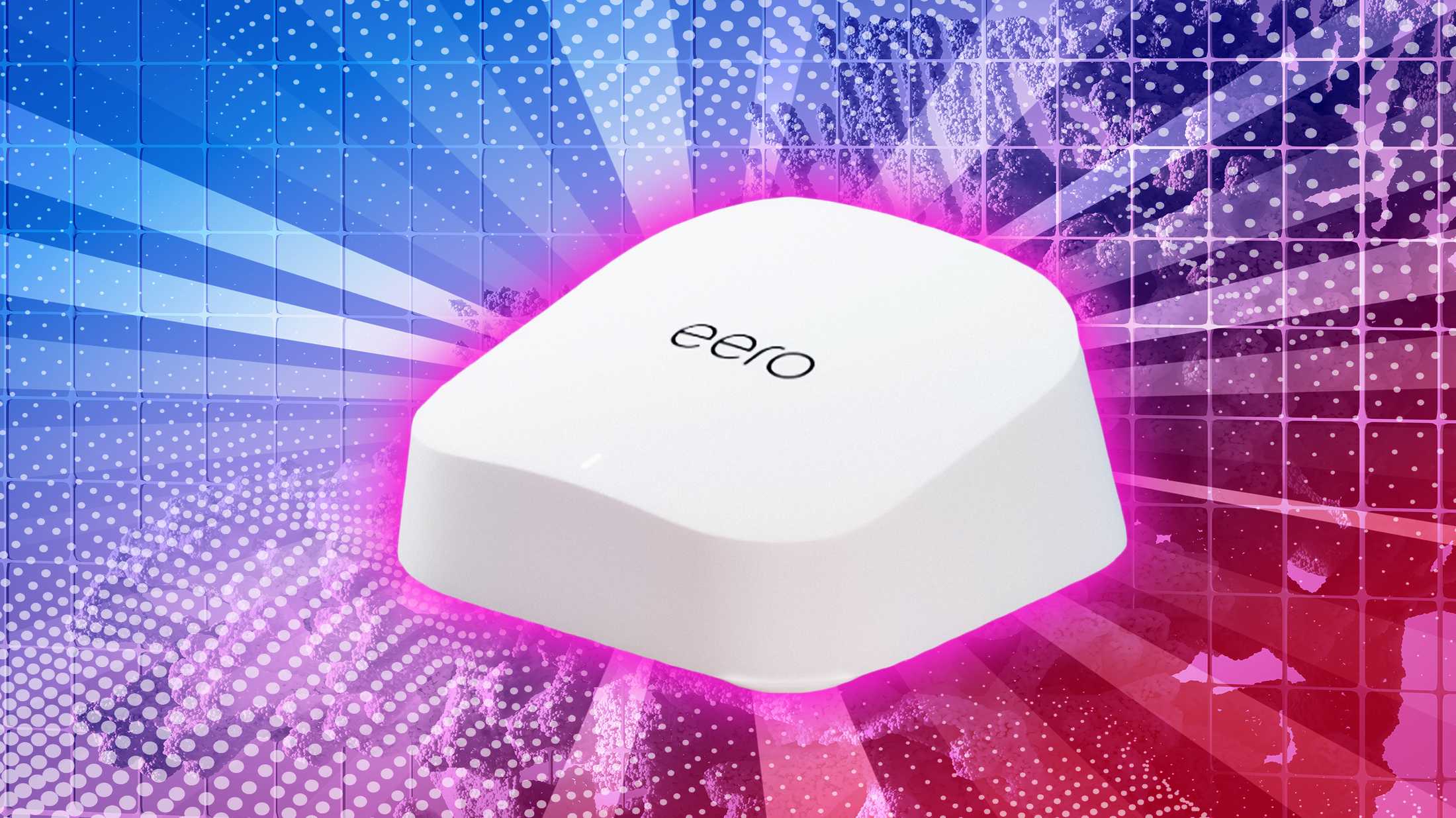
| Feature | Wifi 5 Mesh | Wifi 6 Mesh |
| Max Devices | 50 | 100+ |
| Speed | Up to 3.5 Gbps | Up to 9.6 Gbps |
| Latency | Higher | Lower |
| Best Use | Homes, small offices | Offices, public places |
Credit: www.pocket-lint.com
Frequently Asked Questions
What Is Wifi 5 Mesh Technology?
WiFi 5 Mesh uses the 802. 11ac standard for faster speeds than older WiFi. It improves coverage by linking multiple devices in a network.
How Does Wifi 6 Mesh Improve Connectivity?
WiFi 6 Mesh offers faster speeds, better capacity, and lower latency using the 802. 11ax standard. It handles many devices more efficiently.
Which Is Better For Gaming: Wifi 5 Or Wifi 6 Mesh?
WiFi 6 Mesh is better for gaming due to reduced lag and higher data throughput, supporting multiple devices smoothly.
Are Wifi 5 And Wifi 6 Mesh Compatible?
Yes, WiFi 6 Mesh devices are backward compatible with WiFi 5, but you won’t get WiFi 6’s full benefits on WiFi 5 hardware.
Conclusion
Wifi 6 mesh offers faster speeds and better coverage than Wifi 5 mesh. It handles many devices more smoothly, making it ideal for busy homes. Wifi 5 mesh still works well for basic internet needs. Choosing the right mesh depends on your budget and internet use.
Remember, better wifi means fewer dead spots and less buffering. Consider your home size and connected devices before deciding. Both types improve wifi range and connection quality. The choice is simple: newer tech for speed, older for cost savings.