A single dropped connection can freeze a security camera, stall a voice command, or leave a smart lock unresponsive exactly when you need it. Smart homes are only as reliable as the network behind them, and traditional single-router setups often buckle under the load of dozens of always-connected devices spread across multiple rooms.
Mesh WiFi solves this by replacing one central access point with several nodes that work as a unified system. For smart home owners, that means fewer dead zones, smoother device switching, and enough capacity for everything from smart bulbs to 4K security feeds. This guide breaks down what to look for, how to optimize your setup, and which systems deliver the best balance of speed and coverage for connected homes. For more on this, see our guide on best dual band wifi extender for smart devices.
Why Mesh Wifi Suits Smart Homes
The average smart home no longer has five or six connected devices. It is common to see 30, 50, or even 80 devices active at once, including lights, locks, cameras, thermostats, speakers, sensors, appliances, and streaming hardware. Traditional routers were never designed for this kind of sustained, distributed load.
Challenges With Traditional Routers
A single router concentrates all wireless traffic through one location. In practice, this creates several predictable problems in a device-heavy home:
- Signal degradation through walls and floors: The 5 GHz and 6 GHz bands are fast but poor at penetrating brick, concrete, and even dense drywall. Devices at the far end of the house often fall back to slower connections or drop offline entirely.
- One point of congestion: Every device competes for airtime on the same radio. When a video doorbell uploads footage while a speaker streams music, both can suffer.
- Manufacturer-rated coverage is optimistic: The square footage printed on a router box assumes an open floor plan with minimal obstacles. Real homes rarely match that condition.
- Limited expansion paths: Adding a traditional range extender creates a second network name, forces manual switching, and often halves throughput on the extended signal.
Benefits Of Mesh Systems For Devices
Mesh systems address these issues at the architectural level. Multiple nodes share the same network name and coordinate device connections automatically. For more on this, see our guide on best long range wifi extender with 360 coverage.
| Feature | Benefit for Smart Home Devices |
|---|---|
| Multiple wired or wireless nodes | Consistent signal in distant rooms, garages, and basements |
| Automatic band and node steering | Each device stays on the strongest signal without manual intervention |
| Unified SSID | No need to switch networks when moving through the house |
| Modular expansion | Add a node when you add a room, an outbuilding, or a new device cluster |
| Dedicated backhaul on tri-band models | Node-to-node traffic does not compete with device traffic |
In practice, the biggest quality-of-life improvement is that devices stop disappearing from their companion apps. A properly configured mesh network keeps 2.4 GHz-only smart devices reachable without forcing the rest of the network to slow down.
Seamless Connectivity Across Rooms
Smart home devices do not stay in one place. Phones, tablets, robot vacuums, and even smart speakers move through the home throughout the day. A mesh system hands off connections between nodes without interrupting active sessions, which matters for video calls, music playback, and continuous security recording. For more on this, see our guide on best high speed long range wifi extender.
- Devices keep strong WiFi when moving between floors and rooms
- All nodes operate as one logical network
- No manual network switching for guests or family members
- Fewer interruptions in video calls, streaming, and live camera feeds
A common mistake is buying a mesh system with too few nodes and then blaming the technology. For a typical two-story home with a basement, three nodes is usually the practical minimum for full smart home coverage.
Key Features To Look For
Not every mesh system is a good fit for a connected home. A system that excels at streaming in a small apartment may struggle with dozens of IoT devices spread across a larger property. For more on this, see our guide on best outdoor wifi booster for mobile home.
Coverage Area And Scalability
Manufacturers list coverage in square feet, but treat those numbers as rough comparisons rather than guarantees. Walls, floor material, metal appliances, and even large mirrors all reduce real-world range.
A better approach is to count the zones your smart devices occupy. Each node should sit within reliable range of the devices it serves. If you have a smart garage opener, outdoor cameras, and a basement sensor hub, plan node placement around those clusters rather than simply covering the center of the house. For more on this, see our guide on best dual band wifi extender for home theater.
Scalability matters because smart homes tend to grow. Choose a system that lets you add nodes individually, and confirm that mixing generations is supported if you plan to expand over several years. For homes with dense device clusters in a specific area, a router engineered for high-capacity antennas can offer a useful point of comparison when evaluating node design.
Speed And Bandwidth Capacity
Smart devices themselves often use very little data. A smart bulb may transmit only a few kilobytes when you toggle it. The bottleneck is the number of devices and the small control packets they constantly exchange.
- Dual-band vs. tri-band: Dual-band systems are adequate for smaller homes with modest device counts. Tri-band systems reserve a dedicated radio for node-to-node communication, which keeps device traffic flowing more smoothly under load.
- WiFi 6 and WiFi 6E: WiFi 6 improves efficiency in crowded networks through OFDMA and target wake time, which reduces how often battery-powered devices need to wake up and transmit. WiFi 6E adds the 6 GHz band, though most smart home devices will not use it for years.
- Ethernet ports: Many smart home hubs, like those for Zigbee or Z-Wave, perform best when hardwired to a node. Look for nodes with at least one or two gigabit Ethernet ports.
Device Compatibility And Support
The single most important compatibility issue is the 2.4 GHz band. A large share of smart home hardware — particularly budget bulbs, plugs, sensors, and older cameras — is 2.4 GHz-only. Quality mesh systems handle this transparently, but some aggressively steer devices toward 5 GHz during setup, which can cause pairing failures.
| Device Type | What It Needs From the Network |
|---|---|
| Smart lights and plugs | Reliable 2.4 GHz, low latency for instant on/off response |
| Security cameras | Sustained upload bandwidth, stable connection, enough nodes to cover outdoor mounts |
| Voice assistants | Low jitter for voice processing, quick response to wake words |
| Smart thermostats | Always-on low-bandwidth connection, reliable cloud polling |
| Video doorbells | Strong signal at the front entry, which is often a weak spot |
If you run a household where many people work from home alongside the smart devices, consider a system with robust quality-of-service controls. A router built for remote work demonstrates the features — traffic prioritization, per-device controls, and guest networking — that matter in mixed-use homes.
Security Features For Smart Homes
A smart home network is a security surface. Cheap IoT devices are frequently the weakest link, so the router must isolate and protect them.
- WPA3 encryption for stronger wireless security on supported devices
- Guest or IoT network separation to keep smart devices off the primary network
- Automatic firmware updates that patch vulnerabilities without requiring manual action
- Parental and per-device controls to pause or block suspicious traffic
- Device-level visibility so you can see when an unfamiliar gadget joins the network
Some 2025 and 2026 mesh systems now include built-in IoT threat detection that flags unusual traffic patterns from smart devices, adding a meaningful layer beyond basic encryption.
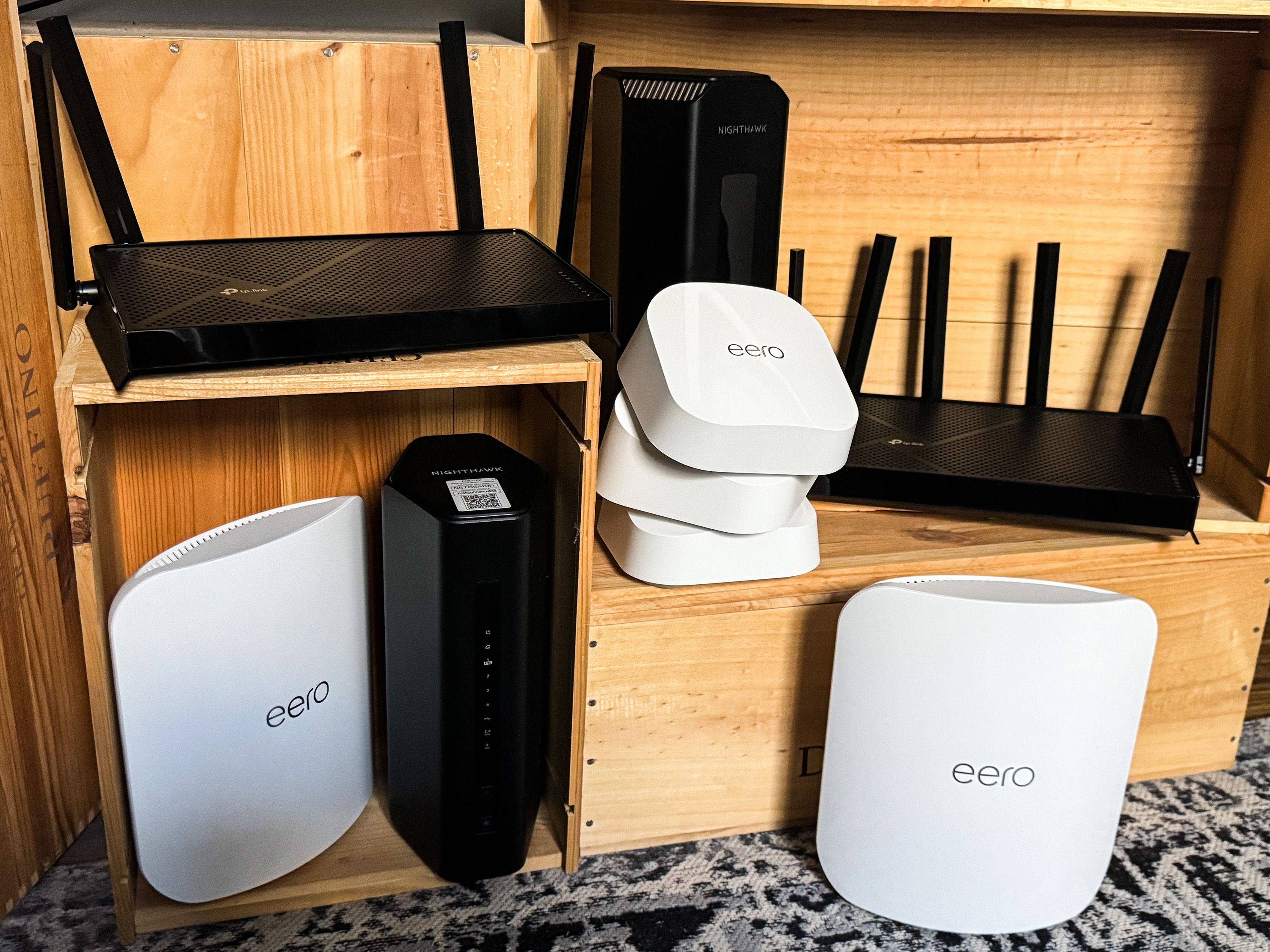
Mesh systems place multiple nodes around the home so every smart device stays within reliable range.
Building A Separate IoT Network: The Smart-Home-Only Fix
This section is missing from most mesh WiFi buying guides, and it is the single most effective change for device-heavy homes.
Most quality mesh systems now let you create a separate SSID dedicated to IoT devices, often restricted to the 2.4 GHz band. Putting every smart bulb, plug, and sensor on its own network delivers three immediate benefits:
- Cleaner primary network: Phones, laptops, and streaming devices do not compete with dozens of low-bandwidth IoT gadgets for airtime.
- Easier device onboarding: Many smart devices struggle to join combined 2.4/5 GHz networks during setup. A 2.4 GHz-only IoT SSID eliminates pairing failures.
- Better security isolation: If a low-cost smart plug is compromised, the attacker cannot easily pivot to your laptop or network storage.
The trade-off is inconvenience: phones controlling those devices need to be on the IoT network during setup and sometimes during use. In practice, most users keep a dedicated tablet or an old phone on the IoT SSID for device management, which sidesteps the issue entirely.
Top Mesh Wifi Systems For Smart Homes In 2026
Product recommendations have a short shelf life. Rather than listing model numbers that may be discontinued within months, this section outlines what to expect in each category and how to evaluate current options. For households where gaming and smart home devices share the same network, compare these picks against a dedicated gaming router to understand where mesh convenience wins and where specialized hardware still matters.
High-Performance Options
High-performance mesh systems in 2026 focus on WiFi 7, multi-gigabit wired backhaul, and support for very large device counts. They typically include:
- Support for WiFi 7 or WiFi 6E with 6 GHz backhaul
- At least one 2.5 Gbps or faster Ethernet port per node
- Claims of 100+ simultaneous device support
- Advanced IoT network segmentation built into the app
- Higher price points, typically covering three nodes
These systems make sense for large smart homes with multiple 4K cameras, heavy cloud recording, and several high-bandwidth users. If your smart home already includes a router with WiFi 7 capabilities as the main gateway, a mesh satellite system can extend that performance without replacing your core hardware.
Budget-Friendly Choices
Budget mesh systems have improved significantly. Even entry-level dual-band kits now include basic IoT segmentation, app-based management, and stable firmware.
- Good fit for apartments and small single-story homes
- Typically support 30 to 60 devices comfortably
- WiFi 6 is now standard even at low price points
- Fewer Ethernet ports and fewer advanced security features
The main limitation is sustained throughput when many devices transmit simultaneously. For basic lighting, plugs, and a doorbell camera, budget systems are fully adequate. For multiple streaming cameras, step up to a tri-band system.
Best For Large Homes
Large and multi-story homes need systems designed around node density and wired backhaul. The strongest setups use Ethernet backhaul between nodes, which frees all wireless radios for device traffic.
- Supports 75 to 150+ devices across many zones
- Wired backhaul options for stable node-to-node connections
- Easy expansion with additional nodes or outdoor-rated models
- Reliable connections for smart hubs, multiple cameras, and outbuildings
Outdoor smart devices present a unique challenge. If your cameras or smart locks sit on exterior walls, plan for a node near that wall or invest in a system with outdoor satellite options. For homes in dense apartment or condo environments, look for systems that manage interference from neighboring networks effectively.
Best For Tech Enthusiasts
Enthusiast-grade mesh systems expose more control: per-device bandwidth limits, VLAN support, detailed traffic analytics, and sometimes custom firmware.
- VLAN tagging for advanced IoT segmentation
- Detailed per-device traffic graphs and controls
- Multi-gig wired backhaul support
- Integration with broader smart home platforms like Home Assistant
Many enthusiasts combine a mesh system with a high-end router aimed at power users to get the best of centralized control and distributed coverage.
Optimizing Your Mesh Network For Smart Home Performance
Buying the right hardware is only the first step. Placement and configuration often matter more than the model you choose.
Ideal Node Placement
A common mistake is placing mesh nodes where the old router sat — usually in a corner office — and expecting coverage to improve. Each node needs line-of-sight-like conditions where possible.
- Place the primary node centrally, not at the edge of the home
- Keep nodes off the floor; a shelf or table at waist height performs better
- Space nodes evenly, not clustered together
- Position nodes near device-heavy zones like kitchen hubs, entryways, and outdoor camera mounts
- Avoid placing nodes inside cabinets, behind TVs, or near metal appliances
In practice, one node placed poorly can drag down the entire system because all node-to-node traffic routes through it.
Managing Connected Devices
Modern mesh apps show every connected device and its current node. Use that visibility to make deliberate decisions rather than letting devices auto-connect wherever they like.
| Device Type | Recommended Action |
|---|---|
| Smart lights and plugs | Assign to a 2.4 GHz IoT SSID if available |
| Streaming devices | Keep on the primary 5 GHz network for speed |
| Security cameras | Place on the nearest node; consider Ethernet where possible |
| Smart speakers | Position close to a node for low-latency voice response |
| Robot vacuums | Allow node roaming; they move through the entire home |
Firmware Updates And Maintenance
Smart home reliability depends on router firmware staying current. The best practice is to enable automatic updates and schedule them for early morning hours when the network is idle.
- Enable automatic firmware updates in the mesh app
- Restart the primary node after major updates
- Periodically review connected devices and remove anything unrecognized
- Keep the system’s power supply stable with a small UPS if brownouts are common
- Review security settings after any router-related news about vulnerabilities
Troubleshooting Common Issues
Most smart home network problems fall into a few predictable categories. Before calling support, work through these:
- Device fails during setup: Move the phone to the 2.4 GHz-only IoT SSID during pairing
- Camera drops at night: Check whether the node it connects to is overloaded; add a node or enable QoS
- Slow whole-home performance: Try Ethernet backhaul between nodes
- Intermittent device disconnects: Verify firmware, then reduce the number of devices per node
- Interference: Microwaves, baby monitors, and neighboring WiFi can disrupt 2.4 GHz signals
Future Trends In Mesh Wifi For Smart Homes
Integration With IoT Devices And Matter
The Matter smart home standard continues to mature, and 2026 mesh systems increasingly include built-in Thread border routers. This lets a single system bridge WiFi, Thread, and sometimes Zigbee devices, reducing the need for separate smart home hubs.
- Automatic recognition of Matter devices during onboarding
- Built-in Thread radio support in premium models
- Stronger security defaults for newly added devices
- Lower power use for battery-powered Thread sensors
Advancements In Wifi Technology
WiFi 7 is now shipping in premium mesh systems, bringing meaningful improvements in latency and bandwidth efficiency. The practical benefit for smart homes is not raw speed but better performance with many simultaneous devices.
| Wifi Standard | Real-World Benefit for Smart Homes |
|---|---|
| WiFi 5 | Adequate for small device counts; aging quickly |
| WiFi 6 | Strong efficiency gains; current sweet spot for most homes |
| WiFi 6E | Adds uncongested 6 GHz band; few IoT devices use it yet |
| WiFi 7 | Best multi-device efficiency and lowest latency; premium pricing |
For a deeper comparison of how these standards affect real-world networks, the differences between WiFi 6 and WiFi 7 are worth understanding before you buy.
Smart Home Automation Enhancements
Mesh networks are becoming active participants in automation rather than passive infrastructure. Newer systems can:
- Report per-device signal strength to automation platforms for better routing decisions
- Wake battery devices on schedule via target wake time to extend battery life
- Support energy-saving routines that pause non-essential traffic overnight
- Integrate with voice assistants for network-level commands
The IEEE standards body publishes the technical specifications behind these WiFi developments, which is useful for understanding what features are negotiated between device and router.
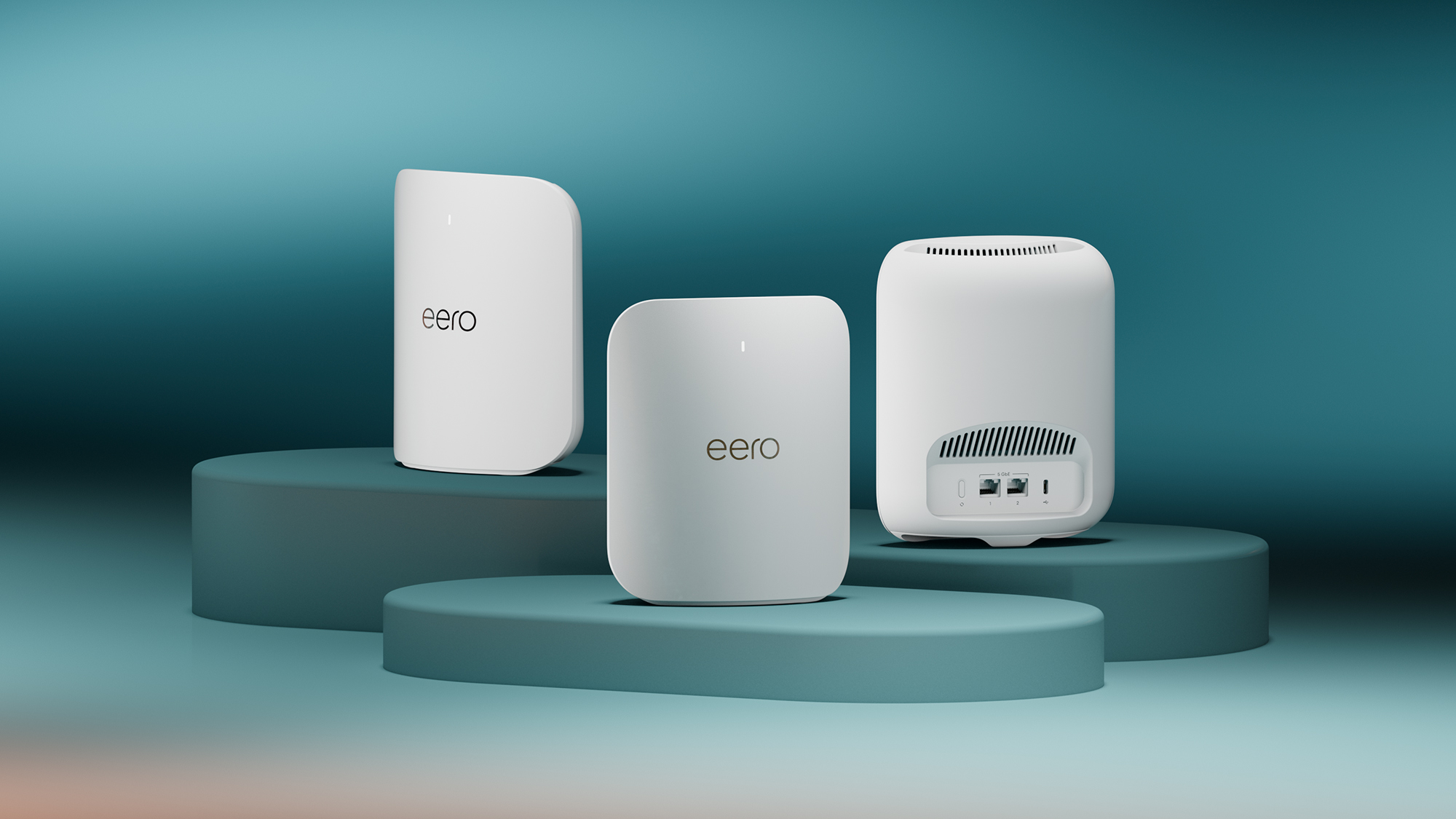
Modern mesh kits include multiple nodes designed to cover every room without dead spots.

Look for app-based controls that let you see each device’s connection and assign it to the right node.
Frequently Asked Questions
What is the best mesh WiFi for smart home devices?
The best mesh WiFi for a smart home is a tri-band WiFi 6 or WiFi 6E system with at least two satellite nodes, dedicated IoT network support, and automatic firmware updates. The right choice depends on home size, device count, and whether you can use Ethernet backhaul.
How does mesh WiFi improve smart home connectivity?
Mesh WiFi places multiple access points throughout the home so every device connects to the nearest node at full strength. It eliminates dead zones, reduces dropped connections, and lets devices roam between nodes without interruption.
Can mesh WiFi handle many smart devices at once?
Yes, mesh systems handle 50 to 150+ devices depending on the model. Tri-band systems with dedicated backhaul perform best because node-to-node traffic does not compete with device traffic for bandwidth.
Is mesh WiFi secure for smart home networks?
Modern mesh systems include WPA3 encryption, automatic security updates, and IoT network separation. Creating a dedicated 2.4 GHz IoT SSID further isolates smart devices from your primary devices and reduces risk if a cheap device is compromised.
Do I need WiFi 6E or WiFi 7 for smart home devices?
For most smart homes, WiFi 6 is sufficient. WiFi 6E and WiFi 7 add capacity and lower latency, but very few smart home devices currently use the 6 GHz band. Invest in newer standards only if you also have many high-bandwidth users or want future-proofing.
Should I use Ethernet backhaul for my mesh system?
If your home has Ethernet wiring, yes. Wired backhaul frees wireless radios for device traffic and dramatically improves stability for camera-heavy smart homes. Even wiring just one or two nodes can make a noticeable difference.
Conclusion
The best mesh WiFi for smart home devices is not the one with the highest speed rating on the box. It is the system that keeps dozens of low-power, always-on devices reliably connected while still serving your phones, laptops, and streaming hardware without strain.
Prioritize a tri-band system with dedicated IoT network support, plan node placement around your actual device clusters, and enable automatic updates from day one. If your home has Ethernet wiring, use wired backhaul wherever practical — it is the single biggest reliability upgrade available. For households that also do serious online gaming or stream to large platforms, comparing against a router built for content creators can reveal performance trade-offs worth considering before committing.
A well-chosen and correctly configured mesh network turns the smart home from a collection of occasionally flaky gadgets into a responsive, dependable system. That reliability is the entire point of automating your home in the first place.