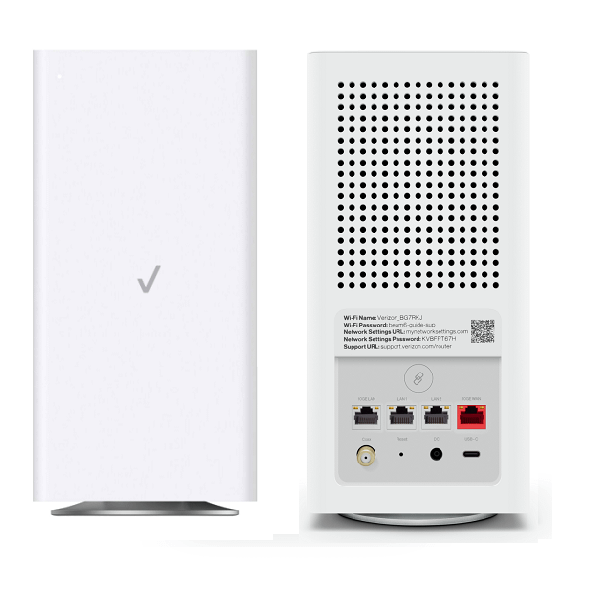
Are you struggling with slow WiFi or dead zones in your home even though you have Verizon Fios? You might be wondering if upgrading to a WiFi 6 mesh system is the solution.
But does WiFi 6 mesh really work with Verizon Fios? Understanding this can change the way you experience internet at home—making it faster, more reliable, and seamless everywhere. Keep reading to discover how WiFi 6 mesh can transform your connection and whether it’s the right choice for your Verizon Fios setup.
Basics Of Wifi 6 Mesh
Wifi 6 Mesh is a new way to connect many devices at once. It uses Wifi 6, the latest wifi technology.
With mesh, multiple devices work together to cover your home with strong wifi. This helps avoid weak spots.
Key Features Of Wifi 6
Wifi 6 offers faster speeds and better connections. It supports many devices at the same time without slowing down.
- Higher data rates for quick downloads
- Better performance in crowded areas
- Improved battery life for connected devices
- More efficient data handling
Advantages Over Previous Wifi Standards
Wifi 6 works better than older wifi like Wifi 5. It gives more reliable connections and faster speeds.
It also uses less power for devices, making your phone or laptop battery last longer.
- Faster speed than Wifi 5 and older types
- Supports more devices without lag
- Reduces wifi interference in busy places
- Improves battery life of connected devices
Credit: spp.coop
Verizon Fios Network Setup
Verizon Fios uses fiber optic technology for fast internet. Setting up the network correctly ensures good speed and coverage.
Understanding your router model and connection type helps you decide if Wifi 6 mesh will work with Fios.
Typical Fios Router Models
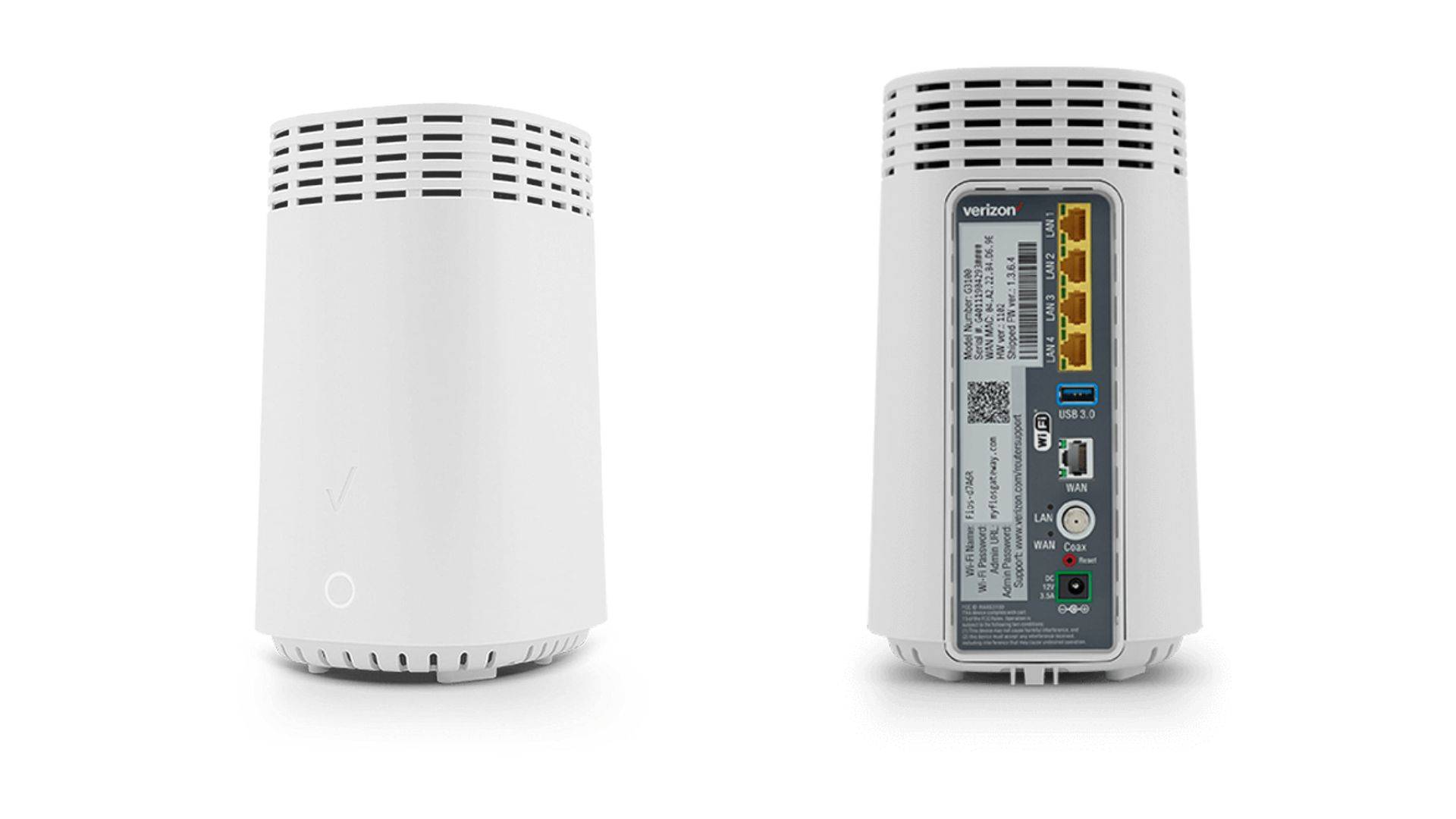
Fios routers come in different models with various features. Common models support both Wi-Fi 5 and Wi-Fi 6 standards.
- Actiontec MI424WR: Older model, Wi-Fi 5 support only.
- Verizon Fios G3100: Supports Wi-Fi 6 for faster speeds.
- Verizon Fios G1100: Mid-range model, Wi-Fi 5.
- Custom routers: Some users replace Fios routers with third-party Wi-Fi 6 routers.
Fios Connection Types
Fios connections use fiber optics but can connect to your home in different ways. Each type affects your network setup.
| Connection Type | Description | Compatibility with Wifi 6 Mesh |
| Fiber To The Home (FTTH) | Direct fiber line into your home. | Works well with Wifi 6 mesh systems. |
| Fiber To The Node (FTTN) | Fiber to a nearby node, then copper wires to home. | May limit max speed but supports Wifi 6 mesh. |
| Fiber To The Curb (FTTC) | Fiber to the curb near your home, then copper. | Compatible but speed depends on copper line quality. |
Compatibility Factors
Wifi 6 mesh systems can improve your home network speed and range. Knowing if they work with Verizon Fios depends on certain compatibility factors.
This guide looks at key points like router and mesh system integration and network protocol requirements to help you understand compatibility.
Router And Mesh System Integration
Verizon Fios usually uses a router with its fiber optic service. Your Wifi 6 mesh system must connect well with this router to work properly.
- Check if your mesh system supports bridge mode to avoid double NAT issues.
- Ensure the mesh can connect via Ethernet or Wi-Fi to the Fios router.
- Some mesh systems need the Fios router to be in modem-only mode.
- Verify if the mesh system firmware supports Verizon Fios setups.
Network Protocol Requirements
Wifi 6 mesh systems use the latest network protocols. Verizon Fios must also support these protocols for smooth performance.
| Protocol | Verizon Fios Support | Mesh System Requirement |
| 802.11ax (Wifi 6) | Supported with compatible hardware | Must support Wifi 6 for best speed |
| IPv6 | Fully supported | Should support IPv6 for future-proofing |
| QoS (Quality of Service) | Supported | Needed for traffic management |
| WPA3 Security | Partially supported | Recommended for improved security |

Credit: dongknows.com
Using Wifi 6 Mesh With Fios
Wifi 6 mesh systems can work well with Verizon Fios internet. They help extend your network coverage and improve wireless speeds at home.
To get the best results, you need to set up the mesh system correctly and know how to handle common problems.
Setup Process
Start by connecting the main mesh router to the Verizon Fios gateway. You may need to put the Fios router in bridge mode or use it as a modem only.
- Log in to the Fios router settings using its IP address.
- Enable bridge mode to disable Wi-Fi on the Fios router.
- Connect the main Wifi 6 mesh router to the Fios router via Ethernet.
- Set up the mesh network using the mesh system’s app or web interface.
- Place mesh nodes around your home for best coverage.
Common Challenges And Fixes
Some users face issues like weak signals or slow speeds after setup. These can often be fixed with simple checks and adjustments.
| Problem | Possible Cause | Fix |
| Slow internet speed | Fios router Wi-Fi active | Turn on bridge mode or disable Wi-Fi on Fios router |
| Mesh nodes not connecting | Too far from main router | Move nodes closer or add more nodes |
| No internet on mesh | Wrong cable connection | Check Ethernet cables and connections |
| Devices drop connection | Firmware outdated | Update mesh system firmware |
Performance Expectations
Wifi 6 mesh systems offer several benefits for home internet users. They aim to improve both speed and coverage in your living space. Understanding how they work with Verizon Fios helps set clear expectations.
Performance depends on many factors including your devices, home layout, and network setup. Let’s explore key areas like speed, coverage, and compatibility.
Speed And Coverage Improvements
Wifi 6 mesh improves your network speed and coverage by using advanced technology. It handles more devices at once and reduces slowdowns. This is useful for homes with many smart devices.
- Faster data transfer rates compared to older wifi versions
- Better signal strength in hard-to-reach areas of your home
- Reduced interference from other wireless networks
- Improved performance when multiple devices connect simultaneously
Device Compatibility
Verizon Fios supports most Wifi 6 mesh systems but device compatibility matters. Your router and client devices must support Wifi 6 to get full benefits. Older devices will still connect but at lower speeds.
| Device Type | Wifi 6 Support | Expected Performance |
| Fios Router | Depends on model | Check model specs |
| Wifi 6 Mesh Node | Yes | Full Wifi 6 speeds |
| Client Device (Laptop, Phone) | Varies by device | Wifi 6 devices get faster speeds |
| Older Wifi 5 Devices | No | Connect but slower speeds |

Credit: dongknows.com
Alternative Solutions
WiFi 6 mesh systems can enhance your Verizon Fios experience. They provide better coverage and faster speeds. But, there are other solutions you might consider.
These alternatives can also improve your internet connection. They work well with Verizon Fios. You can choose the best option for your home or office.
Other Mesh Systems Compatible With Fios
Several mesh systems work with Verizon Fios. They help in extending your network range. These systems are easy to set up and use.
- Netgear Orbi provides wide coverage and high speeds.
- Google Nest WiFi is user-friendly and reliable.
- TP-Link Deco offers affordable and efficient solutions.
Upgrading Fios Equipment
Upgrading your Fios equipment can improve your internet. Newer routers support better speeds and coverage. This can enhance your online activities.
Check if your current router supports the latest technology. Upgrading might be necessary if it does not. This can lead to a more reliable connection.
| Current Router | Upgrade to | Benefits |
| Basic Fios Router | Fios Quantum Gateway | Faster speeds, better range |
| Older Models | WiFi 6 Compatible Router | Improved performance, more devices |
Tips For Optimizing Wifi 6 Mesh
Wifi 6 mesh systems can improve your Verizon Fios network. These systems offer better speed and coverage.
To get the most out of your Wifi 6 mesh, use some simple strategies. They help in achieving better performance and reliability.
Placement Strategies
Correct placement of mesh units is crucial for optimal performance. Avoid placing them near obstacles and interference sources.
- Place mesh units at a higher position for better coverage.
- Ensure there are no thick walls between units.
- Keep units away from microwaves and cordless phones.
Firmware Updates And Maintenance
Regular updates keep your mesh system secure and efficient. Check for firmware updates often.
| Task | Frequency |
| Firmware Update | Monthly |
| Device Reboot | Weekly |
| Check Connections | Weekly |
Frequently Asked Questions
Does Wifi 6 Mesh Improve Verizon Fios Speed?
Yes, Wifi 6 mesh enhances Verizon Fios speed by offering faster data rates and better coverage. It supports multiple devices efficiently, reducing congestion in busy networks. This results in smoother streaming, gaming, and browsing across your home.
Can Verizon Fios Router Support Wifi 6 Mesh Systems?
Verizon Fios routers generally support Wifi 6 mesh systems, but compatibility depends on the router model. Using a Wifi 6 mesh can improve your network, but ensure your router settings allow mesh integration for optimal performance.
Is Wifi 6 Mesh Better Than Verizon Fios Extender?
Wifi 6 mesh offers better coverage and speed compared to a Verizon Fios extender. Mesh systems create a seamless network with multiple nodes, reducing dead zones. Extenders may cause signal drops and slower speeds in some areas.
How To Set Up Wifi 6 Mesh With Verizon Fios?
To set up Wifi 6 mesh with Verizon Fios, connect the primary mesh node to your Fios router via Ethernet. Follow the mesh system’s app instructions to add additional nodes around your home. Configure settings for optimal network performance.
Conclusion
Wifi 6 mesh works well with Verizon Fios for faster internet. It helps cover your home with strong Wi-Fi signals. You get smoother streaming, gaming, and browsing without drops. Setup is simple and works with your existing Fios router. This makes your internet experience better and more reliable.
Wifi 6 mesh is a smart choice for many Fios users. It keeps all your devices connected with strong signals everywhere. A good option for anyone wanting better home internet.


