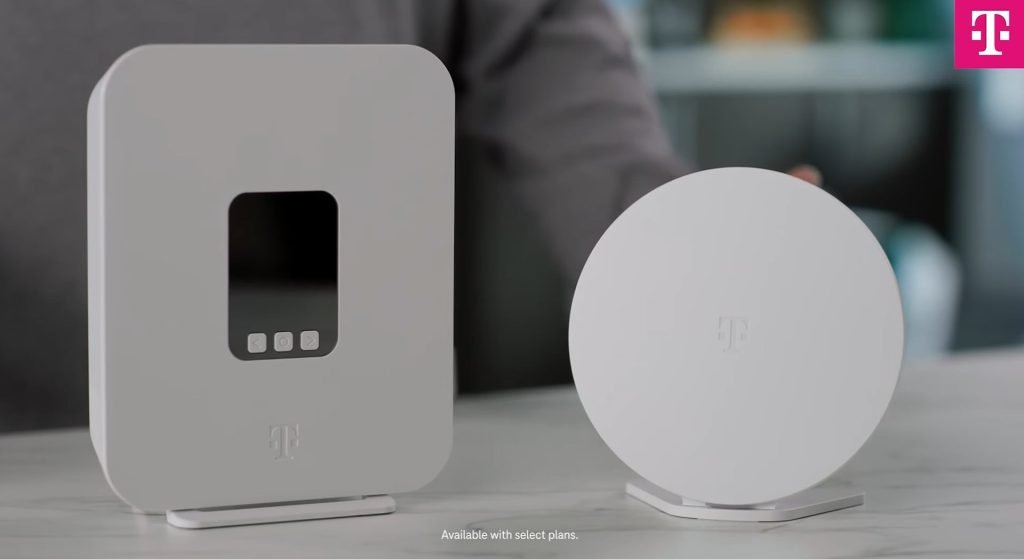
Are you tired of slow internet and constant buffering when multiple devices connect at once? Choosing the right mesh WiFi system can change that.
It’s not just about speed—it’s about having a strong, reliable connection for every smart device in your home. In this guide, you’ll discover simple ways to pick the best mesh WiFi setup that fits your needs. Keep reading to unlock smoother streaming, faster downloads, and a network that keeps up with you.
Benefits Of Mesh Wifi
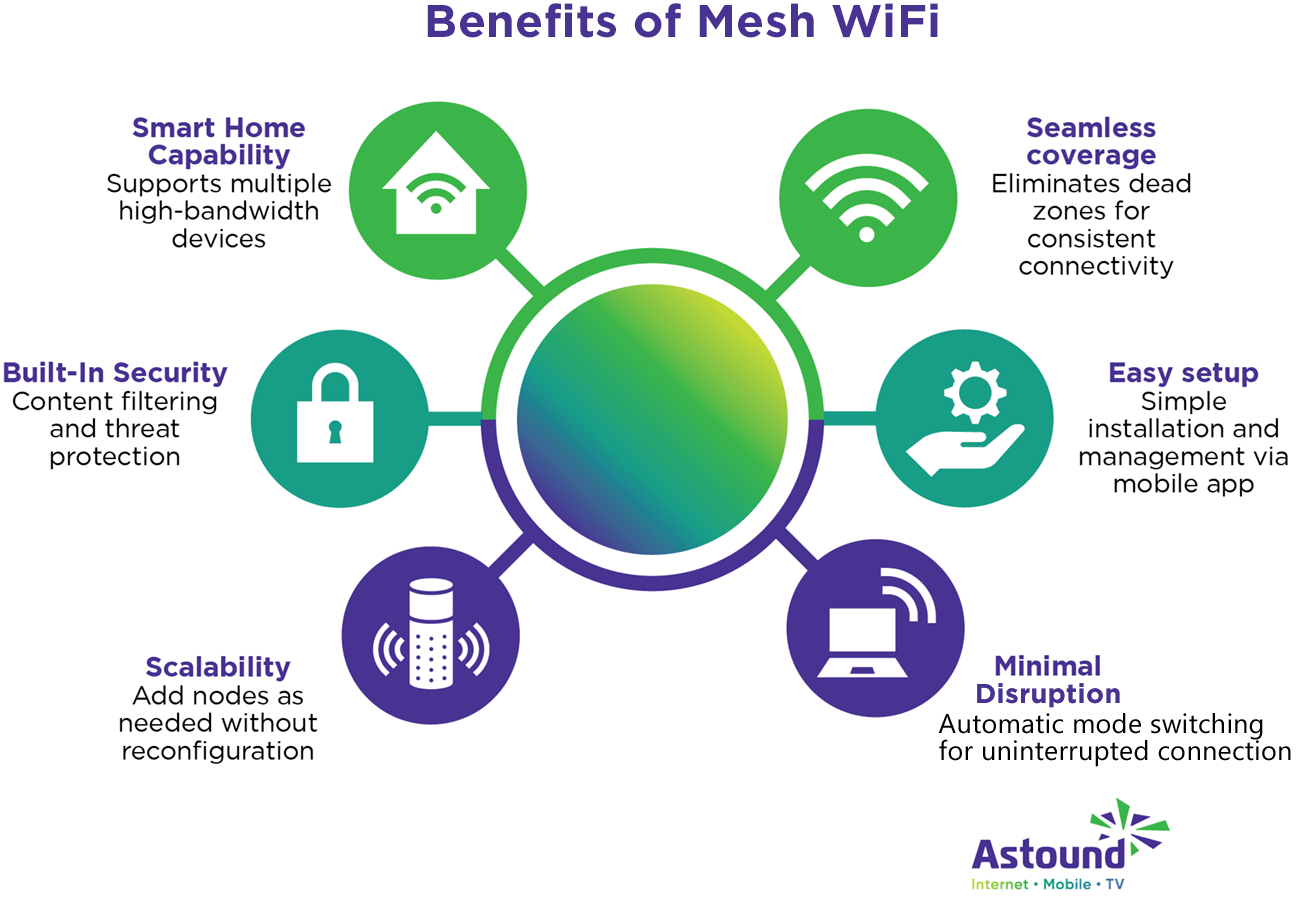
Mesh wifi systems help connect many smart devices at home. They improve your internet experience by spreading the signal evenly.
Using mesh wifi means fewer dead spots and smoother connections for all your devices. This is important for smart homes with many gadgets.
Improved Coverage
Mesh wifi uses multiple nodes to cover large areas. Each node works together to send a strong signal throughout your home.
- Eliminates dead zones in big houses
- Works well with thick walls and multiple floors
- Provides strong wifi in outdoor spaces like patios
Seamless Connectivity
Your devices stay connected without interruptions. Mesh wifi switches your device to the best node automatically.
| Feature | Benefit |
| Automatic Node Switching | Stops connection drops |
| Single Network Name | Easy to connect all devices |
| High-Speed Data Transfer | Better streaming and gaming |
Scalability
You can add more nodes to your mesh system easily. This means your network grows as you add more devices.
Benefits of adding nodes:
- Expand wifi coverage without rewiring
- Support more smart devices at once
- Adapt network size to your home’s needs

Credit: dongknows.com
Key Features To Consider
Choosing the right mesh WiFi system is important for homes with many smart devices. The right system keeps all devices connected without slowdowns.
Look at features like speed, device capacity, security, and ease of setup. These help you pick the best mesh WiFi for your needs.
Speed And Bandwidth
Speed is how fast your WiFi can send and receive data. Bandwidth is the amount of data your network can handle at once.
Choose a mesh system with high speeds and enough bandwidth to avoid slow connections when many devices are online.
Device Capacity
Device capacity means how many devices the mesh WiFi can support at the same time. More smart devices need higher capacity.
- Check the maximum number of devices the system supports.
- Consider future devices you may add.
- Look for systems designed for many smart home gadgets.
Security Features
Security keeps your data safe and protects your network from intruders. Strong security is a must for smart homes.
| Security Feature | What It Does |
| WPA3 Encryption | Protects WiFi connections with strong encryption |
| Automatic Updates | Keeps the system safe with the latest security patches |
| Guest Network | Allows visitors to use WiFi without accessing your main devices |
Ease Of Setup
Easy setup saves time and stress. Look for systems with clear instructions and user-friendly apps.
- Check if the system has an app for easy management.
- Look for plug-and-play installation features.
- Consider if the system offers helpful customer support.
Assessing Your Home Network Needs
Choosing the right mesh WiFi system starts with understanding your home network. This helps you pick a system that fits your needs well.
Look at your devices, home size, and internet use to find the best mesh WiFi setup.
Number Of Devices
Count all the smart devices in your home. This includes phones, tablets, laptops, smart TVs, and home assistants.
- Smartphones and tablets
- Laptops and desktop computers
- Smart TVs and streaming devices
- Smart home devices like cameras and thermostats
- Gaming consoles
More devices need a mesh system with higher capacity to keep speeds fast and connections stable.
Home Size And Layout
Think about the size and shape of your home. Large or multi-story homes need more mesh points to cover all areas.
| Home Size | Recommended Mesh Points |
| Small (under 1,000 sq ft) | 1-2 points |
| Medium (1,000-2,500 sq ft) | 2-3 points |
| Large (over 2,500 sq ft) | 3+ points |
Walls and floors can block signals. Place mesh points evenly to avoid dead zones.
Internet Usage Patterns
Think about how your household uses the internet. Different activities need different speeds and coverage.
Common internet uses include:
- Streaming videos or music
- Online gaming
- Working from home or video calls
- Downloading large files
- Basic browsing and social media
Choose a mesh WiFi system that can handle your busiest times and demanding activities without slowing down.
Credit: www.astound.com
Top Mesh Wifi Systems For Multiple Devices
Choosing the right mesh wifi system is important for homes with many smart devices. A good system keeps all devices connected smoothly.
We look at options that offer speed, coverage, and value. This helps you pick the best fit for your needs.
High-performance Options
High-performance mesh systems deliver fast speeds and strong signals. They handle many devices at once without slowing down.
These systems use the latest technology to reduce lag and improve coverage.
- Support for Wi-Fi 6 or Wi-Fi 6E standards
- Tri-band or dual-band setups for better traffic management
- Advanced security features
- Easy setup and app control
Budget-friendly Choices
Budget-friendly mesh wifi systems provide good coverage without high costs. They work well for moderate device use.
These options focus on value and simple features for everyday needs.
- Dual-band systems with solid performance
- Easy installation and management
- Good coverage for small to medium homes
- Basic security features included
Best For Large Homes
Large homes need mesh wifi systems with wide coverage and strong signals. These systems prevent dead zones in big spaces.
They often come with multiple nodes and strong antennas to cover every room.
- Multiple nodes for extensive coverage
- Strong signal strength to reach distant rooms
- Easy to expand by adding more nodes
- Stable connections for many devices
Placement Tips For Optimal Performance
Choosing the right place for your mesh WiFi system is key. Good placement helps all your smart devices connect well.
Keep these tips in mind to get the best WiFi coverage and speed in your home or office.
Strategic Node Positioning
Place mesh nodes where they can talk to each other easily. Avoid walls and thick objects between them.
Try to spread the nodes evenly across your space. This helps cover all rooms with a strong signal.
- Keep nodes in open areas, not inside cabinets
- Place nodes at a medium height, like on a shelf
- Keep nodes 30 to 50 feet apart for best coverage
Avoiding Interference
WiFi signals can be blocked or slowed by other electronics. Keep nodes away from microwaves and cordless phones.
Metal objects and thick walls also reduce signal strength. Place nodes where there is less interference.
- Do not place nodes near large metal appliances
- Avoid placing nodes close to baby monitors or Bluetooth devices
- Keep nodes away from thick concrete or brick walls
Using Wired Backhaul
Wired backhaul uses Ethernet cables to link mesh nodes. This keeps the WiFi signal strong and fast.
Using wired backhaul reduces wireless traffic between nodes. It is best in homes with many devices or thick walls.
- Connect nodes with Ethernet cables if possible
- Wired links improve speed and reduce lag
- Good for large homes or buildings with obstacles

Credit: www.pcmag.com
Troubleshooting Common Issues
Mesh WiFi is great for smart homes with many devices. But, sometimes it can have issues. Here, we discuss common problems and solutions.
Understanding these issues can help you maintain a stable connection. Learn how to fix connection drops, slow speeds, and device compatibility.
Connection Drops
Sometimes, your WiFi connection may drop unexpectedly. This can be frustrating, especially with many devices connected. Check if the router is placed in a central location.
Make sure there are no barriers like walls or metal objects. It’s also important to keep your router firmware updated.
- Move the router to a central area
- Avoid obstacles like walls
- Update router firmware regularly
Slow Speeds
Slow internet speeds can be a common issue. This can happen when too many devices are using the network. Reduce the load by limiting device connections.
Check if your service plan is enough for your needs. Consider upgrading your plan if needed.
- Limit the number of connected devices
- Check your internet service plan
- Upgrade plan if necessary
Device Compatibility
Sometimes, devices may not connect to the mesh network. Ensure your devices support the WiFi standard used by your router.
Update your device software for better compatibility. If problems persist, consult your device’s manual for specific settings.
| Check device WiFi standard | Ensure compatibility with router |
| Update device software | Consult device manual for settings |
Future-proofing Your Mesh Network
Mesh Wi-Fi systems are essential for homes with many smart devices. They offer seamless connectivity and coverage. To ensure your network lasts, focus on future-proofing.
Consider technology advancements and your growing device needs. A future-proof mesh network will serve you well for years.
Wi-fi 6 And Beyond
Wi-Fi 6 is the latest standard. It provides faster speeds and better performance. It is ideal for homes with multiple smart devices.
Invest in a Wi-Fi 6 compatible mesh system. This ensures you benefit from the latest features. It also prepares you for future upgrades.
Firmware Updates
Regular firmware updates are crucial. They enhance security and improve performance. Choose a mesh system that offers easy updates.
Check if your system supports automatic updates. This reduces the hassle of manual installations. It also keeps your network secure against threats.
Expandable Systems
An expandable mesh system grows with your needs. You can add more nodes to cover larger areas. This is useful if you move to a bigger home.
Look for systems that support easy expansion. This flexibility ensures your network adapts to new device additions. It maintains optimal performance.
- Check the maximum number of nodes supported
- Ensure seamless integration with existing nodes
- Consider systems with user-friendly setup processes
Frequently Asked Questions
What Is Mesh Wifi And How Does It Work?
Mesh WiFi is a system of multiple routers working together. It creates a seamless network covering large areas. This eliminates dead zones and improves signal strength for all smart devices in your home.
How To Choose Mesh Wifi For Many Devices?
Pick a mesh WiFi with high device capacity and fast speeds. Look for features like tri-band support and MU-MIMO technology. These help manage multiple smart devices without slowing down your network.
Does Mesh Wifi Improve Smart Device Connectivity?
Yes, mesh WiFi boosts connectivity by providing consistent signals. It ensures smooth streaming, gaming, and smart home control. The network adapts to device locations, reducing lag and interruptions.
Can Mesh Wifi Handle Smart Home Devices Efficiently?
Mesh WiFi efficiently supports smart home devices by offering stable connections. It manages multiple devices simultaneously without congestion. This is essential for reliable operation of security cameras, lights, and thermostats.
Conclusion
Choosing the right mesh WiFi helps all your devices stay connected. It spreads signal evenly across your home or office. This prevents slow internet and dropped connections. Think about coverage area, speed, and device support. Easy setup and good customer reviews matter too.
A strong WiFi network keeps smart devices working smoothly. Keep these tips in mind for better internet. Your gadgets will thank you with faster, stable connections. Simple steps can improve your online experience greatly.


