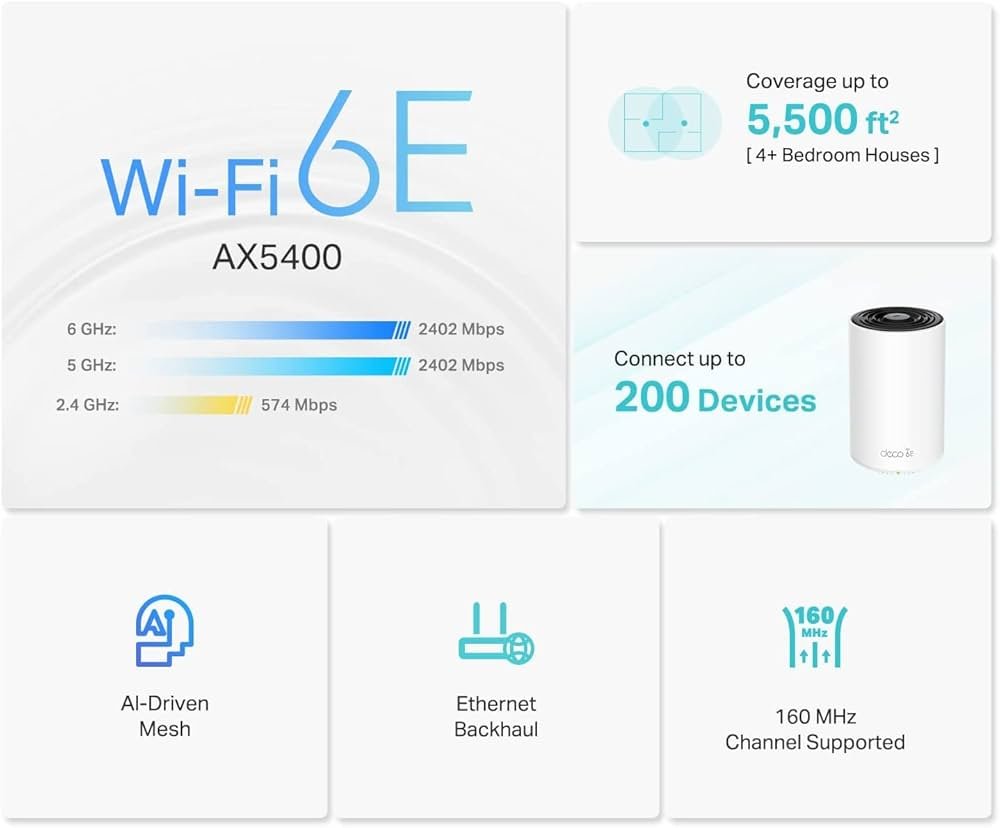
Are you struggling to keep all your smart devices connected without slowdowns or dead zones? Finding a reliable mesh WiFi system that fits your budget and supports your growing collection of IoT gadgets can feel overwhelming.
What if you could get strong, seamless WiFi coverage throughout your home without spending over $200? You’ll discover the best mesh WiFi options designed to keep your smart home running smoothly, save you money, and eliminate frustrating connection drops. Keep reading to find the perfect fit for your IoT setup and enjoy the smart home experience you deserve.
Benefits Of Mesh Wifi For Iot
Mesh Wifi systems help connect many IoT devices at home or office. They create a strong network that covers large areas.
These systems are affordable and improve the way devices communicate with the internet and each other.
Improved Coverage And Reliability
Mesh Wifi uses multiple nodes to spread the signal evenly. It reduces dead zones and keeps devices online.
- Covers large homes or offices with strong signals
- Automatically switches to the best node for connection
- Keeps smart devices working without interruption
Seamless Device Connectivity
Devices connect and move between nodes without losing connection. This makes IoT devices more reliable and easy to use.
| Feature | Benefit |
| Auto Roaming | Devices switch nodes smoothly |
| Single Network Name | Easy connection without multiple passwords |
| Load Balancing | Evenly shares network traffic |
Enhanced Network Security
Mesh Wifi systems often include strong security features. These keep IoT devices safe from hackers.
- Automatic software updates protect from threats
- Guest networks keep visitors away from IoT devices
- Advanced encryption secures data transmission
Key Features To Consider
Choosing a mesh WiFi system under $200 for IoT devices needs care. The right features help your devices work smoothly.
This guide covers important points like speed, nodes, compatibility, and ease of use.
Speed And Bandwidth
Speed and bandwidth decide how fast your internet works. IoT devices need steady connections more than very high speeds.
Look for mesh WiFi with good coverage of speed to handle multiple devices at once.
- Check if it supports at least AC1200 or higher speeds
- Ensure it can handle streaming and real-time data from devices
- Look for dual-band or tri-band to reduce traffic jams
Number Of Nodes
Nodes spread WiFi across your home or office. More nodes mean better coverage and fewer dead spots.
Choose a system with enough nodes to cover all areas where your IoT devices are placed.
- Two or three nodes are usually enough for most homes
- Extra nodes improve coverage for larger spaces
- Make sure nodes connect well without losing speed
Compatibility With Iot Devices
IoT devices use different WiFi standards and bands. The mesh system must support these to work properly.
Check if the system supports common IoT protocols and can handle many devices at once.
- Supports 2.4 GHz band for most smart home devices
- Works with 5 GHz band for faster devices
- Supports many simultaneous connections without lag
Ease Of Setup And Management
Simple setup saves time and frustration. Look for systems with easy app controls or web interfaces.
Good management tools help you monitor devices and control settings without hassle.
- Step-by-step setup guides or apps
- Ability to pause internet for certain devices
- Easy firmware updates to keep security strong
Top Mesh Wifi Systems Under $200
Finding a mesh wifi system that supports IoT devices without breaking the bank is possible. Many affordable options provide good coverage and stable connections.
This guide highlights mesh wifi systems under $200 that work well for smart home devices and everyday internet use.
Budget-friendly Options
These mesh wifi systems offer solid performance at a low price. They are ideal for small homes or apartments with basic IoT needs.
- TP-Link Deco S4 – Easy setup and good coverage for the price.
- NETGEAR Orbi RBK13 – Compact design, stable connection for IoT devices.
- Amazon eero 6 – Supports basic smart home devices with decent speed.
Mid-range Picks With Great Performance
These models cost a bit more but offer faster speeds and wider coverage. They suit homes with multiple IoT devices and heavier internet use.
| Model | Max Speed | Coverage Area | Price |
| Google Nest Wifi | 1200 Mbps | 2200 sq ft | $180 |
| TP-Link Deco M5 | 1300 Mbps | 2500 sq ft | $190 |
| ASUS ZenWiFi AC (CT8) | 1800 Mbps | 2300 sq ft | $199 |
Compact And Easy-to-install Models
These systems are small and simple to set up. They fit well in tight spaces and connect smart devices quickly.
- Linksys Velop WHW0103 – Minimal design, quick installation.
- Netgear Orbi RBK12 – Small units, easy app control.
- TP-Link Deco E4 – Lightweight mesh nodes, fast setup.

Credit: www.reddit.com
Performance Comparison
Choosing a mesh WiFi system under $200 for IoT devices needs careful thought. Performance varies across models and affects your smart home’s reliability.
This comparison looks at speed tests, coverage area, and device support. These factors help find the best fit for your IoT setup.
Speed Tests
Speed is important for IoT devices that send and receive data quickly. Mesh WiFi systems under $200 often offer good speeds for everyday use.
Most models provide stable speeds around 300 to 600 Mbps on 2.4 GHz and 5 GHz bands. This supports video streams and smart home controls well.
- 2.4 GHz band: 300-450 Mbps average speed
- 5 GHz band: 450-600 Mbps average speed
- Speed depends on distance from the node
- Interference can reduce speed
Coverage Area
Coverage area tells how far the WiFi signal reaches. Mesh systems under $200 usually cover between 3,000 and 4,500 square feet with two or three nodes.
This range is enough for most homes with multiple rooms. Adding more nodes can extend coverage but may increase cost.
- Two-node systems: about 3,000 sq ft coverage
- Three-node systems: up to 4,500 sq ft coverage
- Walls and furniture may reduce range
- Placement affects signal strength
Device Support Capacity
Device support capacity means how many IoT gadgets the mesh can connect without lag. Budget mesh WiFi often supports 20 to 40 devices well.
This number fits most smart homes with lights, cameras, and sensors. Some models offer features to manage many devices smoothly.
| Model Type | Max Devices Supported | Notes |
|---|---|---|
| Basic Mesh Node | 20-25 | Good for small setups |
| Mid-Range Mesh System | 30-40 | Handles multiple smart devices |
| Advanced Budget Mesh | 40+ | Best for busy smart homes |
Setup Tips For Iot Networks
Mesh WiFi systems under $200 offer great coverage for IoT devices. Setting up your network correctly keeps devices connected and secure.
Follow simple tips to place nodes, protect your devices, and manage network traffic well.
Optimal Placement Of Nodes
Place mesh WiFi nodes where signals can spread evenly. Avoid walls and large metal objects that block signals.
Keep nodes within sight of each other to maintain a strong connection.
- Put nodes in open spaces
- Place nodes at a medium height, like on shelves
- Keep nodes away from microwaves and cordless phones
- Use more nodes for bigger homes or many devices
Securing Your Iot Devices
Protect your IoT devices by using strong passwords and updating device software often. This stops hackers from accessing your network.
Enable encryption on your WiFi and create a separate network for your IoT devices if possible.
- Change default device passwords
- Use WPA3 or WPA2 encryption on WiFi
- Update device firmware regularly
- Set up a guest or IoT-only network
Managing Network Traffic
IoT devices need steady internet. Manage traffic to avoid slowdowns by limiting high-data use on the same network.
Use Quality of Service (QoS) settings on your mesh WiFi to give priority to important devices.
- Limit video streaming during peak IoT use
- Use QoS to prioritize smart home devices
- Check network load with your router’s app
- Turn off unused devices to free bandwidth

Credit: www.zdnet.com
Future-proofing Your Network
Investing in a mesh WiFi system for under $200 can enhance your IoT devices’ connectivity. Future-proofing your network ensures it stays reliable as your tech evolves.
This guide covers key considerations like updates, scalability, and integration with smart home systems.
Firmware Updates And Support
Firmware updates keep your network secure and efficient. They fix bugs and add new features.
- Check for automatic updates.
- Ensure customer support is available.
- Read reviews about update frequency.
Scalability Options
Scalability is vital for growing networks. You might add more devices as your needs change.
| Devices | Scalability Feature |
| Smartphones | Add access points |
| Smart TVs | Expand coverage |
| Security Cameras | Boost signal strength |
Integration With Smart Home Systems
Integrating mesh WiFi with smart home systems creates a seamless environment. Compatibility is key for smooth operation.

Credit: techaeris.com
Frequently Asked Questions
What Is The Best Mesh Wifi For Iot Under $200?
The best mesh WiFi under $200 offers strong coverage, easy setup, and stable connections. Look for brands like TP-Link and Google Nest for reliable IoT device support.
Can Mesh Wifi Improve Iot Device Performance?
Yes, mesh WiFi boosts IoT performance by providing consistent coverage and reducing dead zones. It ensures all devices stay connected with minimal interference.
How Many Iot Devices Can Mesh Wifi Support?
A quality mesh WiFi system under $200 can support 20 to 50 IoT devices simultaneously. This depends on the router’s capacity and network traffic.
Is Mesh Wifi Secure For Iot Devices?
Mesh WiFi systems include strong encryption and frequent updates, making them secure for IoT. Always enable WPA3 security and change default passwords for added protection.
Conclusion
Choosing a mesh WiFi under $200 can boost your IoT devices’ performance. These affordable options offer good coverage and stable connections. You get faster speeds and fewer dead zones around your home. Smart devices work better with strong, reliable WiFi.
Investing in the right mesh system helps your gadgets stay connected all day. Simple setup and easy management make these systems user-friendly. A solid mesh WiFi network keeps your smart home running smoothly. Quality doesn’t always mean expensive. Find one that fits your budget and needs.


