Are you struggling to keep all your devices connected in your big house? You might be wondering if mesh WiFi can handle 50 devices without slowing down or dropping signals.
Imagine streaming movies, joining video calls, and gaming on multiple gadgets—all at the same time, without frustration. You’ll discover whether mesh WiFi is the solution your home needs and how it can keep every device running smoothly. Keep reading to find out how to boost your home’s internet performance like never before.

Credit: www.reddit.com
Mesh Wifi Basics
Mesh wifi helps cover large houses with strong internet. It uses several devices to spread wifi signal well.
This system is good for many devices in big homes. It gives better speed and fewer dead zones.
How Mesh Wifi Works
Mesh wifi uses multiple nodes working together. One node connects to the modem. Others spread the signal around the house.
- The main node links to the internet.
- Secondary nodes share the signal wirelessly.
- Devices connect to the closest node for best speed.
- Nodes talk to each other to keep connection smooth.
Key Components
Mesh wifi systems have parts that work as a team. Each part plays a role in giving good wifi coverage.
| Component | Function |
| Main Node | Connects to internet modem |
| Satellite Nodes | Spread wifi signal in the house |
| Backhaul Connection | Links nodes for data transfer |
| Client Devices | Use wifi to access internet |
Device Capacity Factors
Mesh WiFi systems are popular for large homes. They can cover big areas with strong signals. But can one support 50 devices well?
Many factors affect how many devices a mesh WiFi can handle. Understanding these helps you plan your home network better.
Bandwidth Distribution
Bandwidth is the total data your network can send and receive. When many devices connect, they share this bandwidth. This sharing can slow down the network.
- Devices doing video calls need more bandwidth.
- Smart home gadgets use less bandwidth.
- Streaming videos use medium to high bandwidth.
- Simple web browsing uses low bandwidth.
Network Traffic Management
Good mesh WiFi systems manage traffic to keep speed steady. They can prioritize important data and reduce slowdowns. This process is called Quality of Service (QoS).
| Network Feature | What It Does |
|---|---|
| Quality of Service (QoS) | Prioritizes traffic for key devices or apps |
| Load Balancing | Distributes devices evenly across nodes |
| Channel Management | Reduces signal interference |
Hardware Limitations
Every mesh system has hardware limits. The router and nodes can only handle so many devices at once. Too many devices cause slower speeds or dropped connections.
- Processor speed affects data handling.
- Memory size helps manage multiple connections.
- Number of antennae impacts signal strength.
- Older models may support fewer devices.
Coverage In Large Homes
Mesh WiFi systems help cover big houses with strong internet signals. They use multiple devices called nodes. These nodes work together to give good WiFi across many rooms.
When many devices connect to WiFi, the signal must stay strong. This guide looks at key parts of mesh WiFi for large homes.
Signal Range And Strength
Each mesh node covers a certain area. The signal can reach about 1,500 square feet per node. The strength depends on the node’s power and placement.
- Check the signal speed for each node.
- Use nodes with good antennas.
- Choose mesh systems that support many connections.
- Make sure nodes use the latest WiFi standard.
- Place nodes far enough to cover more space without losing signal.
Placement Of Nodes
Good node placement improves coverage and speed. Place nodes in open spaces, not behind furniture or walls. Keep nodes high, like on shelves.
| Node Location | Signal Quality | Notes |
| Living Room Center | Strong | Main area with many devices |
| Upstairs Hallway | Good | Covers bedrooms and office |
| Basement Corner | Moderate | Needs clear line of sight |
Overcoming Physical Barriers
Walls, floors, and furniture block WiFi signals. Thick walls and metal objects cause the most problems.
Tips to reduce barriers:
- Place nodes away from thick walls.
- Use wired connections between nodes if possible.
- Keep nodes clear of metal and mirrors.
- Consider adding more nodes for tough areas.
Performance With 50 Devices
Mesh WiFi systems are popular for large homes. They use multiple access points to spread WiFi signals evenly.
Connecting 50 devices in a big house can test any network. This affects how well the mesh WiFi performs.
Typical Device Types
Devices in a home vary in type and usage. Each device uses WiFi differently, affecting network load.
- Smartphones and tablets for browsing and apps
- Smart TVs and streaming devices
- Computers and laptops for work or gaming
- Smart home devices like lights and cameras
- Voice assistants and smart speakers
Impact On Speed And Latency
More devices can lower WiFi speed. Each device shares bandwidth, which can slow down connections.
Latency may increase with many devices. This delay affects video calls, gaming, and streaming quality.
- Heavy use devices like streaming lower speed for others
- Many devices cause network congestion
- Distance from mesh nodes can affect speed
Handling Multiple Connections
Mesh WiFi uses multiple nodes to handle many devices. This spreads connections and reduces overload.
Good mesh systems manage devices with smart routing. They send data on the best path to keep speed stable.
- Nodes communicate to balance device load
- Some mesh systems prioritize important devices
- WiFi standards like WiFi 6 improve multi-device support
Choosing The Right Mesh System
Mesh WiFi is a great choice for large homes. It helps connect many devices without losing speed.
Choosing the right mesh system can be tricky. You need to think about your home size and the number of devices.
Top Brands And Models
There are many brands that offer reliable mesh systems. Some are better for large homes with many devices.
- Google Nest WiFi
- Netgear Orbi
- Eero Pro 6
- TP-Link Deco
- Linksys Velop
Features For High Device Counts
Some features are important when you have many devices. Look for systems with advanced options.
| Feature | Benefit |
| Tri-band technology | Reduces network congestion |
| MU-MIMO | Handles multiple devices at once |
| Beamforming | Directs signal to devices |
| Quality of Service (QoS) | Prioritizes important traffic |
Scalability Options
Scalability is key for growing device numbers. Choose a system that can expand easily.

Credit: www.youtube.com
Setup Tips For Large Homes
Mesh WiFi is great for large homes with many devices. It can support up to 50 devices if set up correctly. Here are some tips to ensure a strong network.
With the right setup, you can enjoy seamless internet across your entire home. Follow these guidelines to optimize your mesh WiFi system.
Optimal Node Placement
Placing nodes correctly is key for good coverage. Nodes should be in open spaces, away from walls and metal objects.
Avoid placing nodes in corners or behind furniture. This helps in maintaining a strong signal throughout the house.
- Place nodes in central locations
- Keep nodes at least 6 feet off the ground
- Ensure line of sight between nodes when possible
Network Configuration
Proper network settings are crucial for performance. Use the 5GHz band for devices that need faster speeds.
Set up a guest network for visitors. This helps protect your main network from overload.
- Enable both 2.4GHz and 5GHz bands
- Use Quality of Service (QoS) settings
- Limit guest network access
Security Best Practices
Keep your network safe by updating passwords regularly. Use strong, unique passwords for your WiFi and router.
Enable network encryption to protect data. This prevents unauthorized access and keeps your devices secure.
- Use WPA3 encryption if available
- Change router default settings
- Update firmware regularly
Troubleshooting Common Issues
Mesh WiFi can support many devices in a large home. Sometimes, you may face problems like connection drops, slow speeds, or interference.
Fixing these issues helps keep your network stable and fast for all devices.
Connection Drops
Connection drops happen when devices lose WiFi signals suddenly. This can be caused by weak signals or network overload.
Check if mesh nodes are too far apart. Place nodes closer to cover dead zones. Restart your router and mesh points to refresh connections.
- Move mesh nodes closer together
- Restart router and mesh nodes
- Reduce the number of devices on one node
- Update firmware on all mesh devices
Slow Speeds
Slow speeds occur when too many devices use the network at once. Distance from the node or obstacles can also slow WiFi.
Try moving devices closer to mesh nodes. Limit high-bandwidth activities on many devices at the same time. Check your internet plan speed.
- Place devices near mesh nodes
- Limit streaming or large downloads
- Check your internet speed with a test
- Upgrade mesh system if needed
Interference Problems
Other electronics or walls can cause interference. This reduces WiFi signal strength and quality.
Keep mesh nodes away from microwaves, cordless phones, and thick walls. Use 5 GHz band for less interference if possible.
- Place mesh nodes away from electronics
- Avoid thick walls between nodes
- Use 5 GHz WiFi band for better signals
- Change WiFi channels in settings to avoid overlap
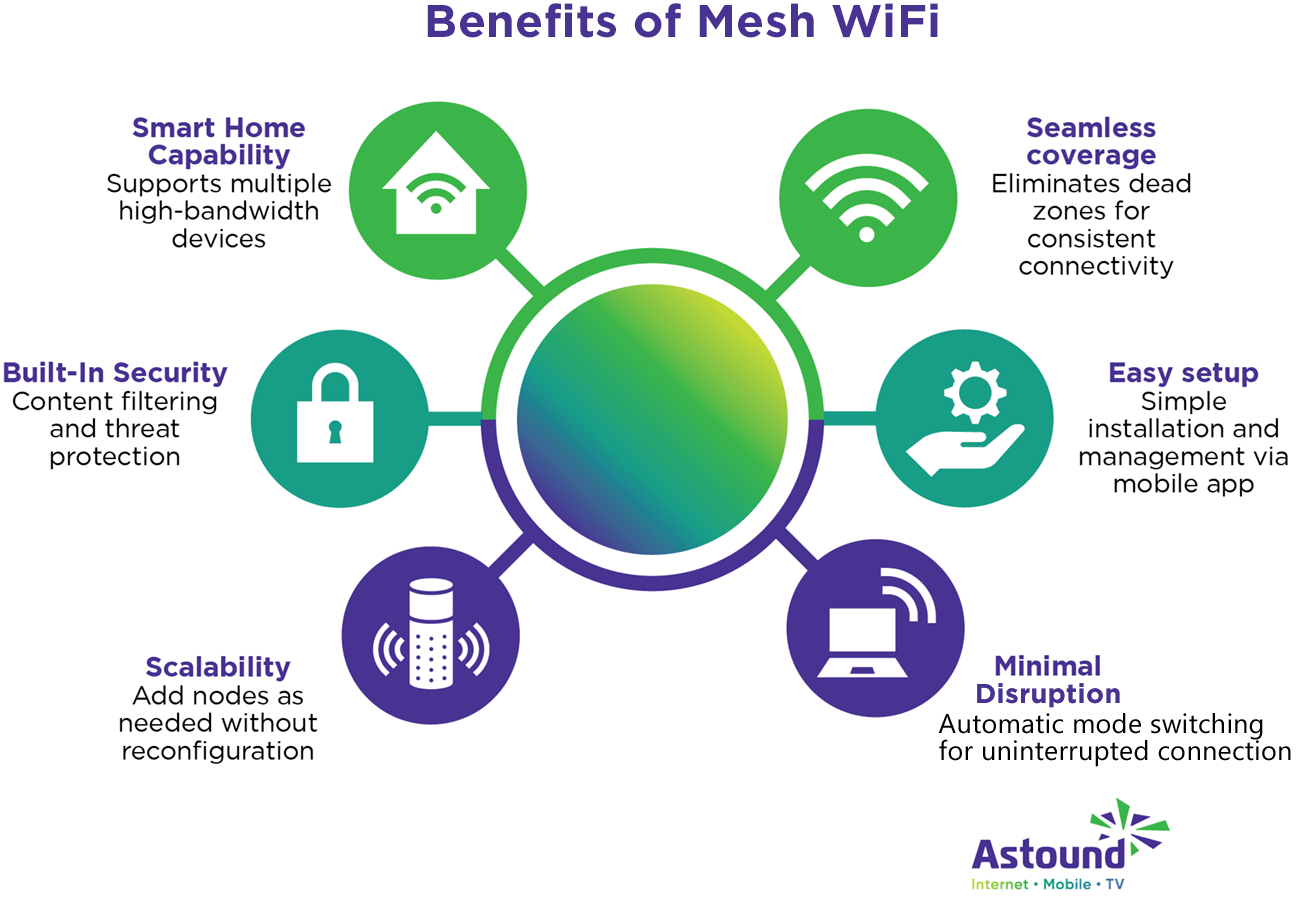
Credit: www.astound.com
Future Trends In Mesh Wifi
Mesh wifi systems keep changing to meet the needs of big homes. They help connect many devices smoothly. New technology will make these networks faster and smarter.
Understanding future trends helps you prepare your home network. These trends focus on speed, reliability, and easy control.
Wi-fi 6 And Beyond
Wi-Fi 6 is the latest wifi standard. It supports more devices at once. It also uses less battery on your devices. The next versions will improve speed and coverage even more.
- Higher data rates for faster internet
- Improved performance in crowded areas
- Better battery life for connected devices
- Stronger security features
- Extended range to cover larger homes
Ai And Smart Network Management
AI helps mesh wifi systems manage traffic smartly. It learns which devices need more bandwidth. It can fix problems before users notice them.
| Feature | Benefit |
|---|---|
| Automatic Band Steering | Switches devices to the best wifi band |
| Self-Healing Networks | Fixes connection issues without user help |
| Usage Analytics | Shows which devices use the most data |
| Parental Controls | Blocks harmful content and limits screen time |
| Energy Saving Modes | Reduces power use when devices are idle |
Frequently Asked Questions
Can Mesh Wifi Handle 50 Devices In Large Homes?
Yes, mesh WiFi can support 50 devices in big houses efficiently. It distributes the signal evenly, reducing dead zones and congestion, ensuring stable connectivity for multiple users and smart devices simultaneously.
What Factors Affect Mesh Wifi Performance With Many Devices?
Device type, network traffic, and router quality impact mesh WiFi performance. High bandwidth devices and interference can slow speeds. Proper placement and a strong mesh system improve overall connectivity for numerous devices.
How To Optimize Mesh Wifi For 50+ Devices?
Place nodes strategically for full coverage and avoid physical obstructions. Use wired backhaul if possible and update firmware regularly. Limit bandwidth-heavy activities during peak times to maintain stable connections for all devices.
Is Mesh Wifi Better Than A Single Router For Large Houses?
Yes, mesh WiFi offers better coverage and consistency in large homes. It uses multiple nodes to eliminate dead zones, unlike single routers that may struggle to cover extensive areas with many devices.
Conclusion
Mesh WiFi can handle 50 devices in a big house with the right setup. Choose strong, reliable mesh systems designed for many connections. Place nodes evenly to cover all areas without dead zones. Keep your network updated and secure for best performance.
This way, everyone in your home can enjoy fast, steady internet. A good mesh WiFi system makes managing many devices simple. It keeps your big house connected smoothly and easily.