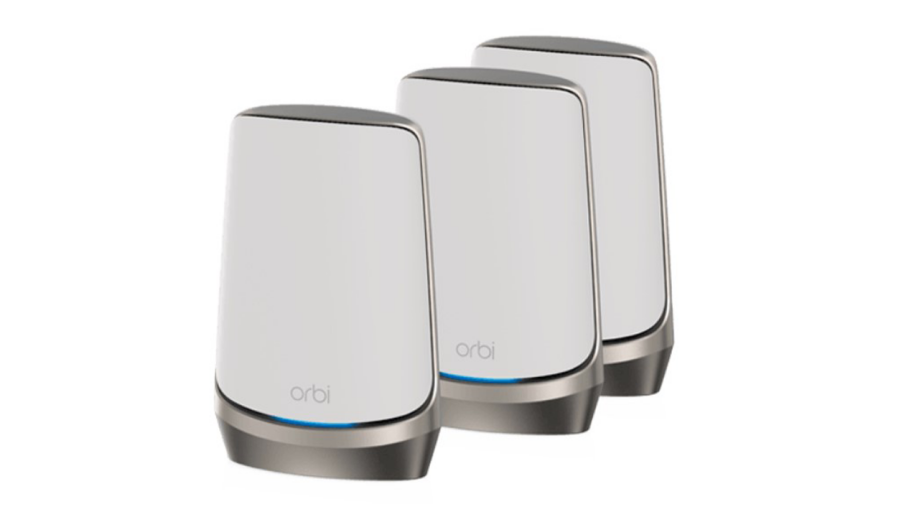
Are you tired of slow WiFi that drops just when you need it most? Setting up a smart home means relying on strong, steady internet in every corner of your house.
But buying a top-notch mesh WiFi system can feel expensive and confusing. What if you could get powerful coverage without breaking the bank? This guide will show you how to find cheap mesh WiFi options that keep your smart devices connected smoothly and your budget intact.
Keep reading to discover simple tips and the best affordable systems to boost your home network right now.

Credit: www.amazon.com
Benefits Of Mesh Wifi In Smart Homes
Mesh Wifi systems help connect all devices in your smart home. They provide strong internet signals everywhere.
These systems are easy to set up and manage. They improve how your devices communicate and work together.
Seamless Coverage Across Rooms
Mesh Wifi uses multiple nodes that spread the signal throughout your home. This stops weak spots or dead zones.
- Each node connects to others for full coverage
- Works well in large or multi-story homes
- Provides stable connection in every room
Improved Device Connectivity
Smart homes have many devices like lights, cameras, and speakers. Mesh Wifi keeps them all connected without delays.
| Device Type | Benefit from Mesh Wifi |
| Smart Lights | Quick response and control |
| Security Cameras | Smooth video streaming |
| Voice Assistants | Clear and fast interaction |
| Smart Thermostats | Reliable temperature updates |
Easy Network Management
Mesh Wifi systems usually come with apps for simple control. You can check devices and control the network from your phone.
- Set up guest access easily
- Pause internet for kids’ devices
- Run speed tests in real time
- Get notifications for network issues
Key Features To Look For In Budget Mesh Wifi
Setting up a smart home needs a good wifi system. Budget mesh wifi can give strong signals across your house. Choosing the right one helps connect all your devices smoothly.
Look closely at some key features. These features make sure your smart home works well without breaking your budget.
Speed And Bandwidth Support
Speed is how fast data moves on your network. Bandwidth is the amount of data your network can handle at once. Both affect how well your smart devices perform.
Pick mesh wifi that supports fast speeds like AC or AX standards. This helps with video calls, streaming, and smart home tasks.
- Look for dual-band or tri-band support
- Check for Wi-Fi 5 (AC) or Wi-Fi 6 (AX) support
- Higher bandwidth means more devices work smoothly
Number Of Nodes And Coverage Area
Nodes are the wifi units placed around your home. More nodes mean better coverage. Coverage area is the total space the wifi covers.
Choose a system with enough nodes to cover your whole house. Check the coverage area to avoid dead zones and slow spots.
- Small homes may need 2 nodes
- Larger homes need 3 or more nodes
- Check if nodes are easy to add later
Compatibility With Smart Devices
Your mesh wifi must work well with many smart devices. This includes lights, cameras, thermostats, and speakers. Some devices need special wifi features.
Look for systems that support common smart home protocols. This helps all devices connect without problems.
- Check support for IoT devices
- Look for compatibility with Alexa, Google Home, or Apple HomeKit
- Choose mesh wifi with easy device setup apps
Security Features
Security keeps your smart home safe from hackers. Budget mesh wifi should have strong security tools. This protects your devices and personal data.
Look for systems with automatic updates and encryption. Some also have guest networks to keep visitors separate from your devices.
- WPA3 encryption for better protection
- Automatic firmware updates
- Guest network support
- Parental controls if needed
Top Affordable Mesh Wifi Systems
Setting up a smart home needs reliable wifi coverage. Mesh wifi systems help spread strong signals across your house.
This guide shows affordable mesh wifi options for different budgets and needs.
Best Budget Picks Under $100
These mesh wifi systems cost less than $100. They work well in small to medium homes. You get decent speed and coverage without spending much.
- Tenda Nova MW3: Easy setup and stable connection.
- TP-Link Deco E4: Covers up to 5,500 sq ft with two units.
- Mercusys Halo S12: Affordable with good speed for daily use.
Mid-range Options With Extra Features
These systems cost between $100 and $200. They offer extra features like parental controls and faster speeds. Ideal for medium to large homes.
| Model | Coverage | Features |
| Google Nest Wifi | 4400 sq ft | Smart speaker, easy app control |
| Netgear Orbi RBK13 | 4500 sq ft | Fast speeds, guest network |
| ASUS ZenWiFi AC CT8 | 5500 sq ft | AiProtection, parental controls |
Value For Money Brands
Some brands give good value across many price points. They balance price, speed, and features well.
Consider these brands for reliable mesh wifi:
- TP-Link: Known for solid performance and easy setup.
- Netgear: Offers a range of models for all budgets.
- ASUS: Strong features and good security options.
Setting Up Mesh Wifi For Smart Homes
Mesh wifi systems are a great way to enhance your smart home setup. They provide seamless coverage and eliminate dead zones. Setting up a mesh wifi is simple and can greatly improve your internet experience.
With the right configuration, your smart devices will connect smoothly. This guide will help you understand the basics of setting up a mesh wifi network in your home.
Placement Tips For Optimal Coverage
The placement of your mesh wifi nodes is crucial for optimal coverage. Proper placement ensures that all areas of your home have strong and reliable internet access.
- Place nodes in central locations, away from walls and obstructions.
- Keep nodes elevated on shelves or tables.
- Avoid placing nodes near large metal objects or appliances.
- Ensure nodes are within range of each other for strong connection.
Configuring Network Settings
Configuring your network settings is essential for secure and efficient operation. Make sure your network is set up correctly to avoid connectivity issues.
Use WPA3 encryption for enhanced security.
Set a unique SSID and password that are easy for you to remember. Change default admin settings to prevent unauthorized access.
Integrating With Smart Home Devices
Integrating your mesh wifi with smart home devices is straightforward. It ensures that devices like smart speakers and cameras have stable connections.
| Device Type | Connection Tip |
| Smart Speaker | Place near primary node for best voice command response. |
| Smart Camera | Ensure line-of-sight to a node for uninterrupted video streaming. |
| Smart Light | Connect to the nearest node for quick operation. |
Troubleshooting Common Mesh Wifi Issues
Mesh wifi systems help cover your whole home with internet. Sometimes, these systems face issues that slow down your smart home setup.
Knowing how to fix common problems can keep your mesh wifi working well. This guide will help you handle typical issues easily.
Dealing With Signal Drops
Signal drops happen when your device loses connection with the mesh wifi node. This causes slow internet or no connection.
Move mesh nodes closer to where you use the internet most. Avoid walls and large metal objects between nodes.
- Place nodes in open areas, not behind furniture
- Keep nodes away from microwaves and cordless phones
- Check if any node needs a power reset
- Limit the number of walls between nodes
Improving Speed And Stability
Slow speed or unstable wifi can hurt your smart home devices. Check for devices using too much bandwidth and reduce their load.
Place nodes evenly around your home to avoid weak spots. Use different wifi channels to reduce interference from neighbors.
- Limit streaming or downloads on many devices at once
- Use the 5 GHz band for faster speeds near nodes
- Switch to less crowded wifi channels in settings
- Restart nodes regularly to clear temporary issues
Firmware Updates And Maintenance
Keep your mesh wifi system updated with the latest firmware. Updates fix bugs and improve performance.
Check the mesh system app or website often for updates. Restart your nodes after updates to apply changes fully.
- Turn on automatic firmware updates if possible
- Regularly restart mesh nodes to keep them running well
- Check for update notifications in the system app
- Backup settings before major updates if available

Credit: www.pcmag.com
Comparing Mesh Wifi To Traditional Routers
Setting up a smart home needs a strong internet connection. You can use a mesh wifi system or a traditional router. Both have their pros and cons.
Choosing the right device helps your smart home run smoothly. Let’s look at how mesh wifi compares to traditional routers.
Coverage Differences
Traditional routers send wifi signals from one point. The signal may weaken in large or multi-floor homes.
Mesh wifi uses multiple nodes placed around the house. Each node shares the signal, covering more area evenly.
- Traditional routers cover smaller areas well
- Mesh wifi covers larger homes better
- Mesh reduces dead zones in your house
Performance In Smart Home Environments
Smart homes use many devices at once. Traditional routers may slow down when many devices connect.
Mesh wifi systems handle many devices better. They balance connections across nodes to keep speeds stable.
- Traditional routers can get overloaded easily
- Mesh wifi supports many devices smoothly
- Mesh offers better speed for smart devices
Cost-benefit Analysis
Traditional routers cost less upfront. They work well in small homes or apartments.
Mesh wifi systems cost more but give better coverage. They reduce the need for extra range extenders.
| Type | Cost | Coverage | Device Support |
|---|---|---|---|
| Traditional Router | Lower | Smaller area | Limited |
| Mesh Wifi | Higher | Larger area | Many devices |
Credit: www.engadget.com
Frequently Asked Questions
What Is The Best Cheap Mesh Wifi For Smart Homes?
Affordable mesh WiFi systems like TP-Link Deco and Google Nest Wifi offer reliable coverage. They support multiple devices and easy setup, ideal for smart home use without breaking the bank.
How Does Mesh Wifi Improve Smart Home Connectivity?
Mesh WiFi creates a seamless network by using multiple nodes. It eliminates dead zones and ensures stable connections for all smart devices throughout your home.
Can Cheap Mesh Wifi Support Many Smart Devices?
Yes, most budget mesh WiFi systems support 20+ devices simultaneously. They handle smart home gadgets smoothly, maintaining fast speeds and stable connections for all devices.
Is Mesh Wifi Easy To Set Up For Beginners?
Mesh WiFi systems are designed for simple setup. Most come with user-friendly apps that guide you through installation and network management step-by-step.
Conclusion
Affordable mesh WiFi makes smart home setup simple and reliable. It spreads strong internet all over your house. No more weak signals or slow speeds in any room. Small devices connect easily and stay online without drops. Choosing cheap mesh WiFi saves money without losing quality.
It fits well with smart lights, cameras, and speakers. Enjoy smooth streaming, gaming, and work from anywhere at home. A good network keeps your smart home running smoothly every day. Now, your smart devices work better, and your home feels smarter.


