Are you wondering if a gaming router can really boost your fiber internet experience? You’ve invested in fast fiber internet, but is your current setup holding you back from smooth, lag-free gaming?
Choosing the right router could be the game-changer you need. You’ll discover how a gaming router works with fiber internet and whether it’s worth upgrading. Keep reading to find out how to get the most out of your connection and level up your gaming sessions.
Gaming Router Basics
Understanding the basics of a gaming router is essential if you want to get the most out of your fiber internet connection. These specialized routers are designed to handle the unique demands of online gaming, ensuring smoother gameplay and reduced lag. Knowing what sets them apart will help you decide if investing in one is worth it for your setup.
Key Features Of Gaming Routers
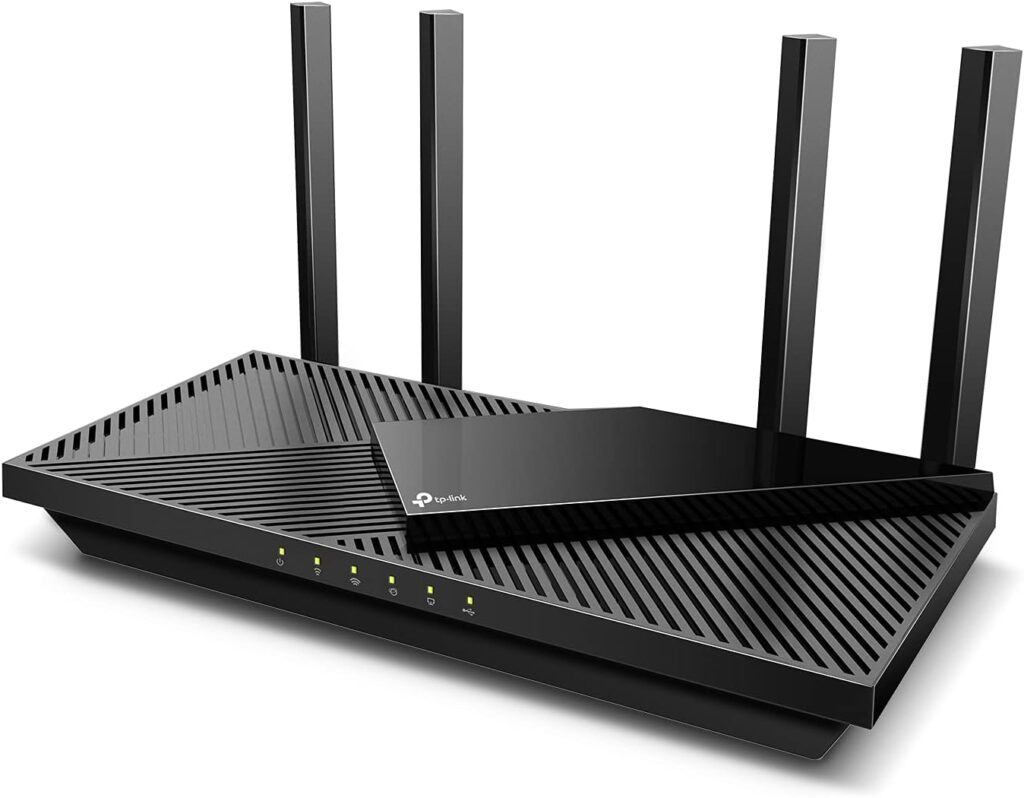
Gaming routers come with several features tailored to enhance your gaming experience. They often prioritize gaming traffic over other types of data to minimize delays. This means your game packets get through faster, reducing lag and improving response times.
- Quality of Service (QoS):Allows you to prioritize gaming devices or specific games on your network.
- Low Latency:Designed to reduce the time it takes for data to travel between your device and the game server.
- High-Speed Processing:Equipped with powerful CPUs to handle large amounts of data without slowing down.
- Advanced Security:Protects against DDoS attacks and other threats that can interrupt your gaming session.
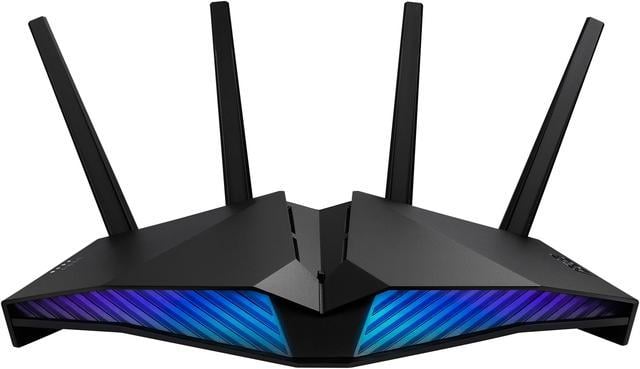
- Multiple Antennas:Improve signal strength and coverage, which is critical for wireless gaming setups.
From personal experience, upgrading to a gaming router cut my lag spikes during intense matches, making a noticeable difference. Have you ever felt your connection struggle during critical moments? That’s where these features really show their value.
How Gaming Routers Differ From Standard Routers
Standard routers focus on providing a stable connection for everyday tasks like browsing and streaming. They do not prioritize traffic, so your gaming data can get delayed when multiple devices compete for bandwidth. Gaming routers, on the other hand, are built specifically to handle high-demand, low-latency applications.
| Feature | Gaming Router | Standard Router |
|---|---|---|
| Traffic Prioritization | Yes, with customizable QoS | No or limited |
| Latency Reduction | Optimized for low ping | Not optimized |
| Processor Speed | High-performance CPU | Basic CPU |
| Security Features | Advanced gaming-specific protections | Standard security |
| Antennas & Coverage | Multiple high-gain antennas | Fewer antennas |
Think about how often you experience lag or connection drops during gaming. Would a router designed to handle those issues make your sessions more enjoyable? Understanding these differences helps you see why a gaming router might be the right choice for your fiber internet setup.
Credit: www.highspeedoptions.com
Fiber Internet Essentials
Understanding the essentials of fiber internet is key if you’re wondering whether a gaming router will work well with it. Fiber internet has rapidly changed how we connect and play online. Let’s break down what makes fiber internet stand out and why it matters for your gaming setup.
What Is Fiber Internet?
Fiber internet uses strands of glass or plastic to transmit data as pulses of light. This method allows data to travel faster and farther compared to traditional copper cables. Unlike DSL or cable, fiber doesn’t rely on electrical signals, reducing interference and signal loss.
Think of fiber internet as a superhighway for your data, offering consistent speeds no matter the distance. This means your online gaming experience can be smoother and more reliable. Have you noticed fewer lag spikes during peak hours with fiber? That’s one reason why.
Benefits Of Fiber Over Other Connections
- Speed:Fiber offers symmetrical upload and download speeds, often reaching 1 Gbps or higher. This is crucial for gaming, where quick response times matter.
- Low Latency:The light signals in fiber travel faster and face less delay. This means your commands reach game servers almost instantly.
- Reliability:Fiber connections are less affected by weather or electromagnetic interference. This reduces unexpected disconnects during intense gaming sessions.
- Future-Proof:As games and streaming demand more bandwidth, fiber’s capacity can handle it without slowing down.
Imagine streaming your gameplay in 4K while chatting with teammates without hiccups. Fiber makes this possible. Would you settle for a slower connection that limits your gaming potential? Probably not.
Compatibility Factors
Understanding the compatibility factors between your gaming router and fiber internet is crucial for a smooth gaming experience. Not all routers are designed to handle the unique demands of fiber connections, which can lead to lag or connectivity issues. Let’s examine what makes a router compatible and how the type of connection—wired or wireless—affects your setup.
Router And Fiber Modem Compatibility
Your gaming router must work seamlessly with the fiber modem provided by your internet service provider (ISP). Fiber modems often have specific configurations, such as VLAN tagging or special authentication protocols, that not every router supports.
Check if your router supports the necessary WAN settings. Some gaming routers offer advanced features like custom firmware or VLAN settings that can be adjusted to match your fiber modem’s requirements.
Have you ever tried connecting a router only to find that your internet speed dropped dramatically? That’s a sign the router and modem aren’t fully compatible. Before buying a router, verify with your ISP or router manufacturer whether they support your fiber setup to avoid frustrating slowdowns.
Wired Vs Wireless Connections With Fiber
Fiber internet delivers extremely fast speeds, but how you connect your devices to the router plays a big role in your gaming performance. Wired connections via Ethernet cables almost always provide the most stable and low-latency experience.
Wireless connections offer convenience but can introduce interference and signal loss, especially in busy or large households. Even with a powerful gaming router, Wi-Fi speeds can fluctuate due to walls, distance, or other devices competing for bandwidth.
Ask yourself: are you prioritizing mobility or performance? If you want the best gaming experience, consider using a wired connection whenever possible. If wireless is your only option, look for routers with the latest Wi-Fi standards (like Wi-Fi 6) that handle multiple devices and high throughput better.
Credit: www.newegg.com
Setting Up A Gaming Router With Fiber
Setting up a gaming router with fiber internet can be the key to elevating your online gaming experience. With fiber’s incredible speed and reliability, you can enjoy smoother gameplay, reduced latency, and an overall competitive edge. But how do you ensure your gaming router taps into the full potential of fiber? Let’s break it down step by step.
Connecting The Router To Fiber Modem
Your first task is to physically connect your gaming router to the fiber modem. Typically, your Internet Service Provider will provide a fiber modem or ONT (Optical Network Terminal) that converts the fiber signal into one your router can use. Grab an Ethernet cable and plug one end into the modem and the other into the WAN port of your router.
Ensure that all connections are snug and secure. A loose cable can lead to annoying interruptions during your gaming session. Are you using the right cables? Cat 5e or Cat 6 cables are ideal for maintaining the high speeds fiber is known for.
Configuring Network Settings For Gaming
Once connected, it’s time to configure your network settings for optimal gaming performance. Access your router’s settings by typing its IP address into your web browser. Typically, this address is something like 192.168.1.1, but check your router’s manual if you’re unsure.
Once logged in, look for options like Quality of Service (QoS). This feature lets you prioritize gaming traffic over other types of data. Enable QoS and set your gaming devices as a priority to reduce lag.
Also, consider setting a static IP address for your gaming console or PC. This makes port forwarding easier, which can further enhance your connection stability. Don’t forget to save your settings and restart the router to apply the changes.
Have you ever wondered why some games feel more responsive than others? Sometimes it’s just a matter of fine-tuning these settings to fit your gaming style. Are you ready to experience gaming like never before?
Performance Benefits
Using a gaming router with fiber internet can significantly boost your online gaming experience. These routers are designed to optimize the way data travels, making sure your connection stays fast and stable. Understanding the specific performance benefits can help you decide if investing in a gaming router is worth it for your fiber setup.
Reduced Latency And Lag
Latency is the delay between your action and the game’s response. A gaming router can reduce this delay by prioritizing gaming traffic over other types of data. This means you’ll notice smoother gameplay and fewer frustrating pauses, especially in fast-paced games where every millisecond counts.
Fiber internet already offers low latency, but a gaming router takes it a step further. It manages your network to keep ping times consistently low, even when multiple devices are online. Have you ever experienced lag spikes just when you’re about to score? A gaming router helps prevent that.
Improved Bandwidth Management
Fiber internet provides high-speed data, but without smart bandwidth management, your connection can still slow down. Gaming routers use Quality of Service (QoS) features to allocate bandwidth efficiently. This ensures gaming packets get priority without starving other devices.
This balance is crucial if your household streams videos, works remotely, and plays games all at once. You don’t have to sacrifice one activity for another. With a gaming router, your fiber internet connection becomes smarter, handling multiple demands without hiccups.
Common Issues And Fixes
Using a gaming router with fiber internet can boost your online experience, but it’s not always smooth sailing. You might face some common issues that disrupt your connection or slow down your gaming sessions. Understanding these problems and knowing how to fix them can save you a lot of frustration and downtime.
Troubleshooting Connection Problems
Connection drops or slow speeds can make gaming frustrating. Start by checking your fiber modem and router cables to ensure they’re securely plugged in. Sometimes, a loose cable is the culprit behind unstable connections.
If your router supports both 2.4 GHz and 5 GHz bands, try switching between them. The 5 GHz band usually offers faster speeds but shorter range, while 2.4 GHz can reach farther but may be slower. This simple switch can improve your gaming lag significantly.
Have you noticed your router overheating? That can cause random disconnects. Make sure your router is in a well-ventilated area and not stacked with other devices.
Firmware Updates And Router Maintenance
Firmware updates keep your router running smoothly and secure. Most manufacturers release updates that fix bugs and improve performance. Check your router’s admin panel regularly to see if an update is available.
During one gaming marathon, I ignored firmware updates and faced constant lag spikes. After updating, my connection stabilized instantly. This shows how critical regular maintenance can be.
Besides updates, reboot your router every now and then to clear temporary glitches. Keep the firmware current and clean the device physically to avoid dust buildup that can affect its performance.
Top Gaming Routers For Fiber Internet
Choosing the right gaming router is key for fiber internet users. Fiber internet offers fast speeds and low latency, perfect for gaming. A good router ensures these benefits reach your gaming devices without delay. Not all routers support fiber internet well, so picking the right one matters.
Best Models For 2025
- ASUS ROG Rapture GT-AX11000 – High speed with strong Wi-Fi 6 support.
- Netgear Nighthawk XR1000 – Designed for gaming with QoS for smooth play.
- TP-Link Archer AX11000 – Tri-band router with fast processing power.
- Linksys WRT32X – Custom firmware for gaming optimization.
- Google Nest Wifi Pro – Simple setup with solid fiber internet support.
Features To Look For
- High Speed Standards:Look for Wi-Fi 6 or Wi-Fi 6E for faster data transfer.
- Low Latency:Prioritize routers with Quality of Service (QoS) features.
- Multiple Bands:Tri-band routers reduce interference and improve connections.
- Strong Processor:A fast CPU handles heavy traffic and gaming data.
- Ethernet Ports:Multiple gigabit ports support wired connections for stability.
- Easy Setup:User-friendly interfaces help quick installation and management.

Credit: www.ign.com
Future Trends In Gaming And Fiber
Gaming and fiber internet are evolving together, shaping how you experience online play. Fiber’s speed and stability open doors for new gaming possibilities. Understanding future trends can help you prepare your setup for what’s coming next.
Upcoming Technologies
Fiber internet supports next-gen gaming tech like cloud gaming and VR streaming. These require ultra-low latency and high bandwidth, which fiber delivers better than traditional connections.
Look out for:
- Edge computing:Placing servers closer to you to reduce lag drastically.
- Wi-Fi 6 and 7:Enhancing wireless speeds and reducing congestion in your home network.
- AI-based network management:Automatically optimizing your connection for gaming traffic.
These advancements will make your gaming smoother and more responsive, especially when paired with a gaming router optimized for fiber.
Impact On Online Gaming Experience
With fiber, you’ll notice faster matchmaking and near-instant reactions in competitive games. This can be a game-changer for titles where milliseconds matter.
Imagine playing a fast-paced shooter where every frame counts, and your commands register immediately without delay. Fiber makes that possible.
But will all games benefit equally? Not necessarily. Games designed with server-side prediction and smart lag compensation may already feel smooth on slower connections.
Still, fiber’s consistent speeds mean fewer disruptions during long gaming sessions. You can stream, chat, and game simultaneously without worrying about your internet slowing down.
Are you ready to upgrade your gaming setup to take full advantage of fiber’s potential? Your next router and internet plan could be the key to unlocking this future.
Frequently Asked Questions
Does A Gaming Router Improve Fiber Internet Speed?
Yes, a gaming router can optimize fiber internet speed. It prioritizes gaming traffic, reduces lag, and ensures stable connections for better performance.
Can Any Gaming Router Work With Fiber Internet?
Most gaming routers are compatible with fiber internet. Ensure the router supports your fiber modem’s connection type and speed for optimal results.
Do Gaming Routers Reduce Latency On Fiber Connections?
Gaming routers often reduce latency by prioritizing gaming data packets. This results in smoother gameplay and faster response times on fiber networks.
Is Fiber Internet Better With A Gaming Router?
Fiber internet combined with a gaming router offers enhanced speed, stability, and reduced lag. This setup benefits gamers with high-performance online experiences.
Conclusion
Gaming routers do work well with fiber internet. They help keep your connection fast and stable. Fiber internet offers high speed and low delay. A good gaming router makes the most of these benefits. It reduces lag and improves your online play.
Choose a router that supports your fiber speed. This way, you enjoy smooth and reliable gaming. Remember, both fiber and router matter for the best experience. Play confidently with the right setup.