Are you wondering if a budget router can truly cover your entire home with a strong Wi-Fi signal? You want fast, reliable internet without spending a fortune, but is that even possible?
The range of your router matters a lot—it decides how far your connection can reach and how well your devices stay connected. You’ll discover the truth about budget routers and their range. By the end, you’ll know exactly what to expect and how to make the most of your router, no matter the price.
Keep reading to unlock smart tips that can save you money and boost your Wi-Fi experience.
Budget Router Range Basics
Understanding the range of budget routers helps set the right expectations. Range means how far the Wi-Fi signal can reach from the router. Budget routers often have smaller ranges than high-end models. This is due to differences in hardware and design. Knowing these basics helps you decide if a budget router fits your space and needs.
Range varies by many factors, not just price. Walls, floors, and other objects can block signals. Range also depends on the router’s antennas and power. Budget routers usually have fewer antennas and less power. This can limit coverage in larger homes or offices.
What Affects Router Range
- Physical Barriers:Walls, furniture, and floors reduce signal strength.
- Router Antennas:More antennas often mean better coverage.
- Wi-Fi Standards:Newer standards like Wi-Fi 6 offer stronger range.
- Interference:Other electronics and networks can cause signal drops.
- Router Placement:Central location improves coverage.
Common Misconceptions
Many believe price alone determines router range. That is not true. Some budget routers cover small to medium homes well. Another myth is that all budget routers have weak signals. Some models perform surprisingly well for their cost.
Range also does not guarantee speed or stability. A strong signal can still be slow if many devices connect. Budget routers can be good for simple internet use. Streaming or gaming in large homes may need better models or extenders.
Comparing Budget And Premium Routers
Comparing budget and premium routers helps to understand their differences in range. Both types serve the same purpose: connecting devices to the internet. Yet, they vary in performance, features, and build quality. Knowing these distinctions guides better buying decisions.
Range Performance Differences
Premium routers usually offer stronger and wider coverage. They use advanced technology to maintain a fast signal over distance. Budget routers cover smaller areas and may slow down at edges. Walls and furniture affect both, but premium devices handle obstacles better. Users in large homes benefit more from premium range.
Hardware And Antenna Quality
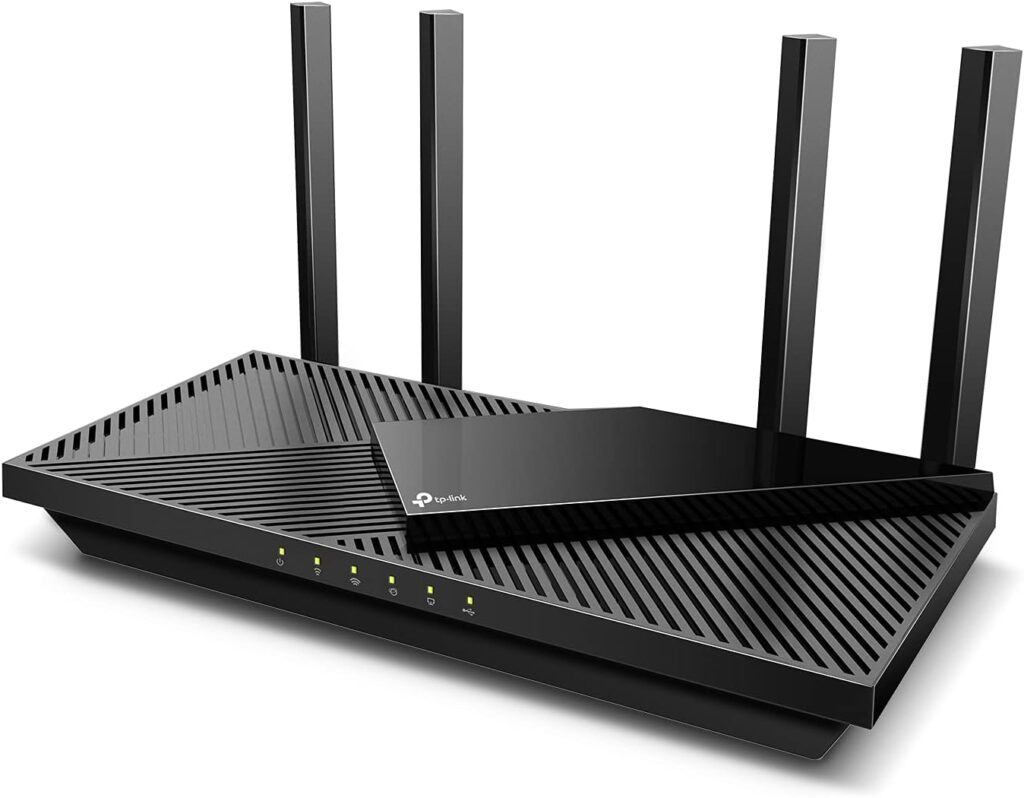
Premium routers have better hardware and antennas. They often include multiple external antennas that can be adjusted for direction. These antennas improve signal strength and reduce dead zones. Budget routers tend to use fewer or internal antennas. Their hardware might not support the latest Wi-Fi standards fully. This limits range and connection stability.
Factors That Impact Budget Router Range
Budget routers can vary in their wireless range. Several factors influence how far their signals can travel and how strong those signals remain. Understanding these factors helps manage expectations and improve router performance.
Physical Obstructions
Walls, floors, and furniture block or weaken Wi-Fi signals. Thick walls made of concrete or brick reduce signal strength more than thin drywall. Metal objects and mirrors also reflect signals, causing dead zones. The more obstacles between the router and device, the weaker the connection.
Interference Sources
Other electronic devices can interfere with wireless signals. Microwaves, cordless phones, and baby monitors often use the same frequency bands. Neighboring Wi-Fi networks add to the noise, especially in crowded areas. This interference lowers speed and range for budget routers.
Router Placement Tips
- Place the router in a central location for even coverage.
- Keep it off the floor and away from walls and metal objects.
- Avoid enclosed spaces like cabinets or closets.
- Position antennas vertically and avoid covering them.
Proper placement reduces signal loss and improves range, even on budget models.
Credit: www.highspeedoptions.com
Maximizing Range On Budget Routers
Budget routers can offer decent range, but walls and interference often reduce signal strength. Placing the router centrally and away from obstacles helps improve coverage. Adjusting settings and using external antennas can also boost the wireless reach.
Maximizing the range on budget routers can improve your internet experience. These routers often face limitations, but a few tweaks can help. With some simple steps, you can enhance their performance.Firmware Updates And Settings
Regularly updating firmware enhances your router’s capabilities. Manufacturers release updates to fix bugs and improve performance. Check your router’s settings for update options. Adjusting settings can also help. Change the channel to reduce interference from other devices. Experiment with different settings to find the best performance.Using Range Extenders
Range extenders boost your router’s coverage. Place the extender halfway between the router and the weak signal area. Ensure it receives a strong signal from the router. This improves connectivity in hard-to-reach places. Extenders are easy to set up and offer a cost-effective solution.Choosing The Right Frequency Band
Budget routers often support 2.4GHz and 5GHz bands. The 2.4GHz band offers better range but slower speeds. The 5GHz band provides faster speeds but shorter range. Select the band that suits your needs. For better range, use 2.4GHz; for speed, opt for 5GHz. Adjusting frequency bands can optimize your internet experience.When Budget Routers Fall Short
Budget routers can serve basic internet needs but often struggle with larger spaces. Their hardware and antenna design limit how far the Wi-Fi signal can reach. This can cause slow or spotty connections in parts of a home or office.
Understanding where these routers fall short helps users make better choices. It also guides when to improve or replace the device for better coverage and speed.
Identifying Coverage Gaps
Coverage gaps appear as dead zones with weak or no Wi-Fi signal. These often occur in distant rooms or behind thick walls. Users might notice:
- Slow loading web pages
- Buffering during video streaming
- Devices dropping connection unexpectedly
Using a Wi-Fi analyzer app can help find exact weak spots. It shows signal strength in different areas. This visual aid confirms where the budget router fails to cover.
When To Upgrade
Upgrade your router if coverage gaps affect daily tasks. Frequent disconnections or slow speeds disrupt work and entertainment. Also consider upgrading when:
- Multiple devices connect and slow the network
- You add a new room or expand your space
- More demanding activities like gaming or video calls occur
Choosing a router with stronger antennas or newer technology improves range. Sometimes a mesh network system offers a better solution for large homes.

Credit: www.popularmechanics.com
Real User Experiences
Understanding how budget routers perform in real-life situations can help you decide if they meet your needs. Real user experiences reveal a mix of surprises and setbacks that often go beyond product specs. Let’s look closer at what people actually say about the range of affordable routers.
Success Stories
Many users report that budget routers surprisingly cover their entire home without dead zones. One customer mentioned getting reliable Wi-Fi in every corner of a two-story house, even in the basement. This shows that a well-placed budget router can handle average-sized homes effectively.
Some users found that simple tweaks like adjusting the router’s position or changing the channel improved range significantly. This suggests you don’t always need expensive equipment to boost your Wi-Fi. Have you tried moving your router to a more central spot yet?
Gamers and remote workers on a budget shared that their routers maintained stable connections during intense use. Despite lower cost, these routers managed to support multiple devices streaming and video calling simultaneously. This highlights that price doesn’t always mean poor performance.
Common Complaints
On the flip side, many people struggle with weak signals in larger homes or spaces with thick walls. These budget routers sometimes fail to penetrate barriers, causing frustrating dropouts in certain rooms. If your home has many walls or floors, a budget router might not be enough.
Users often mention limited range settings and fewer antennas as reasons for patchy coverage. This can leave you hunting for signal boosters or extenders sooner than expected. Do you know how many antennas your router has, and what that means for your coverage?
Another frequent issue is interference from other electronics or neighboring networks, which cheap routers handle poorly. This results in slower speeds and unreliable connections when many devices are online. If you live in a crowded area, this might affect your Wi-Fi experience more than you think.

Credit: www.youtube.com
Frequently Asked Questions
Do Budget Routers Provide Sufficient Wi-fi Range?
Budget routers often offer decent Wi-Fi range for small to medium homes. Their range depends on antenna quality and frequency bands. However, they may struggle in larger spaces or with multiple walls. For better coverage, consider range extenders or mesh systems.
How Does Price Affect Router Range Quality?
Higher-priced routers usually have better antennas and advanced features, improving range. Budget routers may lack powerful hardware, limiting coverage. Yet, some budget models offer good range if designed well. Price is a factor, but not the only one affecting range quality.
Can Budget Routers Handle Multiple Device Connections Well?
Budget routers handle a moderate number of devices efficiently. They might slow down with many connections due to limited bandwidth and processing power. For heavy users or smart homes, investing in mid-range routers ensures smoother performance and stable range.
What Factors Influence The Range Of Budget Routers?
Router range depends on antenna type, placement, frequency band, and interference. Budget routers may have fewer antennas and simpler tech, impacting range. Physical obstacles like walls also reduce signal strength. Proper setup can maximize any router’s range.
Conclusion
Budget routers can offer decent range for small to medium homes. Walls and furniture may reduce signal strength. Placing the router in a central spot helps improve coverage. Some budget models include features that boost range slightly. Still, high-end routers usually provide stronger and wider signals.
For basic internet needs, budget routers often work well enough. Consider your space size and device number before buying. Good range depends on many factors, not just price. Choose wisely to keep your connection steady and fast.