Are you wondering if your gaming router can boost the performance of your smart TV? You might have heard that gaming routers are built for speed and reliability, but does that mean they work well with your smart TV too?
If you want smoother streaming, faster downloads, and fewer interruptions while watching your favorite shows, this question matters to you. Keep reading, and you’ll discover how a gaming router could transform your smart TV experience—and what you need to know before making the switch.

Credit: www.amazon.com
Gaming Router Basics
Understanding the basics of gaming routers is essential before connecting one to your smart TV. These routers are designed to handle intense data traffic and reduce lag, making them popular among gamers who demand fast and stable internet connections. But how do these features translate when used with a smart TV?
What Sets Gaming Routers Apart
Gaming routers differ from regular routers in several key ways. They prioritize gaming traffic over other types of data, which means less buffering and smoother gameplay. This prioritization is done through Quality of Service (QoS) settings that allow you to control which devices or activities get the most bandwidth.
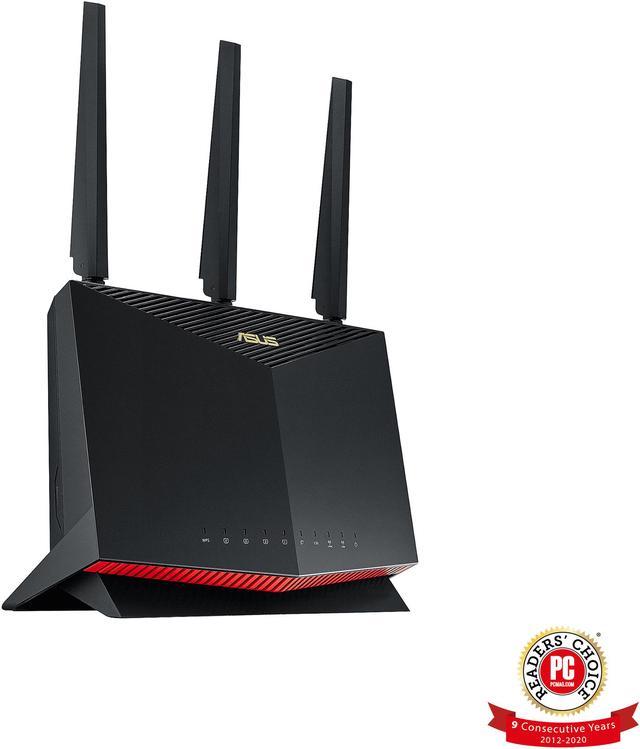
Another major difference is their advanced hardware. Gaming routers often come with powerful processors and more antennas to improve range and speed. This makes them better at handling multiple devices simultaneously without slowing down.
Have you ever noticed your smart TV struggling with buffering during a live stream? A gaming router’s ability to manage network traffic could potentially improve that experience.
Key Features For Performance
- Low Latency:Gaming routers reduce the delay between sending and receiving data, which is crucial for fast-paced games and can also enhance streaming quality on smart TVs.
- Dual-Band or Tri-Band Support:These routers offer multiple frequency bands, allowing you to connect your smart TV to a less crowded band for better performance.
- Advanced QoS Settings:You can allocate bandwidth specifically for your smart TV, ensuring smooth streaming even when other devices are active.
- Robust Security:Gaming routers often include enhanced security features to protect your devices from cyber threats, keeping your smart TV and personal data safe.
These features aren’t just for gamers—they can make your entire home network more efficient. Would your smart TV benefit from faster, more reliable internet? Chances are, yes, especially if you stream high-definition content regularly or use interactive apps.
Smart Tv Connectivity
Smart TV connectivity is essential for streaming, gaming, and browsing content. A strong network connection ensures smooth video playback and quick app loading. Smart TVs connect to the internet using either Wi-Fi or an Ethernet cable. Understanding how these connections work helps improve your TV’s performance.
How Smart Tvs Connect To Networks
Most Smart TVs support two types of network connections:
- Wi-Fi:Connects wirelessly to your home router. It offers flexibility and easy setup.
- Ethernet:Uses a cable for a direct, stable connection. It reduces interruptions and lag.
Smart TVs use standard internet protocols like DHCP to get IP addresses. They also support common Wi-Fi standards such as 802.11ac or 802.11ax. These standards affect connection speed and range.
Common Connection Issues
Connection problems can disrupt your Smart TV experience. Common issues include:
- Weak Wi-Fi signal:Walls and distance reduce signal strength.
- Incorrect network settings:Wrong passwords or IP conflicts block access.
- Router compatibility:Some routers may not support certain TV features.
- Firmware updates:Outdated TV or router software causes bugs.
Fixing these issues improves streaming quality and responsiveness. Checking router settings and TV network options is a good start.
Compatibility Between Devices
Understanding how a gaming router interacts with your smart TV is key to creating a seamless home entertainment setup. Compatibility between these devices ensures smooth streaming, quick response times, and stable connections.
Before upgrading your network hardware, ask yourself: will the gaming router truly enhance my smart TV experience? Let’s break down the essentials.
Can Gaming Routers Support Smart Tvs
Yes, gaming routers can support smart TVs without any issues. These routers are designed to handle multiple devices and heavy data traffic, which matches well with smart TVs that stream high-definition content.
Gaming routers often offer better bandwidth management and reduced latency, which can improve video streaming quality on your smart TV. However, compatibility depends mainly on your smart TV’s network interface—usually Wi-Fi or Ethernet.
Connecting your smart TV to a gaming router is as simple as linking it to any Wi-Fi network or plugging in an Ethernet cable. There’s no special setting needed on most smart TVs to recognize a gaming router.
Protocols And Standards To Know
To ensure your smart TV works well with a gaming router, check the supported wireless standards and protocols. Most modern gaming routers use Wi-Fi 5 (802.11ac) or Wi-Fi 6 (802.11ax), which offer faster speeds and improved range.
Smart TVs typically support Wi-Fi 4 (802.11n) and above, but confirming this in your TV’s manual can prevent connection hiccups. Ethernet connections follow standard RJ45 protocols, which are universal and straightforward.
- Wi-Fi Standards:Wi-Fi 4 (802.11n), Wi-Fi 5 (802.11ac), Wi-Fi 6 (802.11ax)
- Ethernet:10/100/1000 Mbps compatibility
- Security Protocols:WPA2 or WPA3 for secure connections
Security protocols matter too. Gaming routers often support WPA3, the latest in network security, but smart TVs may only support WPA2. This mismatch can sometimes cause connection problems, so check your devices’ capabilities.
Have you checked if your smart TV firmware is up to date? Sometimes, updates add support for newer protocols or fix connectivity bugs.
Credit: www.newegg.com
Benefits For Streaming
Streaming your favorite shows or movies on a Smart TV can sometimes be frustrating. Slow internet speed or buffering can ruin the experience. A gaming router can change this. It offers many benefits for streaming.
Improved Speed And Stability
Gaming routers are designed for high-speed internet. They prioritize bandwidth for devices needing it most. Your Smart TV will benefit from this feature. Streaming becomes smoother and faster. The connection remains stable, even during peak hours.
Reduced Buffering And Lag
Buffering can interrupt your viewing pleasure. Gaming routers have advanced technology to minimize this. They offer optimized performance, reducing lag significantly. You enjoy continuous streaming with minimal interruptions. Movies and shows load quicker with less waiting time.
Setup Tips For Optimal Use
Setting up a gaming router for your smart TV can boost your streaming and gaming experience. Proper setup ensures fast and stable connections. Follow these tips to get the best performance from both devices.
Configuring Your Gaming Router
Start by placing your router in an open area, free from obstacles. This helps the signal reach your smart TV clearly. Connect your router to the internet using a high-quality Ethernet cable for better speed.
Access the router’s settings through its web interface. Change the default username and password for security. Enable Quality of Service (QoS) to prioritize your smart TV’s traffic. This reduces lag and buffering during streaming or gaming.
Set the Wi-Fi channel to one with less interference. Use 5 GHz band for faster speeds and less congestion. Update the router’s firmware regularly to fix bugs and improve performance.
Optimizing Smart Tv Settings
Connect your smart TV to the gaming router via Ethernet for the most stable connection. If using Wi-Fi, choose the 5 GHz network over 2.4 GHz for better speed. Disable automatic updates on your smart TV during peak hours to avoid slowdowns.
Adjust your smart TV’s picture settings for smooth streaming. Turn off energy-saving modes that might limit network activity. Clear the smart TV’s cache regularly to keep apps running smoothly.
- Enable fast startup features if available.
- Close unused apps running in the background.
- Check for smart TV software updates often.
Troubleshooting Common Problems
Using a gaming router with a smart TV can sometimes cause connection issues. Troubleshooting these problems helps improve your streaming and gaming experience. Understanding common issues and their fixes saves time and frustration.
Connection Drops And Fixes
Connection drops can interrupt your smart TV streaming or gaming. This happens due to weak Wi-Fi signals or router overload. Restarting the router often restores the connection quickly. Moving the router closer to the TV improves signal strength.
Changing the Wi-Fi channel helps avoid overcrowded frequencies. Updating your router’s firmware can fix bugs causing drops. Limit the number of devices connected to the router for stable speeds.
Dealing With Network Interference
Network interference reduces your smart TV’s connection quality. Other devices like microwaves and cordless phones create interference. Place your router away from such devices to reduce impact.
Switching from 2.4 GHz to 5 GHz Wi-Fi band lowers interference. The 5 GHz band offers faster speeds and less congestion. Using a wired Ethernet connection provides the most stable link.
Alternatives To Gaming Routers
Choosing a router for your smart TV does not always mean buying a gaming router. There are other options that can offer good performance without the extra features gaming routers provide. These alternatives can suit everyday streaming and smart home needs well. Understanding these options helps pick the right device for your setup and budget.
Standard Routers Vs Gaming Routers
Standard routers provide stable connections for most online activities. They support multiple devices and offer decent speeds for streaming and browsing.
Gaming routers focus on low latency and faster response times. They come with features like Quality of Service (QoS) to prioritize gaming traffic.
For smart TVs, a standard router can handle streaming without issues. Gaming routers might be excessive unless you play online games a lot.
Other Network Enhancements
- Wi-Fi range extenders boost signal strength in large homes.
- Mesh networks create seamless coverage across multiple rooms.
- Ethernet cables offer the most stable and fast connection.
- Powerline adapters use home wiring to extend the network.
- Adjusting router placement can improve signal quality.
These enhancements can improve your smart TV’s connection without needing a gaming router. They focus on better coverage and reliability for smooth streaming.

Credit: www.amazon.ca
Frequently Asked Questions
Does A Gaming Router Improve Smart Tv Streaming?
Yes, a gaming router can enhance Smart TV streaming. It offers better bandwidth and lower latency, reducing buffering and improving video quality during streaming.
Can Gaming Routers Prioritize Smart Tv Traffic?
Many gaming routers have Quality of Service (QoS) features. These prioritize Smart TV traffic, ensuring smooth streaming and minimal interruptions even during heavy network use.
Will A Gaming Router Work With All Smart Tvs?
Most gaming routers are compatible with all Smart TVs. They support common Wi-Fi standards, making connection and performance reliable across various Smart TV brands.
Is A Gaming Router Necessary For Smart Tv Users?
Not always necessary, but beneficial. If you stream high-definition content or play online games, a gaming router improves network stability and streaming experience.
Conclusion
A gaming router can work well with a smart TV. It helps keep your connection fast and stable. This means less buffering and smoother streaming. You just need to connect your smart TV to the router properly. Some routers offer extra features that improve internet speed for all devices.
This can enhance your watching and gaming experience. So, using a gaming router with a smart TV makes sense. It keeps your entertainment running without interruptions. Simple setup leads to better online performance for everyone at home.