Have you ever wished you could boost your WiFi signal or share an internet connection with multiple devices while on the go? Imagine turning a single WiFi source into a powerful hub that keeps all your gadgets connected seamlessly.
If you’re wondering whether a portable router can connect to WiFi and share it with your devices, you’re in the right place. This simple trick could transform how you use the internet, whether you’re traveling, working remotely, or just trying to get better coverage at home.
Let’s uncover how this works and why it might be exactly what you need. Keep reading—you’ll want to know this!
Credit: www.techradar.com
How Portable Routers Work
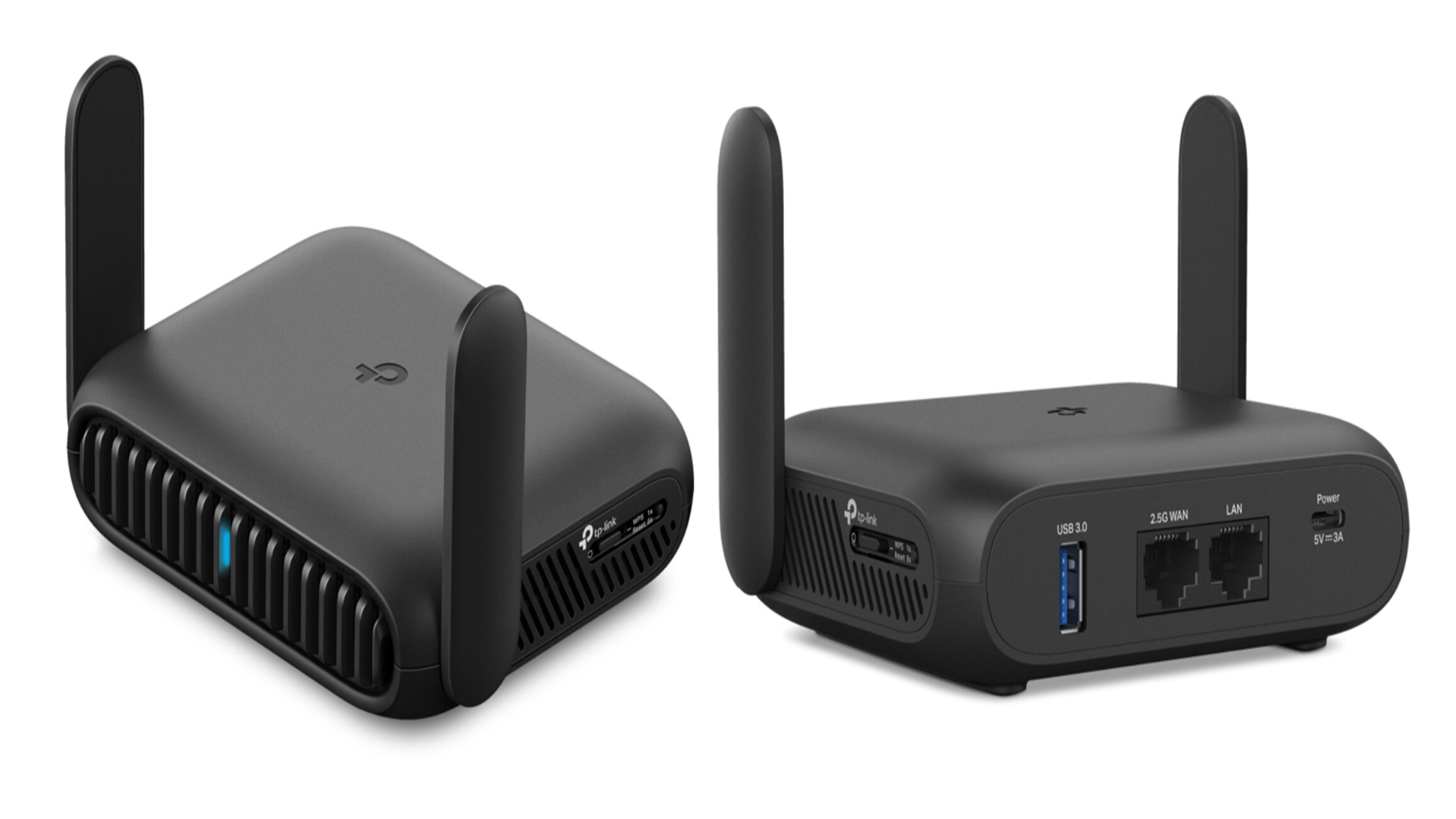
Portable routers connect to WiFi and share the internet with multiple devices. They act as a bridge between your internet source and gadgets like phones, laptops, or tablets. This makes them handy for travelers or people in places without fixed internet setups.
These devices receive a WiFi signal or cellular data and then create a new local network. Devices nearby can join this network to access the internet. Portable routers are small, easy to carry, and usually battery-powered.
Key Features
- Wireless connectivity to receive and share internet signals
- Battery-powered for use without a fixed power source
- Supports multiple devices connecting at the same time
- Compact and lightweight design for easy portability
- Security features like password protection and encryption
- Simple setup, often with a mobile app or web interface
Types Of Portable Routers
- WiFi Range Extenders:Boost an existing WiFi signal and share it locally.
- 4G/5G Mobile Hotspots:Use cellular data to create a WiFi network anywhere.
- Travel Routers:Convert wired or wireless internet into a personal WiFi hotspot.
- MiFi Devices:Small gadgets that connect to cellular networks and offer WiFi access.
Connecting To Wifi With A Portable Router
Connecting to WiFi with a portable router allows you to share internet easily. A portable router links to an existing WiFi network and spreads the signal. This setup is helpful in places with weak WiFi or limited device connections. Portable routers are compact and simple to carry anywhere.
Setting up a portable router to connect to WiFi does not take much time. The process usually involves a few steps to configure the device. Most portable routers support many types of WiFi networks, making them flexible for travel or home use.
Step-by-step Setup
- Turn on the portable router and connect to its default network.
- Open a browser and enter the router’s IP address to access settings.
- Log in using the default username and password provided in the manual.
- Find the section to connect to an existing WiFi network.
- Scan for available WiFi networks and select your desired one.
- Enter the WiFi password to connect the router to the network.
- Save the settings and restart the router if needed.
- Connect your devices to the portable router’s WiFi signal.
Compatibility With Different Networks
Portable routers work with many WiFi types, including home, office, and public hotspots. They support common standards like 802.11n and 802.11ac. This allows use on both older and newer networks.
Some routers support mobile networks such as 3G, 4G, or 5G via SIM cards. This adds more options for internet access without WiFi. Make sure the router matches the frequency bands of your network provider.
Check if the router supports network security protocols like WPA2 or WPA3. These keep your connection safe from unauthorized access. Compatibility with various networks ensures the router performs well in different locations.
Sharing Wifi Using A Portable Router
Sharing WiFi using a portable router helps extend internet access to multiple devices. It allows you to connect to an existing WiFi network and create a new hotspot. This way, devices around you can use the internet through the portable router. The process is simple and useful in many situations like travel or remote work.
Creating A Hotspot
To share WiFi, the portable router must connect to an existing network. After connecting, it creates a new wireless hotspot. Other devices connect to this hotspot to access the internet.
Most portable routers have a user-friendly interface to set up the hotspot. You can usually:
- Choose the hotspot name (SSID)
- Set a strong password
- Select the WiFi band (2.4 GHz or 5 GHz)
This setup ensures your hotspot is secure and fast. Once done, the portable router acts as a bridge between the original WiFi and connected devices.
Managing Connected Devices
Managing devices connected to your portable router keeps your network safe and efficient. You can view the list of connected devices on the router’s dashboard. This helps you control who uses your internet.
Common management features include:
- Blocking unknown devices
- Setting data limits for each device
- Prioritizing devices for better speed
These options help prevent slowdowns and protect your network from unwanted users. Regularly checking connected devices improves your WiFi sharing experience.

Credit: www.theverge.com
Benefits Of Using Portable Routers
Portable routers can connect to WiFi and share the connection with multiple devices. This makes internet access easy while traveling or in places without wired networks. They offer flexibility and convenience for staying online anywhere.
Portable routers offer many benefits for modern connectivity needs. They provide flexibility, security, and ease of use. These compact devices can transform any location into a digital hotspot. Let’s explore some key advantages.Portability And Convenience
Portable routers are lightweight and easy to carry. They fit in your pocket or bag without hassle. This makes them perfect for travel or daily commutes. You can connect multiple devices at once. Laptops, tablets, and smartphones can all share one connection. This eliminates the need for separate data plans. It’s a cost-effective solution for staying connected on the go.Enhanced Security
Portable routers offer better security than public Wi-Fi. They create a private network for your devices. This keeps your data safer from hackers. Many portable routers have built-in firewalls. Some offer VPN support for extra protection. You control who accesses your network. This reduces risks and keeps your information secure.Common Issues And Fixes
Portable routers can face several common issues when connecting to WiFi and sharing it. Understanding these problems helps keep your network stable and fast. Troubleshooting is simpler with clear fixes.
Connection Problems
Devices may fail to connect to the portable router’s WiFi. This often happens due to weak signals or wrong settings.
- Check the router’s WiFi signal strength. Move closer if the signal is weak.
- Verify the password is correct. Typing errors are common.
- Restart the router and the device trying to connect. This resets temporary glitches.
- Ensure the router’s firmware is up to date. Outdated software causes bugs.
- Check if the router is set to the right WiFi mode (2.4 GHz or 5 GHz).
Performance Optimization
Slow speeds reduce the benefit of sharing WiFi. Optimizing performance improves your experience.
- Limit the number of connected devices to prevent overload.
- Place the portable router in a central, open location.
- Avoid physical barriers like walls and furniture between devices and router.
- Choose a less crowded WiFi channel in the router settings.
- Turn off unused features or devices that may cause interference.
- Regularly update the router’s firmware for better speed and security.
Choosing The Right Portable Router
Choosing the right portable router matters for a smooth internet experience. It affects speed, coverage, and ease of use. A good choice fits your needs without extra cost. Consider your typical internet use and device compatibility. Small size and battery life are important for travel. Security features keep your connection safe from threats. Understanding these points helps pick the best router.
Key Factors To Consider
- Compatibility:Ensure the router supports your internet type and devices.
- Speed:Look for routers with fast Wi-Fi standards like AC or AX.
- Battery Life:Choose one with long battery life for all-day use.
- Portability:Compact and lightweight designs are easy to carry.
- Security:Check for WPA3 encryption and guest network options.
- User Interface:Simple setup and easy controls matter for quick use.
- Price:Balance features with your budget for the best value.
Top Models In The Market
| Model | Speed | Battery Life | Key Feature | Price Range |
|---|---|---|---|---|
| Netgear Nighthawk M1 | Up to 1 Gbps | 24 hours | 4G LTE support | High |
| TP-Link M7350 | Up to 150 Mbps | 10 hours | Compact size | Affordable |
| Huawei E5577 | Up to 150 Mbps | 12 hours | Easy setup | Mid-range |
| Gl.iNet GL-MT300N | Up to 300 Mbps | Depends on power source | Open source firmware | Budget |

Credit: mashable.com
Frequently Asked Questions
Can A Portable Router Connect To Existing Wifi?
Yes, many portable routers can connect to existing WiFi networks. They act as a bridge to share internet with other devices. This feature is called “WiFi repeater” or “client mode,” allowing seamless internet sharing on the go.
How Does A Portable Router Share Wifi?
A portable router connects to a WiFi source and creates a new network. It shares the internet connection with multiple devices. This helps extend coverage and enables devices without direct WiFi access to connect easily.
Is Using A Portable Router For Wifi Safe?
Using a portable router is generally safe if properly secured. Always enable WPA3 or WPA2 encryption and set a strong password. Regularly update the router’s firmware to protect against vulnerabilities.
Can A Portable Router Improve Wifi Speed?
A portable router can improve WiFi speed by optimizing connections. It reduces network congestion and interference by managing device connections. However, the base internet speed depends on the original WiFi source.
Conclusion
A portable router can connect to WiFi and share the signal easily. It helps spread internet to multiple devices at once. This tool works well for travel or home use. Setting it up usually takes just a few minutes. It gives you more control over your internet connection.
A portable router offers a simple way to stay online anywhere. Try using one to improve your wireless access today.