Are you worried about sharing your Wi-Fi with strangers when you travel? You want to keep your devices safe but still let guests connect easily.
That’s where travel routers come in. But do travel routers have a guest network feature? Knowing this can help you protect your personal data while offering internet access to others. You’ll discover how travel routers handle guest connections and why it matters for your security and convenience.
Keep reading to find out how to stay connected without compromise.

Credit: www.eiotclub.com
Guest Network Feature In Travel Routers
Travel routers often include a guest network feature. This feature lets you create a separate Wi-Fi network. Guests can connect without accessing your main network. It helps keep your data safe while sharing internet access. Many travelers find this feature useful for public and private settings.
Purpose Of Guest Networks
Guest networks keep your main network private. They stop guests from seeing your files and devices. This adds an extra layer of security. You can share internet without sharing personal data. It also helps control bandwidth for guests. You can limit their speed or data use.
How Guest Networks Work
Guest networks create a second Wi-Fi signal. This signal has a different name and password. Devices on the guest network cannot communicate with devices on the main network. The travel router handles this separation automatically. You just enable the guest network in settings. Your guests connect using the guest network credentials. This way, your private data stays protected and isolated.
Benefits Of Guest Networks On Travel Routers
Guest networks on travel routers offer several key benefits. They help protect your main network and make sharing internet access easier. Travelers and hosts both gain from these special network features.
Enhanced Security
Guest networks separate visitors from your main devices. This keeps your personal data safe. Intruders cannot access your files or connected devices. It reduces the risk of hacking or malware spreading.
Network Isolation
Guest networks create a separate space for visitors. They cannot see or control your main network settings. This isolation prevents accidental changes or conflicts. Your main network stays stable and secure.
Convenience For Guests
Guests connect easily without asking for your main password. You can set limits on bandwidth and access time. This control ensures fair use and avoids slowdowns. Sharing internet becomes simple and stress-free.
Key Features Of Travel Routers
Travel routers pack a variety of features designed to make your internet access seamless and secure wherever you go. Understanding these key features helps you choose a device that fits your travel style and connectivity needs. Let’s break down what makes travel routers stand out, especially if you’re curious about their ability to create guest networks.
Portability And Design
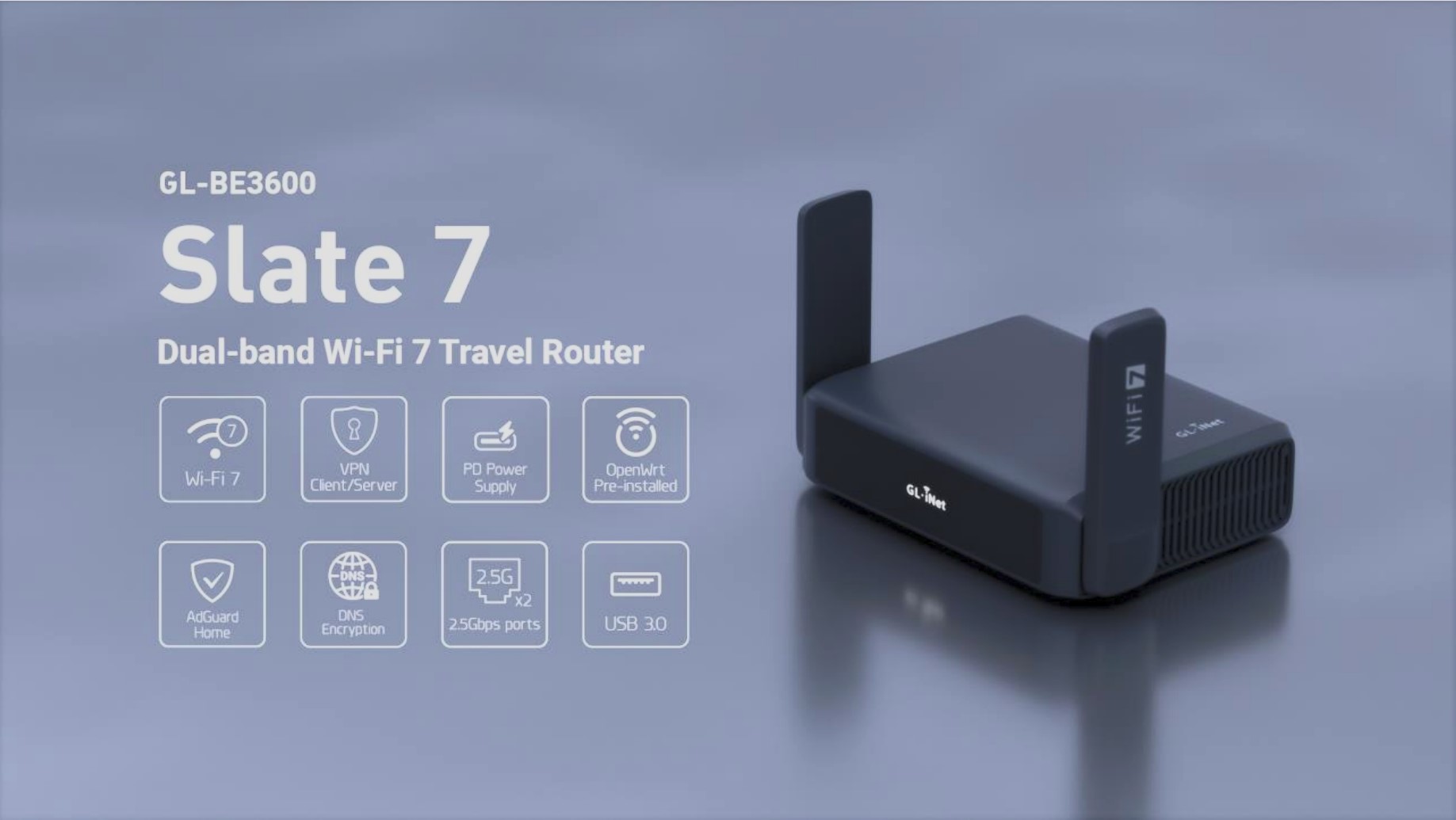
Travel routers are built to be compact and lightweight, perfect for slipping into your backpack or carry-on. Many models feature foldable antennas or sleek, minimalist designs that don’t add bulk. Have you ever struggled with heavy gadgets during a trip? A well-designed travel router solves that by being easy to carry without sacrificing performance.
Multiple Connection Options
One of the biggest advantages is how travel routers connect to the internet. You can often plug into Ethernet ports, use a SIM card, or connect via Wi-Fi from hotel networks. This flexibility means you’re not stuck with a single connection type, which is crucial when traveling through different countries or accommodations. Plus, some travel routers allow you to share these connections by creating separate guest networks, keeping your devices safe.
Battery Life And Power Sources
Battery life varies widely, but many travel routers come with built-in rechargeable batteries that last several hours. This feature is a lifesaver during long flights or road trips where power outlets aren’t available. Some models can also be powered through USB ports or portable power banks, giving you multiple ways to stay online. Have you ever been frustrated when your device dies just when you need it most? Choosing a travel router with reliable power options helps avoid that hassle.
Credit: pouaridis.com
Security Features To Look For
Travel routers with guest network capabilities enhance security by isolating guest devices from your main network. This ensures your personal data remains protected while allowing visitors internet access. Look for routers offering this feature to maintain a secure and private browsing environment.
When choosing a travel router, security is crucial. A reliable travel router should protect your data while providing convenience. Key security features can safeguard your information and ensure privacy.Encryption Standards
Encryption protects your data from unauthorized access. Look for routers that support WPA3 encryption. It’s the latest and strongest standard, offering robust security. Older standards like WPA2 are also acceptable but less secure. Always choose the highest encryption level available.Firewall And Access Controls
Firewalls act as a barrier against cyber threats. A built-in firewall on your travel router blocks malicious traffic. Access controls let you manage who connects to your network. These controls can prevent unauthorized users from accessing your data. They add an extra layer of protection.Automatic Updates
Technology evolves, and so do security threats. Automatic updates ensure your router has the latest security patches. This feature keeps your router resilient against new vulnerabilities. Regular updates mean better protection and peace of mind. Always ensure your travel router supports this feature.Setting Up Guest Networks On Travel Routers
Setting up a guest network on your travel router can enhance your security and convenience while on the move. It allows visitors to access the internet without giving them entry to your main devices and files. This feature is especially useful if you often share your connection at hotels, cafes, or client sites.
Step-by-step Configuration
First, connect to your travel router’s admin panel, usually accessed through a web browser by typing the router’s IP address.
Look for the “Guest Network” or “Guest Access” section in the settings menu. If you don’t see it immediately, check under wireless or advanced settings.
Enable the guest network and assign a unique SSID (network name) to distinguish it from your main network. Set a strong password to prevent unauthorized access.
Save your changes and test the guest network by connecting a device to it. Confirm that it provides internet access but restricts access to your main network resources.
Customizing Guest Access
You can tailor guest access to fit your needs. Some travel routers let you limit bandwidth for guests, ensuring your main connection stays fast.
Set time limits to automatically disable guest access after a certain period. This avoids leaving your network open unintentionally.
Consider restricting access to specific websites or services if your router supports this. It’s a practical way to control what guests can do online.
Troubleshooting Common Issues
If guests can’t connect, double-check the guest network is enabled and broadcasting. Sometimes, it might be hidden by default.
Ensure the password is correct and doesn’t have special characters that could cause input errors on some devices.
If connectivity is slow or drops often, try changing the wireless channel to avoid interference. Restarting your travel router can also clear temporary glitches.
Have you noticed some devices connecting but not accessing the internet? This might mean your router’s firewall or access controls need adjustment.
Popular Travel Routers With Guest Network Support
Travel routers with guest network support offer extra security and convenience. They allow visitors to access the internet without reaching your main network. This feature is ideal for sharing Wi-Fi in hotels, cafes, or during trips. Many popular models include this option to meet diverse user needs.
Top Models And Brands
- TP-Link TL-WR902AC: Compact, easy to use, supports guest networks.
- GL.iNet GL-AR750S: Known for strong security and guest access features.
- Netgear Nighthawk M1: High-speed mobile router with guest network options.
- Asus WL-330NUL: Small size, reliable guest network support.
- Huawei E5577: Portable hotspot with guest Wi-Fi functionality.
User Reviews And Ratings
Users praise TP-Link for simple setup and stable guest networks. GL.iNet receives high marks for security and versatility. Netgear Nighthawk is favored for fast speeds and easy guest management. Asus routers are appreciated for compact design and reliable connections. Huawei’s portable routers attract users needing quick guest access on the go.
Comparing Travel Routers With And Without Guest Networks
Travel routers come in two main varieties: those with guest network features and those without. Deciding which one fits your needs depends on how you plan to use your device and the level of control you want over your network. Understanding the differences can help you make smarter choices about your travel tech setup.
Pros And Cons
| Feature | Travel Routers with Guest Network | Travel Routers without Guest Network |
|---|---|---|
| Security | Allows you to isolate guest devices, protecting your main network and data. | No separation of devices; guests share the same network access as your own. |
| Convenience | Easy to provide internet access to friends or colleagues without sharing your main password. | Simpler setup with fewer configuration options. |
| Control | Offers control over bandwidth and usage for guests. | Limited control; all users share the same bandwidth and access rules. |
| Cost | Typically more expensive due to additional features. | Usually more affordable and straightforward. |
Use Case Scenarios
Imagine you’re on a business trip sharing your hotel Wi-Fi with teammates. A travel router with a guest network lets you keep your devices safe while easily giving others internet access.
If you’re a solo traveler who mainly needs a stable connection for your own devices, a simple travel router without guest capabilities might be enough. It’s less to worry about and usually more budget-friendly.
Think about situations where you want to prevent strangers from accessing your files or devices. Would you feel better knowing your network is segmented? That’s the kind of peace of mind a guest network provides.
Which features matter most to you when traveling? Is security a priority, or do you just want hassle-free connectivity? Your answer will guide your choice between these two router types.
Tips For Maximizing Travel Router Performance
Travel routers offer convenience and security on the road. Maximizing their performance ensures you enjoy fast, stable connections. Small changes can lead to better speeds and fewer interruptions.
Optimal Placement
Place your travel router in a central location for better coverage. Avoid walls and metal objects that block signals. Higher spots, like shelves, help signals travel farther. Keep it away from other electronics that cause interference.
Managing Bandwidth
Limit the number of devices connected at once to reduce slowdowns. Pause large downloads or streaming during important tasks. Use your router’s settings to prioritize essential devices. This keeps critical connections fast and stable.
Firmware Updates
Check for firmware updates regularly to improve router performance. Updates fix bugs and add security patches. Follow the manufacturer’s instructions to install updates safely. Updated routers work smoother and protect your data better.
Credit: www.trendhunter.com
Frequently Asked Questions
Do Travel Routers Support Guest Networks?
Yes, many travel routers support guest networks. This feature allows you to create a separate Wi-Fi network for guests. It helps keep your main network secure and private while sharing internet access easily.
Why Use A Guest Network On A Travel Router?
A guest network protects your primary network from unauthorized access. It isolates guest devices, reducing security risks. This setup is especially useful when traveling or in public places.
How To Enable Guest Network On Travel Routers?
Access your travel router’s settings via its web interface or app. Look for the guest network option, then enable it. Set a separate SSID and password for guests to connect securely.
Are Guest Networks Secure On Travel Routers?
Guest networks offer an extra security layer by isolating guest devices. However, security depends on the router’s encryption and password strength. Always use WPA2 or WPA3 encryption for best protection.
Conclusion
Travel routers often include guest network features for added security. Guests can connect without accessing your main devices. This keeps your personal data safe and private. Setting up a guest network is usually simple and quick. It helps manage multiple users easily while traveling.
Choosing a travel router with this option improves your internet experience. Secure and separate connections matter, especially in public places. Always check the specifications before buying to ensure guest network support. A travel router with guest access offers convenience and peace of mind.