Have you ever wondered if your mesh WiFi system can work without an internet connection? Imagine having strong, seamless WiFi throughout your home, even when the internet goes down.
Sounds useful, right? Whether you want to share files between devices, stream videos stored locally, or keep your smart home gadgets connected, understanding how mesh WiFi operates without internet can change the way you use your network. Keep reading, and you’ll discover what’s possible—and what’s not—when your internet is offline.
This knowledge could save you from frustration and help you get the most out of your mesh WiFi setup.
Credit: blog.eero.com
How Mesh Wifi Operates
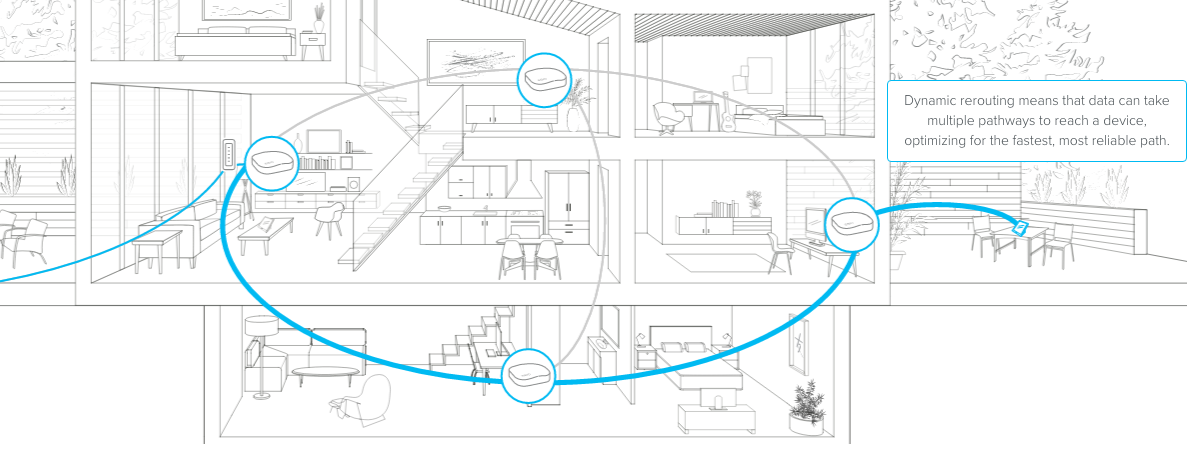
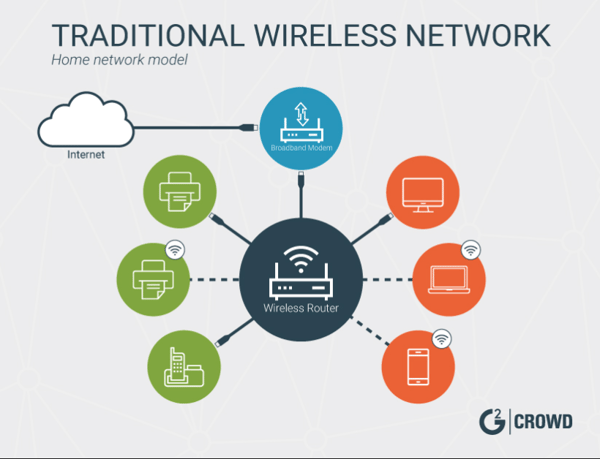
Understanding how mesh WiFi operates helps you grasp whether it can function without an internet connection. Mesh WiFi systems create a network by linking several devices, working together to spread your WiFi signal evenly throughout your home or office. This setup differs from traditional routers that rely on a single device to cover the entire area.
Basic Components Of Mesh Systems
A mesh WiFi system mainly consists of a few key components:
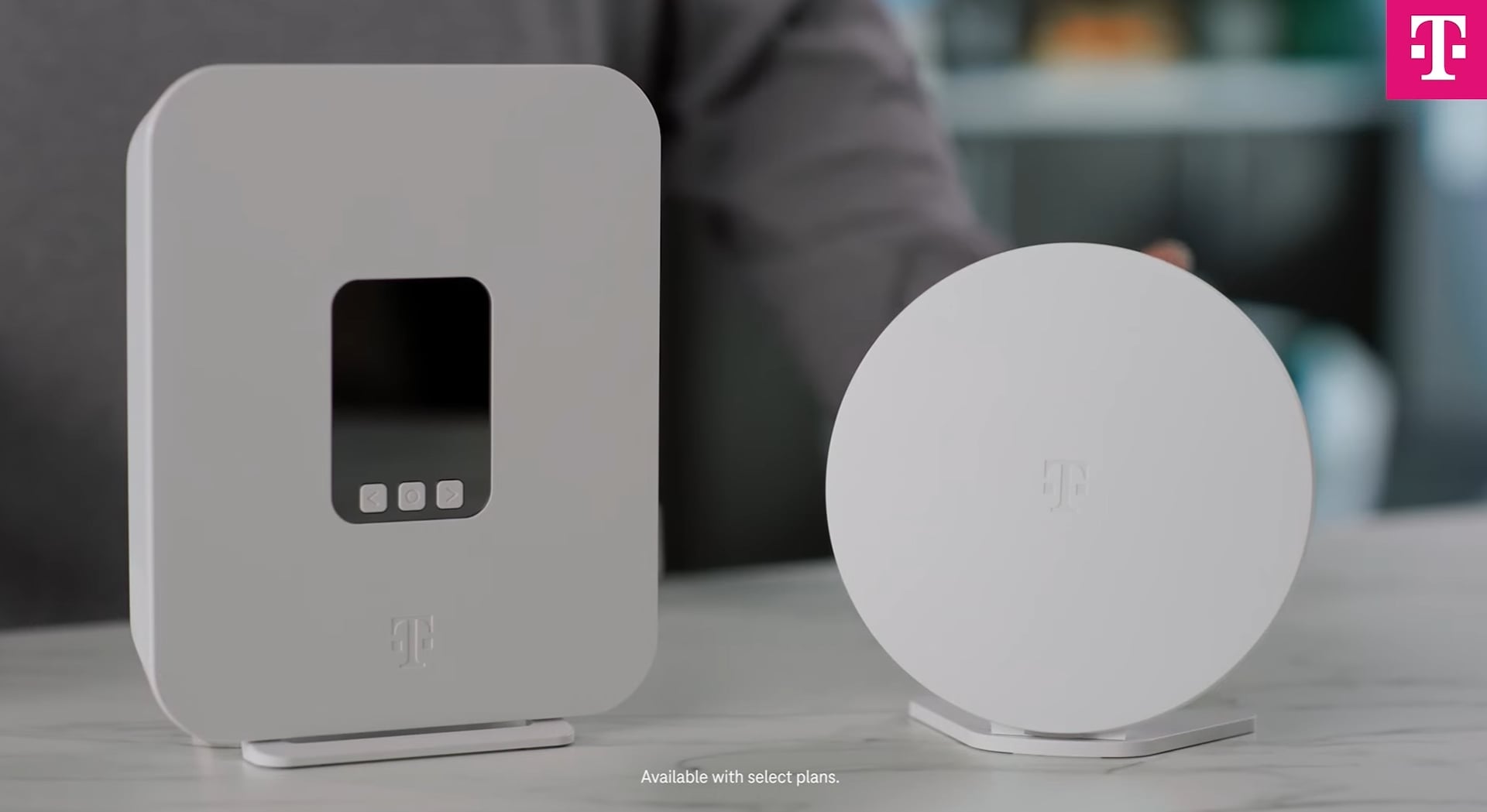
- Main Router:Connects directly to your modem and acts as the primary gateway.
- Satellite Nodes:These are additional devices placed around your space to extend coverage.
- Backhaul Connection:The link between the main router and the nodes, which can be wireless or wired.
Each part plays a role in ensuring your network stays strong and consistent. Without these components working together, your mesh system won’t be able to deliver seamless coverage.
Role Of Nodes In Network Coverage
Nodes act like team players, working together to blanket your area with WiFi signals. They communicate with the main router and with each other to find the best path for your data. This cooperation reduces dead zones and keeps your devices connected as you move around.
Think about a time when your WiFi dropped in a certain room. Adding a node there can fix that issue by bridging the gap. Nodes don’t just boost range; they improve network reliability by sharing the load and rerouting data if one path is blocked.
Credit: learn.g2.com
Internet Dependency In Mesh Networks
Understanding how mesh WiFi systems operate without internet access is key to making the most of your home network. Many assume that mesh networks lose all functionality without a live internet connection. But that’s not entirely true—these networks still offer useful features even offline.
Function Without Internet Connection
Mesh WiFi devices create a local network by connecting multiple nodes to spread WiFi coverage. This local network stays active even if your internet goes down. You can still connect your devices to the mesh network to communicate with each other.
Think about streaming a movie saved on your NAS (Network Attached Storage) or sharing files between laptops. Your mesh WiFi handles these tasks without needing internet access. The network keeps devices talking, but online services like web browsing or cloud apps won’t work.
Local Network Capabilities
Within your home, the mesh network acts like a private WiFi zone. This allows you to:
- Print wirelessly to a network printer.
- Access smart home devices like cameras or thermostats.
- Play multiplayer games on your local network.
- Stream media from local servers.
Imagine setting up a home office with no internet. You can still print documents and share files easily. The mesh WiFi gives you reliable connections inside your space, independent of internet service.
Have you ever experienced your internet going out but still needed to access devices on your network? Mesh WiFi’s local functions can keep you productive and connected, even offline.
Benefits Of Mesh Wifi Without Internet
Mesh WiFi systems do more than just provide internet access. They create a strong, reliable network within your home. This network works even without an internet connection. Many people do not realize the benefits of a mesh network when offline. It helps devices talk to each other quickly and easily. This section highlights key benefits of mesh WiFi without internet.
File Sharing And Media Streaming
Mesh WiFi allows fast file sharing between devices. You can transfer photos, videos, and documents without delays. This is perfect for homes with many users. Media streaming also works smoothly. Watch movies or listen to music stored on one device through others. No internet needed for this local streaming. The network keeps connection stable and fast.
Smart Home Device Connectivity
Smart home devices rely on strong networks to function well. Mesh WiFi provides seamless connections for these gadgets. Lights, cameras, and thermostats stay connected and responsive. Control devices through apps even without internet. The mesh network ensures devices communicate without interruptions. This helps maintain a smart home’s convenience and security.
Limitations When Offline
When your mesh WiFi system is offline, it faces several limitations that can affect your day-to-day activities. While it can still connect your devices locally, the absence of internet access creates notable restrictions. Understanding these limitations can help you better manage your network during offline periods.
No Access To Online Services
Without internet, your mesh WiFi becomes a local network without a gateway to the world wide web. This means streaming services, online gaming, and social media platforms are out of reach. Imagine planning a movie night only to find out that your favorite streaming service won’t load.
Even simple tasks like checking emails or browsing news sites become impossible. It’s a stark reminder of how reliant we are on internet connectivity for daily tasks. Have you ever tried completing a work project without access to cloud storage?
Restricted Software Updates
When your mesh WiFi system is offline, software updates are put on hold. This can leave your network vulnerable to security threats if updates are delayed for too long. Manufacturers frequently release patches to fix bugs and improve security.
Without regular updates, your system might not perform optimally or could even expose your devices to potential risks. Keeping your firmware up-to-date ensures you get the best performance and protection. So, what happens if your network stays offline for extended periods?
Setting Up Mesh Wifi For Offline Use
Setting up a mesh WiFi system to work offline changes the way you think about your network. Instead of just connecting to the internet, your focus shifts to creating a strong local network where devices can communicate without external access. This setup is perfect for sharing files, streaming media locally, or playing games without interruptions caused by internet issues.
Configuring Local Networks
Start by accessing your mesh router’s admin panel. Most systems allow you to create local networks that don’t depend on an internet connection. Disable the WAN (Wide Area Network) port or simply avoid connecting it to your modem.
Next, assign static IP addresses to your devices. This makes it easier to locate and connect to them within the network. You can set these IP addresses in the router’s DHCP settings or directly on each device.
Think about what devices will use this offline network. Are you sharing files between computers, streaming from a media server, or gaming? Customizing your network settings to fit these needs will improve performance and reliability.
Optimizing Node Placement
Node placement is critical even without internet access. Place nodes where you notice weak signal spots. Walls, furniture, and even appliances can block WiFi signals and cause dead zones.
Try to keep nodes within sight of each other, ideally with minimal obstructions. You don’t want your devices to struggle to switch between nodes or lose connection altogether. Testing signal strength with your phone or laptop before finalizing placement can save you headaches later.
Consider the size and layout of your space. A large open room might need fewer nodes than a multi-room setup with thick walls. Have you noticed certain spots where your WiFi devices struggle? Those are your target areas for placing additional nodes.
Common Myths About Mesh Wifi And Internet
Many people assume mesh WiFi systems are useless without an active internet connection. This common misunderstanding leads to confusion about what mesh networks actually do and how they function inside your home or office. Let’s clear up some myths that might be holding you back from fully using your mesh WiFi setup.
Internet Is Always Required
It’s easy to think mesh WiFi needs the internet to work at all. Actually, mesh networks create a local wireless network that connects your devices even if the internet is down. You can still share files, stream from local servers, or use smart home devices without internet access.
Imagine you have a home media server or printer connected to your mesh network. Even if your internet cuts out, devices on the mesh can still communicate and access these resources. So, mesh WiFi’s usefulness extends beyond just providing internet access.
Mesh Wifi Speeds Depend Solely On Internet
People often believe that mesh WiFi speeds are only limited by the internet speed. While your internet plan affects browsing and streaming, the mesh network itself impacts local speed and coverage. The quality of your mesh nodes, their placement, and your home’s layout play major roles in connection speed between devices.
For instance, when transferring files between laptops on the same mesh network, you might notice speeds much faster than your internet connection allows. This shows that mesh speeds depend on the network hardware and setup, not just your ISP’s bandwidth.
Future Trends In Mesh Networks
Mesh networks are evolving quickly to meet growing user needs. Their ability to work without internet is improving. Innovations aim to expand offline uses and device compatibility. These trends promise a smarter, more connected environment at home and work.
Enhanced Offline Functionality
Future mesh systems will offer better offline features. Devices can communicate directly through the mesh even without internet. This supports activities like file sharing and local gaming. Mesh nodes will store data temporarily to sync once online. Users will experience smoother performance during internet outages. This adds reliability and convenience to everyday tasks.
Integration With Iot Devices
Mesh networks will connect seamlessly with many IoT devices. Smart lights, locks, and sensors will work together through the mesh. This allows local control without needing cloud servers. It reduces delays and enhances privacy. The network will adapt automatically to new devices joining. This creates a flexible, secure smart home system.
Credit: www.t-mobile.com
Frequently Asked Questions
Can Mesh Wifi Systems Work Without Internet?
Yes, mesh WiFi systems can work without internet. They create a local network for device communication and file sharing. However, internet-based services like browsing or streaming won’t function without an active internet connection.
How Does Mesh Wifi Operate Without Internet?
Mesh WiFi routers connect wirelessly to each other, forming a local network. This network allows devices to communicate directly, even if no internet is available. It ensures seamless device connectivity within the home or office.
Can I Use Mesh Wifi For Offline Gaming?
Yes, mesh WiFi supports offline gaming by creating a local network. Players can connect their devices through the mesh system for multiplayer gaming without internet access. This is ideal for LAN parties or local gaming sessions.
Does Mesh Wifi Improve Local File Sharing Without Internet?
Mesh WiFi significantly improves local file sharing. It enables faster, direct transfers between devices on the same network, even without internet. This makes sharing large files or streaming local media smooth and efficient.
Conclusion
Mesh WiFi can work without internet for local device connection. You can share files or stream media between devices. It helps keep your home network strong and stable. But, without internet, you cannot browse websites or use online apps. Mesh systems focus on coverage, not internet access.
They create a strong WiFi signal inside your home. So, even offline, your devices stay connected to each other. This can be useful during internet outages or for specific tasks. Mesh WiFi offers flexibility beyond just internet use.