Are you struggling with slow internet during your online classes? You might be wondering if a budget router can handle all the demands of video calls, screen sharing, and quick downloads.
Choosing the right router is more important than you think—it can make or break your learning experience. This article will help you understand whether a budget router is really good enough for your online classes or if you need to invest a little more for smooth, uninterrupted connectivity.
Keep reading to find out what you need to know before making your choice.
Budget Router Basics
Choosing a budget router for online classes might seem like an easy decision, but understanding what these devices truly offer is crucial. Budget routers come with their own set of features and limitations that can directly impact your learning experience. Knowing these basics helps you decide if a low-cost router meets your needs or if you should consider investing more.
Key Features To Expect
Budget routers usually cover the essentials without extras that high-end models offer. Expect basic Wi-Fi standards like 802.11n or sometimes 802.11ac, which provide decent speed for most online class activities.
- Dual-band support:Some budget routers offer both 2.4 GHz and 5 GHz bands, but the 5 GHz range may have limited coverage.
- Simple setup:Most come with easy installation wizards, making it quick to get online.
- Limited security features:Basic WPA2 encryption is standard, but advanced options like VPN support or frequent firmware updates may be missing.
- Few Ethernet ports:Usually 2 to 4 ports, enough for basic wired connections.
Knowing these features helps you set realistic expectations for your router’s role in your daily online classes.
Typical Performance Limits
While budget routers can handle video calls and browsing, they often struggle when multiple devices connect simultaneously. This can cause buffering or dropped signals during important live sessions.
The range is another factor to consider. Walls and distance reduce signal strength more noticeably in cheaper models, which might leave you searching for a better spot during your classes.
| Performance Aspect | What to Expect |
|---|---|
| Maximum Speed | Up to 300 Mbps or 600 Mbps, depending on the model |
| Coverage Area | Typically 1000 to 1500 sq. ft., reduced by walls |
| Device Support | Best with 5-10 devices, performance drops beyond that |
Think about your home setup and the number of devices connected. Would a budget router keep everyone connected smoothly during back-to-back classes? Sometimes spending a bit more avoids the frustration of lost connections.
Connection Stability
Connection stability is a key factor for smooth online classes. It ensures your video and audio streams do not drop during lessons. Budget routers may vary in how well they maintain a steady connection over time. Some can hold a stable signal, while others might cause interruptions.
Stable connections reduce lag and buffering, making learning easier. The quality of your internet link depends on the router’s ability to handle data traffic efficiently. For online classes, a stable connection means fewer distractions and better interaction with teachers and classmates.
Impact On Video Quality
A stable connection keeps video clear and consistent. Budget routers sometimes struggle to maintain high video quality under heavy use. This can cause pixelated or frozen images during class. Without steady data flow, the video may drop to lower resolutions automatically.
Good connection stability helps avoid blurry or choppy video. It supports smooth streaming and clear visuals. Your focus stays on the lesson instead of technical issues.
Handling Multiple Devices
Many homes have several devices connected at once. Budget routers may face challenges managing multiple devices simultaneously. This can slow down the connection for online classes.
Some budget routers use basic technology that limits device support. Others can handle several devices well if the network is not overloaded. A stable connection means all devices get enough bandwidth to work properly.
- Watch for routers with dual-band support
- Check if the router prioritizes traffic for video calls
- Consider the maximum number of devices supported
Proper handling of multiple devices maintains connection stability. This keeps online classes running smoothly without interruptions.
Speed And Bandwidth
Speed and bandwidth are key factors for smooth online classes. A slow or unstable connection disrupts lessons and causes frustration. Budget routers often have limits on speed and bandwidth. Understanding these limits helps decide if a budget router suits online learning needs.
Minimum Speed Needs For Classes
Online classes usually need a stable internet speed. At least 3-4 Mbps download speed is necessary for video calls. Higher speeds improve video quality and reduce lag. Upload speed matters too, especially for sharing video and audio. A speed below 2 Mbps upload can cause delays and poor sound.
Some video platforms need more speed for group activities or screen sharing. Slower speeds may force students to turn off video or reduce quality. Budget routers may not support very high speeds, which can limit class experience.
Bandwidth Sharing Challenges
Bandwidth splits among devices connected to the router. Multiple students or family members using the internet at once reduce available speed. Streaming videos, downloading files, or online gaming can eat up bandwidth fast. Budget routers may struggle to manage many devices efficiently.
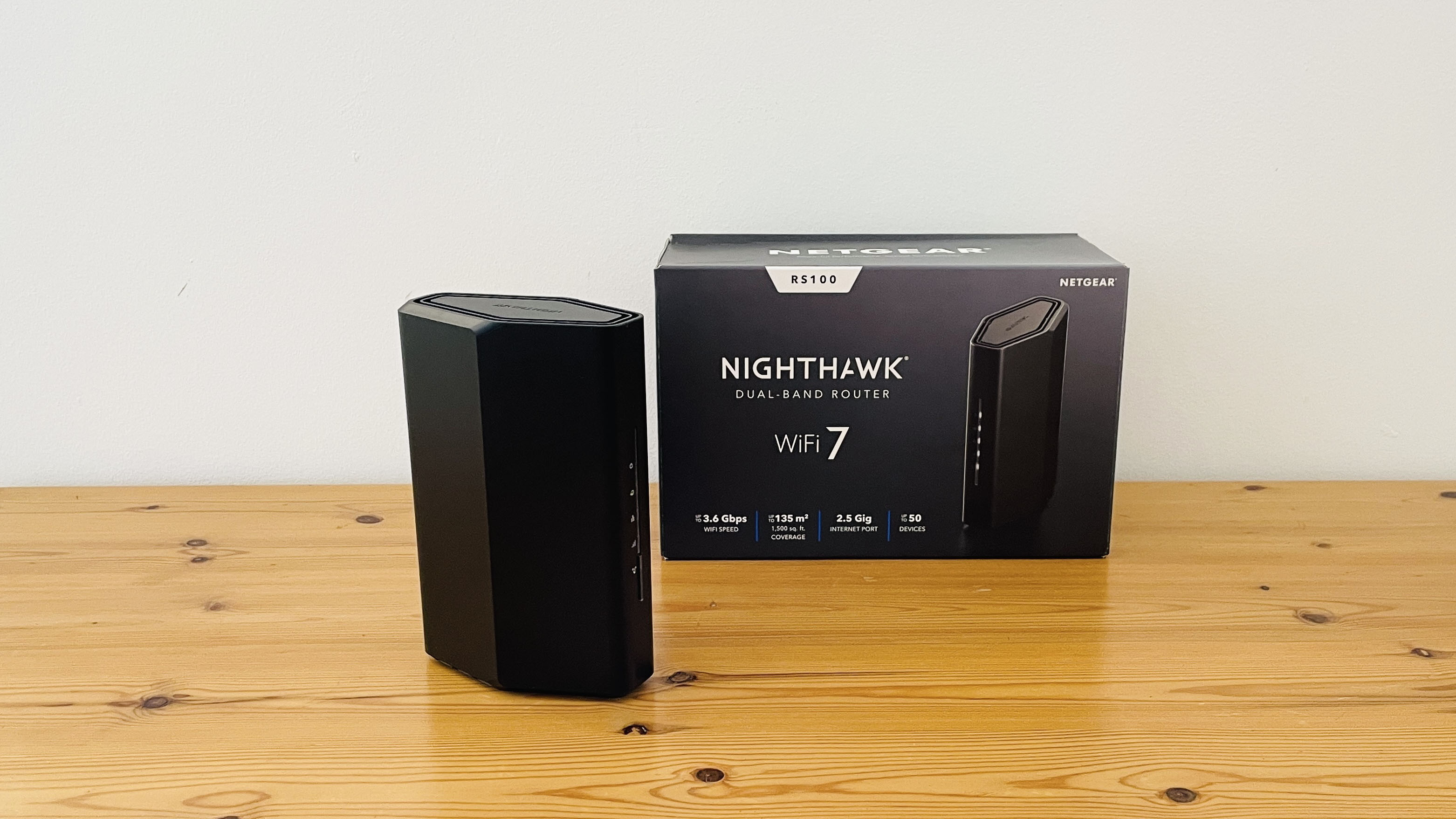
Heavy bandwidth use causes buffering and dropped connections during classes. Quality of service (QoS) features help prioritize class traffic but may be missing in budget routers. This makes it harder to keep stable video and audio for online learning.
Credit: www.techradar.com
Security Considerations
Budget routers may lack strong security features, which can put online classes at risk. Protecting personal data and preventing unauthorized access is crucial during virtual learning. Choosing a router with reliable security options helps keep your connection safe and stable.
When considering budget routers for online classes, security is a paramount concern. The online learning environment requires a reliable connection that safeguards your personal data and maintains your privacy. But how well do budget routers stand up to these expectations? Let’s dive into the security considerations you should keep in mind.Protecting Online Privacy
Your online privacy is crucial, especially during online classes where sensitive information might be shared. While budget routers may not come with high-end security features, they can still provide a decent level of privacy protection. Ensure your router supports WPA3 encryption, which is more secure than its predecessors. This technology helps keep your connection private by encrypting data and preventing unauthorized access. Regularly updating your router’s firmware is another simple yet effective way to protect your privacy. Updates often include patches for security vulnerabilities, ensuring your device remains secure against new threats.Built-in Security Features
Budget routers might surprise you with some built-in security features that can enhance your online safety. Look for routers that come with basic firewall protection. Firewalls act as a barrier between your network and potential threats from the internet. Some budget models also offer guest network capabilities. This feature allows you to create a separate network for visitors, keeping your main network secure and reducing the risk of sharing sensitive information inadvertently. Parental control features can be another advantage in some budget routers. These settings enable you to manage and restrict access to specific websites, ensuring a safer online environment for students. As you consider a budget router for online classes, remember that security doesn’t have to be compromised. Are you ready to make the right choice for your online learning needs?Ease Of Setup And Use
Setting up a router for online classes should be straightforward, especially if you’re not tech-savvy. Ease of setup and use can make a huge difference in how quickly you get connected and stay focused on learning. Budget routers often promise simplicity, but how do they really perform in this area?
User-friendly Interfaces
Many budget routers come with simple, web-based interfaces that guide you through the setup process step-by-step. You don’t need to be a networking expert to configure your Wi-Fi settings, set passwords, or manage connected devices.
Some even offer mobile apps that make managing your network as easy as tapping a few buttons on your phone. This can be a real time-saver when you need to adjust settings quickly during an online class.
Have you ever struggled with confusing menus and technical jargon? User-friendly interfaces eliminate that frustration and let you focus on what matters—your studies.
Support And Updates
Budget routers vary widely in the level of customer support and firmware updates they provide. Reliable updates are important to keep your router secure and performing well.
Look for routers from brands that offer regular firmware updates and easy access to help resources. Some budget models may lack this, which could lead to connectivity issues during critical online sessions.
Would you want to troubleshoot network problems in the middle of a live class? Good support and timely updates can save you from this hassle and keep your connection stable.

Credit: www.popsci.com
When To Upgrade
Knowing the right time to upgrade your router is key for smooth online classes. Budget routers work well at first. But certain signs show it’s time for better gear. Upgrading helps avoid frustration and keeps your connection steady.
Signs Budget Routers Fall Short
- Frequent disconnections during video lessons
- Slow internet speeds affecting class participation
- Too many devices causing lag or dropouts
- Weak Wi-Fi signal in study areas
- Inability to handle HD video streaming
- Router overheating or restarting often
Benefits Of Higher-end Models
- Stronger and more stable Wi-Fi signals
- Better support for multiple devices at once
- Faster speeds to handle live video and downloads
- Advanced security features to protect privacy
- Improved range covering larger home areas
- Customizable settings for smoother connections
Budget Router Recommendations
Choosing the right budget router for online classes can make a significant difference in your learning experience. A good router ensures smooth video calls, quick downloads, and minimal interruptions. But with so many options out there, which ones truly deliver value without breaking the bank?
Top Models For Online Learning
Here are some budget-friendly routers that stand out for online classes:
- TP-Link Archer A7:Offers reliable dual-band Wi-Fi and easy setup. It handles multiple devices well, which is great if you have siblings or roommates studying online.
- NETGEAR Nighthawk R6700:Known for strong signal strength and good coverage. It supports HD video streaming without hiccups, ideal for live lectures.
- ASUS RT-AC66U B1:A solid choice with good speed and parental controls. You can limit distractions by managing what sites get accessed during class time.
Each model combines affordability with features that suit the demands of virtual learning.
Balancing Cost And Performance
It’s tempting to pick the cheapest router, but will it handle your online classes smoothly? Think about your home setup: How many devices connect at once? Are you in a large space where signal reach matters?
Sometimes spending a bit more upfront saves frustration later. A router with better range and speed can reduce lag and dropped connections.
Ask yourself: Would a router with guest networks or Quality of Service (QoS) controls help prioritize your class traffic? Features like these can make a budget router perform closer to high-end models.

Credit: www.reddit.com
Frequently Asked Questions
Are Budget Routers Reliable For Online Classes?
Budget routers can be reliable but may lack advanced features. They usually provide basic connectivity suitable for standard online classes with moderate user numbers.
Do Budget Routers Support Stable Video Calls?
Most budget routers support stable video calls if the internet speed is adequate. However, they might struggle with multiple high-demand devices simultaneously.
Can Budget Routers Handle Multiple Devices During Classes?
Budget routers can handle a few devices but may slow down with many connected. For large households, a mid-range router is often better.
Is Wi-fi Speed Limited With Budget Routers?
Yes, budget routers often have lower maximum speeds compared to premium models. This can affect streaming quality and download times during online learning.
Conclusion
Budget routers can work well for basic online classes. They offer enough speed for video calls and browsing. But, they may struggle with many devices or heavy use. Stability and range can be limited in cheaper models. Choosing a router depends on your needs and budget.
Sometimes, spending a bit more brings better connection and fewer interruptions. Think about how many devices will connect at once. A good internet connection helps you stay focused and learn better. In the end, balance cost with performance for smooth online classes.