Are you tired of weak Wi-Fi signals that interrupt your smart home devices? You rely on your smart lights, security cameras, and voice assistants every day, so having a strong, steady connection is crucial.
But can mesh Wi-Fi really handle all your smart gadgets without slowing down or dropping out? You’ll discover how mesh Wi-Fi works and why it might be the key to making your smart home smarter and more reliable. Keep reading to find out if mesh Wi-Fi is the perfect fit for your connected life.
Mesh Wifi Basics
Understanding mesh wifi basics is key to deciding if it fits your smart home needs. Unlike traditional routers, mesh wifi creates a network that covers every corner of your house without dead zones. This ensures your smart devices stay connected no matter where you place them.
How Mesh Wifi Operates
Mesh wifi uses multiple devices called nodes to spread internet signals evenly throughout your home. Each node talks to the others, creating a web of coverage instead of relying on a single router. This means if one node faces issues, the rest keep your connection stable.
Think about your smart thermostat in the basement or security cameras in the backyard. With mesh wifi, these devices receive a strong signal consistently. Have you ever experienced your smart speaker cutting out in a certain room? Mesh wifi can fix that by eliminating weak spots.
Components Of Mesh Systems
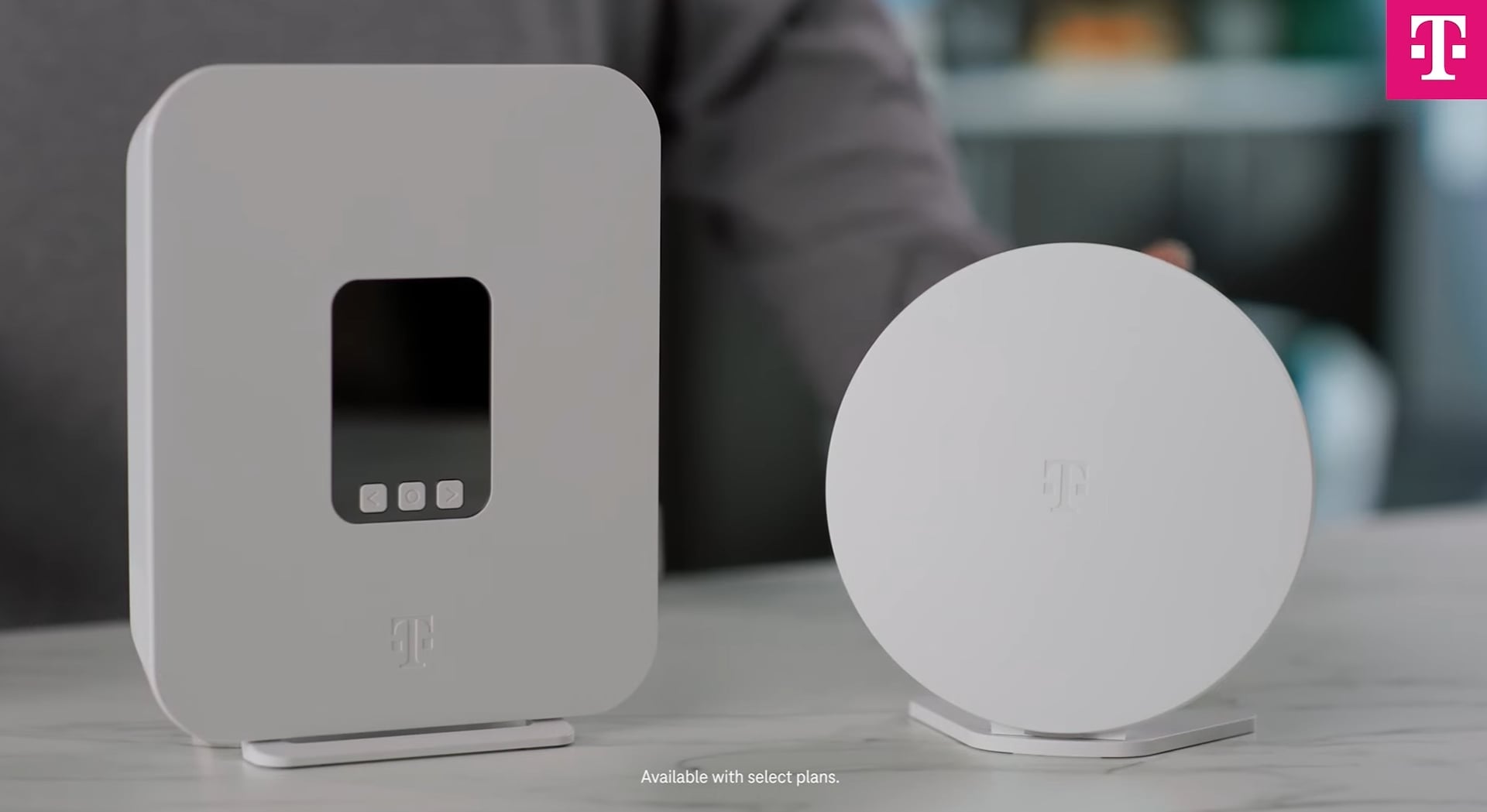
A typical mesh system includes a main router and several satellite nodes. The main router connects directly to your modem, while the satellites spread out across your home. These nodes work together to deliver seamless coverage.
- Main Router:The central hub that connects to your internet source.
- Satellite Nodes:Additional units that extend the wifi signal to distant areas.
- Mobile App:Most mesh systems offer apps to help you manage the network easily.
Setting up these components is usually straightforward, with apps guiding you step-by-step. You can place nodes where your smart home devices need the best connection. How often do you rearrange furniture or add new smart gadgets? Mesh wifi adapts without hassle.
Credit: www.t-mobile.com
Smart Home Connectivity Needs
Your smart home depends heavily on strong and reliable connectivity. Without a stable network, devices can lag, drop connections, or fail to respond when you need them most. Understanding what your smart home truly needs from its WiFi setup is key to avoiding frustrating interruptions.
Common Smart Devices
Smart homes often include a variety of devices like:
- Voice assistants (Amazon Alexa, Google Home)
- Smart thermostats and lighting systems
- Security cameras and doorbells
- Smart plugs and appliances
- Home entertainment systems
Each device may have different connectivity requirements. Some need constant, real-time communication, like security cameras streaming video. Others, such as smart plugs, only send small bursts of data occasionally.
Network Demands And Challenges
Smart devices create unique challenges for your home network. Multiple devices connecting simultaneously can strain bandwidth and cause congestion. Have you noticed your WiFi slowing down when several devices are active?
Interference from walls, distance from your router, and device placement all affect performance. For example, a camera in the backyard might struggle to maintain a connection if the router is on the opposite side of the house. Your network must handle these challenges without dropping connections or causing delays.
Advantages Of Mesh Wifi In Smart Homes
Mesh WiFi offers many advantages for smart homes. It enhances internet access throughout your house. This technology supports multiple devices without slowing down. It makes controlling smart gadgets easier and more reliable.
Seamless Coverage
Mesh WiFi creates a strong signal in every corner of your home. It uses several nodes that work together. These nodes spread the WiFi signal evenly. No dead zones or weak spots remain. You can move around without losing connection. This is perfect for large homes or places with thick walls.
Easy Device Integration
Smart homes have many devices like cameras, lights, and speakers. Mesh WiFi helps connect all these devices quickly. Each device links to the closest node. This reduces connection problems and delays. Setting up new devices is simple and fast. The network adapts as you add more gadgets.
Improved Network Reliability
Mesh WiFi provides a stable and reliable internet connection. If one node fails, others keep the network alive. This avoids interruptions in your smart home system. It handles high traffic without slowing down. Streaming, gaming, and video calls stay smooth. Your smart devices work better without network drops.

Credit: www.pcmag.com
Potential Limitations
Mesh WiFi systems offer great coverage for smart homes. But, they aren’t perfect. Before investing, consider potential limitations. Understanding these can help in making an informed decision.
Interference Issues
Mesh WiFi can face interference from other devices. Microwaves and cordless phones may disrupt the signal. Walls and furniture can also weaken the connection. This might lead to slower internet speeds.
Compatibility Concerns
Not all smart devices work well with mesh WiFi. Some older devices may struggle to connect. Always check device compatibility before setting up a mesh network. This ensures all smart home gadgets will function properly.
Cost Considerations
Mesh WiFi systems can be expensive. Initial setup costs might be higher than traditional routers. The long-term benefits often outweigh the price, but budget constraints need consideration.
Optimizing Mesh Wifi For Smart Devices
Optimizing mesh WiFi for smart devices ensures a smooth and reliable connection throughout your home. Smart devices need stable signals to perform tasks like streaming, security monitoring, and automation. Proper setup helps reduce dead zones and interference. This section covers key tips to improve your mesh WiFi system for smart home use.
Placement Tips
Place mesh nodes in open areas for better signal spread. Avoid hiding nodes inside cabinets or behind furniture. Keep nodes away from thick walls and metal objects that block signals. Position nodes evenly across your home to cover all smart devices. Higher placement, like on shelves, often improves coverage. Ensure no node is too far from another to maintain a strong mesh link.
Firmware Updates
Regularly update your mesh system’s firmware. Updates fix bugs and improve performance. Manufacturers release updates to support new smart device types. Check your mesh app or website for the latest firmware. Enable automatic updates if available. Updated firmware helps keep your network stable and secure.
Security Best Practices
Secure your mesh WiFi with a strong password. Use WPA3 or WPA2 encryption for better protection. Change default admin credentials to prevent unauthorized access. Disable remote management unless necessary. Regularly review connected devices and remove unknown ones. Secure networks protect smart devices from hacking risks and data theft.
Popular Mesh Wifi Options
Mesh WiFi systems are popular choices for smart homes. They provide strong and consistent WiFi signals throughout the house. These systems use multiple devices to create a network that covers every corner. Choosing the right mesh WiFi can improve your smart home experience. It ensures all devices stay connected without interruption.
Top Brands And Models
- Google Nest Wifi:Easy setup and great coverage for most homes.
- Netgear Orbi:Known for fast speeds and wide range.
- Amazon Eero:Simple to use and integrates well with smart home devices.
- TP-Link Deco:Affordable with strong security features.
- Asus ZenWiFi:Offers advanced controls and good performance.
Features To Look For
- Coverage Area:Make sure it covers your whole home.
- Speed:Supports high-speed internet for smooth streaming and gaming.
- Device Capacity:Can handle many devices connected at once.
- Security:Provides strong encryption and regular updates.
- Ease of Setup:Simple installation and user-friendly app control.
- Compatibility:Works well with various smart home gadgets.
Troubleshooting Common Problems
Troubleshooting common problems in mesh WiFi networks helps keep your smart home running smoothly. These networks improve coverage but can face issues like connection drops, slow speeds, or device pairing troubles. Understanding how to fix these problems saves time and frustration.
Connectivity Drops
Connectivity drops can disrupt smart devices and streaming. Check if mesh nodes are too far apart. Walls and floors block signals, causing weak connections. Restarting your mesh router and nodes often restores stable links. Keep firmware updated to avoid bugs that cause drops.
Slow Speeds
Slow internet speeds reduce smart device performance. High network traffic from many devices may slow down WiFi. Move mesh nodes closer to busy areas for better coverage. Avoid placing nodes near microwaves or cordless phones that cause interference. Run speed tests to identify if the issue is your internet provider.
Device Pairing Issues
Pairing problems prevent new devices from joining your network. Ensure your mesh WiFi uses the right security settings like WPA2 or WPA3. Restart devices and mesh nodes before pairing. Disable any guest network or parental controls that might block new devices. Sometimes, resetting the device to factory settings helps.

Credit: www.reddit.com
Frequently Asked Questions
Can Mesh Wifi Improve Smart Home Device Connectivity?
Yes, mesh WiFi enhances smart home connectivity by providing seamless coverage. It reduces dead zones and ensures stable connections across large areas.
Is Mesh Wifi Compatible With All Smart Home Devices?
Most smart home devices work well with mesh WiFi. It supports various protocols like Wi-Fi, Zigbee, and Bluetooth, ensuring broad compatibility.
How Does Mesh Wifi Affect Smart Home Security?
Mesh WiFi systems often include advanced security features. They offer encryption, automatic updates, and network segmentation to protect smart home devices.
Can Mesh Wifi Handle Multiple Smart Devices Simultaneously?
Yes, mesh WiFi efficiently manages many smart devices. It balances traffic and reduces congestion, maintaining strong performance in busy smart homes.
Conclusion
Mesh WiFi fits well with smart home devices. It spreads a strong signal in every room. This helps gadgets work without losing connection. Setting up mesh systems is usually simple and fast. It keeps your smart home running smoothly all day.
Choose a mesh WiFi that matches your home size. This way, devices stay connected and respond quickly. A good WiFi network supports your smart life easily. Mesh WiFi can make your home smarter and more reliable.