Are you wondering if your travel router can connect to a hidden SSID? It’s a common question for travelers and remote workers who want secure and reliable Wi-Fi on the go.
Hidden networks don’t broadcast their name, making them less visible but not impossible to join. You’ll discover exactly how travel routers handle hidden SSIDs and what you need to do to get connected smoothly. Keep reading to unlock the full potential of your travel router and stay online wherever you are.
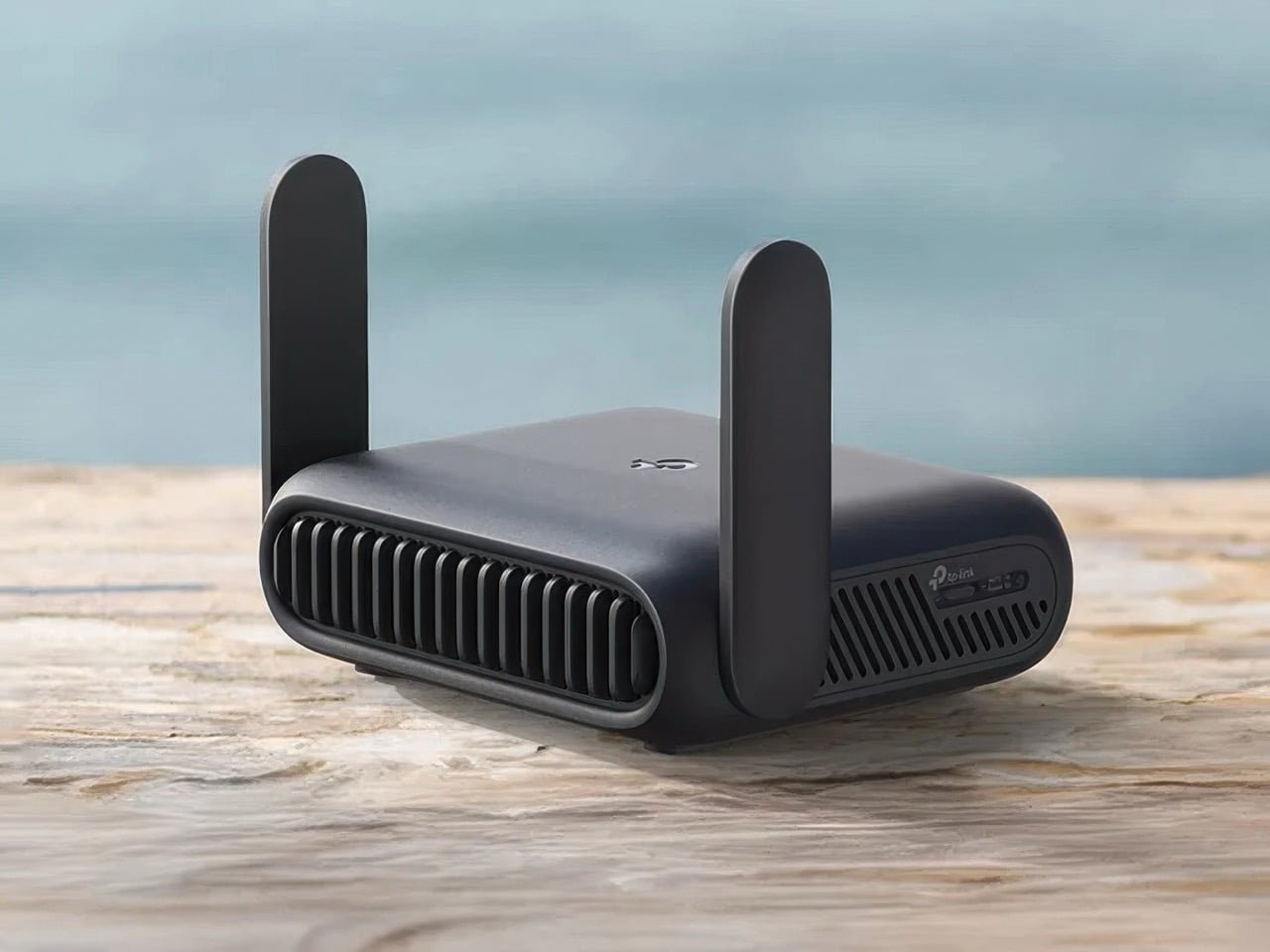
Credit: www.yankodesign.com
How Travel Routers Work
Understanding how travel routers work can help you decide if they meet your needs, especially when dealing with hidden SSIDs. These compact devices create a private Wi-Fi network by connecting to an existing internet source. Whether you are in a hotel, café, or an airport lounge, a travel router bridges the gap between you and the internet, often adding security and convenience.
Basic Functionality
A travel router connects to a wired or wireless internet source and then broadcasts its own Wi-Fi signal. This means you can link multiple devices like your phone, laptop, or tablet to a single connection. It acts as a middleman, improving network security by creating a separate private network.
Most travel routers have user-friendly interfaces where you can configure settings such as network name (SSID), password, and security protocols. Some models support connecting to hidden SSIDs by manually entering the network name and credentials. This feature is crucial when the source Wi-Fi network does not broadcast its SSID openly.
Common Use Cases
- Hotel Stays:Instead of connecting each device to the hotel’s often insecure Wi-Fi, you connect your travel router once and then link all your devices securely.
- Work on the Go:If you need a stable and private connection for video calls or sensitive work, travel routers provide a reliable solution.
- Hidden SSID Networks:Some public or private networks hide their SSID for security reasons. Travel routers allow you to connect by manually adding the hidden network details, ensuring you don’t lose internet access just because the SSID isn’t visible.
- Extending Range:You can use a travel router to boost weak signals, making it easier to work from a distance without interruptions.
Have you ever struggled to connect to a hidden Wi-Fi network while traveling? Knowing how travel routers handle this situation can save you frustration and keep you online without hassle.
What Is A Hidden Ssid
A Hidden SSID is a wireless network name that does not broadcast publicly. Normally, Wi-Fi networks share their SSID so devices can see and connect easily. A hidden SSID keeps this name private and invisible to casual scans. Users must enter the exact network name to join. This adds a layer of obscurity to the network.
Reasons For Hiding Ssids
- To reduce visibility to casual users or neighbors
- To avoid automatic connection attempts by unknown devices
- To create a sense of privacy for home or office networks
- To prevent network clutter in crowded Wi-Fi areas
Security Implications
Hiding an SSID does not fully protect a network. Skilled attackers can still detect hidden networks. The network name is often revealed during communication between devices and the router. It offers minimal defense against hacking.
Relying only on hiding the SSID can give a false sense of security. Strong passwords and encryption methods like WPA3 are more effective. Devices may also struggle to connect smoothly to hidden SSID networks. This can cause user frustration.
Connecting Travel Routers To Hidden Ssids
Travel routers offer a flexible way to share internet on the go. Connecting them to hidden SSIDs requires extra steps. Hidden SSIDs do not broadcast their network names openly. This makes automatic detection by devices impossible. Users must manually enter network details to establish a connection. The process involves more attention but keeps networks less visible to outsiders.
Manual Network Configuration
To connect a travel router to a hidden SSID, manual setup is necessary. Users must input the exact network name (SSID) and password. The travel router’s interface usually has an option for hidden networks.
- Access the router’s admin panel via a browser.
- Go to the wireless settings section.
- Select the option to add a hidden network or manually enter SSID.
- Enter the SSID exactly as it is set on the main router.
- Choose the correct security type (WPA2, WPA3, etc.).
- Input the network password carefully.
- Save the settings and restart the router if needed.
This manual input ensures the travel router connects properly. Accuracy in typing the SSID and password is crucial.
Limitations And Challenges
Hidden SSIDs add a layer of privacy but bring challenges for travel routers. Some routers may not support connecting to hidden networks. This depends on the router’s firmware and model.
Manual configuration can lead to errors. Mistyping the SSID or password prevents connection. The router might fail to reconnect automatically after reboot.
Hidden SSIDs do not guarantee complete security. Skilled users can still detect hidden networks. They also cause slightly slower connection times. Devices spend more effort searching for the network.
In some cases, travel routers may lose signal more often. Troubleshooting requires checking all settings carefully. Firmware updates can improve compatibility with hidden SSIDs.
Credit: medium.com
Troubleshooting Connection Issues
Troubleshooting connection issues with travel routers connecting to hidden SSIDs can be tricky. Hidden networks don’t broadcast their names, so your router must be configured precisely to find and join them. Let’s look at common problems you might face and how to tackle them effectively.
Signal Detection Problems
Hidden SSIDs don’t appear in the list of available networks, which means your router won’t detect them automatically. You need to manually enter the exact network name (SSID) to connect.
If your router still can’t find the network, check the following:
- Distance and obstacles:Walls and interference can weaken the signal. Try moving closer to the router or removing physical barriers.
- Correct SSID input:Make sure there are no typos or extra spaces when entering the network name.
- Router compatibility:Some travel routers have trouble with certain Wi-Fi standards. Verify your device supports the network’s frequency (2.4 GHz or 5 GHz).
I once struggled connecting my travel router to a hidden SSID in a hotel. Only after retyping the SSID exactly did the connection succeed. Have you double-checked your SSID spelling?
Authentication Failures
Even if your router detects the hidden network, you might see authentication errors. These happen when the password or security settings don’t match.
To fix this:
- Confirm the password:Ask the network owner or check your notes for the exact passphrase.
- Match security type:Select the correct encryption method (WPA2, WPA3, etc.) on your travel router settings.
- Update firmware:Sometimes, outdated router software causes handshake issues. Check for updates to improve compatibility.
Have you tried resetting your router and re-entering all details? That simple step often resolves stubborn authentication problems.
Expert Tips For Reliable Connections
Travel routers are a fantastic tool for maintaining a secure and reliable internet connection on the go. However, connecting to hidden SSIDs can sometimes be tricky. With a few expert tips, you can ensure that your travel router connects smoothly, providing you with a hassle-free internet experience.
Using Correct Ssid And Password
Ensure that you have the exact SSID name and password. Hidden networks won’t broadcast their name, so a single typo can prevent a connection. Double-checking this information is crucial. It’s a simple step, but often overlooked.
Firmware Updates And Settings
Keeping your router’s firmware up to date is essential for optimal performance. Manufacturers often release updates to improve connectivity and security. Check your router’s settings for any updates before you travel.
Additionally, explore the settings to ensure your router is configured to connect to hidden networks. This might involve enabling a specific option in the admin panel.
Optimizing Router Placement
Placement can dramatically affect your connection quality. Place your router in an open area, away from obstructions. This can enhance signal strength and stability.
Consider the surroundings. Are there any walls or large objects blocking the signal? Experiment with different locations to find the sweet spot for optimal connection.
Are you ready to give these tips a try on your next trip? These simple yet effective strategies can make your travel router a reliable travel companion.

Credit: whatthetech.tv
Alternatives To Hidden Ssids
Hidden SSIDs do not provide strong security for wireless networks. Many devices struggle to connect to them, especially travel routers. Instead of hiding your network name, better options exist to protect your Wi-Fi.
Using better security methods keeps your network safe and easy to join. You can avoid connection problems while securing your data. Understanding when to avoid hidden SSIDs helps you create a reliable network setup.
Enhanced Security Methods
Strong passwords prevent unauthorized access to your Wi-Fi. Use WPA3 or WPA2 encryption for better protection. Change passwords regularly and avoid simple words or numbers.
Enable a guest network for visitors. This keeps your main network private and secure. Turn off WPS to reduce hacking risks. Keep router firmware updated to fix security issues.
When To Avoid Hidden Ssids
Hidden SSIDs can cause device connection problems. Many travel routers cannot detect or connect easily to hidden networks. This leads to frustration and wasted time.
Hiding your SSID does not stop hackers. Skilled attackers can still find hidden networks. It adds complexity without real benefits.
Choose visible SSIDs with strong security settings. This approach balances convenience and safety. It ensures smooth connections and protects your data.
Frequently Asked Questions
Can Travel Routers Connect To Hidden Ssids?
Yes, most travel routers can connect to hidden SSIDs. You need to manually enter the network name and security details to connect. This allows the router to recognize and access networks that do not broadcast their SSID publicly.
How Do I Set Up A Hidden Ssid On A Travel Router?
To set up a hidden SSID, enter the exact network name (SSID) and security key in your travel router’s settings. Ensure “Connect to hidden network” or similar option is enabled. This helps the router detect and connect to the hidden network efficiently.
Are Hidden Ssids Less Secure With Travel Routers?
Hidden SSIDs add minimal security since the network is still discoverable by advanced tools. Travel routers must use strong encryption like WPA2 or WPA3 to ensure better protection. Hiding SSIDs mainly prevents casual users from seeing the network name.
Why Won’t My Travel Router Connect To A Hidden Ssid?
Connection issues may arise if the SSID name or password is incorrect. Also, ensure your router supports hidden networks. Double-check the security type matches the hidden network’s settings. Firmware updates can also fix bugs affecting hidden SSID connections.
Conclusion
Travel routers can connect to hidden SSIDs with the right settings. You need to enter the network name and password manually. This keeps your connection secure and private. Many travel routers support this feature. It helps when you want to use Wi-Fi that does not broadcast its name.
Always check your router’s instructions for specific steps. Staying connected while traveling becomes easier with these tools. Hidden SSIDs are not a barrier for your travel router. Simple setup leads to smooth internet access anywhere you go.