Have you ever needed internet access on the go but wondered if a portable router could keep you connected anywhere? You’re not alone.
Whether you’re traveling, working remotely, or just want reliable Wi-Fi outside your home, knowing if a portable router truly works everywhere is key. You’ll discover how these devices function, where they shine, and what might limit their reach. By the end, you’ll feel confident about whether a portable router is the right solution for your internet needs—no matter where you are.
Keep reading to unlock the truth about portable routers and your connection freedom.
How Portable Routers Operate
Understanding how portable routers operate can change the way you stay connected on the go. These compact devices act as your personal internet hub, allowing multiple devices to share a single internet connection. Whether you’re traveling, working remotely, or simply need a backup, knowing what makes portable routers tick helps you choose the right one for your needs.
Key Features Of Portable Routers
Portable routers come with features designed to maximize convenience and connectivity. Most offer:
- Wireless Connectivity:Create a Wi-Fi hotspot from a wired or cellular connection.
- Compact Size:Small enough to fit in your pocket or bag for easy transport.
- Battery Power:Many models have built-in rechargeable batteries, perfect for use without a power source.
- Multiple Device Support:Connect several devices simultaneously without losing speed.
- Security Options:Advanced encryption and password protection to keep your network safe.
These features make portable routers more than just travel gadgets; they’re essential tools for digital freedom. Have you ever been stuck somewhere with weak Wi-Fi and wished for a quick fix? Portable routers can be that fix.
Types Of Portable Routers
There are different types of portable routers to match various internet sources and use cases. Here are the main categories:
| Type | Description | Best Use |
|---|---|---|
| Mobile Hotspot Routers | Use cellular data (4G/5G) to create a Wi-Fi network. | Travelers and remote areas without fixed internet. |
| Wired Portable Routers | Connect to Ethernet cables and share the internet wirelessly. | Hotels or offices with wired internet only. |
| Travel Routers | Designed specifically for portability and often include multiple connection options. | Frequent travelers needing flexible internet access. |
Knowing which type suits your needs can save you from connectivity headaches. Which type aligns with your usual internet sources and travel habits?

Credit: www.amazon.ca
Global Compatibility Factors
Understanding global compatibility factors is key to knowing if a portable router will work anywhere you go. These factors determine how well your device connects to different mobile networks across countries. It’s not just about having a portable router; it’s about ensuring it can communicate effectively with local carriers wherever you travel.
Supported Network Bands And Frequencies
Every country uses different network bands and frequencies for mobile data. A portable router must support the same bands and frequencies as the local carriers to provide a reliable connection.
For example, a router that supports LTE Band 20 might work well in Europe but could struggle in the US, where Band 13 or Band 4 is more common. Checking the router’s specifications against the bands used in your destination helps avoid connectivity issues.
Have you ever bought a gadget that just didn’t work abroad? That’s usually because of incompatible bands. Knowing this upfront saves you time and frustration.
Sim Card And Carrier Support
Another important factor is whether your portable router accepts SIM cards from different carriers. Some routers are locked to specific providers, which limits your options overseas.
A truly global router will support multiple SIM cards and allow you to switch carriers easily. This flexibility means you can buy a local SIM card in any country to get better coverage and rates.
Think about how often you’ve had to pay high roaming fees just because your device wouldn’t work with local networks. Choosing a router that supports unlocked SIM cards puts you in control of your connectivity and your budget.
Using Portable Routers Abroad
Using a portable router abroad can save you from costly roaming fees and unreliable hotel Wi-Fi. These compact devices let you create your own secure internet hotspot, giving you control over your connection wherever you go. But how do you ensure your portable router works well in different countries? Let’s look at key considerations for using portable routers internationally.
Roaming Vs Local Sim Cards
One choice you face is whether to use your home SIM card with roaming or buy a local SIM card abroad. Roaming lets you keep your original phone number and settings, but it often comes with expensive data charges and slower speeds.
Local SIM cards can be much cheaper and provide better speed. You simply insert the SIM into your portable router and enjoy local data rates. However, buying and activating a local SIM might require some research and paperwork.
- Roaming offers convenience but higher costs.
- Local SIM cards save money but need setup time.
- Check if your portable router supports the local network frequencies.
Have you ever been surprised by a huge roaming bill after a trip? Using a local SIM could help you avoid that.
Setting Up For International Travel
Before leaving, check that your portable router is unlocked and compatible with the destination’s network bands. Not all routers work worldwide, so this step avoids frustration on arrival.
Download any necessary apps or firmware updates while still on your home Wi-Fi. This ensures smoother setup once abroad.
Consider carrying a universal power adapter or a power bank to keep your router charged on the go. Also, prepare a backup internet plan in case local networks are spotty.
- Verify network compatibility and unlock status of your router.
- Update firmware and download apps before traveling.
- Pack charging accessories and have a backup plan.
What’s your biggest challenge when staying connected during travel? Preparing your portable router carefully can make a real difference.
Limitations And Challenges
Portable routers promise the freedom to connect to the internet from virtually anywhere. However, they come with their own set of limitations and challenges that users need to be aware of. Understanding these can help you make the most out of your portable router while avoiding potential pitfalls.
Network Coverage Gaps
Portable routers rely heavily on the availability of cellular networks. This means they can only be as good as the coverage provided by your network carrier. If you are in a remote area or a location with weak signal strength, your portable router might struggle to maintain a stable connection.
Consider places like mountainous regions or rural areas where network coverage can be spotty. It’s crucial to check the coverage map of your service provider before planning your trip. This foresight can save you from the frustration of being disconnected when you need it the most.
Speed And Latency Issues
Even when network coverage is available, speed and latency can vary significantly. Portable routers often depend on 4G or 5G networks, which are influenced by the number of users connected to the same tower. During peak times, you might notice slower speeds or increased latency.
Imagine trying to join a video call, only to experience buffering or delays. It might be wise to test your connection speed before engaging in bandwidth-intensive activities. This can help you manage expectations and plan your online activities accordingly.
Security Concerns
Security is a major concern when using portable routers, especially in public places. Open networks can be an easy target for hackers, putting your personal data at risk. Always ensure your network is password-protected and avoid accessing sensitive information on public Wi-Fi.
Are you aware of the potential risks associated with unsecured connections? Using a VPN can add an extra layer of security, encrypting your data and keeping your online activities private. This simple step can significantly enhance your online safety while using a portable router.
Best Portable Routers For Global Use
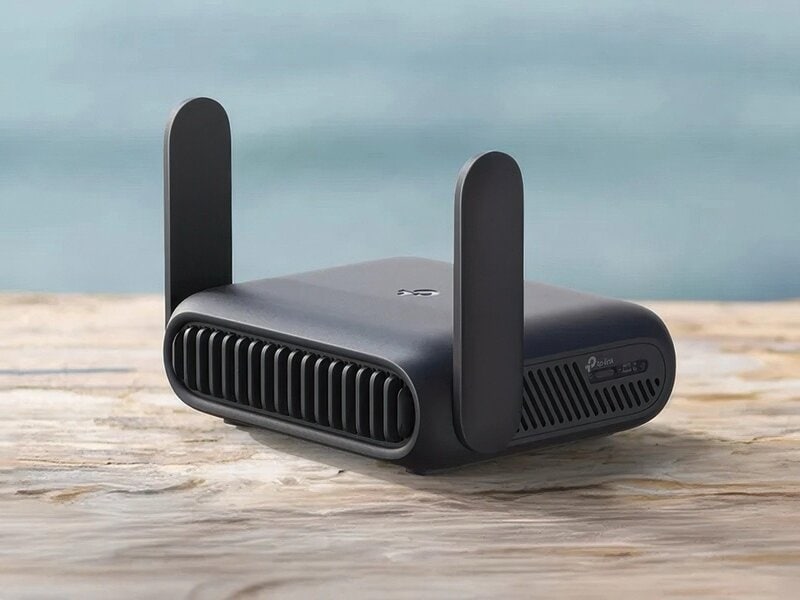
Portable routers designed for global use offer flexibility for travelers and remote workers. They support multiple network bands and work across various countries. These devices provide reliable internet access without depending on local Wi-Fi networks. Choosing the right portable router means understanding features, compatibility, and performance.
Top Models And Their Features
- TP-Link M7350:Supports 4G LTE with multiple frequency bands, offers a battery life of up to 10 hours, and connects up to 10 devices simultaneously.
- Netgear Nighthawk M1:Provides fast LTE speeds, supports multiple bands worldwide, and includes an Ethernet port for wired connections.
- Huawei E5885Ls-93a:Features a long-lasting battery, supports global LTE bands, and has a built-in power bank function.
- Gl.iNet GL-AR750S-Ext:Dual-band Wi-Fi with OpenWRT firmware, supports tethering from smartphones, and offers VPN compatibility.
Price Vs Performance
| Model | Price Range | Performance Highlights |
|---|---|---|
| TP-Link M7350 | $80 – $120 | Good speed, solid battery, easy to use |
| Netgear Nighthawk M1 | $250 – $300 | Top speed, strong signal, multiple features |
| Huawei E5885Ls-93a | $150 – $200 | Reliable battery, global band support, power bank |
| Gl.iNet GL-AR750S-Ext | $70 – $100 | Flexible software, VPN support, portable |
Credit: www.trendhunter.com
Tips For Maximizing Connectivity
Ensuring a stable and fast connection with your portable router can sometimes feel like a guessing game. But with a few smart moves, you can significantly boost your connectivity no matter where you are. Here are practical tips that can help you get the most from your device.
Optimizing Signal Strength
Where you place your portable router makes a huge difference. Try positioning it near a window or in an open space to avoid walls and large metal objects that block signals.
Sometimes, just a small shift can improve your connection speed dramatically. Have you noticed how moving your phone even a few feet can change your signal bars? The same applies here.
Also, consider external antennas if your router supports them. These can pull in signals from farther away, especially in rural or crowded areas.
Battery Life Management
Your portable router is only as good as its battery life when you’re on the move. To make your battery last longer, turn off features you don’t need, like Wi-Fi sharing with multiple devices.
Lowering the router’s transmission power can save energy without sacrificing much connectivity. You might be surprised how long your router can last when you manage these settings carefully.
Carrying a portable charger or power bank can also keep your router running during long trips. Have you ever been stuck with dead battery right when you needed internet the most? Avoid that by planning ahead.
Data Usage Strategies
Portable routers often come with limited data plans. Keep an eye on your usage to avoid unexpected slowdowns or extra charges.
Use data-saving modes on your devices and limit background app updates. Streaming videos or downloading large files can quickly eat up your data allowance.
Some routers allow you to set data limits or alerts—use these tools to monitor your consumption closely. How much data do you really need each day? Tracking your habits can help you pick the right plan and avoid surprises.

Credit: www.eiotclub.com
Frequently Asked Questions
Do Portable Routers Work Globally Without Issues?
Portable routers generally work worldwide but depend on local network compatibility. Ensure your device supports regional frequency bands and has unlocked SIM card slots for seamless connectivity.
Can Portable Routers Connect Multiple Devices Simultaneously?
Yes, portable routers can connect multiple devices at once. They typically support 5 to 10 connections, ideal for sharing internet during travel or in remote areas.
How Reliable Is A Portable Router’s Internet Connection?
The reliability depends on cellular signal strength and network coverage. Portable routers provide stable internet in areas with good cellular reception but may falter in weak signal zones.
Do Portable Routers Require A Sim Card To Operate?
Most portable routers need a SIM card with an active data plan. This enables them to access mobile networks and share internet wirelessly with connected devices.
Conclusion
Portable routers offer internet on the go, but not everywhere. Their signal depends on mobile networks and coverage areas. In cities or places with strong signals, they work well. Rural or remote spots may have weak or no connection. Battery life and device limits also affect performance.
Choose a router that fits your travel needs and location. This way, you stay connected without surprises. Portable routers bring flexibility, but coverage matters most. Keep these points in mind to get the best experience.