Are you tired of your portable router running out of battery right when you need it most? You’re not alone.
Whether you’re working remotely, traveling, or simply staying connected on the go, a dead router can disrupt your entire day. The good news is, improving your router’s battery life is easier than you think. You’ll discover simple, practical tips that help your device last longer—giving you more freedom and fewer interruptions.
Keep reading to unlock the secrets to a stronger, longer-lasting portable router battery.
Optimize Router Settings
Optimizing your portable router’s settings can make a significant difference in battery life. By tweaking a few key options, you reduce unnecessary power consumption while maintaining good performance. These small adjustments help you get more hours of use between charges, which is especially valuable when you’re on the go.
Adjust Transmission Power
Lowering your router’s transmission power reduces the energy it uses to send signals. If you usually stay close to the router, there’s no need for it to broadcast at full strength. Check your router’s settings to find the transmission power option and try reducing it to 50% or 75%.
This simple change can extend battery life without noticeably affecting your connection. Have you ever noticed your router heating up? That’s a sign it’s working harder than necessary. Cutting down transmission power cools things off and saves battery.
Limit Connected Devices
Every device connected to your router drains more battery because the router must work harder to manage multiple connections. Limiting the number of devices connected at once can significantly improve battery longevity.
Try disconnecting devices you’re not actively using. For example, if your tablet is nearby but idle, turn off its Wi-Fi or remove it from the router’s connected devices list. You’ll find that fewer devices lead to a more stable connection and longer battery life.
Schedule Wi-fi Usage
Scheduling your router to turn off Wi-Fi during times you don’t need it can save a lot of energy. Many portable routers have built-in timers or allow you to set a schedule through their apps or web interface.
Think about when you really need internet access and set the router to power down Wi-Fi during inactive hours, like overnight or during meetings. This not only conserves battery but also reduces unnecessary exposure to Wi-Fi signals.
Choose Power-efficient Hardware
Choosing power-efficient hardware is one of the smartest ways to extend the battery life of your portable router. The right hardware reduces energy consumption without sacrificing performance, keeping you connected longer during your travels or remote work sessions. This approach starts with picking devices and components designed to use less power while maintaining reliability.
Select Low-power Routers
Look for routers specifically built with low power consumption in mind. Many modern portable routers use energy-saving chipsets and optimized software to cut down on unnecessary power use.
Consider models that advertise features like “energy-efficient mode” or “low power consumption.” These routers often balance strong signals with minimal battery drain. For example, I switched to a router with a Qualcomm chipset and noticed my battery lasted several hours longer during a day trip.
Ask yourself: Does your current router offer settings to reduce power usage? If not, it might be time to upgrade to a more efficient model.
Use High-capacity Batteries
Another key factor is the battery itself. Portable routers with larger capacity batteries provide longer usage times between charges.
Look for routers that support external battery packs or come with built-in high-capacity batteries, such as those rated 5000mAh or above. These give you extra hours of connectivity without needing to plug in.
Keep in mind, a bigger battery adds weight but can be worth it if you rely heavily on your router. I once carried a compact router with a 3000mAh battery and had to recharge midday. Switching to a 6000mAh battery model eliminated that hassle entirely.
Could upgrading your battery be the simplest way to stay online longer during your busiest days?
Manage Network Usage
Managing network usage plays a crucial role in extending your portable router’s battery life. By controlling how much data flows through the device, you reduce the power it needs. This helps the battery last longer and keeps your connection stable.
Focus on cutting down activities that use a lot of data and turning off features that are not needed. These simple actions save energy and improve your router’s efficiency.
Reduce Data-heavy Activities
Data-heavy activities drain battery fast. Streaming videos, downloading large files, or playing online games consume a lot of power. Limit these tasks while using a portable router on battery.
- Pause video streaming or switch to lower quality.
- Schedule large downloads for when the router is charging.
- Close apps that constantly use the internet in the background.
These steps reduce data usage and lower the energy the router needs.
Turn Off Unused Features
Many portable routers come with extra features that use power even if not needed. Turning off these features saves battery life effectively.
- Disable Wi-Fi bands that are not in use.
- Turn off guest networks when they are not needed.
- Switch off USB tethering if unused.
- Deactivate any built-in apps or services consuming data.
Turning off unused features reduces the router’s workload and power consumption.

Credit: www.youtube.com
Implement Power Saving Modes
Portable routers are essential devices for staying connected on the go. But their battery life can be a challenge. Implementing power-saving modes can extend usage time significantly. These modes are easy to activate and can make a big difference.
Enable Sleep Mode
Sleep mode conserves battery by reducing power usage. It temporarily suspends the router’s functions without turning it off completely. This mode is perfect during periods of inactivity. It keeps the router ready to resume operations quickly. Activating sleep mode is simple and effective.
Activate Auto Shutoff
Auto shutoff turns off the router after a set time of inactivity. This feature prevents unnecessary power drain. Many routers allow you to customize the auto shutoff time. Choose a suitable duration based on your usage patterns. This small adjustment can significantly improve battery life.
Maintain Battery Health
Maintaining the battery health of your portable router is key to longer usage and better performance. Batteries lose capacity over time, but careful habits can slow this process. Keeping your battery in good condition means fewer charges and longer life.
Regular Charging Practices
Charge your router before the battery drops to zero. Avoid letting it fully drain often. Partial charges help keep the battery stable. Unplug the charger once the battery reaches 100%. Leaving it plugged in can stress the battery.
Use the original charger or a compatible one. Cheap chargers may harm the battery. Charge at room temperature for best results. Frequent short charges are better than one long charge.
Avoid Extreme Temperatures
Heat damages the battery quickly. Do not leave your router in direct sunlight or hot places. Cold temperatures also reduce battery efficiency. Avoid leaving it in freezing environments.
Store the router in a cool, dry place. Ideal temperature range is between 20°C and 25°C (68°F to 77°F). Avoid sudden temperature changes. This helps keep the battery stable and healthy.
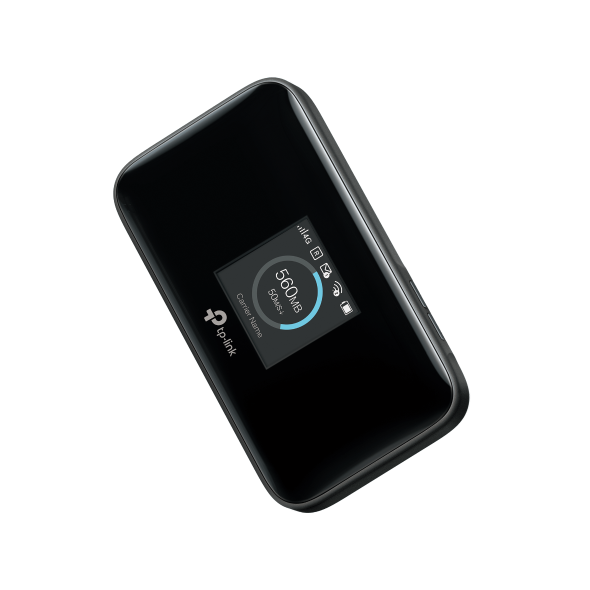
Credit: www.tp-link.com
Use External Power Options
Using external power options helps extend your portable router’s battery life. These options provide extra energy to keep your device running longer. They are easy to carry and can recharge your router anywhere.
External power sources reduce the need to rely solely on the router’s internal battery. This is especially helpful during travel or outdoor use. You can stay connected without worrying about the battery draining fast.
Portable Power Banks
Portable power banks are compact and lightweight. They store electrical energy and deliver it to your router through a USB cable. Many power banks have high capacity, allowing multiple charges.
- Choose a power bank with at least 10,000mAh capacity.
- Use a compatible USB cable for your router.
- Keep the power bank charged before use.
Power banks work well in places without electricity. They provide a reliable backup power source for your portable router.
Solar Chargers
Solar chargers convert sunlight into electricity. They are eco-friendly and perfect for outdoor use. Solar panels can connect directly to your router or to a power bank.
- Place the solar panel under direct sunlight.
- Use solar chargers with sufficient wattage for your router.
- Combine solar chargers with power banks for constant power supply.
Solar chargers offer a green energy solution. They keep your portable router powered without access to a wall outlet.

Credit: www.eiotclub.com
Frequently Asked Questions
How Can I Extend My Portable Router’s Battery Life?
To extend battery life, reduce screen brightness and disable unused features. Use power-saving mode and limit connected devices to save energy efficiently.
Does Turning Off Wi-fi Boost Router Battery Life?
Yes, turning off Wi-Fi when unused significantly conserves battery power. It reduces unnecessary signal broadcasting, extending your portable router’s usage time.
What Apps Drain Portable Router Batteries Fastest?
Streaming apps, online gaming, and heavy downloads quickly drain router batteries. Limit these activities to maximize your portable router’s battery life effectively.
How Often Should I Charge My Portable Router?
Charge your portable router when the battery drops below 20%. Avoid overcharging to maintain battery health and prolong its lifespan.
Conclusion
Improving your portable router’s battery life saves time and hassle. Simple steps like lowering screen brightness and turning off unused features help a lot. Regularly updating your device keeps it running smoothly and efficiently. Carrying a spare battery or power bank ensures you stay connected longer.
Small habits make a big difference in battery performance. Keep these tips in mind for better, longer use of your portable router. Enjoy more reliable internet on the go without frequent charging breaks.