Have you ever wondered if your tri band router can do its job without an internet connection? You might think a router is useless without internet, but that’s not always true.
Understanding how your tri band router works without internet can change the way you use your home network. Whether you want to share files between devices, stream local media, or create a private network, knowing this can save you time and frustration.
Keep reading to discover the surprising ways your tri band router can work for you—even when the internet is down.
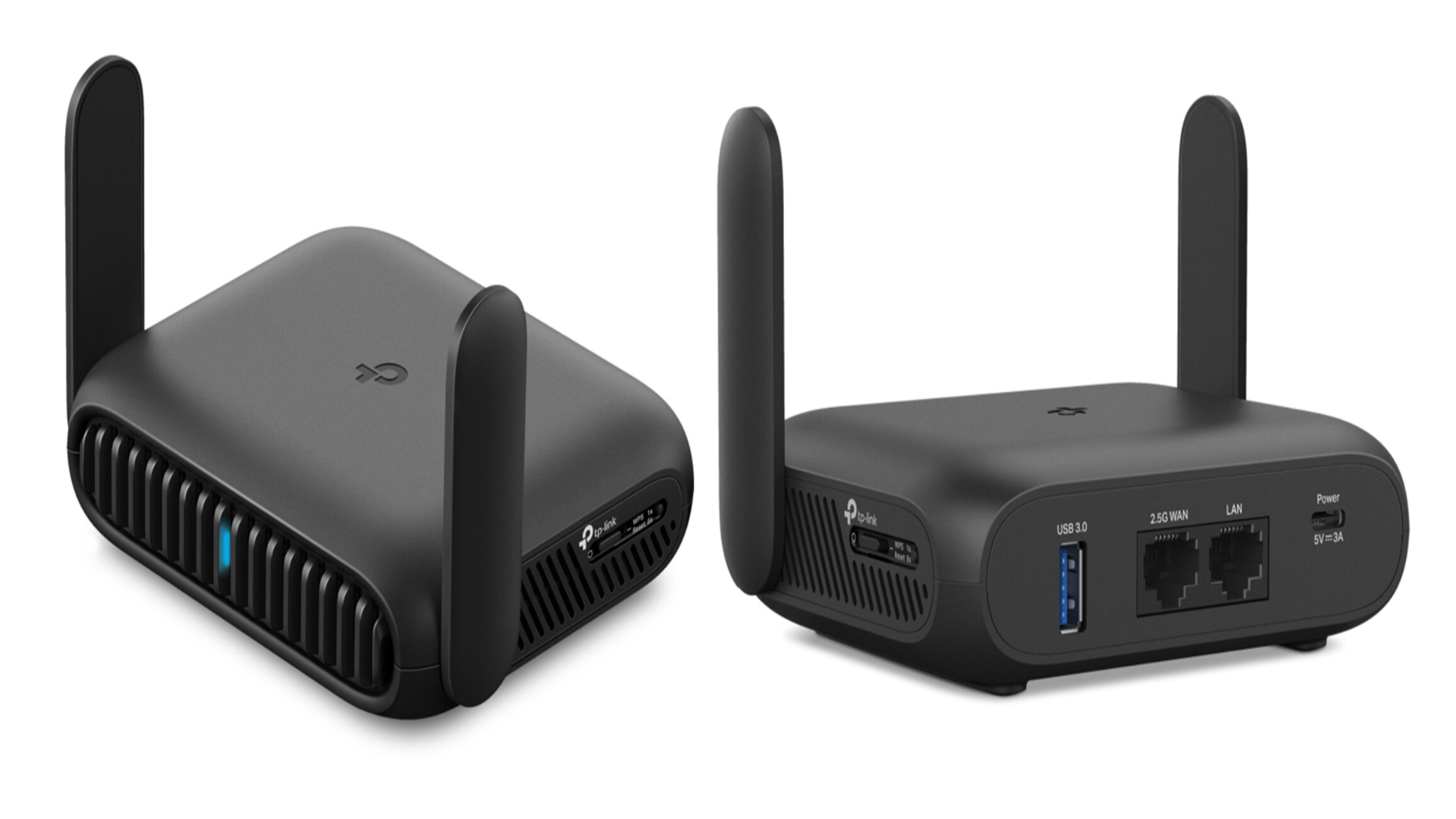
Credit: www.techradar.com
Tri Band Router Basics
A tri band router is a device that manages wireless connections using three separate frequency bands. It helps many devices connect smoothly without slowing down the network. Understanding how it works is key to knowing its benefits and limitations.
These routers are popular in homes and offices with multiple users and many smart devices. They can handle high traffic better than single or dual band routers. Let’s explore what a tri band router is and how its technology functions.
What Is A Tri Band Router
A tri band router has three wireless bands to send and receive data. Usually, it includes one 2.4 GHz band and two 5 GHz bands. This setup allows more devices to connect without interference.
The 2.4 GHz band covers a larger area but is slower. The two 5 GHz bands are faster but cover less distance. This mix helps balance speed and coverage in busy networks.
How Tri Band Technology Works
Tri band technology splits the network traffic across three bands. Devices automatically connect to the best band based on their needs. This avoids overcrowding on a single band.
One 5 GHz band often works as a dedicated link between the router and other devices like range extenders. This keeps the other bands free for regular device connections.
The router manages these bands to reduce lag and improve overall speed. It helps maintain strong connections even with many devices active at once.
Router Functions Without Internet
Tri band routers still offer many useful functions without an internet connection. They create a strong local network where devices can communicate. This means you can use various features inside your home or office, even if the internet is down. Understanding these functions helps you make the most of your router’s capabilities.
Local Network Capabilities
A tri band router connects multiple devices on a local network. It assigns IP addresses to devices so they can find each other. This allows for direct communication between computers, phones, and smart devices. The router manages traffic between devices, keeping connections fast and stable. Local networks work without internet, perfect for sharing files or playing games.
File Sharing And Media Streaming
You can share files between devices on the local network easily. Connect a USB drive to the router, and all devices can access it. This setup works well for streaming videos and music inside your home. Devices can stream content from one device to another without internet. This makes watching movies or listening to music simple and fast.
Gaming On Local Networks
Many games support local network play. Devices connect through the tri band router to create a private game session. This allows multiplayer gaming without internet delays or interruptions. The router’s multiple bands reduce interference and improve game performance. Local network gaming is ideal for LAN parties or home gaming setups.
Limitations Without Internet Access
Using a tri-band router without an internet connection can feel like having a powerful engine with no road to drive on. While the device can still create a local network, your experience will be limited in several important ways. Understanding these limitations helps you manage expectations and make the most of your router’s capabilities even offline.
No External Web Browsing
Your tri-band router can broadcast Wi-Fi signals to connect multiple devices, but without internet access, those devices won’t reach websites, streaming services, or online resources.
Imagine trying to open your favorite news site or watch a video—nothing loads. The router acts like a highway with no exits to external destinations, restricting you to local network activities only.
Limited App Functionality
Many apps rely on an internet connection to function fully. Without internet, features such as cloud syncing, updates, or remote control options often become unavailable.
For example, smart home apps that manage devices connected through your router may lose the ability to communicate with cloud servers. This means you might still control devices locally but miss out on advanced features or notifications.
Impact On Firmware Updates
Firmware updates are crucial to keep your tri-band router secure and performing well. Without internet access, automatic updates cannot download and install, leaving your device vulnerable to bugs or security risks.
You’ll need to manually download firmware files on another internet-enabled device and update the router via USB or local network. This extra step can be inconvenient but necessary to maintain optimal router health.
Setting Up A Tri Band Router Offline
Setting up a tri-band router offline might sound like a tech-savvy endeavor, but it’s simpler than you think. Whether you’re in a remote location or just experiencing a temporary internet outage, your router can still serve as a powerful tool. You can still enjoy a well-connected network for file sharing, printing, or media streaming within your home. Let’s look at how you can get your tri-band router up and running offline.
Initial Configuration Steps
Start by unboxing your router and connecting it to a power source. Make sure to use a reliable power outlet to avoid disruptions during setup. Connect your router to your computer using an Ethernet cable; this provides a stable connection for the configuration process.
Once connected, check for any physical setup requirements. This might include attaching antennas or ensuring that the router is placed in a central location for optimal coverage. Remember, the goal is to create a strong local network, even without internet access.
Accessing Router Settings Locally
Open your web browser and type the router’s default IP address into the address bar. This information is typically found on the router itself or in the user manual. Press ‘Enter’ to access the router’s login page.
Log in using the default username and password. It’s crucial to change these credentials to secure your network. After logging in, navigate through the settings to customize your network name (SSID) and password.
Explore additional settings that might enhance your offline network experience. For instance, enable file sharing or set up a local media server. Such features can make your offline network just as effective as an online one.
Use Cases For Offline Tri Band Routers
Tri band routers are often seen as tools for boosting internet speed, but they can do a lot more even without an active internet connection. Their ability to create multiple wireless networks simultaneously opens up unique opportunities for offline use. Understanding these practical uses can help you get more value from your router beyond just web browsing.
Smart Home Device Connectivity
Many smart home devices rely on a local network to communicate with each other. A tri band router can create a stable, interference-free environment for these devices without needing internet access. This means your smart lights, thermostats, and security cameras can still function and interact locally, keeping your home automated and secure.
Imagine controlling your smart thermostat from your phone while offline or having your security cameras record locally. This setup enhances privacy since data stays within your home network. Have you ever considered how much control you lose when your smart devices depend solely on cloud services?
Offline Network Gaming
If you enjoy multiplayer gaming, a tri band router can create a fast, lag-free local network for your devices to connect. Without internet, you can still host or join LAN parties with friends using different bands to reduce congestion. This improves gaming performance and keeps the fun going even when the internet is down.
This offline gaming setup is perfect for tournaments or get-togethers where internet speed or availability is unreliable. You can also share game files and updates between devices quickly over the router’s local network. Have you tried setting up a LAN party without relying on internet speeds?
Temporary Network Solutions
Tri band routers can serve as quick and flexible network hubs in temporary setups. Whether you’re at a remote worksite, a pop-up event, or traveling, you can use the router to connect multiple devices locally. This creates a mini-network for file sharing, printing, or communication without needing internet access.
Using a tri band router in this way allows you to maintain productivity even in places with poor connectivity. It’s like having a portable office or entertainment center that doesn’t depend on external networks. What tasks could you keep running smoothly by setting up your own offline network?

Credit: www.youtube.com
Troubleshooting Offline Issues
Troubleshooting offline issues with your tri-band router can be frustrating, especially when you rely heavily on stable internet access. Understanding what causes connectivity problems and knowing how to fix them quickly saves you time and stress. Let’s look at some common issues and practical ways to get your router back online.
Common Connectivity Problems
One of the most frequent problems is a weak or no signal despite the router being on. This can happen if your router is placed too far from your devices or blocked by thick walls. Another issue is IP conflicts, where multiple devices try to use the same IP address, causing connection drops.
Sometimes, the router’s firmware becomes outdated and causes instability. If your router’s LEDs are blinking unusually or not lighting up as expected, it could indicate hardware or software faults. Have you checked if your internet service provider is experiencing an outage? This simple step can prevent wasted troubleshooting time.
Resetting And Rebooting Tips
A simple reboot often fixes many offline issues by clearing temporary glitches. Unplug your router’s power cable, wait about 30 seconds, and plug it back in. This refreshes the network connection and can solve many unexpected problems.
If rebooting doesn’t help, try resetting your router to factory settings. Press and hold the reset button (usually a small hole) for about 10 seconds. Remember, this will erase all your custom settings, so you’ll need to set up your network again.
Adjust your router’s placement after rebooting or resetting. Move it to a central location with minimal obstructions. Have you noticed how changing your router’s spot often improves your signal strength dramatically?

Credit: www.amazon.ca
Frequently Asked Questions
Can A Tri Band Router Function Without An Internet Connection?
Yes, a tri band router can work without internet. It allows local device connections and file sharing. However, online activities require an active internet connection for full functionality.
How Does A Tri Band Router Operate Offline?
Offline, a tri band router creates a local network. Devices can communicate and share files within this network. Internet-based services and browsing are unavailable without internet access.
Can I Use A Tri Band Router For Gaming Without Internet?
You can use a tri band router for local multiplayer gaming. Games that need online servers won’t work without internet. Local network play remains possible without internet access.
Does A Tri Band Router Support Device Connections Without Internet?
Yes, it supports multiple device connections without internet. Devices connect via Wi-Fi or Ethernet for local data exchange. Internet is only needed for accessing online content.
Conclusion
A tri band router can work without internet for local tasks. It helps connect devices and share files within your home. Streaming saved videos or playing offline games is possible. The router still creates a strong Wi-Fi network. But, without internet, you cannot browse websites or use online apps.
This setup suits homes with internal networks or smart devices. Understanding this helps you use your router better. Keep your expectations clear about what it can do offline.