Have you ever found yourself needing internet access on the go, but your portable router runs out of power? Imagine staying connected anywhere without worrying about finding an outlet.
Connecting your portable router to a power bank is a simple trick that can keep your connection alive for hours. You’ll discover step-by-step how to power your router using a power bank, so you can enjoy uninterrupted internet wherever you are.
Ready to unlock this easy solution? Let’s dive in.

Credit: www.youtube.com
Choosing The Right Power Bank
Choosing the right power bank is crucial when connecting your portable router. The wrong choice can lead to slow charging or even damage your device. Understanding the key factors will help you pick a power bank that keeps your router powered efficiently and reliably.
Check Power Output Compatibility
Your portable router needs a specific power output to work correctly. Check the router’s voltage and current requirements, usually found on its label or manual. If the power bank’s output is too low, your router might not charge or stay powered.
For example, if your router requires 5V/2A, a power bank with only 5V/1A won’t provide enough power. On the other hand, a power bank that offers 5V/2A or higher ensures steady performance without overloading your device.
Consider Battery Capacity
Battery capacity, measured in milliamp-hours (mAh), determines how long your power bank can run your router. A higher capacity means more hours of use. If you plan to use your router on the go for long periods, choose a power bank with at least 10,000mAh.
Think about your typical usage. Does your router consume around 2000mAh per hour? A 10,000mAh power bank can power it for about 5 hours. This simple math helps avoid surprises when you’re away from a wall outlet.
Look For Port Types
Not all power banks have the same types of output ports. Make sure your power bank has the right port to connect your router’s charging cable. Most portable routers use a USB-A or USB-C input, so matching the power bank’s output port is essential.
Some power banks come with multiple ports, including USB-A, USB-C, and even Quick Charge options. This flexibility can be handy if you want to charge other devices alongside your router. Have you checked what cables you currently use? Matching these with your power bank’s ports can save you from carrying extra adapters.
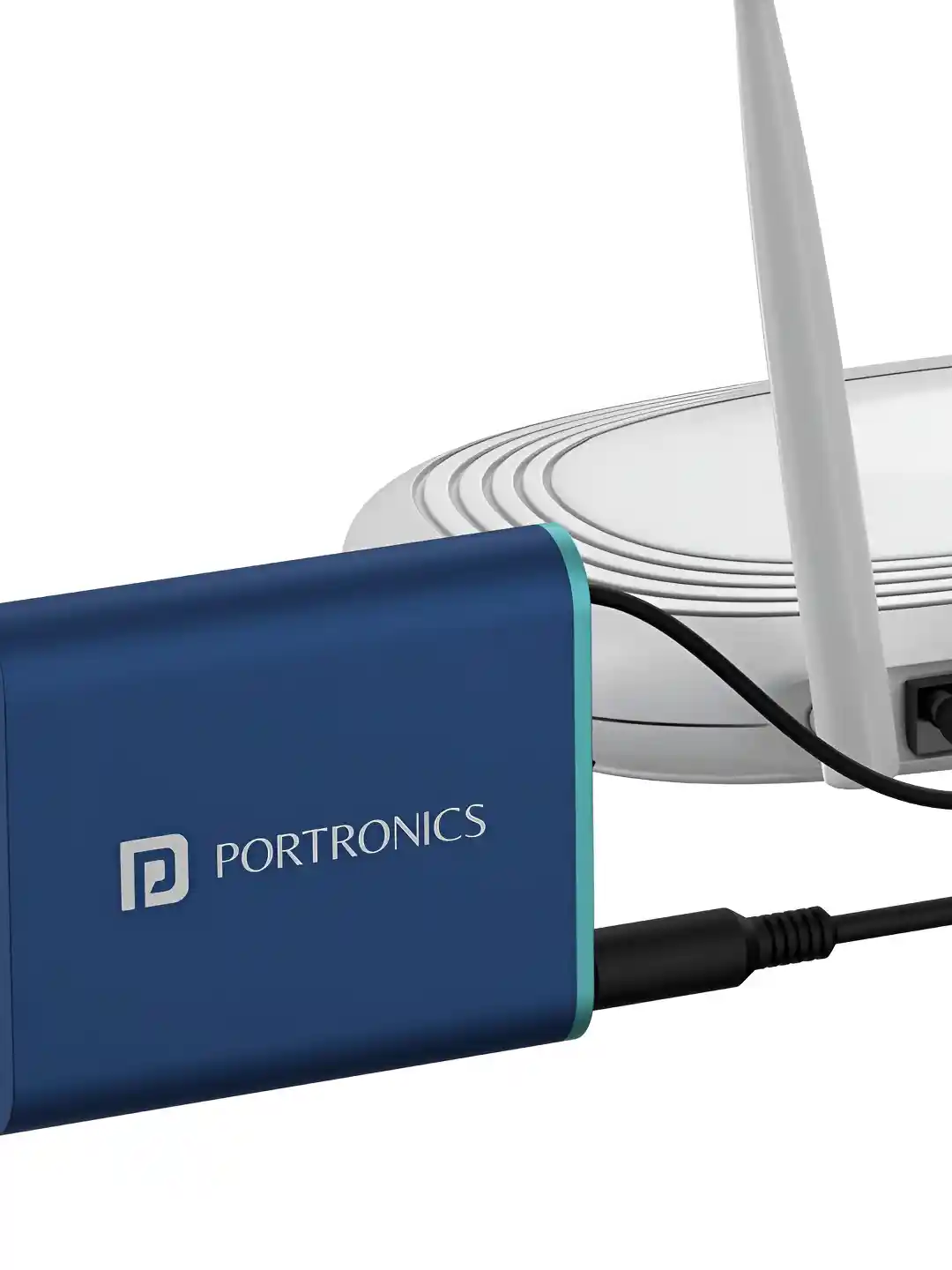
Credit: www.myntra.com
Preparing Your Portable Router
Before hooking up your portable router to a power bank, you need to make sure the router is ready for the connection. Preparing your portable router properly not only ensures it gets the right power but also protects your devices from damage. Let’s break down the key steps to get your router set up safely and efficiently.
Locate The Power Input Port
Every portable router has a specific port where it receives power. This port might look like a small round hole or a micro USB/USB-C slot. Check the sides or the back of your router carefully to find this input.
Once you spot the power input port, verify if it’s labeled with voltage or current information. This label often gives clues about what kind of power supply it needs. Have you ever tried plugging in a charger only to find it didn’t fit? This simple step avoids that hassle.
Check Router Power Requirements
Your router’s power needs are usually listed on a sticker or in the user manual. It will tell you the voltage (V) and current (A or mA) required. For example, a router might need 5V and 1A to work properly.
Using a power bank that doesn’t match these specifications can cause your router to fail or even damage the battery. If your power bank outputs 5V but only 0.5A, it might not provide enough power for stable operation.
Take a moment to compare your router’s requirements with your power bank’s output specs. This check can save you from frustrating connection problems and keep your devices safe.
Connecting The Devices
Connecting a portable router to a power bank is simple and efficient. The key lies in choosing the right accessories and ensuring a solid connection. This section guides you on the best practices to link these devices safely and effectively.
Use Appropriate Cables
Select cables that match the power bank and router ports. Most portable routers use a micro USB or USB-C cable. Confirm your router’s input port before connecting.
Use a cable designed for charging, not just data transfer. Charging cables deliver steady power needed for the router to work properly. Avoid cheap or damaged cables to prevent power loss.
Secure Connections
Insert the cable firmly into both the power bank and the router. Loose connections can interrupt charging and cause the router to turn off unexpectedly.
Check the fit by gently tugging the cable. It should stay in place without wobbling or slipping out. A tight connection ensures continuous power supply.
Powering On And Testing
Connect the portable router to the power bank using a compatible USB cable. Turn on the power bank and then switch on the router to check if it powers up correctly. Confirm the router’s indicator lights show it is receiving power and ready to use.
Powering on and testing your portable router with a power bank is essential. This ensures your device runs smoothly and efficiently. Follow these steps to make sure your setup is correct. Proper connection and testing will help you avoid any issues.Turn On The Power Bank
First, activate your power bank. Locate the power button on the device. Press it until the indicator lights turn on. These lights show the power bank is active. Ensure it has enough charge. A fully charged power bank is ideal for optimal performance.Verify Router Operation
Next, check if the router is operational. Connect the router to the power bank using a USB cable. Wait for the router’s lights to illuminate. These lights confirm the router is receiving power. Check the connection by accessing the router’s settings via a connected device. Ensure the internet connection is stable. Test the speed for best results. If everything works, your setup is successful.Troubleshooting Tips
Troubleshooting connection issues between a portable router and a power bank helps keep your device running smoothly. Simple checks often solve common problems quickly. Focus on the cables, ports, and power supply to identify any faults.
Check Cable And Port Issues
Inspect the USB cable for visible damage or wear. A broken cable can prevent charging or data transfer. Try using a different cable to see if the problem persists.
Examine the ports on both the power bank and the router. Dirt, dust, or debris can block connections. Use a soft brush or compressed air to clean ports gently.
Loose connections can cause intermittent power supply. Make sure the cable fits snugly into the ports on both devices.
Ensure Sufficient Power Supply
Verify the power bank’s charge level. Low battery can stop it from powering the router. Charge the power bank fully before use.
Check the power output rating of the power bank. The portable router may require a specific voltage and current. Use a power bank that meets or exceeds these requirements.
Some power banks have auto-shutoff features to save energy. This can interrupt power delivery if the router draws too little current. Select a power bank designed for continuous power output.
Optimizing Battery Life
Optimizing the battery life of your portable router when connected to a power bank is key to staying connected longer without frequent recharges. It’s not just about having a big power bank; how you manage the router’s settings and use the power bank can significantly extend your uptime. Small adjustments can lead to noticeable improvements in how long your connection lasts.
Manage Router Settings
Start by lowering your router’s transmit power if the signal range covers your needs. This reduces the energy used for broadcasting. Also, disable unused features like guest networks or USB ports that consume extra power without adding value to your current setup.
Adjust the Wi-Fi frequency band to 2.4 GHz instead of 5 GHz when possible. Although 5 GHz offers faster speeds, it drains the battery faster. 2.4 GHz balances decent speed with better battery efficiency, especially for basic browsing or messaging.
Have you checked if your router supports a power-saving mode? Enabling this can reduce energy use during periods of low activity. This simple step can add hours to your battery life without impacting your internet experience much.
Use Power Bank Efficiently
Choose a power bank with a high mAh rating to ensure longer support for your router. But capacity alone isn’t enough; look for one with a stable output voltage matching your router’s requirements. This avoids unnecessary power loss or damage.
Keep your power bank fully charged before you head out. Charging it partially or frequently topping it up drains its long-term capacity. I once relied on a partially charged power bank and noticed my router died much faster than expected.
Turn off the power bank or disconnect it when you don’t need the router on. Some power banks keep supplying power even if the device is inactive, slowly draining the battery. Managing power supply manually can stretch your usage time significantly.
- Use a power bank with pass-through charging to keep your router powered while recharging the bank.
- Consider a power bank with multiple output ports if you’re charging other devices simultaneously.
- Keep cables short and high quality to reduce energy loss during charging.

Credit: www.theverge.com
Frequently Asked Questions
How Do I Connect A Portable Router To A Power Bank?
Use a USB cable compatible with your portable router. Plug one end into the router’s power input and the other into the power bank’s USB port. Ensure the power bank has enough charge to power the router efficiently.
Can Any Power Bank Work With A Portable Router?
Most power banks work if they supply the correct voltage and current for your router. Check your router’s power requirements and match them with the power bank’s output specifications for safe and effective use.
How Long Can A Power Bank Run A Portable Router?
The runtime depends on the power bank’s capacity and the router’s power consumption. A 10,000mAh power bank can typically run a portable router for 6 to 10 hours on average.
Do I Need Special Cables To Power A Router From A Power Bank?
Usually, a standard USB to micro-USB or USB-C cable works. Confirm your router’s power port type and use a quality cable to ensure stable power delivery.
Conclusion
Connecting a portable router to a power bank is simple and handy. Just use a USB cable that fits both devices. This setup lets you use the router anywhere without needing a wall outlet. It keeps your internet on the go, perfect for travel or outdoor use.
Remember to check the power bank’s capacity for longer use. This small step makes your internet experience much more flexible and reliable. Give it a try and stay connected wherever you are.