Have you ever wished for a stronger, more reliable internet connection while on the road? Whether you’re working from your car, streaming your favorite shows, or keeping the kids entertained during a long trip, staying connected can be a real challenge.
That’s where travel routers come in. But can travel routers really be used in cars? If you want to boost your mobile Wi-Fi and enjoy smooth internet wherever you go, keep reading. This guide will help you understand how travel routers work in cars and whether they’re the right solution for your needs.
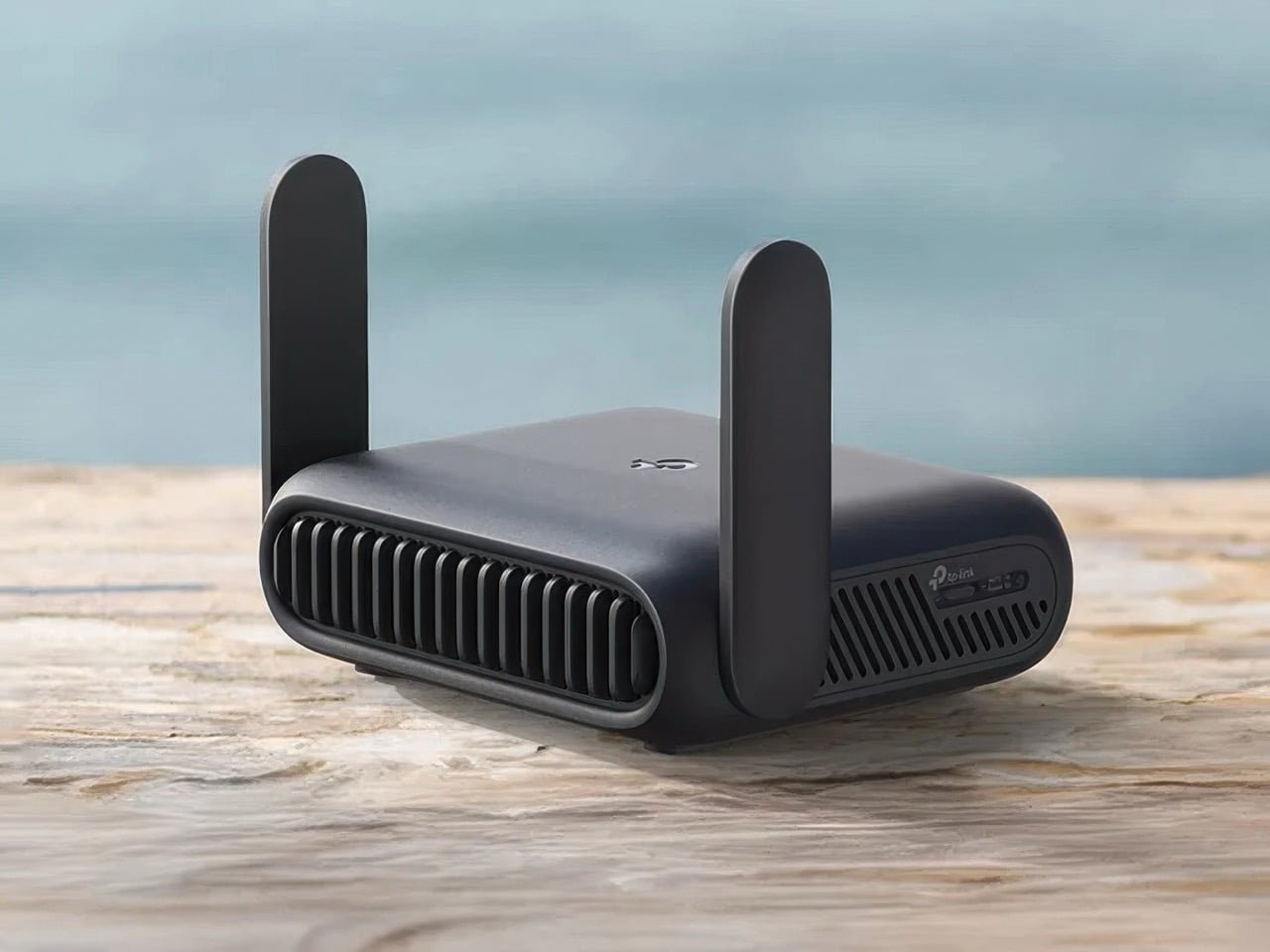
Credit: www.yankodesign.com
Travel Routers Basics
Travel routers offer a simple way to create Wi-Fi access in places without reliable internet. They are compact devices designed for portability and ease of use. Understanding their basics helps to see if they fit well in cars.
What Is A Travel Router
A travel router is a small device that shares internet over Wi-Fi. It connects to a wired or wireless internet source. Then it creates a private Wi-Fi network for multiple devices. This allows laptops, phones, and tablets to stay online.
These routers are lightweight and easy to carry. They often have built-in batteries or can run on USB power. Travel routers work anywhere: hotels, airports, or cars.
How Travel Routers Work
Travel routers receive internet from one source and spread it wirelessly. They connect to a wired Ethernet cable, public Wi-Fi, or a mobile hotspot. The router then creates a new Wi-Fi signal for your devices.
They use encryption to keep the connection secure. This protects your data from hackers on public networks. Most travel routers have simple setup menus accessible via web browsers or apps.
Some models support multiple modes like:
- Repeater mode to extend Wi-Fi range
- Access point mode to create Wi-Fi from wired internet
- Router mode to manage mobile data connections
Benefits Of Using Travel Routers In Cars
Travel routers in cars bring several benefits that improve your journey. They create better internet connections, allow many devices to connect, and keep your online data safe. These advantages make trips smoother and more enjoyable.
Improved Internet Access
Travel routers boost internet signals inside cars. They help you get a stable connection even in remote areas. This means fewer interruptions during video calls or streaming. You can work or relax without worrying about losing signal.
Multiple Device Connectivity
Many devices can connect to a travel router at once. Passengers can use phones, tablets, or laptops simultaneously. This helps families or groups share internet easily. Everyone stays connected without slowing down the network.
Enhanced Security
Travel routers offer stronger security than public Wi-Fi. They create private networks for your car. This protects your data from hackers and spying. You can browse safely, even on the road.
Setting Up A Travel Router In A Vehicle
Setting up a travel router in your vehicle transforms how you stay connected on the road. It creates a personal Wi-Fi hotspot, allowing multiple devices to access the internet without relying on spotty public networks. Getting it up and running involves a few key steps that ensure smooth and reliable connectivity during your journey.
Powering Options On The Go
Your travel router needs a consistent power source to keep working while you drive. Most models support USB power, so plugging into your car’s 12V adapter or a USB port is a straightforward solution. If your vehicle lacks these, a portable power bank with a USB output can keep the router running for hours.
Some routers come with built-in batteries, but their lifespan varies. It’s smart to check your router’s power requirements before hitting the road to avoid sudden disconnections. Have you thought about how long you’ll need the connection before choosing your power setup?
Connecting To Mobile Data
Mobile data is the backbone for internet access in your car. Travel routers often accept SIM cards or connect to your smartphone’s hotspot. If your router has a SIM card slot, you can insert a data SIM plan directly, giving you seamless internet without draining your phone’s battery.
Alternatively, you can tether your phone via Wi-Fi or USB to share its data connection with the router. This method keeps your data centralized but can impact your phone’s battery life quickly. Consider your data plan’s limits and speeds—will your connection keep up with streaming or work calls?
Configuring The Router
Setting up the router’s software is a crucial step for security and performance. Start by accessing the router’s admin panel through a web browser or mobile app. Here, you can change the default network name (SSID) and set a strong password to protect your connection.
Adjust settings like network mode, frequency band (2.4GHz or 5GHz), and DHCP options to optimize speed and coverage inside your vehicle. Don’t forget to update the router’s firmware to the latest version to fix bugs and improve stability. Have you explored all the customization options your router offers to tailor it perfectly for your travel needs?
Best Travel Routers For Car Use
Choosing the right travel router for your car can transform your road trips. It ensures stable internet access for work, streaming, or navigation. But not all travel routers handle the unique challenges of a moving vehicle well.
Here’s what you should consider to find the best travel router for car use and some models that stand out for this purpose.
Top Features To Look For
- Compact and Portable:Your router should fit easily in your car without taking up much space or requiring complicated setup.
- Strong Battery Life or Car Power Support:Look for routers that either have a long-lasting battery or can plug into your car’s power outlet for continuous use.
- Stable Connectivity:The router must maintain steady internet connections despite the motion and changing signal strength on the road.
- Multiple Device Support:If you travel with family or colleagues, the router should handle several devices simultaneously without slowing down.
- Easy Setup:Quick and simple setup means you can get online fast without fiddling around during your trip.
- 4G/5G Compatibility:A router that supports cellular networks lets you connect anywhere there’s mobile coverage, not just Wi-Fi hotspots.
Recommended Models
| Model | Key Features | Why It Works in Cars |
|---|---|---|
| GL.iNet GL-MT300N-V2 | Compact size, battery powered, supports 3G/4G USB modems | Its small form fits perfectly in tight car spaces and can run on battery or car power. |
| Netgear Nighthawk M1 | 5G support, long battery life, connects up to 20 devices | Handles high-speed mobile data and multiple users, ideal for families on the go. |
| TP-Link M7350 | 4G LTE, easy screen interface, up to 10 devices | Simple to use with excellent mobile network support, perfect for quick setups in cars. |
| HooToo TripMate Titan | Battery powered, USB tethering, media sharing | Versatile for both internet sharing and entertainment during long drives. |
Have you ever struggled to keep your devices connected while driving? Picking a travel router with the features above can solve that frustration. Think about how much easier your trips could be with reliable internet right in your car.
Challenges And Limitations
Using travel routers in cars sounds like a smart way to stay connected on the go. However, there are several challenges and limitations you should consider before relying on one for your road trips or daily commutes. Understanding these issues can help you make better decisions and avoid frustrating connectivity problems.
Signal Strength And Coverage
Car interiors and metal frames often weaken Wi-Fi signals, reducing the travel router’s effectiveness. You might notice spotty connections or slow speeds, especially when driving through tunnels or remote areas. Have you ever experienced your internet cutting out just when you needed it most? That’s a common frustration caused by limited signal coverage inside vehicles.
To improve this, some users mount external antennas or place the router near windows. But even then, coverage won’t match what you get in a static indoor setup. It’s important to set realistic expectations about signal strength when using travel routers in cars.
Power Consumption
Travel routers require a steady power source, which can be tricky inside a moving car. Most routers run on USB power, but continuously drawing power from your car’s USB port or cigarette lighter can drain your battery faster than you expect. Have you ever been caught with a dead car battery because of a gadget left plugged in?
Additionally, some routers don’t have built-in batteries, so they shut off when the car is off. This means no Wi-Fi during short stops unless you have a separate power bank. Considering power consumption helps you plan whether a travel router fits your car setup.
Compatibility Issues
Not all travel routers work seamlessly with every mobile device or network provider. Some routers might struggle to connect with certain 4G or 5G USB dongles or SIM cards. This could leave you without internet access despite having the right hardware.
Moreover, software updates and firmware versions can affect compatibility. If you’ve ever spent hours troubleshooting a device that just won’t connect, you know how frustrating this can be. Checking compatibility before buying a travel router for your car saves time and hassle.

Credit: www.forbes.com
Tips For Optimizing Connectivity
Optimizing connectivity for travel routers inside your car can make a huge difference in your online experience. Small changes in setup and usage can lead to faster speeds and more stable connections. Let’s look at some practical tips that can help you get the most out of your travel router while on the road.
Placement Inside The Vehicle
Where you place your travel router inside the car affects signal strength dramatically. Avoid putting it in the trunk or under seats as metal surfaces and thick materials block signals.
Try placing the router near a window, preferably on the dashboard or the back of a seat. This position reduces interference and helps the router catch signals from towers more easily.
Have you noticed how your phone’s signal drops when you’re in a tunnel? The same principle applies to routers, so keep it away from enclosed spaces.
Using External Antennas
Many travel routers support external antennas, which can boost both reception and transmission power. Attaching a high-gain antenna can improve your connection, especially in rural or low-signal areas.
If you often travel through areas with weak coverage, consider investing in a magnetic mount antenna that you can place on your car’s roof. This setup often outperforms internal antennas by a wide margin.
Remember, the direction you point the antenna matters. Experiment with angles to find the best signal strength.
Managing Data Usage
Even with a strong connection, your data plan might have limits. Monitoring and managing data usage keeps you from unexpected charges or throttled speeds.
Use your router’s dashboard to track which devices are consuming the most data. You can then prioritize essential tasks and pause or restrict background apps.
Consider downloading maps, playlists, or movies before hitting the road. This reduces the need for constant streaming and saves valuable data.
Alternatives To Travel Routers In Cars
Travel routers offer internet access on the go, but using them in cars isn’t always easy. Thankfully, there are alternatives. These options provide reliable connectivity for road trips or commutes. Let’s explore some of these alternatives to travel routers in cars.
Mobile Hotspots
Mobile hotspots are small devices that connect to cellular networks. They create a Wi-Fi network for multiple devices. Most major carriers offer these as part of their plans. They’re easy to set up and use. Just turn it on, and connect your devices. They usually have long battery life. Perfect for long drives.
Tethering Smartphones
Smartphones can serve as hotspots too. This process is known as tethering. By turning on the tethering feature, your phone shares its internet connection. Connect your other devices to this new Wi-Fi network. It’s a simple solution for internet access in cars. Just be mindful of data limits. Tethering can consume a lot of data quickly.

Credit: www.amazon.ca
Frequently Asked Questions
Can Travel Routers Provide Internet In Cars?
Yes, travel routers can offer internet in cars by connecting to mobile hotspots or SIM cards. They create a Wi-Fi network for multiple devices, ensuring seamless connectivity during travel.
Do Travel Routers Work With Car Power Adapters?
Most travel routers support car power adapters via USB or 12V chargers. This allows continuous operation without draining the router’s internal battery during long trips.
Are Travel Routers Better Than Mobile Hotspots In Cars?
Travel routers often provide better signal range and device connectivity than mobile hotspots. They offer advanced features like VPN support and multiple device management for enhanced in-car internet experience.
How Secure Is Using A Travel Router In A Car?
Travel routers use encryption protocols like WPA2 to secure connections. They protect your data from unauthorized access, ensuring safe browsing while traveling in your car.
Conclusion
Travel routers work well in cars for better internet access. They connect multiple devices easily on the road. You just need a power source and good setup. These devices help passengers stay online during trips. They make long drives more fun and productive.
Choose a travel router that fits your car’s needs. Keep it charged and use safely while driving. A travel router can improve your car’s Wi-Fi experience. Simple, smart, and handy for travel connectivity.