Are you wondering how many devices your dual band router can handle at once? Whether you have a busy household or a small office, knowing the limits of your router is key to keeping your internet fast and reliable.
Imagine all your gadgets—from phones and laptops to smart TVs and gaming consoles—working smoothly without slowing down. You’ll discover exactly how many devices your dual band router can support and what you can do to get the most out of your connection.
Keep reading to unlock the secrets of a seamless online experience!
Dual Band Router Basics
Understanding the basics of a dual band router helps to know its capabilities. These routers operate on two frequency bands, offering better performance. They serve multiple devices in homes and offices efficiently. The dual band router supports both 2.4 GHz and 5 GHz bands, balancing speed and range. This section explains what a dual band router is and its benefits over single band models.
What Is A Dual Band Router
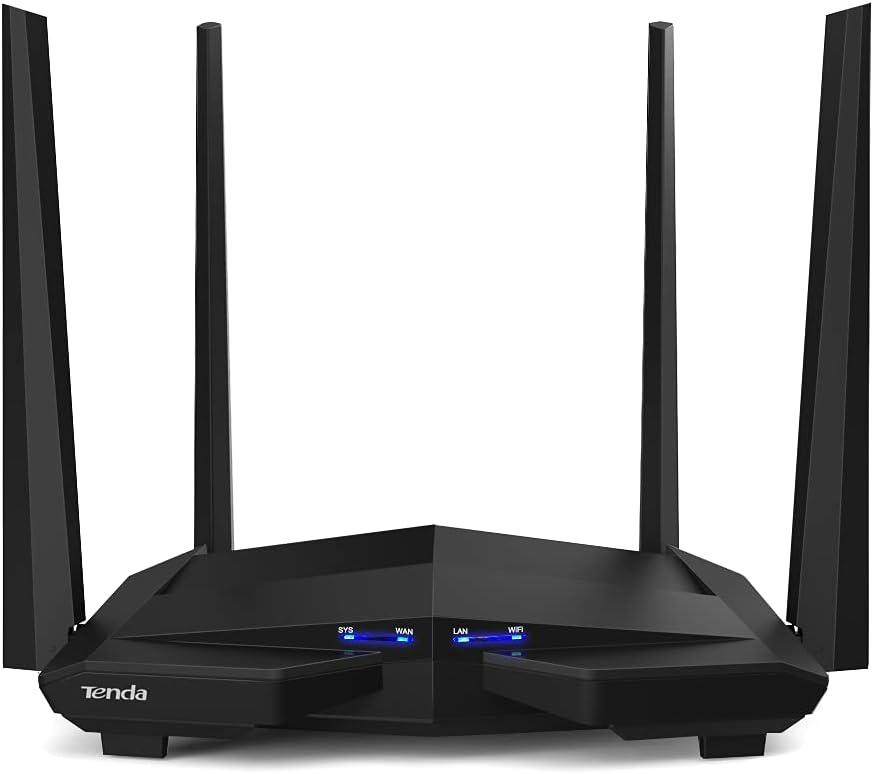
A dual band router transmits data on two frequencies: 2.4 GHz and 5 GHz. The 2.4 GHz band covers a wider area but offers slower speeds. The 5 GHz band provides faster data transfer but covers a smaller range. Devices can connect to either band based on their needs. This helps reduce interference and network congestion. Dual band routers manage traffic better than single band routers.
Benefits Over Single Band Routers
- Better speed: 5 GHz band offers faster wireless connections.
- Less interference: Dual bands reduce signal overlap from other devices.
- More devices: Supports many devices without slowing down the network.
- Improved range: 2.4 GHz band covers larger areas.
- Flexible connections: Devices choose the best band for performance.
These features make dual band routers ideal for busy networks. They provide smoother streaming, gaming, and browsing experiences. Homes and businesses benefit from reliable and fast Wi-Fi connections.
Credit: blog.jazzcybershield.com
Device Connection Limits
Every dual band router has a limit to how many devices it can handle. This limit depends on several factors. Understanding these can help you manage your network better. Knowing the device connection limits prevents slow speeds and dropped connections.
Factors Affecting Number Of Connections
Router hardware plays a big role in connection limits. More powerful processors handle more devices smoothly. The quality of the antennas also affects coverage and connection strength.
Wi-Fi standards matter too. Newer standards like Wi-Fi 6 support more devices at once. Older standards struggle with many connections and slow down quickly.
Frequency bands affect device capacity. The 2.4 GHz band covers a wider area but is slower. The 5 GHz band is faster but covers less distance.
Network traffic impacts performance. Heavy use by some devices reduces speed for others. Background downloads or streaming can clog the network.
Typical Device Capacity
Most dual band routers can support 20 to 50 devices. Basic models handle fewer devices, around 10 to 20. Mid-range routers usually support 30 to 40 devices.
High-end routers can connect 50 or more devices. This suits large homes or small offices with many users.
Keep in mind device type matters. Smartphones, laptops, and smart TVs use more bandwidth. Simple devices like smart sensors need less data.
Using both 2.4 GHz and 5 GHz bands balances the load. This allows more devices to connect without slowing down the network.
2.4 Ghz Vs 5 Ghz Bands
Understanding the difference between the 2.4 GHz and 5 GHz bands is key to optimizing how many devices connect to your dual band router. Each band has unique strengths and limits that affect your network’s performance and coverage. Choosing the right band for your devices can make a noticeable difference in speed and connectivity.
Range And Speed Differences
The 2.4 GHz band offers a longer range because its lower frequency penetrates walls and obstacles better. This makes it ideal for devices far from the router or in larger homes. However, it generally provides slower speeds compared to the 5 GHz band.
The 5 GHz band delivers faster speeds but has a shorter range. It works best for devices close to the router or in open spaces without many walls. If you stream high-definition videos or play online games, 5 GHz can give you a smoother experience.
Device Compatibility On Each Band
Most devices support the 2.4 GHz band because it’s been the standard for years. Older gadgets like some smart home devices and laptops may only connect to this band. If you have many such devices, your 2.4 GHz band might get crowded, slowing down your network.
Newer devices, especially smartphones, tablets, and gaming consoles, often support both bands. They automatically switch to 5 GHz when possible for better performance. Have you checked which band your devices prefer? Knowing this helps you distribute them efficiently across both bands.

Credit: m.tvcmall.com
Optimizing Device Connections
Optimizing device connections is key to getting the best from a dual band router. It helps prevent slowdowns and keeps all devices running smoothly. Proper management of the network ensures fair sharing of internet speed and bandwidth. This section explores simple ways to keep your connections balanced and efficient.
Managing Bandwidth Allocation
Bandwidth allocation means dividing internet speed among devices. Not all devices need the same amount of bandwidth. Streaming videos and video calls need more than checking emails or browsing. You can assign more bandwidth to important devices. This keeps critical tasks running fast without interruption.
Many routers let you prioritize devices by setting limits. Here are tips for managing bandwidth:
- Identify devices that use heavy data.
- Set bandwidth limits for less important devices.
- Monitor usage regularly to adjust settings.
- Separate devices on 2.4 GHz and 5 GHz bands based on their needs.
Using Quality Of Service Settings
Quality of Service (QoS) settings control how your router handles traffic. They prioritize certain types of data to improve performance. For example, online gaming or video calls get preference over downloads.
QoS helps reduce lag and buffering by managing traffic flow. It can assign priority based on device, application, or type of connection. Setting QoS is easy and improves user experience for everyone on the network.
To use QoS effectively:
- Access your router’s admin panel.
- Enable QoS and identify priority devices.
- Set rules for traffic types like gaming or streaming.
- Test and tweak settings for optimal performance.
Common Connection Issues
Connecting multiple devices to a dual-band router can lead to issues. Many users experience common connection problems. These issues often affect the network’s performance. Understanding these problems can help in resolving them.
Interference And Signal Strength
Dual-band routers use 2.4GHz and 5GHz frequencies. Many devices use the 2.4GHz band. This causes interference. Walls and floors can weaken signals. Thus, signal strength may vary. Moving closer to the router can help. Using the 5GHz band might also improve connectivity.
Overloading The Router
Routers have a limit on connected devices. Exceeding this limit causes network slowdowns. Each device uses bandwidth, causing congestion. Disconnect unused devices. This frees up resources for active devices. Upgrading the router might also be necessary.
Upgrading Your Network
Upgrading your network can improve speed, range, and the number of devices connected. Older routers may struggle with many devices or newer technology. A fresh setup helps reduce buffering, lag, and connection drops. Knowing when to replace or boost your router saves time and frustration.
When To Consider A New Router
Notice slow internet despite a good plan? Devices disconnect often? These signs suggest an upgrade. New routers support more devices and faster speeds. They handle modern gadgets better, like smart TVs and home assistants. Look for dual band or tri band routers for better performance. Choose a model with updated security to protect your data.
Mesh Networks And Extenders
Large homes or offices may need extra coverage. Mesh networks use multiple units to spread Wi-Fi evenly. They create one network, so devices switch smoothly between points. Extenders boost signals to hard-to-reach areas. Both options increase the number of devices connected without slowing down. Mesh systems often offer simpler setup and better speed than extenders.
Credit: www.excitel.com
Frequently Asked Questions
How Many Devices Can A Dual Band Router Support?
A dual band router can typically support 20 to 50 devices. The exact number depends on the router’s model and bandwidth capacity. Higher-end routers handle more devices without slowing down. It’s best to check your router’s specifications for precise limits.
Does Dual Band Improve Connection For Many Devices?
Yes, dual band routers split devices between 2. 4 GHz and 5 GHz bands. This reduces congestion and improves overall network performance. Devices on 5 GHz enjoy faster speeds, while 2. 4 GHz supports longer range, balancing loads effectively.
Can Too Many Devices Slow Down Dual Band Routers?
Yes, connecting too many devices can slow any router. Bandwidth is shared, so heavy usage by multiple devices causes lag. Dual band routers handle more devices better, but limits still apply. Managing device connections optimizes speed.
What Affects The Number Of Devices On Dual Band Routers?
Device type, internet speed, router quality, and distance impact device capacity. Streaming and gaming demand more bandwidth than browsing. Walls and interference reduce effective connections. Choosing a strong router and proper placement helps maximize device support.
Conclusion
Dual band routers support many devices at once. The exact number depends on the router model and network use. Generally, they handle more devices than single band routers. Splitting devices between 2. 4 GHz and 5 GHz bands helps reduce congestion.
This improves speed and connection quality for all. Choose a router that fits your home or office needs. Manage your device connections to keep the network stable. With the right setup, your dual band router serves your devices well.